Code mode, landing pages, Software
SaaS website template for a product landing page
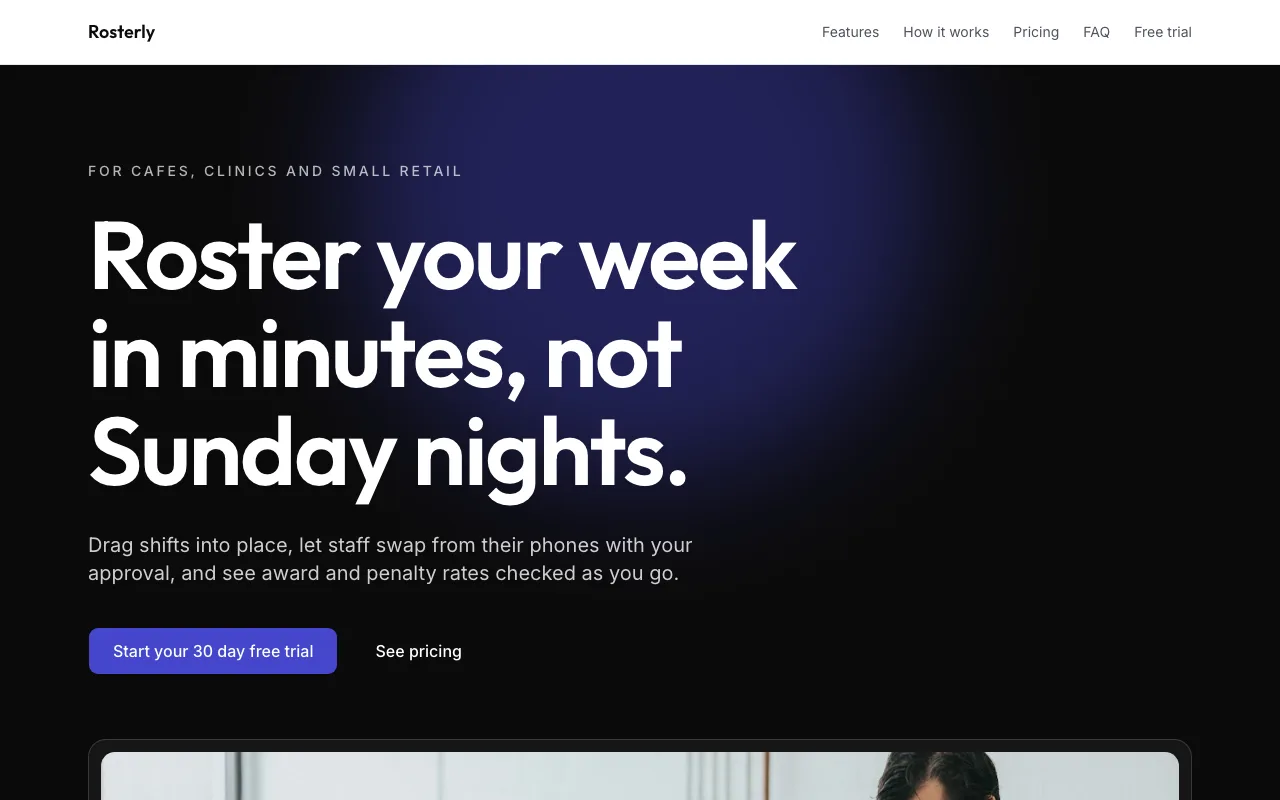
A software landing page has one job: get a visitor to start a trial. This SaaS website template is a one page React project for a sample rostering app, Rosterly, with the pitch, six features, three steps, three plans, an FAQ and a trial form that sends sign-ups to your leads inbox.
1 page, 13 source files, 0 data collections, sample business Rosterly
Opens the site generator in Code mode with this template chosen. Open as is copies its code and sample data into a new site; Generate writes a new project from your brief instead. Code mode is on paid plans.
Pages
- /Rosterly: shift rostering for cafes, clinics and small retail
What it is wired to
- An enquiry form whose answers land in your leads inbox, with an email to you.
- A newsletter sign-up that adds each email to your leads inbox.
Built with
A React Router project styled with Tailwind CSS and shadcn/ui components, kept in its own git repository per site. The builder shows a live preview, the files (read only), the version history with restore, and a zip download of the code. You change the site by asking the chat, which edits the files and rebuilds it.
Who it suits
Founders of early stage software products who need a credible landing page before a full marketing site: a scheduling tool, a small business app, a browser extension. It suits a product with a free trial or a waitlist and a simple plan structure that fits in three columns.
What to change first
Rewrite the hero promise and the six facts for your product, then the six features and three steps. Update the three plans and prices so they match your billing exactly, and replace the FAQ answers with the questions prospects really ask on sales calls or in support.
Collecting leads before you have a sign-up flow
If your product cannot take sign-ups yet, the trial form collects names and emails in the leads inbox, with an email to you for each one and a CSV export for your mailing tool. When sign-ups open, ask the chat to point the button at your app instead.
Questions people ask
What sections are on the page?
In order: the hero, a strip of six short facts, a grid of six features, a three step how it works, pricing for three plans, a free trial band and an FAQ with a newsletter sign-up. The navigation links to each section by anchor, so the page reads well on a phone.
Where is the copy kept?
In one content file, so the feature titles, the steps, the facts and the FAQ answers sit together rather than spread across components. When you ask the chat to rewrite the page for your product, it edits that file and the sections pick up the new words.
Where do trial sign-ups go?
The trial band uses the site kit's lead form and the FAQ section has a newsletter form. Both send to the leads inbox, with an email to you for each lead; newsletter sign-ups from the same address are merged. The template has no data collections.
Does it connect to my real product?
No. It is a marketing site of static files; it does not create accounts in your app or take subscriptions. Point the trial button at your own sign-up page through the chat if you prefer that to collecting leads, and keep your pricing text in step with your billing.
Why is it only one page?
Most early products sell from one page, and one page loads fast and is simple to keep accurate. Ask the chat for a changelog, a pricing page or a blog index and it adds the route, links it in the navigation and rebuilds, keeping the earlier version in the history.