Code mode, landing pages, Education
Online course website template, written as code
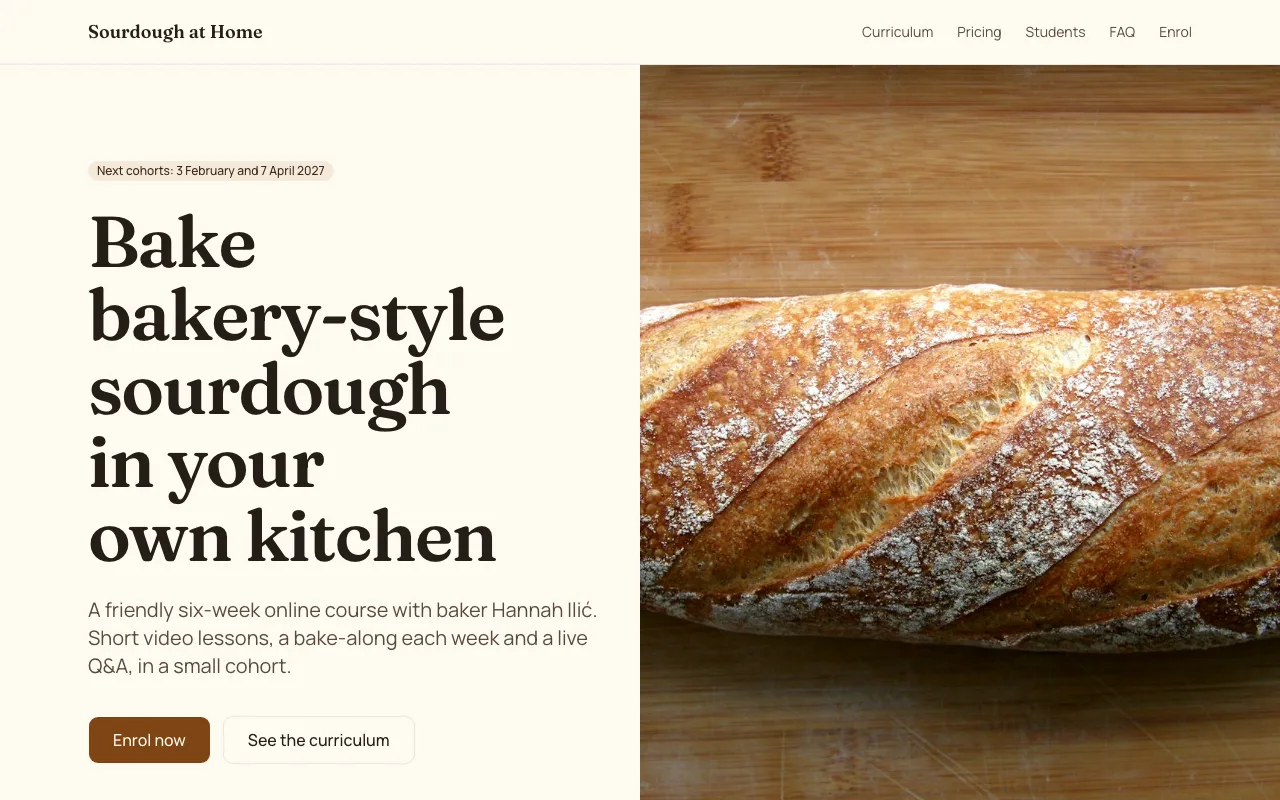
One page sells a course if it answers the questions in order. This online course website template does that for a sample six week sourdough course: the promise, the facts, a week by week curriculum, dates and price, testimonials, an FAQ and an enrolment form at the bottom.
1 page, 13 source files, 2 data collections, sample business Sourdough at Home
Opens the site generator in Code mode with this template chosen. Open as is copies its code and sample data into a new site; Generate writes a new project from your brief instead. Code mode is on paid plans.
Pages
- /Sourdough at Home | Six-week online sourdough course
What it is wired to
- A booking or sign-up form that saves each answer as a row in a data collection you see as a list.
- Content read live from a data collection, so you change it by editing rows rather than code.
Data collections
curriculum_weeks
Shown on the site; you edit the rows. Fields: week (number), title (text), summary (text).
6 sample rows: Starter from scratch, Flour, water and hydration, Shaping and scoring, The weekend loaf schedule, Rye, spelt and wholemeal, Fixing problem loaves.
enrolments
Filled by visitors through a form on the site. Only you see the rows. Fields: name (text), email (email), cohort (choice: 3 February 2027, 7 April 2027), experience (choice: Beginner, Some experience, Regular baker).
Built with
A React Router project styled with Tailwind CSS and shadcn/ui components, kept in its own git repository per site. The builder shows a live preview, the files (read only), the version history with restore, and a zip download of the code. You change the site by asking the chat, which edits the files and rebuilds it.
Who it suits
Teachers and makers running a cohort based course: a cooking class, a language course, a coding bootcamp or a craft workshop online. The single page walks from the promise to enrolment in the order a buyer asks questions, so it works best for one course with fixed start dates rather than a catalogue.
What to change first
Rewrite the hero and the course facts for your subject, then replace the six curriculum rows and the two cohort dates in the enrolments form. The student voices and the FAQ come next; use real testimonials only, and answer the questions your past learners actually asked before they enrolled.
How enrolments reach you
Each submission becomes a private row with the learner's name, email, cohort and experience level. You get a notification, the rows sit in the builder as a list you can sort and search, and a CSV export gives you a class list for each cohort when it is time to send joining details.
Questions people ask
How is the curriculum stored?
In a data collection called curriculum weeks, one row per week with a number, a title and a summary. The six sample weeks run from a starter from scratch to fixing problem loaves. Change a row and the curriculum section changes with it; add a seventh row for a longer course.
Where do enrolments go?
The enrolment form saves each answer as a row in a private enrolments collection: name, email, the cohort chosen from two dates and the learner's experience level. Visitors can write to it but cannot read it, and you see the rows as a list in the builder and can export them as a CSV.
Does the template take payment for the course?
No. The enrolment form collects names for a cohort; it does not charge a card. If you want to sell places, ask the chat to add the site store, which uses Stripe Checkout through your connected Stripe account on a paid plan, or send each enrolled learner an invoice.
Is it a single page site?
Yes. It has one route, the home page, with sections for the hero, course facts, the curriculum, pricing and dates, student voices, the FAQ and the enrolment form. Ask the chat for a separate page per week or an about page and it adds the route and links it in the navigation.
Can I use it for a course that is not about baking?
Yes; the baking is sample content. Open it as is and ask the chat to rewrite it for your topic, then edit the curriculum rows and the cohort dates, or generate a new project from your own brief with this template chosen, which starts the brief from its description.