Conversational form
Customer effort score survey template for closed support tickets
A customer effort score survey asks how easy it was to get an issue handled, on a seven point agreement scale, straight after the ticket closes. This template pairs that one statement with the ticket number, the channel, what got in the way, whether the issue is actually fixed and how many contacts it took.
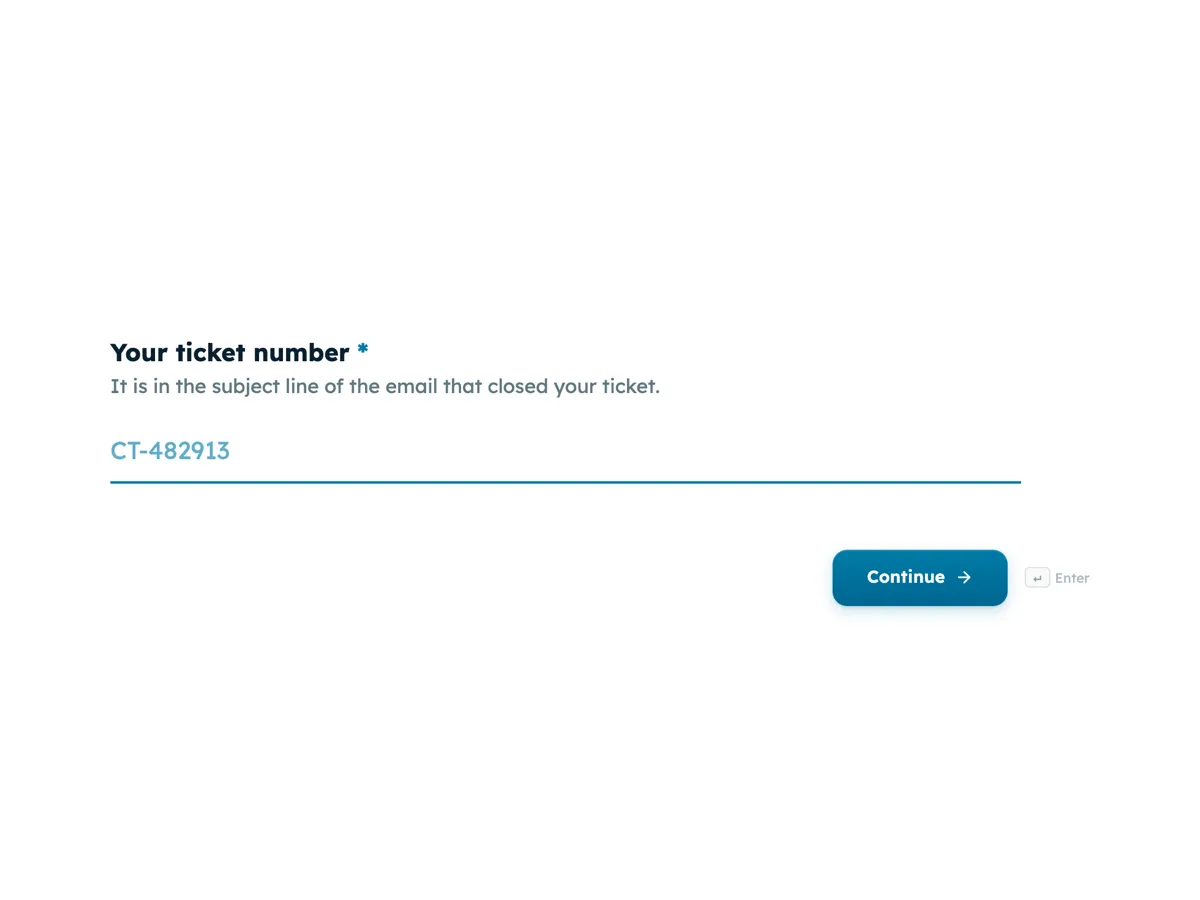
The form itself
The first screen of the form. A conversational form shows one question per screen, so the remaining screens are listed in the field table below. Nothing here can be filled in or submitted, so read it as a reference and build your own from the button above.
Every field, and what it collects
The complete field list, in the order respondents meet it.
- Your ticket numberShort textRequired
- It is in the subject line of the email that closed your ticket.
- How did you contact support this time?Single choiceRequired
- Options: Phone · Live chat · Email · In store · Social media message
- Corvusnet made it easy for me to handle my issue.Single choiceRequired
- 1 is strongly disagree, 7 is strongly agree.
- Options: 1, strongly disagree · 2, disagree · 3, somewhat disagree · 4, neither agree nor disagree · 5, somewhat agree · 6, agree · 7, strongly agree
- What made it harder than it should have been?Multiple choice
- Tick any that apply, or skip if nothing did.
- Options: Long wait to reach someone · Transferred between people · Had to explain the problem more than once · The fix needed a technician visit · Instructions were hard to follow · Had to chase for an update
- Is the issue resolved now?Single choiceRequired
- Options: Yes, fully · Partly · No
- How many times did you contact support about this issue?Single choiceRequired
- Options: Once · Twice · Three times · Four or more times
- Did you have to repeat your account details or the problem to a second person?Single choiceRequired
- Options: No · Yes, once · Yes, more than once
- Anything else the support team should know?Long text
What each screen of this survey collects
The ticket number is a required short text capped at 12 characters, with the format shown in the placeholder. Channel is a radio of five, from phone to social media. The effort statement reads Corvusnet made it easy for me to handle my issue, scored 1 to 7 with every point labelled. What made it harder is an optional checkbox of six known friction points, such as transfers and chasing for updates. Resolved is yes, partly or no. Contacts needed runs from once to four or more. Repeating details is a radio of three. The comment is optional, capped at 600 characters. Six of the eight screens are required.
Why the effort statement needs the screens around it
The effort score on its own says a customer struggled, not why. The friction checkbox names the cause in categories a support manager can count, and the contacts and repeat questions measure the two things effort research links most closely to disloyalty: having to come back, and having to start again with someone new. Resolution is asked separately because an easy interaction that did not fix anything is not a success. With the webhook add-on turned on, each submission is posted once as JSON to the ticket system, keyed by field label, so the ticket number field lets the system attach the answers to the right case.
How to adapt this survey
An internal IT help desk replaces the channel list with the portal, chat and walk up desk, and the ticket prefix with its own. A retailer handling returns swaps the friction list for postage, refunds and label printing. A team without a ticket system drops the ticket screen and turns on the email alert add-on instead.
What makes this form work
One labelled effort statement
The 1 to 7 scale labels every point from strongly disagree to strongly agree, so a 5 means the same thing to every customer.
Friction is named in countable categories
Six friction points, from transfers to chasing for an update, turn a low score into a cause a support manager can fix.
The ticket number joins the record
A required ticket number with its format in the placeholder lets the webhook attach every answer to the case it describes.
Questions people ask
What is the difference between a customer effort score and CSAT?
CSAT asks how satisfied someone is, which mixes the outcome, the agent's manner and their mood that day. A customer effort score asks how easy it was to get the issue handled, which points at process: transfers, wait times, repeated explanations. Effort tends to predict whether a customer comes back to support, while satisfaction often reflects politeness.
Why a 1 to 7 scale rather than 1 to 5?
The common modern version of the effort question is an agreement statement on seven points, which spreads answers out more than five and leaves a real midpoint. Every point here carries a label, so no one has to guess what a 5 means. Report the share answering 5, 6 or 7 rather than an average.
How does the webhook connect answers to the ticket?
When the owner turns on the webhook add-on, each submission is sent once as a JSON POST with the answers keyed by field label. The ticket system reads the ticket number field and attaches the rest to that case. The request times out after 10 seconds and is not retried, so the receiving end should be reliable.
Should the survey go out for every closed ticket?
For most teams, yes, with a limit of one survey per customer in a set period so frequent callers are not asked every week. Sending it only for tickets the agent picks skews results toward the easy ones. Send it within an hour of closure, while the experience is fresh and before the customer has moved on.
What should happen when someone says the issue is not resolved?
Treat it as a reopened case, not a data point. The thank-you screen here promises a team leader review within two business days, so a person has to own that queue. Filter responses by the no and partly answers daily and pull those tickets back up using the ticket number.
Is the ticket number personal information?
It can be, because it links the answers to an identifiable account. Say so where the survey is sent, store responses with the same care as the ticket itself, and do not share comments outside the support and quality teams. Customers who want to stay anonymous can be offered a version without the ticket screen.
Build your own in about a minute
The button below opens the generator with this use case already described. Change the wording to match your own, generate, then edit anything you like.
Make one like thisOther form examples
Customer onboarding survey template: the day 30 check in
A customer onboarding survey has to find out, about a month after sign up, whether new customers reached the goal they signed up for and where setup slowed them down. This template asks the goal and whether it was met, then the hardest step, the help used, time to value and confidence from 1 to 5.
Volunteer survey on role fit, training and recognition
A volunteer survey asks the people who give their time whether the role suited them, whether they were trained and valued, and what would bring them back. This one does it in eight screens for a wetlands charity, from the role they held to the barriers that make volunteering harder.
Gym member satisfaction survey for classes, equipment and hours
A gym member satisfaction survey has to show where members are frustrated, the equipment, the timetable or the crowding, in a way that points at a spending decision. This one asks when people train, rates each equipment area in one grid, checks crowding at their usual time and ends with the one change they want.
Want the steps in the builder? Read Automate your form with add-ons, then View, export and manage your responses. For everything this generator can do, see the form maker.
Written and checked by the OneCraft team. Last checked .