Conversational form
Customer onboarding survey template: the day 30 check in
A customer onboarding survey has to find out, about a month after sign up, whether new customers reached the goal they signed up for and where setup slowed them down. This template asks the goal and whether it was met, then the hardest step, the help used, time to value and confidence from 1 to 5.
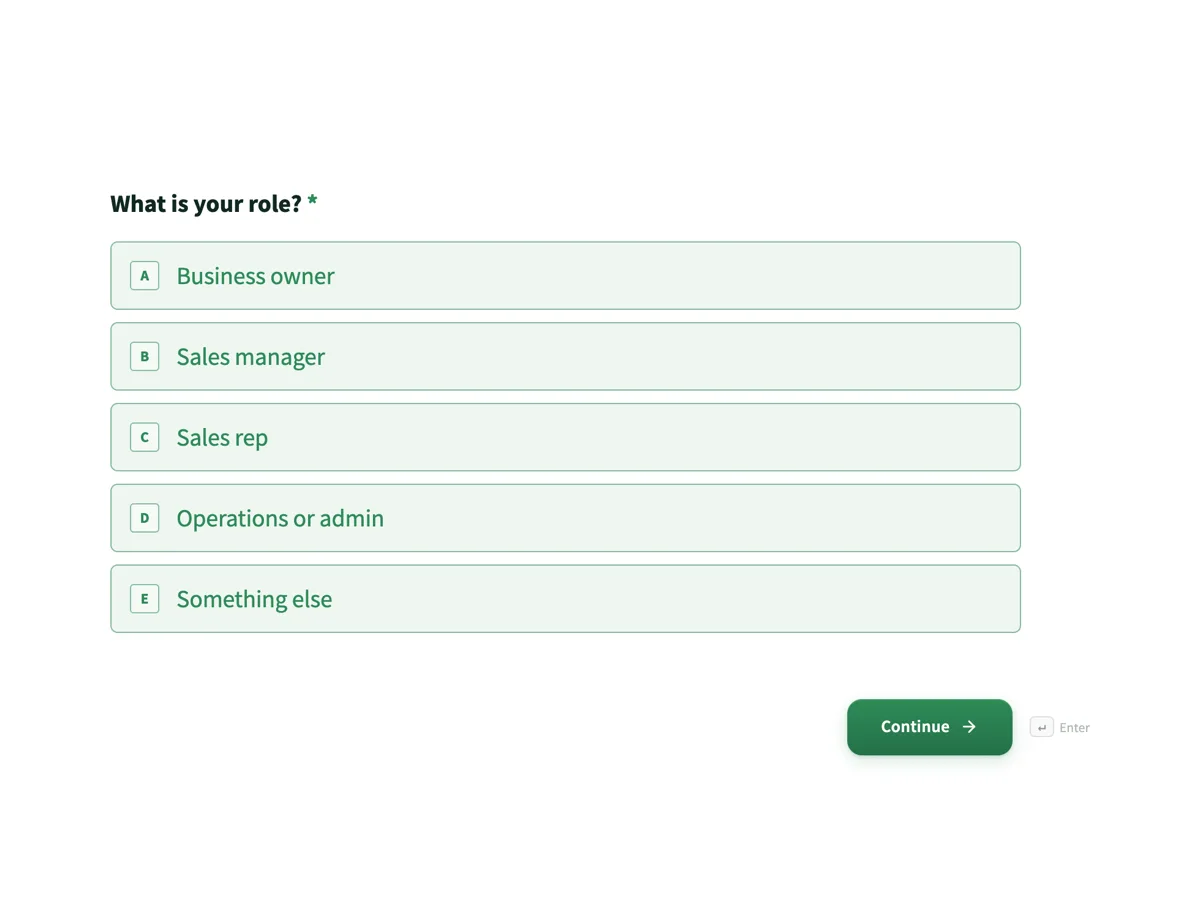
The form itself
The first screen of the form. A conversational form shows one question per screen, so the remaining screens are listed in the field table below. Nothing here can be filled in or submitted, so read it as a reference and build your own from the button above.
Every field, and what it collects
The complete field list, in the order respondents meet it.
- What is your role?Single choiceRequired
- Options: Business owner · Sales manager · Sales rep · Operations or admin · Something else
- What was the main thing you wanted when you signed up?Single choiceRequired
- Options: One place for all customer contacts · A clear sales pipeline · Follow ups that do not get missed · Sales reports for the team · Replacing spreadsheets
- Thirty days in, have you got there?Single choiceRequired
- Options: Yes, fully · Partly · Not yet · I have changed what I need
- Which setup step was hardest?DropdownRequired
- Options: Importing contacts · Setting up pipeline stages · Connecting email · Inviting the team · Building reports · None, it was all easy
- What help did you use?Multiple choiceRequired
- Options: The setup checklist · Help articles · Video walkthroughs · Chat with support · A call with onboarding · None, I worked it out
- How long until Wrenfield was saving you time?Single choiceRequired
- Options: The first day · The first week · Two to four weeks · It has not yet
- How confident are you using Wrenfield day to day, from 1 to 5?Single choiceRequired
- 1 is not confident at all, 5 is completely confident.
- Options: 1, not at all · 2 · 3 · 4 · 5, completely
- Anything that would have made the first month easier?Long text
What each screen of this survey asks
Role is a radio of five. The goal at sign up is a radio of five, from one place for contacts to replacing spreadsheets. Have you got there is yes fully, partly, not yet, or I have changed what I need. The hardest setup step is a dropdown of six, including none. Help used is a checkbox of six, from the setup checklist to a call with onboarding. Time to value is a radio of four bands. Confidence runs from 1, not at all, to 5, completely. The last screen is an optional comment. Seven of the eight screens are required. The question bank for this subject, customer onboarding survey questions, lists more items to draw from.
Why the goal is asked before anything else
Onboarding succeeds when a customer gets what they came for, and that differs by customer. Someone who signed up to stop missing follow ups and someone who wanted team reports are measuring the first month against different things. Asking the goal, then whether it was reached, makes every later answer readable against that goal: a hard time importing contacts matters most to the customer replacing spreadsheets. The fourth option, I have changed what I need, catches customers whose needs moved, which is a product signal rather than an onboarding failure. Confidence comes last because it predicts who will still be using the product in month three.
How to adapt this survey
An accounting platform swaps the setup steps for connecting the bank and the first reconciliation. A team product sends a shorter version to each invited user, not only the account owner. A business with a sales led onboarding adds a screen rating the onboarding specialist. A product with a free trial sends it at day 10 instead, before the trial ends, and asks whether the customer plans to upgrade.
What makes this form work
Success is the customer's own goal
Five sign up goals followed by have you got there. The first month is judged against what each customer wanted, not against one company metric.
The hardest step is named
A dropdown of six setup steps, from importing contacts to building reports. The onboarding team sees exactly where new customers slow down and fixes that step first.
Low confidence triggers a call
Confidence from 1 to 5 comes with a promise on the thank-you screen: anyone not confident yet is offered a setup call within two business days.
Questions people ask
Why send an onboarding survey at day 30?
By then most customers have finished setup and used the product for real work, but still remember what was hard. Earlier, they have not reached their goal; later, the problems are forgotten or the customer has left. Many teams send a second, shorter check in around day 90 for those who answered partly.
What is time to value?
How long it takes a new customer to get the first real benefit, such as saving time or closing a deal from the pipeline. Shorter is better, and it is one of the strongest signs a customer will stay. This survey asks it in four bands, from the first day to not yet.
Why ask what help customers used?
To see which onboarding material does the work. If most confident customers used the setup checklist and few opened the videos, the videos may not be worth expanding. A checkbox lets people tick several, and none, I worked it out, separates self starters from those who never found the help.
What should happen to customers who score low on confidence?
Someone should contact them. The thank-you screen promises an email within two business days offering a setup call, and that promise is kept by the onboarding team reading the answers, not by the form. Low confidence at day 30 is the clearest early warning that a customer may cancel.
Is the onboarding survey anonymous?
Usually not, because the point is to help specific customers who are stuck, and the survey is sent to known accounts. This one asks no name, so the link itself must identify the account, or the team adds a short email screen. Customers should be told their answers are tied to their account.
How is this different from a product feedback survey?
This survey asks about the first month: setup steps, help and time to value, sent once to new customers. A product feedback survey goes to all customers and asks about features, price and recommendation. Running both lets a team separate a hard setup from a weak product.
Build your own in about a minute
The button below opens the generator with this use case already described. Change the wording to match your own, generate, then edit anything you like.
Make one like thisOther form examples
Pricing survey template with the four Van Westendorp questions
A pricing survey finds the range of prices buyers will accept by asking where a price becomes too cheap to trust, a bargain, expensive and too expensive. This template asks those four Van Westendorp questions for a paid app plan, after current spend, and follows them with the features people would use and who they are.
Cancellation survey with a main reason and a pause offer
A cancellation survey has to capture why a subscriber is leaving in a form the business can act on, while the decision is still fresh. This one asks for a single main reason, then what would have kept them, where they are going instead, and whether a pause would do.
New hire onboarding survey at day 90
A new hire onboarding survey asks recent starters what helped and what was missing in their first months, early enough that the answers can fix the process for the next intake. This day 90 version covers role clarity, day one readiness, the buddy, a training grid, manager check ins and whether the person feels part of the team.
Want the steps in the builder? Read Create a conversational form with AI, then View, export and manage your responses. For everything this generator can do, see the form maker.
Written and checked by the OneCraft team. Last checked .