Conversational form
Flower order form with the occasion, budget and card message
A flower order form has to settle what the flowers are for, how much to spend, what the card says and exactly where and when they arrive. This one asks each on its own screen, leaves the stems to the florist inside a style and colour brief, and separates the person receiving from the person paying.
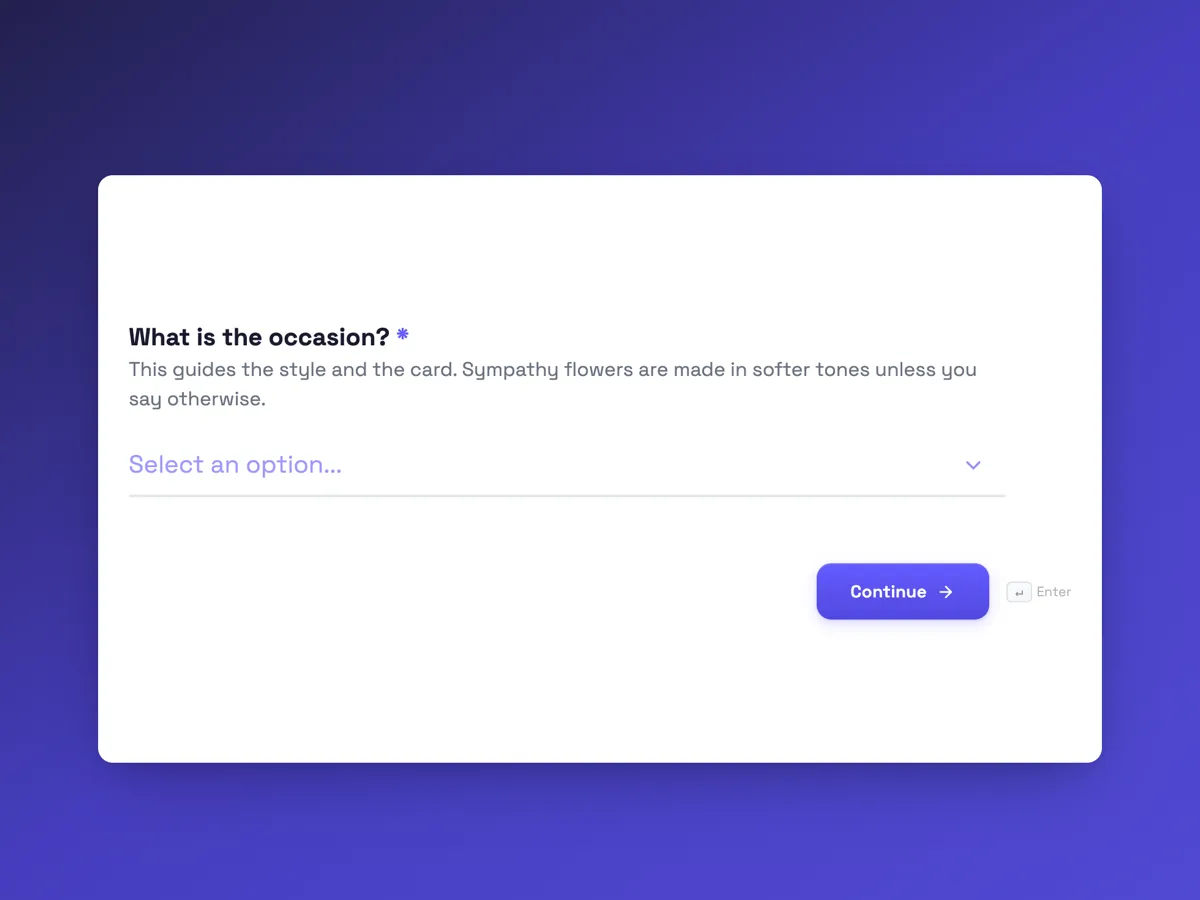
The form itself
The first screen of the form. A conversational form shows one question per screen, so the remaining screens are listed in the field table below. Nothing here can be filled in or submitted, so read it as a reference and build your own from the button above.
Every field, and what it collects
The complete field list, in the order respondents meet it.
- What is the occasion?DropdownRequired
- This guides the style and the card. Sympathy flowers are made in softer tones unless you say otherwise.
- Options: Birthday · Anniversary · Thank you · New baby · Get well · Sympathy · Congratulations · Just because
- Which style?Single choiceRequired
- Options: Hand tied bouquet, wrapped, ready for a vase · Arrangement in a vase, no vase needed at the other end · Box of flowers, low and compact · Potted plant that lasts for months
- What would you like to spend, before delivery?Single choiceRequired
- Delivery is $15 within 10 km of the shop. A vase adds $25 to the vase arrangement.
- Options: $60 · $90 · $130 · $200 · Over $200, the florist will call
- Which colours?Multiple choiceRequired
- Options: Whites and greens · Soft pinks · Bright and mixed · Reds · Yellows and oranges · Purples and blues · Florist's choice
- What should the card say?Long text
- Up to about 40 words fits the card. Leave it blank for no card, and sign it however you like, or not at all.
- Which day should they arrive?DateRequired
- Deliveries run Monday to Saturday. Same day delivery is possible for orders before 11 am.
- When on that day?Single choiceRequired
- Options: Morning, 9 am to 12 pm · Afternoon, 12 to 5 pm · Any time that day
- Who are they for?Short textRequired
- Where should they go?AddressRequired
- For a hospital, add the ward. For an office, add the business name and floor.
- Who is sending them?ProfileRequired
What each screen of this order asks, in order
Screen one is the occasion, a dropdown of eight from birthday to sympathy. Screen two is the style: a hand tied bouquet, a vase arrangement, a box or a potted plant. Screen three is the budget in five steps from $60, with delivery and vase prices in the help text. Screen four is the colours as a checkbox, including florist's choice. Screen five is the card message, optional and capped at 250 characters. Screen six is the delivery day and screen seven a morning, afternoon or any time window. Screen eight is the recipient's name and, if the driver may call, their mobile. Screen nine is the delivery address with a note on hospital wards. Screen ten is a profile block for the sender.
Why the florist chooses the stems
A customer who orders twelve peonies in March is ordering something the market may not have. A brief made of occasion, style, budget and colours lets the florist build from what arrived fresh that morning, which is how most florists work. The budget is a set of fixed amounts rather than a free number, so the florist knows the size of the arrangement before starting, and the over $200 option triggers a call for anything larger. The confirmation call is also where payment happens; the form itself takes no payment, which the welcome screen says.
How to adapt this form
A wedding florist turns this into an enquiry with the wedding date, the venue, the number of bridesmaids and a mood board upload. A subscription flower service replaces the date with a weekly or fortnightly frequency. A florist delivering to funeral homes adds the service time and the funeral director's name, and moves sympathy to the top of the occasion list. Any florist can add a cats in the home question, because lilies are toxic to cats and are left out of those arrangements.
What makes this form work
Fixed budget steps
Five amounts from $60 to over $200, with delivery at $15 and a vase at $25 in the help text. The florist knows the size of the arrangement before choosing a stem, and the sender knows the full cost before the call.
The hospital ward has its own line
The address screen labels the second line for a unit, a business or a hospital ward, and the help text asks for the floor at an office. Most failed flower deliveries are an address that was right but not specific enough.
The card is optional and capped
The card message screen accepts up to 250 characters, about 40 words, and says a blank means no card. The sender writes for the card that exists, not a letter that has to be cut down at the counter.
Questions people ask
Should a flower order form let the customer pick individual flowers?
Usually not. Stock changes daily with the market and the season, and a named flower that is out of stock means a phone call and a substitution. A style, a colour range and a budget give the florist enough to make something good from what is fresh. A florist with a fixed menu of designs can add them as options.
Why is the recipient separate from the sender?
Because they are different people with different jobs. The recipient needs a name for the card envelope and sometimes a mobile so the driver can find them. The sender needs a confirmation call and a receipt. Mixing them in one contact block is how drivers end up calling the person who paid, from the doorstep.
How long can the card message be?
About 40 words fits a standard florist card, and the field is capped at 250 characters to keep to that. It is optional, since some people want only flowers. The help text says the message can be signed any way or not at all, which matters for gifts that are meant to be a surprise.
Does the form take payment?
No. A form collects answers and does not process payments. The welcome screen and the thank-you screen both say the florist calls to confirm and take payment before anything is made. That call is also where a florist mentions any change, such as a colour that is not available that week.
Why ask for a delivery window as well as a date?
Because a delivery to an office at 4.30 pm can find it closed, and a morning delivery to a home can find nobody in. Three windows, morning, afternoon or any time, let the driver plan a route and let the sender match the moment, such as flowers before a birthday lunch.
Build your own in about a minute
The button below opens the generator with this use case already described. Change the wording to match your own, generate, then edit anything you like.
Make one like thisOther form examples
Bakery pre order form for pickup day and time
A bakery pre order form has to tell the bakers how many of each loaf and pastry to bake for which morning, and tell the counter whose bag goes on the shelf and when they will come. This one starts with an item and quantity table, asks the pickup day and an hourly window, and settles slicing and packing before the dough is shaped.
Coffee bean subscription order form with grind and cadence
A coffee bean subscription order form has to match the grind to how the person brews and the delivery gap to how fast they drink, or the beans arrive stale or too late. This one asks both on their own screens, explains each choice in grams and cups, and sets the first roast date before taking the address.
Meal prep order form with a weekly menu grid
A meal prep order form has to turn a weekly menu into a cooking list: which meals, how many of each, what size and which delivery day. This one prints the week's menu above a seven row meal and quantity table, asks portion size and dietary swaps, and is set up to send each order to the kitchen sheet by webhook.
Want the steps in the builder? Read Create a conversational form with AI, then Design your welcome and thank-you screens. For everything this generator can do, see the form maker.
Written and checked by the OneCraft team. Last checked .