Conversational form
Post purchase survey template: discovery, checkout and delivery
A post purchase survey has to walk the order from the buyer's side, from how they found the shop to the moment the box was opened, so each team sees its own part. This template asks one question per stage, adds an optional photo of the product at home, and ends on a recommendation score.
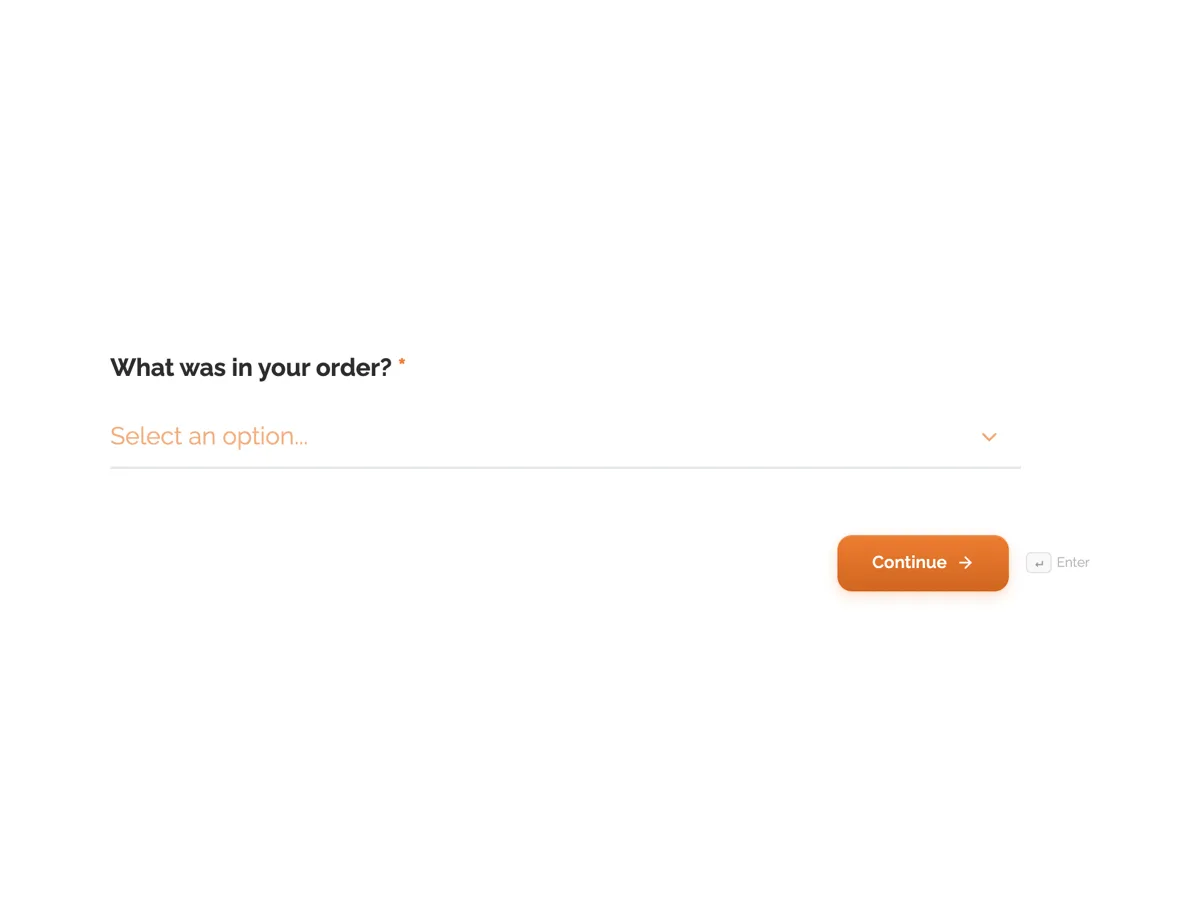
The form itself
The first screen of the form. A conversational form shows one question per screen, so the remaining screens are listed in the field table below. Nothing here can be filled in or submitted, so read it as a reference and build your own from the button above.
Every field, and what it collects
The complete field list, in the order respondents meet it.
- What was in your order?DropdownRequired
- Options: Single wick candle · Three wick candle · Reed diffuser · Candle and diffuser gift set · Refill pouch
- How did you first hear about Wickfold?Single choiceRequired
- Options: Instagram or TikTok · A search engine · A friend or a gift · A market stall or stockist · A newsletter or blog
- How easy was checkout?Single choiceRequired
- Options: Very easy · Easy · Some trouble · Hard enough that I nearly gave up
- How did the delivery time compare with what checkout told you?Single choiceRequired
- Options: Arrived earlier · Arrived on time · A few days late · More than a week late
- What state did the packaging arrive in?Single choiceRequired
- Options: Perfect, gift ready · Fine, a little scuffed · Damaged box, product fine · Product damaged
- Did the candle match what the product page led you to expect?Single choiceRequired
- Think of the scent strength, colour and size.
- Options: Better than expected · As expected · Not quite · Not at all
- Share a photo of it in its new spotFile upload
- Optional. One image, up to 10 MB.
- How likely are you to recommend Wickfold to a friend?Single choiceRequired
- 0 is not at all likely, 10 is extremely likely.
- Options: 0 · 1 · 2 · 3 · 4 · 5 · 6 · 7 · 8 · 9 · 10
What each screen of this survey collects
The order is a dropdown of five products, so every later answer can be split by what was bought. Discovery is a radio of five channels, from social video to a market stall. Checkout ease runs from very easy to nearly gave up. Delivery is judged against the date checkout promised, not against a vague sense of fast. Packaging has four states, separating a scuffed box from a damaged product. Expectations ask about scent, colour and size against the product page. The photo is an optional single image upload, images only, up to 10 MB. The last screen is a 0 to 10 recommendation question in three columns. Seven of the eight screens are required.
Why each stage gets its own question
A single how was your order rating hides where things went wrong. A customer who loved the candle but waited eleven days gives the same three stars as one who got it next day and found it weak. Splitting the journey gives marketing the discovery answer, the web team checkout, the fulfilment team delivery and packaging, and the product team expectations. Delivery is measured against the promise because buyers forgive slow shipping they were told about. The photo screen is optional and placed near the end, so it never stops a submission, and the thank-you screen says photos are not posted without asking.
How to adapt this survey
A clothing shop replaces the expectations help text with fit, fabric and colour, and adds a size accuracy question. A shop with click and collect adds a collection option beside delivery. A business selling subscriptions moves the discovery question to the first order only and asks about the unboxing on later ones.
What makes this form work
Each team gets its own answer
Discovery, checkout, delivery, packaging and expectations are five separate screens, so a slow courier never drags down the product score.
Delivery is judged against the promise
The delivery screen compares arrival with what checkout said, from arrived earlier to more than a week late, which is what buyers actually react to.
The photo never blocks submission
The single image upload is optional and comes second last, so buyers share their candle at home without being forced to.
Questions people ask
How long after delivery should a post purchase survey go out?
Two to five days after the parcel arrives, which gives the buyer time to open and use the product but is close enough that checkout is still remembered. Sending it on dispatch means half the questions cannot be answered yet. For a candle, a few burns in is the right moment to judge scent strength.
Should a post purchase survey offer a discount for answering?
A small thank-you is fine, but an incentive tied to a positive answer is not, and some review platforms ban it. A discount for any completed survey slightly raises response rates without changing what people say. Many small shops get enough answers without one, especially when the thank-you screen explains what happens next.
Can customers upload photos in this form?
Yes. The photo screen is a file upload set to images only, one file up to 10 MB, and it is optional so a buyer without a photo can still submit. Uploaded images appear with the response. A conversational form can also use the photo field, which takes a single image from the camera or library.
Why ask what was ordered when the shop already knows?
Because the survey link is shared, not personalised, so the response does not carry the order details. One dropdown tap lets answers about expectations and packaging be read per product. A gift set packed in a larger box behaves differently in transit from a single candle, and that only shows when answers are split.
What counts as a good recommendation score for a small shop?
There is no universal benchmark worth chasing. Track the score over time and read it with the delivery and packaging answers beside it. A drop that lines up with late deliveries in the same weeks tells you more than comparing your number to another industry's average published by a software vendor.
How should damaged product answers be handled?
Treat them as a service request, not a statistic. Anyone choosing product damaged should hear from the shop, so check those responses daily or turn on the email alert add-on so each submission arrives in one inbox. Count them by courier and box size each month to see whether packing needs to change.
Build your own in about a minute
The button below opens the generator with this use case already described. Change the wording to match your own, generate, then edit anything you like.
Make one like thisOther form examples
Gym member satisfaction survey for classes, equipment and hours
A gym member satisfaction survey has to show where members are frustrated, the equipment, the timetable or the crowding, in a way that points at a spending decision. This one asks when people train, rates each equipment area in one grid, checks crowding at their usual time and ends with the one change they want.
Newsletter reader survey on topics, frequency and format
A newsletter reader survey asks subscribers what they want more of, how often they want it and how they read it, so the next issues fit their week. This one does it in seven screens for a weekly money newsletter, ending with a single question on interest in a paid tier.
Customer onboarding survey template: the day 30 check in
A customer onboarding survey has to find out, about a month after sign up, whether new customers reached the goal they signed up for and where setup slowed them down. This template asks the goal and whether it was met, then the hardest step, the help used, time to value and confidence from 1 to 5.
Want the steps in the builder? Read Create a conversational form with AI, then Design your welcome and thank-you screens. For everything this generator can do, see the form maker.
Written and checked by the OneCraft team. Last checked .