Conversational form
Restaurant feedback form with a course by course rating grid
A restaurant feedback form has to tell the kitchen and the floor team which part of a visit worked and which did not, without making diners write an essay. This one puts every course plus service, ambience and value into one rating grid, then asks for the server, the best dish and whether they would return.
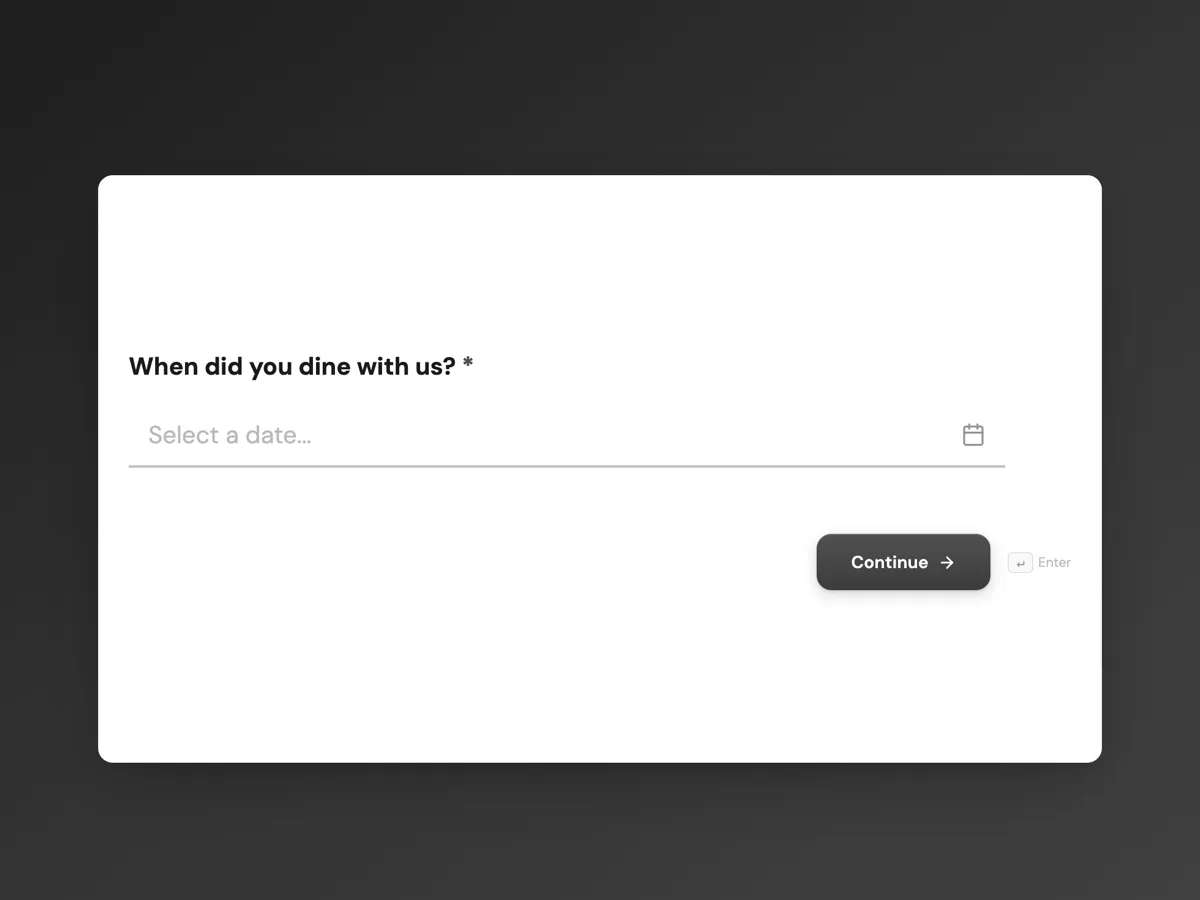
The form itself
The first screen of the form. A conversational form shows one question per screen, so the remaining screens are listed in the field table below. Nothing here can be filled in or submitted, so read it as a reference and build your own from the button above.
Every field, and what it collects
The complete field list, in the order respondents meet it.
- When did you dine with us?DateRequired
- What was the occasion?Single choiceRequired
- Options: Everyday meal · Birthday · Anniversary or date · Business meal · Family gathering · Something else
- How many were in your party?Single choiceRequired
- Options: Just me · Two · Three or four · Five to eight · More than eight
- Rate each part of your visitRating gridRequired
- Skip any course you did not order.
- Statements:
- Starter
- Main course
- Dessert
- Service
- Ambience
- Value for money
- Who looked after your table?Short text
- A first name is enough. Leave it blank if you are not sure.
- What was the best thing you ate?Short text
- Would you come back to Cinderleaf?Single choiceRequired
- Options: Yes, definitely · Probably · Not sure · Probably not
- Anything the team should know?Long text
What each screen of this survey collects
Visit date is a required date picker, so answers can be matched to a service and a menu. Occasion is a radio of six, from everyday meal to business. Party size is a radio of five bands. The grid rates starter, main course, dessert, service, ambience and value for money from poor to excellent, with a note to skip courses not ordered. Server name and best dish are optional short texts with placeholders. Return intent is a radio of four, and the comment is optional, capped at 800 characters. Five of the eight screens are required.
Why one grid instead of one question per course
Diners will rate six things on one screen in a few seconds, but they abandon a survey that asks six separate questions. The grid also puts every rating on the same five point scale, so a fair for dessert can be compared directly with a very good for mains. Splitting food by course matters because a kitchen fixes dishes, not food in general. The date and occasion turn complaints into patterns: slow service on Friday nights, or anniversaries scoring ambience low because of a noisy room. Asking for the server by first name, optionally, lets praise reach the right person without making anyone feel they are reporting on staff. Party size helps too, since large tables strain a kitchen differently from couples.
How to adapt this survey
A café replaces the courses with coffee, food and counter service, and drops party size. A restaurant with set menus lists the courses of that menu. A venue that takes bookings sends the form link the morning after, and a takeaway business swaps ambience for packaging and delivery time.
What makes this form work
Every course on one scale
Starter, main, dessert, service, ambience and value share one poor to excellent grid, so weak spots stand out in seconds.
The date ties feedback to a service
A required visit date lets the kitchen match complaints to a particular night, menu and roster instead of guessing.
Praise can reach a person
The optional server name with a first name placeholder lets diners credit whoever looked after their table without naming anyone for blame.
Questions people ask
When should a restaurant ask for feedback?
The morning after the visit works best for booked tables, while the meal is remembered but the diner is no longer at the table. A card or QR code with the bill reaches walk in customers too, though fewer respond. Avoid asking at the table during the meal, which tends to produce polite answers rather than honest ones.
Does every row of the rating grid have to be answered?
No. The grid is required, but the form counts it as answered once any one row is rated, which suits a meal where not every course was ordered. The help text tells diners to skip courses they did not have. When reporting, count each row only from the people who rated it.
Should feedback forms ask for the diner's name or email?
This one does not, which keeps answers more candid and avoids holding personal details you do not need. If you want to reply to complaints, add an optional email screen at the end and say what it is for. Most of the value is in the grid and comments, which do not need identity.
How should a restaurant use the server name answers?
For recognition first: pass on praise in the pre service briefing. Treat complaints about a named person with care, since a single comment may reflect a bad night or a kitchen delay. Look for patterns across several weeks before acting, and share the service rating with the whole floor team rather than one person.
What is a good response rate for restaurant feedback?
Expect a small share of diners to answer, and more from booked tables who receive a direct link than from receipts or table cards. Short forms, a clear promise of what happens with the answers, and a thank-you that points to the menu all help. The welcome screen here says the kitchen reads every grid weekly.
Can this form send a complaint to the manager straight away?
Yes, with the email alert add-on turned on, each submission is emailed to one address with all the answers formatted in the message. The manager can scan for poor ratings each morning. The form cannot route only the bad ones, so every response arrives, which also makes good news easy to share.
Build your own in about a minute
The button below opens the generator with this use case already described. Change the wording to match your own, generate, then edit anything you like.
Make one like thisOther form examples
App feedback survey template for crashes, speed and missing features
An app feedback survey has to collect what developers can act on: which platform and version, how often it crashed, where it is slow and what users want next. This template asks those in eight short screens, counts crashes for this week only, and takes an optional screenshot of the problem.
Volunteer survey on role fit, training and recognition
A volunteer survey asks the people who give their time whether the role suited them, whether they were trained and valued, and what would bring them back. This one does it in eight screens for a wetlands charity, from the role they held to the barriers that make volunteering harder.
Supplier feedback survey: how your suppliers rate you as a customer
A supplier feedback survey asks the businesses that sell to you how you are to work with: whether you pay on time, forecast honestly and answer the phone. This one turns that into seven screens for a food manufacturer's procurement team, ending with whether each supplier wants to keep the account.
Want the steps in the builder? Read Create a conversational form with AI, then Design your welcome and thank-you screens. For everything this generator can do, see the form maker.
Written and checked by the OneCraft team. Last checked .