Forms
Rating matrix questions
A matrix asks six statements against the same five point scale in one field instead of six. It is the densest question type there is, which makes it efficient for the person reading the results and demanding for the person answering.
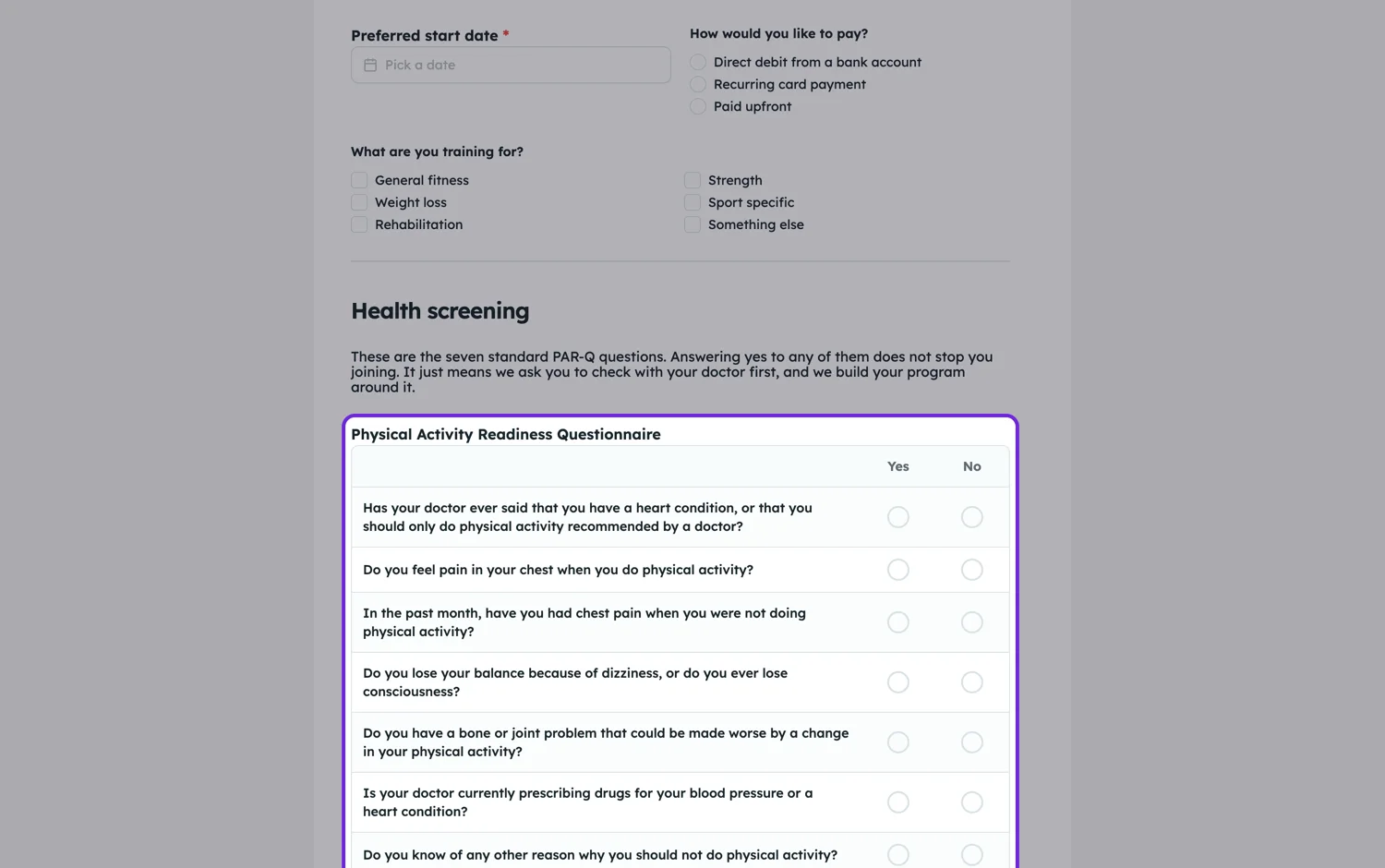
How it is built
You define the rows, which are the statements, and the columns, which are the scale. Then you choose whether each row takes one answer or several. Single answer per row is the normal rating grid. Several per row turns it into a checklist crossed with categories, which is useful for questions like which of these applied to each stage.
Write the scale before the statements
The scale decides what the statements have to look like. A five point agreement scale needs statements phrased as claims, all pointing the same way, so a high score always means the same thing. Mixing "my workload is manageable" with "I often feel overloaded" in one grid produces data you cannot average without unpicking it first.
On a phone
A grid is the hardest thing to fit on a 390 pixel screen, and it is where matrix questions lose people. Keep the scale to five points at most and the statements short enough to read in one line. If you need seven points and long statements, use separate questions in a conversational form instead; you will get better data even though it looks like more work.
How it comes back
One matrix is one field, so it is one column in the export, written as each statement followed by its answer and separated by pipes. The responses table shows the same thing laid out as a list inside the cell, so you can read a whole grid without opening the response. If you want a column per statement to average in a spreadsheet, split that column after export, or ask the statements as separate questions instead.
How it works, in three steps
Step 1
Set the scale first
Choose the columns before the rows, and keep it to five points if the form will be filled in on a phone.
Step 2
Write statements that all point one way
Every row should be a claim where agreeing is good, or where agreeing is bad, but not a mixture.
Step 3
Check it at phone width
Preview it narrow. If a statement wraps to three lines, shorten it rather than shrinking the text.
The full walkthrough with screenshots is in the guide Every form field and when to use it.
Limits worth knowing
- A matrix is one field, so it is required or optional as a whole, not row by row.
- Rows and columns are fixed lists. There is no per-row scale.
- The export gives one column for the whole matrix, not one per statement.
- Wide grids are hard on phones. Five columns is a practical ceiling.
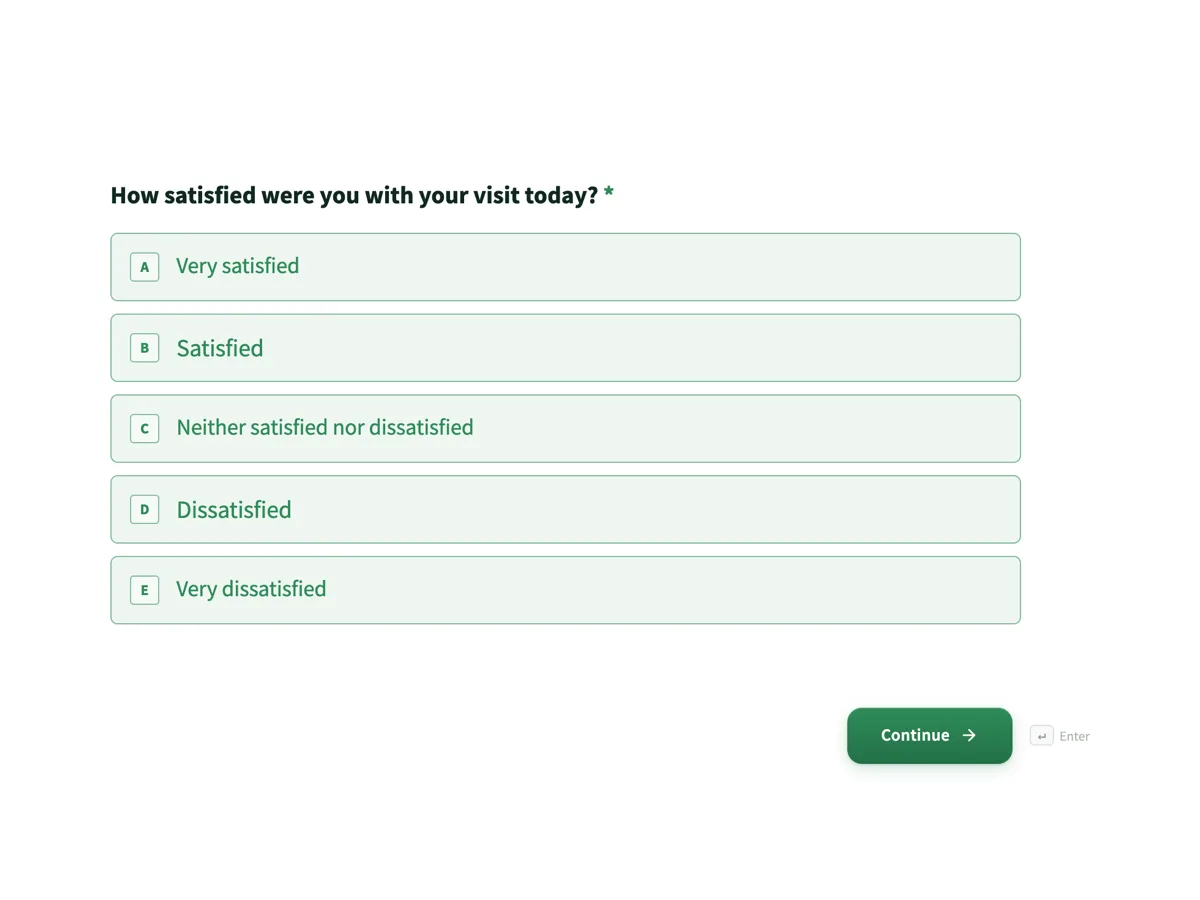
See it on a finished piece
Questions people ask
How many rows can a matrix have?
Technically as many as you add, practically about six before people start answering down the middle column to get it over with.
Can a respondent tick more than one box in a row?
Yes, if you set the matrix to allow several answers per row. The default is one answer per row, which is the normal rating grid.
How does a matrix export to a spreadsheet?
As one column, with each statement and its answer separated by pipes. If you want to average a single statement, split that column in the spreadsheet or ask those questions separately.
Make your own form
The button opens the generator with this use case already described. Change the wording to match yours, generate, then edit anything you like.
Create a form with OneCraftRelated pages
Forms that get signed by email
The e-signature field is for the party who signs after the form is submitted. Each signer gets their own private link, you decide the order they sign in, and the finished PDF comes back with a record of who signed and when.
Fill in the blank forms
Sometimes a question is really a sentence with holes in it. A declaration, a statement of intent, a short contract clause. The inline text field lets you write that sentence and drop real inputs into the gaps.
Forms with photo upload
A form with photo upload uses the photo field, which takes one image per field and opens the camera or photo library on a phone. That sounds like a limitation and is actually what makes the results usable: one named field per shot you need, each landing next to the answers it belongs to.
More finished work of this kind is on the form examples hub.
Written and checked by the OneCraft team. Last checked .