Conversational form
Training feedback form: objectives met and what staff will apply at work
A training feedback form has to show whether a session did its job, not only whether people enjoyed it, which means asking if the objectives were met and what will change at work. This one rates the trainer in a grid, checks pace and confidence, and requires one specific thing each person will do differently.
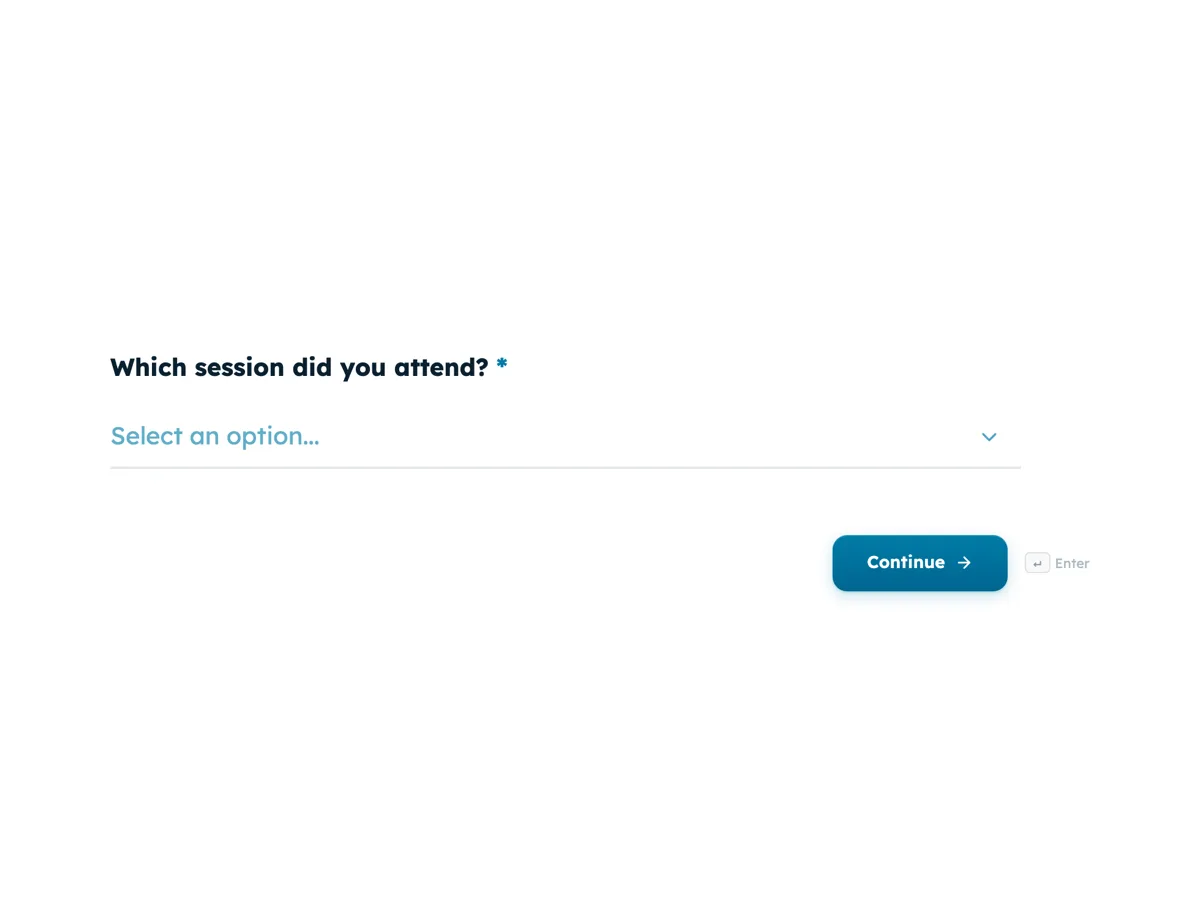
The form itself
The first screen of the form. A conversational form shows one question per screen, so the remaining screens are listed in the field table below. Nothing here can be filled in or submitted, so read it as a reference and build your own from the button above.
Every field, and what it collects
The complete field list, in the order respondents meet it.
- Which session did you attend?DropdownRequired
- Options: Forklift refresher · Safe manual handling · Warehouse management system basics · Leading a shift team · Dangerous goods awareness · Customer escalations for dispatch staff
- The session met the objectives set out at the start.Single choiceRequired
- Options: Strongly agree · Agree · Disagree · Strongly disagree
- How did the trainer do?Rating gridRequired
- Statements:
- Knew the subject
- Used examples from our sites
- Answered questions clearly
- Gave everyone time to practise
- How was the pace?Single choiceRequired
- Options: Too slow · About right · Too fast
- How confident are you to use what you learned on your next shift?Single choiceRequired
- Options: Very confident · Fairly confident · Not very confident · Not confident at all
- What is one thing you will do differently at work because of this session?Long textRequired
- Which further training would help you?Multiple choice
- Options: A follow up practical session · One to one coaching on the job · A short online refresher · A more advanced course on this topic · None needed
- Overall, how would you rate the session?Single choiceRequired
- Options: 5, excellent · 4, good · 3, average · 2, poor · 1, very poor
What each screen of this survey collects
Session is a dropdown of six courses, from forklift refresher to customer escalations. Objectives met is a four point agreement statement with no neutral answer. The trainer grid rates subject knowledge, examples from the company's own sites, clear answers and practice time from poor to excellent. Pace is too slow, about right or too fast. Confidence to apply has four answers. The one thing you will do differently is a required long text with a concrete placeholder. Further training is an optional checkbox of five, and the overall rating runs 5 to 1 with every point labelled. Seven of the eight screens are required.
Why the form asks what people will apply
Most training evaluation stops at reaction, whether the session was liked, which is the first level of the Kirkpatrick model. The questions on objectives, confidence and the one thing you will do differently reach toward the second and third levels, learning and behaviour, while the session is still fresh. A written plan is also something to check against: the thank-you screen tells staff that Learning and Development will follow up in six weeks, and the answers to that screen become the checklist for that conversation. A trainer who scores well on knowledge but low on practice time explains why confidence is low, which a single rating would hide.
How to adapt this survey
An office team replaces the site examples row with one about examples from clients and the session list with its own courses. A compliance course adds a screen confirming the person understood the policy. An external trainer running public workshops adds the attendee's organisation and a recommendation question.
What makes this form work
A plan, not just a rating
The required one thing you will do differently screen gives every session a list of concrete behaviour changes to follow up on.
Relevance is rated directly
The trainer grid has a row on examples from the company's own sites, so generic training that does not fit the warehouse shows up straight away.
Pace explains confidence
Pace sits right before confidence, so a session rated too fast with low confidence points at more practice time, not a new trainer.
Questions people ask
What should a training feedback form measure?
At minimum, whether the objectives were met, how the trainer and pace worked, and what the person will apply. Satisfaction alone says little about whether behaviour will change. This form asks all of those in eight screens, so it can be filled in on a phone in the last minutes of a session.
Should training feedback be anonymous?
Usually, and this form asks no name. People are more honest about a trainer or a pointless session when their manager cannot see who said what. The trade off is that the six week follow up cannot use each person's own plan, so many teams ask staff to note their answer to the apply question for themselves.
When is the best time to collect training feedback?
In the last five minutes of the session, before people leave the room or the call. Response rates fall sharply once staff are back on shift. For longer programmes, add a short follow up a few weeks later asking whether they used what they learned, which is the question that predicts value.
How do you measure whether training changed behaviour?
By looking later and somewhere other than the survey: supervisor observations, incident numbers, error rates or system data after the session. The apply question gives each person's intent, and the follow up checks it. For a forklift refresher, a drop in near misses over the next quarter says more than any rating.
What does a too fast pace answer tell the trainer?
That some of the group could not keep up, which usually shows up again as low confidence. Read the two together by session. A course rated too fast with low confidence needs more practice time or a split into two sessions; one rated too slow by experienced staff may need a separate advanced version.
Can trainers see the results of their own sessions?
They should. Share the results for each session with the trainer who ran it, filtered by the session dropdown, along with the open comments. Trainers improve fastest from specific feedback, such as needing more examples from the actual sites, which is why that row is in the grid. Trainers who see the comments alongside their scores usually change something by the next session.
Build your own in about a minute
The button below opens the generator with this use case already described. Change the wording to match your own, generate, then edit anything you like.
Make one like thisOther form examples
Manager feedback survey with twelve behaviours rated by frequency
A manager feedback survey lets a team tell its manager, anonymously, which everyday behaviours help them work and which get in the way. This one rates twelve observable behaviours by how often they happen, adds one to ones, development and workload, and ends with one thing to keep and one to change.
Remote work survey template: setup, focus and connection
A remote work survey has to show how people actually split their week and what each place is good for, before a company sets or changes its hybrid policy. This template asks days remote and commute, checks the home setup, compares focus at home and in the office, and asks what the office is for.
Diversity and inclusion survey template with optional demographics last
A diversity and inclusion survey has to measure whether people feel they belong and are treated fairly, then check whether those experiences differ between groups, without forcing anyone to disclose who they are. This template asks belonging and fairness first and puts six demographic questions last, each optional with prefer not to say.
Want the steps in the builder? Read Create a conversational form with AI, then View, export and manage your responses. For everything this generator can do, see the form maker.
Written and checked by the OneCraft team. Last checked .