Conversational form
Webinar feedback survey template: content, audio and next topic
A webinar feedback survey has to separate what was said from how it came across on screen, and use the moment to decide the next session. This template asks whether people watched live or on replay and at what level, rates content, sound and length separately, and ends with a vote on next month's topic.
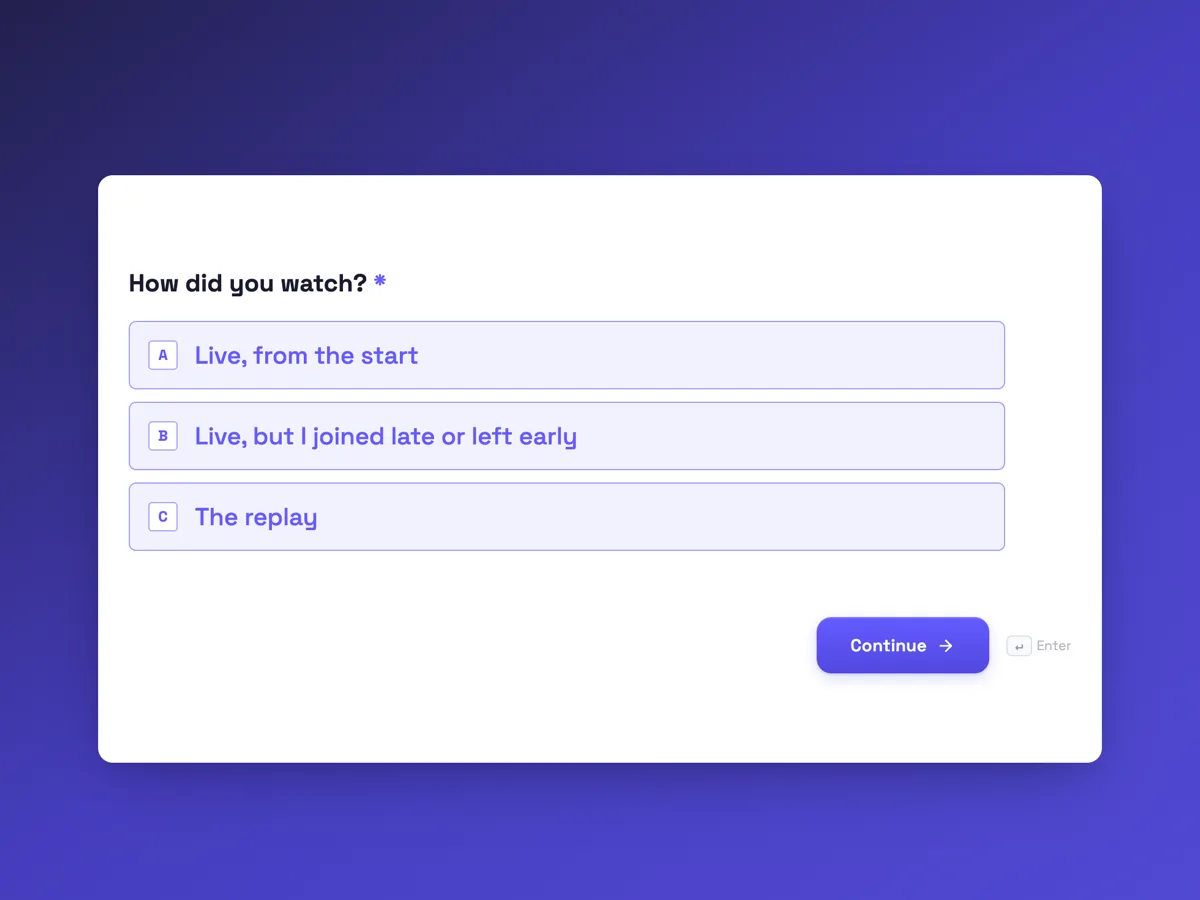
The form itself
The first screen of the form. A conversational form shows one question per screen, so the remaining screens are listed in the field table below. Nothing here can be filled in or submitted, so read it as a reference and build your own from the button above.
Every field, and what it collects
The complete field list, in the order respondents meet it.
- How did you watch?Single choiceRequired
- Options: Live, from the start · Live, but I joined late or left early · The replay
- What is your Spanish level right now?Single choiceRequired
- Options: A1, beginner · A2, elementary · B1, intermediate · B2, upper intermediate · C1 or above
- How useful was the content for you?Single choiceRequired
- Options: Very useful, I will use it this week · Useful · Too basic for me · Too advanced for me
- How was the sound and picture?Single choiceRequired
- Options: Clear throughout · Small glitches only · Hard to hear at times · Slides or video hard to see
- The webinar ran for 45 minutes. Was that the right length?Single choiceRequired
- Options: Too short · About right · Too long
- Which topics would you like next?Multiple choiceRequired
- Pick up to three.
- Options: Small talk at a party · Phone calls and voicemail · Travel problems: lost bags, missed trains · Talking about work in a job interview · Understanding fast speech in films · Past tenses without the grammar tables
- How would you rate the presenter?Single choiceRequired
- Options: 5, excellent · 4, good · 3, average · 2, poor · 1, very poor
- Anything else about this webinar?Long text
What each screen of this survey collects
Viewing is a radio of three, separating full live attendance, partial live and replay. Level runs from A1 to C1 or above on the common European scale. Content value has four answers, including too basic and too advanced. Sound and picture has four, naming the two common failures. Length states the 45 minute running time and asks too short, about right or too long. Next topics is a required checkbox of six with a request to pick up to three. The presenter rating runs 5 to 1 with labels, and the comment is optional. Seven of the eight screens are required.
Why level and viewing come first
A rating of too basic means something very different from a B2 learner than from an A1 learner, and a replay viewer cannot judge the live chat or the late start. Asking both first lets every later answer be split, so the school can see that beginners found the session useful while advanced learners did not, and decide to run two levels rather than change the content for everyone. Sound and picture is kept apart from content because a good session with a bad microphone otherwise scores as a bad session. The topic vote turns the survey into the planning tool for next month, and the comment box catches what the fixed answers miss, such as wanting slides sent in advance.
How to adapt this survey
A software company swaps language level for how long the attendee has used the product and lists feature topics. A professional association adds a question on whether the session counts toward continuing education. A one off event drops the topic vote and asks whether the attendee would join a follow up.
What makes this form work
Every answer can be split by level
Level from A1 to C1 and live or replay come first, so too basic and too advanced answers are read against the right learners.
Delivery is separated from content
Sound and picture is its own screen, so a weak microphone does not drag down the score for useful content.
The survey plans the next session
A required vote across six named topics turns feedback into next month's webinar choice, announced in the newsletter.
Questions people ask
When should a webinar feedback survey be sent?
Show the link in the final minutes of the live session and send it with the replay email the same day. Live attendees answer best before they close the window. Replay viewers should get a separate send after they watch, and the first question here separates their answers so they can be read on their own.
Can the form limit people to three topic choices?
Not as a hard limit in this template. The checkbox asks people to pick up to three, and most do. If a few tick more, count their votes as they are or weight each person's votes to sum to one. The written request in the help text does most of the work.
Why ask about sound and picture at all?
Because technical problems are the most common reason a good webinar is rated badly, and they are the easiest to fix. A clear answer of hard to hear at times points at the presenter's microphone or connection, not the content. Tracking it across sessions also shows whether a new platform or headset helped.
How long should a webinar be?
Long enough for the content and a real question and answer section, which for most teaching webinars is 30 to 60 minutes. This survey asks about the actual 45 minute length, so the answers can guide the next one. A rising share of too long answers is a sign to cut content, not to speed up.
Should webinar feedback ask for an email address?
Only if you need to reply or link answers to registrations. This one does not, because the registration list already holds emails and the survey is about the session. If you add an optional email screen, say what it is for, and do not use it to add people to a mailing list without consent.
How should the presenter rating be used?
As one signal among several. Read it with the content value and the comments, and share it with the presenter after each session. A presenter whose ratings rise as the sound complaints fall was probably fine all along. Ratings from fewer than about 20 people swing a lot, so look at trends.
Build your own in about a minute
The button below opens the generator with this use case already described. Change the wording to match your own, generate, then edit anything you like.
Make one like thisOther form examples
Student satisfaction survey template for an Australian training provider
A student satisfaction survey for a training provider has to show whether trainers, assessments and materials worked, and whether the course led anywhere for the learner. This template, written for an Australian registered training organisation, rates the trainer in one grid, asks if assessments were fair and ends with the employment outcome.
Parent survey for a school: communication, safety and care
A parent survey for a school has to find out whether families hear what they need, in the way they read it, and whether they trust the school with their children. This anonymous template for an Australian primary school maps the channels parents actually use, then asks five agreement statements on communication, safety, teaching, homework and bullying.
Concept testing survey template: two concepts, one preference
A concept testing survey shows people a product idea before it is built and measures how appealing and believable it is, so a team can choose between ideas on evidence. This template rates two written concepts one at a time on the same scales, then asks which one people would choose and why.
Want the steps in the builder? Read Create a conversational form with AI, then Design your welcome and thank-you screens. For everything this generator can do, see the form maker.
Written and checked by the OneCraft team. Last checked .