Conversational form
Webinar registration form
A webinar registration form needs a name and an email to send the joining link to, plus the few questions that change what the speakers prepare. This one asks eight questions for a free 45 minute session, one screen at a time, and only three of them are required. It can be this short because the deliverable is an email, and it is conversational because that is where webinar links actually get opened: on a phone, halfway through something else.
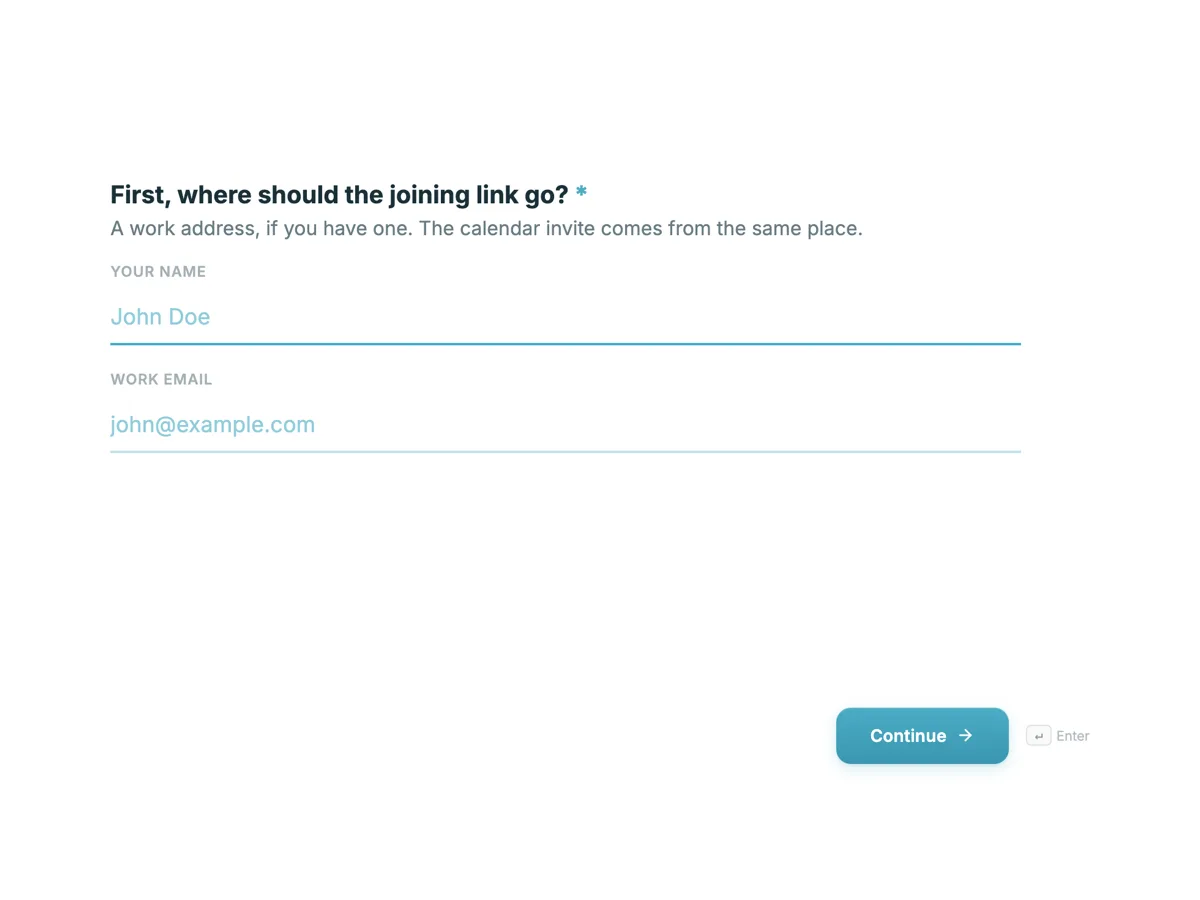
The form itself
The first screen of the form. A conversational form shows one question per screen, so the remaining screens are listed in the field table below. Nothing here can be filled in or submitted, so read it as a reference and build your own from the button above.
Every field, and what it collects
The complete field list, in the order respondents meet it.
- First, where should the joining link go?ProfileRequired
- A work address, if you have one. The calendar invite comes from the same place.
- Which organisation are you with?Short textRequired
- And what is your role there?Short text
- Which industry are you in?Dropdown
- It decides which of the two worked examples we run in the second half.
- Options: Software and technology · Financial services · Healthcare · Retail and ecommerce · Media and entertainment · Education · Government · Manufacturing · Logistics and transport · Not for profit · Something else
- Where are you up to with cloud costs?Single choice
- Answer honestly. Nobody from sales calls you, and the session is built around whichever answer is most common.
- Options: We are actively cutting spend right now · We have a review starting next quarter · It is on the list for this year · Just curious, no plans
- Anything you want the speakers to cover?Long text
- The last fifteen minutes are questions, and these get answered first.
- How did you hear about this session?Single choice
- Options: A colleague sent it to me · LinkedIn · The Northwind newsletter · Searched for it · A podcast or a blog
- One monthly email about cloud cost, yes or no?Single choiceRequired
- Separate from your registration, and a no here does not affect the joining link. One email a month, unsubscribe in one click.
- Options: Yes, send it · No thanks, just the webinar
What each screen of this registration form collects
The first screen is a profile block for the name and email, labelled as where the joining link should go, because that is the one answer that has to be right. Organisation is required, since a business webinar is planned around who is attending. Role, industry and where the registrant is up to with cloud costs are optional, and the industry and progress questions each say what they are used for. The sixth screen asks what the speakers should cover, then how the person heard about the session, and the last screen asks about the monthly newsletter as a required yes or no that is separate from the registration.
Why only three answers are required
The profile, the organisation and the newsletter answer are required. The profile sends the link, the organisation tells the host who is coming, and the newsletter question is required so that a yes is an actual yes rather than a default nobody chose. Everything else is optional because a registrant who skips the role or the industry still needs the link, and a form that blocks them over a dropdown loses the signup entirely. The optional answers are still worth reading: a few dozen replies to the what should we cover screen are the best preparation a presenter gets.
How to adapt this form
A paid masterclass adds a ticket choice and moves the organisation question to optional, since individuals pay for themselves. A webinar for existing customers replaces the industry dropdown with the product they use and drops the how did you hear question entirely. A series of sessions turns the first question after the profile into a checklist of dates, so one registration covers every session the person wants, and the webhook passes the ticked dates to the webinar platform.
What makes this form work
The recording promise is what keeps the form short
The welcome screen says the recording goes to everyone who registers, live or not. That removes the pressure to qualify people by availability, timezone or seniority, which is where webinar forms usually put on four extra fields that nobody needs.
Each qualifying question says what it is for
Industry decides which worked example runs in the second half. Where you are up to shapes the running order. Somebody reading a reason answers accurately instead of picking whichever option looks least likely to start a phone call.
Marketing consent is its own question with a real no
It is asked separately, at the end, with the line that says a no does not affect the joining link. Bundling the newsletter into the submit button gets you a bigger list and a worse one, and it is the fastest way to teach people to unsubscribe from everything you send.
Questions people ask
What should a webinar registration form ask?
Name and email, because the joining link has to go somewhere. After that, only ask what changes something: the role and industry that decide which worked example runs, the question that feeds the live Q and A, and the newsletter consent. Address, postcode and phone number belong on a different kind of form.
Do qualification questions put people off?
They do when they read as a sales screen. This form asks where somebody is up to and says in the same breath that nobody from sales will call, which is a promise you then have to keep. Two qualification questions with a stated reason beat six without one.
Can the form send the calendar invite and the joining link?
Not on its own. It collects the registration and can email you the moment somebody signs up, send the whole submission to a webhook so your webinar platform issues the link, or send the person straight to a page of yours after they submit. The webhook fires once per registration and is not retried, so treat it as a nudge rather than a guarantee.
Why one question at a time for a webinar?
Because most webinar signups start with a link in a phone notification, halfway through something else. One question per screen means each answer is a single tap and the progress bar shows how little is left. Nothing is saved until the last screen is submitted, which is why this form keeps to eight questions and puts only three of them behind a required answer.
Why ask where the registrant is up to with the topic?
Because it tells the speakers who is actually in the room. This form asks where you are up to with cloud costs, as the fifth question. A session with mostly beginners needs a different opening from one with practitioners, and the answers arrive early enough to change the running order rather than the follow up.
Should a webinar form ask what people want covered?
Yes, and treat it as the most valuable field on the form. This one asks whether there is anything you want the speakers to cover. Ten answers give a presenter the real questions in advance, and reading two of them aloud during the session is the cheapest way to make a webinar feel live.
How far ahead should webinar registration open?
Two to three weeks is enough for most free sessions. Earlier than that and a large share of registrants forget, so the reminder emails from the webinar platform carry the attendance rather than the registration. Keep the form open until the session starts, because a meaningful share of signups arrive on the day, often from a colleague forwarding the link that morning.
Build your own in about a minute
The button below opens the generator with this use case already described. Change the wording to match your own, generate, then edit anything you like.
Make one like thisOther form examples
Event sponsorship enquiry form
A sponsorship enquiry is not a booking, it is the two minutes that decide which pack gets sent. This one asks the three things a partnerships team has to guess at otherwise: roughly what the budget is, what the sponsor actually wants, and when they have to decide. It is conversational, one question per screen, because an enquiry is a conversation and nine boxes at once reads as a credit check.
Workshop registration form
A workshop registration form takes the person's contact details, the date and the rate they are booking, anything the tutor should set up differently, and their agreement to the cancellation policy and safety terms. This one books a paid one day ceramics workshop with ten places, and it is built around the two things that go wrong with paid classes: somebody cancelling late and somebody arriving with a need the studio has not prepared for. It is a classic form on one page, because a booking that ends in a signature is something people want to see whole before they sign it.
Trade show visitor registration form that prints a usable badge
A visitor registration is really a print job with a survey attached, because the answers become the badge that an exhibitor reads from a metre away. This one asks ten short questions, three of which end up printed, and it settles scan consent before anyone hands a barcode across a stand.
Want the steps in the builder? Read Create a conversational form with AI, then Automate your form with add-ons. For everything this generator can do, see the form maker.
Sources
Written and checked by the OneCraft team. Last checked .