Conversational form
Employee wellbeing survey template with workload and support items
An employee wellbeing survey has to find the work conditions that wear people down, workload, isolation, aggression and poor support, without asking anyone about their health. This anonymous template for an Australian home care provider rates six psychosocial hazards by frequency and checks whether staff know where to get help.
The form itself
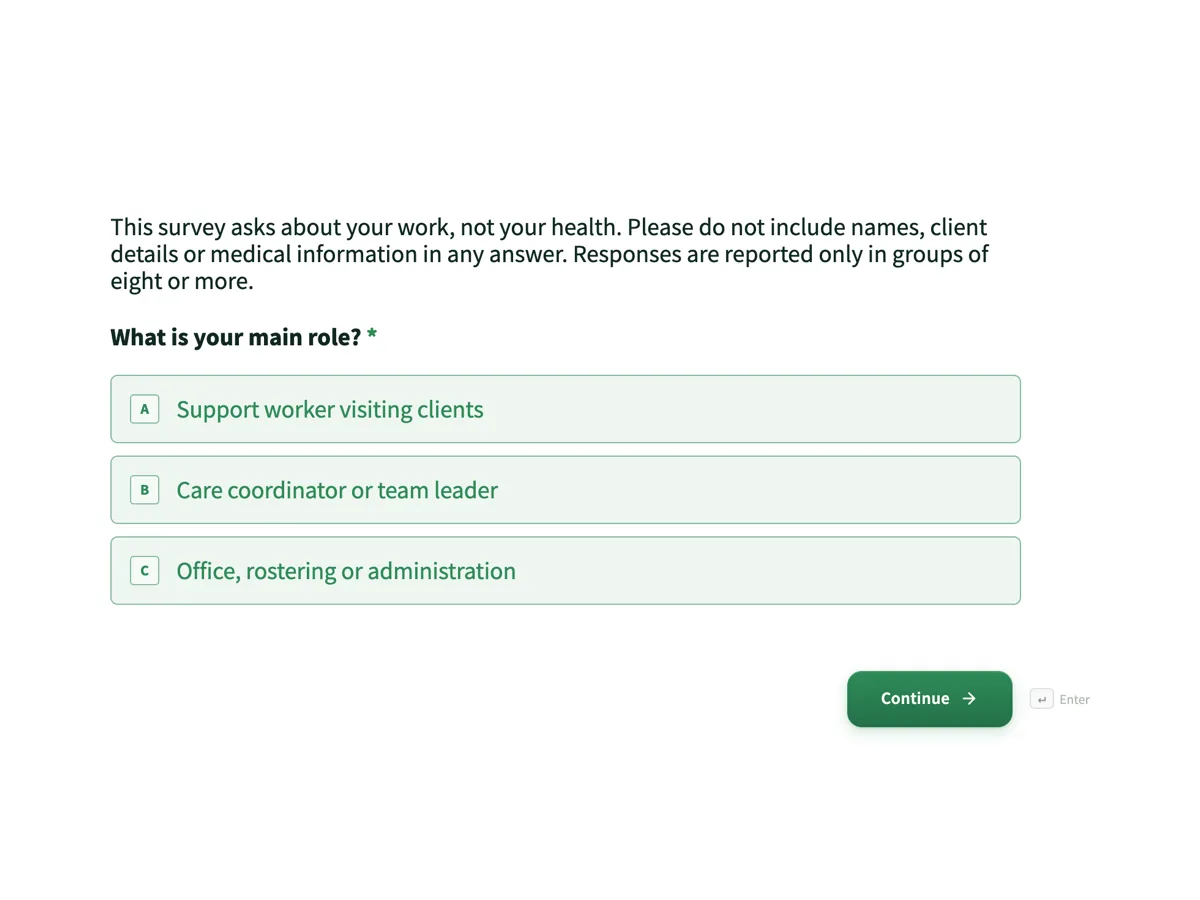
The first screen of the form. A conversational form shows one question per screen, so the remaining screens are listed in the field table below. Nothing here can be filled in or submitted, so read it as a reference and build your own from the button above.
Every field, and what it collects
The complete field list, in the order respondents meet it.
- What is your main role?Single choiceRequired
- Options: Support worker visiting clients · Care coordinator or team leader · Office, rostering or administration
- How many hours do you usually work a week?Single choiceRequired
- Options: Under 15 · 15 to 30 · 31 to 38 · More than 38
- How manageable is your workload in a typical week?Single choiceRequired
- Options: Very manageable · Mostly manageable · Often too much · Unmanageable
- Do you get enough time to rest and recover between shifts?Single choiceRequired
- Options: Always · Usually · Sometimes · Rarely or never
- In the last three months, how often have you experienced each of these at work?Rating gridRequired
- Statements:
- Not enough time to finish care tasks in a visit
- Working alone in a client's home with no backup
- Aggression or abuse from a client or family member
- Last minute roster changes
- Distressing events, such as a client's decline or death
- Unclear instructions about what a visit should include
- Do you feel safe when working in clients' homes?Single choiceRequired
- Options: Always · Usually · Sometimes · Rarely · I do not visit clients
- Are you able to take your breaks?Single choiceRequired
- Options: Yes, every shift · Most shifts · Some shifts · Hardly ever
- Which of these supports do you know how to reach?Multiple choiceRequired
- Options: The Employee Assistance Program · My team leader or coordinator · A health and safety representative · The after hours on call coordinator · Lifeline or another crisis line · None of these
- When work is hard, how well does your manager support you?Single choiceRequired
- Options: Very well · Well · Not well · Not at all
- How comfortable would you feel raising a safety or workload concern?Single choiceRequired
- Options: Very comfortable · Comfortable · Uncomfortable · I would not raise it
- Have you used any of these supports in the last 12 months?Single choiceRequired
- Options: Yes · No · Prefer not to say
- What one change would most improve wellbeing at work?Long text
What each screen of this survey collects
The first screen opens with a privacy note, then asks main role from three. Hours is a radio of four bands. Workload and recovery have four answers each. The hazard grid rates six conditions from never to always over the last three months: too little time per visit, working alone with no backup, aggression from clients or family, last minute roster changes, distressing events and unclear instructions. Safety in clients' homes includes an answer for staff who do not visit. Breaks, manager support and comfort raising concerns are radios of four. Supports known is a checkbox of five plus none. Support used offers prefer not to say. The final comment is optional. Eleven of the twelve screens are required.
Why the survey asks about work, not health
Asking about anxiety, sleep or diagnoses would make the survey a collection of health information, which brings extra legal duties and puts people off answering. It would also point at the person rather than the work. The hazard grid asks how often each condition happens, which is what a workplace can change: rosters, travel time, backup for solo visits and clearer care plans. Frequency columns give a count that can be tracked each quarter. The support questions measure the other half, whether people know where help is and feel able to raise a concern, and the thank-you screen gives the EAP and Lifeline to everyone.
The Australian rules behind it
Under WHS laws, employers must eliminate or minimise psychosocial risks so far as is reasonably practicable, and Safe Work Australia's model Code of Practice on managing psychosocial hazards names job demands, low job control, poor support, lack of role clarity, remote or isolated work, traumatic events and violence and aggression among them. Consulting workers is part of that duty, and a survey is one way to do it. Lifeline's 13 11 14 is the national crisis line.
How to adapt this survey
A hospital or aged care home replaces solo visits with understaffed shifts and adds a question on fatigue from double shifts. An office replaces aggression from clients with conflict between colleagues. A small team under twenty people drops the role screen to keep answers anonymous.
What makes this form work
Hazards are rated by frequency
Six named conditions, from working alone with no backup to last minute roster changes, are rated never to always, giving counts a roster or policy change can move.
Nothing asks about health
A privacy note opens the survey and every question is about work, so it stays anonymous and avoids collecting health information.
Help is offered to everyone
The thank-you screen gives the EAP route and Lifeline 13 11 14 to every respondent, whatever they answered.
Questions people ask
What are psychosocial hazards?
Aspects of how work is designed, managed or experienced that can cause psychological or physical harm, such as high job demands, low control, poor support, isolation, aggression and traumatic events. Australian WHS laws treat them like any other hazard: an employer has to identify them, assess the risk and control it, in consultation with workers.
Is a wellbeing survey enough to meet WHS duties?
No. It is one way to identify hazards and consult workers, but the duty is to manage the risk, which means acting on the results. A grid showing frequent aggression from clients needs controls such as risk alerts on care plans, backup for solo visits and incident reporting. Keep a record of the results and the actions taken.
Why ask whether staff have used support rather than what for?
Because what for would be health information and would make the survey less anonymous. The yes, no or prefer not to say answer shows whether the EAP and other supports are being used at all. If few people know how to reach them, the supports known screen shows that the problem is awareness.
How can a home care provider keep the survey anonymous?
Ask no names, publish the form with public access, and report results only for groups of eight or more, as the first screen promises. Role is the only grouping question, with three broad answers. Comments are read by a small group, and any that identify a person or client are removed before results are shared.
What should happen after the results come in?
Share them with staff, the health and safety representatives and managers, then agree controls for the two or three hazards rated often or always by the most people. Repeat the survey at the same time next year, or after major changes, with the same wording so the frequency counts can be compared.
Why does the thank-you screen give crisis numbers?
Answering questions about aggression and distressing events can bring difficult experiences to mind. Ending every response with the EAP and Lifeline on 13 11 14, plus 000 for emergencies, means support is offered to everyone at the moment it might be needed. Nothing in the survey checks on individuals, so this is the safety net.
Build your own in about a minute
The button below opens the generator with this use case already described. Change the wording to match your own, generate, then edit anything you like.
Make one like thisOther form examples
Remote work survey template: setup, focus and connection
A remote work survey has to show how people actually split their week and what each place is good for, before a company sets or changes its hybrid policy. This template asks days remote and commute, checks the home setup, compares focus at home and in the office, and asks what the office is for.
Patient satisfaction survey template for an Australian GP clinic
A patient satisfaction survey for a general practice has to find out how a visit felt from booking to consultation without collecting anything that identifies the patient. This anonymous template asks about waiting, reception, being listened to, clear explanations, privacy and access, then invites one suggestion.
Diversity and inclusion survey template with optional demographics last
A diversity and inclusion survey has to measure whether people feel they belong and are treated fairly, then check whether those experiences differ between groups, without forcing anyone to disclose who they are. This template asks belonging and fairness first and puts six demographic questions last, each optional with prefer not to say.
Want the steps in the builder? Read Create a conversational form with AI, then Design your welcome and thank-you screens. For everything this generator can do, see the form maker.
Written and checked by the OneCraft team. Last checked .