Conversational form
Hotel guest satisfaction survey from check in to check out
A hotel guest satisfaction survey has to show which part of the stay let a guest down, tied to a room so someone can fix it. This one follows the stay in order, from check in through a four item room grid, staff and breakfast, then asks whether a problem was reported and fixed.
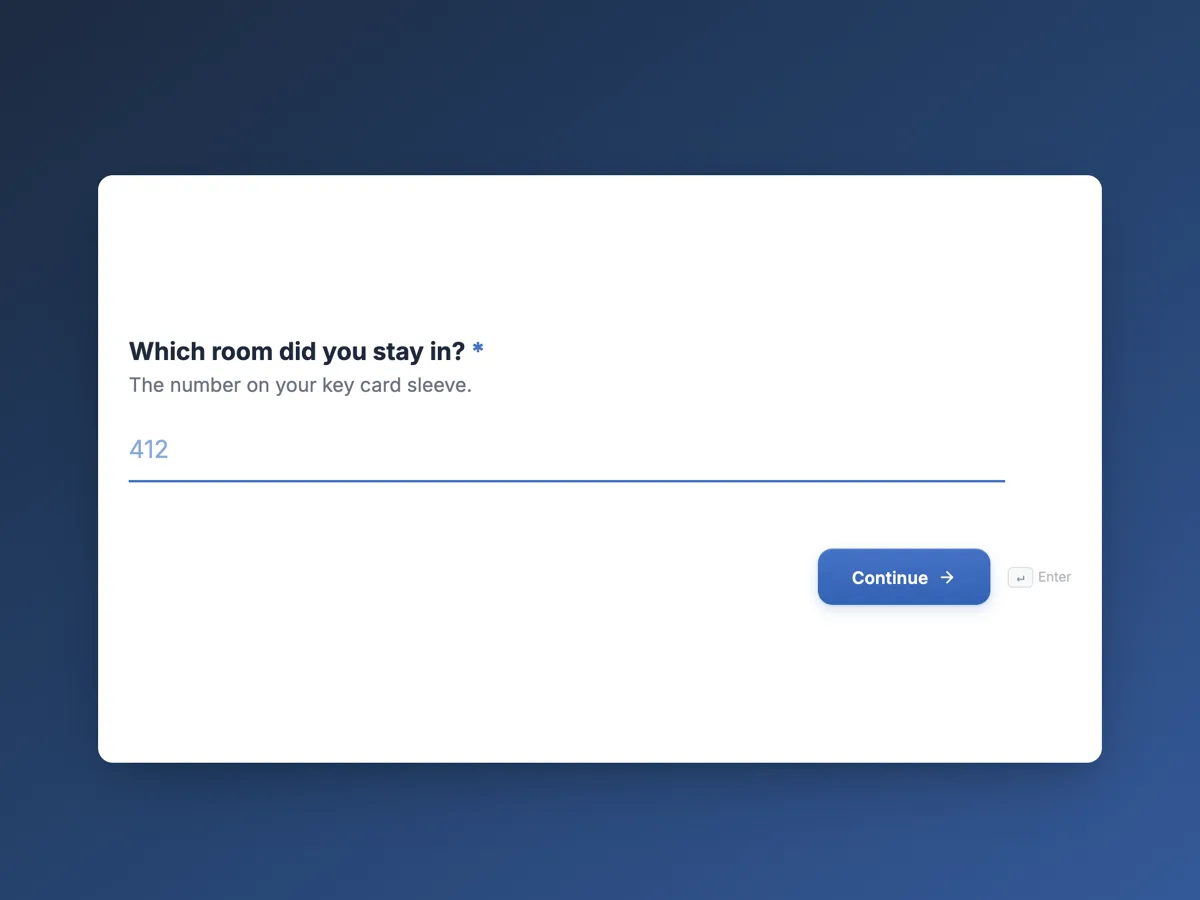
The form itself
The first screen of the form. A conversational form shows one question per screen, so the remaining screens are listed in the field table below. Nothing here can be filled in or submitted, so read it as a reference and build your own from the button above.
Every field, and what it collects
The complete field list, in the order respondents meet it.
- Which room did you stay in?Short textRequired
- The number on your key card sleeve.
- What brought you to Gullhaven?Single choiceRequired
- Options: Business · Holiday or leisure · A wedding or event · Visiting family or friends · Passing through
- How easy was check in?Single choiceRequired
- Options: Very easy, room ready on arrival · Easy, a short wait · A long wait for the room · There was a problem with my booking
- How was your room?Rating gridRequired
- Statements:
- Cleanliness
- Quiet at night
- Bed comfort
- Wifi speed
- How helpful were the staff you dealt with?Single choiceRequired
- Options: Went out of their way · Helpful · Adequate · Unhelpful
- How was breakfast?Single choiceRequired
- Options: Excellent · Good · Average · Poor · I did not have breakfast
- Did you report a problem during your stay?Single choiceRequired
- Options: No problems · Yes, and it was fixed quickly · Yes, it was fixed slowly · Yes, and it was not fixed · I had a problem but did not report it
- Would you stay at Gullhaven again?Single choiceRequired
- Options: Yes, definitely · Probably · Probably not · Definitely not
- Anything that would have made your stay better?Long text
What each screen of this survey collects
Room number is a required short text of up to six characters. Purpose of stay is a radio of five. Check in offers four outcomes, from room ready on arrival to a booking problem. The room grid rates cleanliness, quiet at night, bed comfort and wifi speed from poor to excellent. Staff helpfulness is a radio of four. Breakfast has five answers, including did not have breakfast so non eaters are not counted as average. Problem reporting has five, separating fixed quickly, fixed slowly, not fixed and never reported. Return intent is a radio of four, and the comment is optional. Eight of the nine screens are required.
Why the problem question has five answers
Guests who had a problem fixed well often rate a stay higher than guests who had none, a pattern hotels call service recovery. A yes or no question about problems loses that. Five answers show how often things go wrong, how often the fix lands, and how many guests stay silent, which is the number a front office cannot see any other way. Read the room grid and the problem question together with the room number: a run of low quiet scores from rooms on one corridor points at a lift or a bar below, not at housekeeping. Purpose of stay separates business guests, who care most about wifi and breakfast hours, from leisure guests.
How to adapt this survey
A motel replaces breakfast with parking and adds a question on the room heater or air conditioner. A serviced apartment adds the kitchen to the room grid. A resort adds pool, spa and restaurant screens, keeping each as one question so the survey stays under five minutes.
What makes this form work
Every answer points at a room
The required room number lets a low quiet score or an unfixed problem go straight to housekeeping or maintenance for that room.
Service recovery is measured
Five answers on reported problems separate fixed quickly from not fixed and never reported, so recovery can be tracked, not just complaints.
Non users are not averaged in
Breakfast includes did not have breakfast, so guests who skipped it do not drag the breakfast score toward the middle.
Questions people ask
When should a hotel send the guest satisfaction survey?
On the day of check out or the day after, while the stay is fresh and before the guest has reviewed the hotel elsewhere. Send it with the receipt email or through the booking system. A survey a week later gets fewer answers and less specific ones, especially about things like noise or the bed.
Is asking for the room number a privacy problem?
It links the answers to a booking, so treat responses as guest records: limit who can see them and keep them no longer than you keep booking data. The welcome screen says why the number is asked. Guests who prefer not to give it can type a dash, though most give it so problems get fixed.
How is this different from an online review?
A public review is written for other travellers and usually covers what stood out most. This survey is private, structured and tied to a room, so it catches the medium problems that never make a review, such as slow wifi or a noisy corridor. Fixing those is what improves the public reviews later.
Can the hotel be alerted when a guest reports an unfixed problem?
With the email alert add-on turned on, every submission is emailed to one address, such as the duty manager. The form cannot filter which responses are sent, so the manager scans each one for the not fixed answer. A webhook add-on can instead post each response to a property system that does the filtering.
Should the survey ask guests to rate the price?
Not usually. Guests rarely know the rate the hotel would have charged on other nights, and a value question tends to measure the booking channel more than the stay. Return intent covers whether the stay felt worth it. Pricing research belongs in a separate study with people who have not stayed yet.
How many questions can a hotel survey have?
Keep it to what a guest will finish on a phone in three minutes, roughly ten screens. This one has nine, with the room ratings combined in one grid. Every extra department that wants a question should replace one rather than add one, or completion drops and the answers you get skew toward unhappy guests.
Build your own in about a minute
The button below opens the generator with this use case already described. Change the wording to match your own, generate, then edit anything you like.
Make one like thisOther form examples
Website feedback survey template: task, success and one fix
A website feedback survey should ask what the visitor came to do and whether they managed it, before asking how they feel about the site. This template does exactly that in seven screens, then asks how easy it was, the one thing that got in the way, the device and whether they would return.
App feedback survey template for crashes, speed and missing features
An app feedback survey has to collect what developers can act on: which platform and version, how often it crashed, where it is slow and what users want next. This template asks those in eight short screens, counts crashes for this week only, and takes an optional screenshot of the problem.
Customer effort score survey template for closed support tickets
A customer effort score survey asks how easy it was to get an issue handled, on a seven point agreement scale, straight after the ticket closes. This template pairs that one statement with the ticket number, the channel, what got in the way, whether the issue is actually fixed and how many contacts it took.
Want the steps in the builder? Read Create a conversational form with AI, then Automate your form with add-ons. For everything this generator can do, see the form maker.
Written and checked by the OneCraft team. Last checked .