Presentations
Framework slides
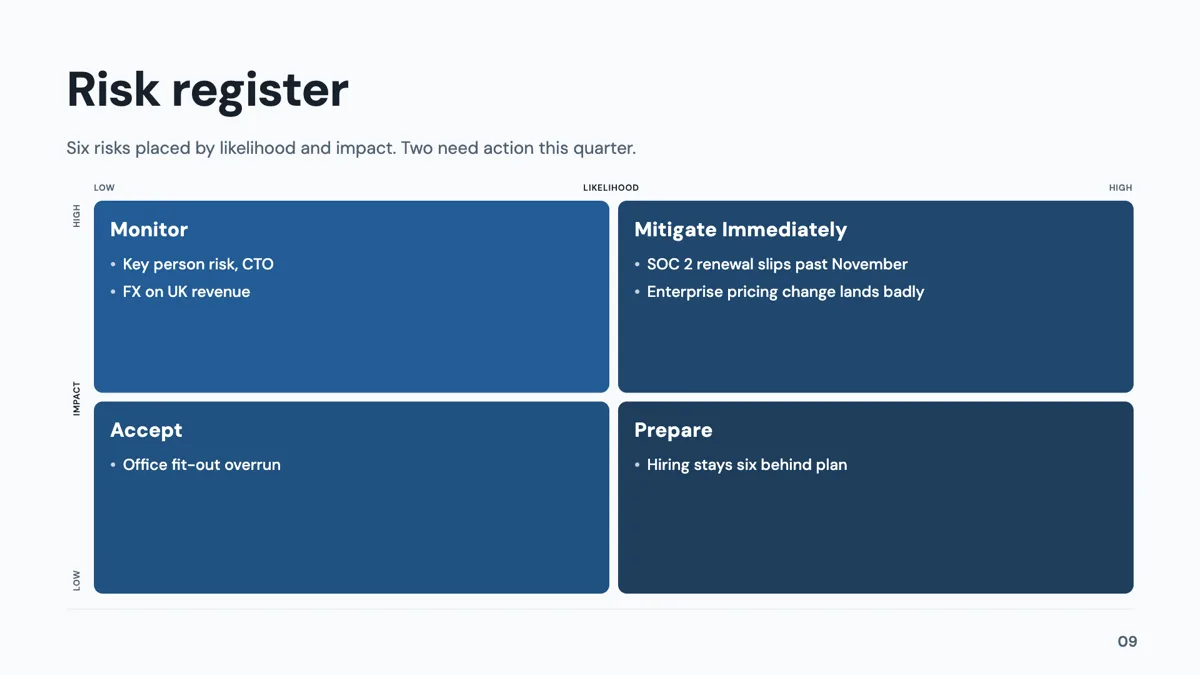
A framework slide borrows a structure the audience already knows, so the argument arrives half understood. Twenty three layouts carry named models, from SWOT and PESTEL to Porter's five forces, Ansoff, the Kano model and a fishbone, each with the cell labels already in place.
What is actually in the set
The 23 templates name their model: SWOT, PESTEL, Ansoff, the growth share matrix, a balanced scorecard, the 3C triangle, the 4P marketing mix, 5C analysis, Porter's five forces, Porter's generic strategies, the Kano model, gap analysis, a fishbone, the 5 Whys, an Eisenhower matrix, a risk matrix, effort against impact, a nine cell matrix, an OKR pair and a handful of generic grids. The labels are baked into the template, so a SWOT arrives with its four quadrant headings already correct.
Matrices: three kinds, and what can switch
The runtime supports three matrix kinds: a two by two quadrant, a three by three axis grid and SWOT. The inspector hardcodes what can change: a quadrant or a SWOT can be switched between those two, and a three by three is offered only itself. No template or element sets an allowed list on a matrix, so that rule is the whole story. The heat grid in a matrix follows the same colour rule as charts, keeping the brand colour under matching and dark modes.
Diagrams that are frameworks in disguise
A fishbone, the five forces and the 5 Whys are drawn as diagrams rather than grids, and they behave like the other diagram slots: the element library offers twelve diagram kinds and a thirteenth exists only inside templates. Cell budgets matter here. A SWOT quadrant takes three or four short bullets, the 5 Whys takes five rows of a question and a because answer, and the fishbone takes four to six cause branches off the spine.
When a framework is the wrong slide
A framework asserts that reality has the shape of the model, which is a claim in itself. If the four quadrants are filled by forcing two of them, the audience sees it. Three honest points in a pillars layout beat a padded two by two, and a sequence of steps belongs in the process role, where 17 layouts exist. Use a framework when the model was genuinely used in the analysis, not as decoration after the fact.
How the AI picks this slide
The outline assigns a framework slide when the brief asks for an analysis rather than a report: a market assessment, a risk review, a prioritisation. The fill then writes the cells within the budgets the template sets, and it will not invent evidence for a quadrant it has nothing for, so a thin brief produces a thin matrix. Choosing the model yourself in the prompt is the reliable way to get the one you meant.
How it works, in three steps
Step 1
Name the model in the brief
Ask for a SWOT, an Eisenhower matrix or a fishbone by name. The outline honours it, and the labels come baked into the template.
Step 2
Add or swap from the library
From Library on the slide rail with the Role filter set to framework, or open the layout flyout to swap the current slide to another model.
Step 3
Fill the cells to budget
Three or four short bullets per quadrant, five rows for the 5 Whys, four to six branches on a fishbone. Longer text is fitted down rather than wrapped.
Step 4
Say what the framework concluded
A framework slide without a conclusion is a shape. Put the finding on the next slide, in a takeaway or content layout.
The full walkthrough with screenshots is in the guide Add charts, maps and diagrams to slides.
Limits worth knowing
- The matrix inspector allows a quadrant or SWOT to switch between those two kinds only; a three by three stays a three by three.
- Quadrant labels are baked into the named templates, so a SWOT cannot be relabelled into a different model.
- Cell budgets are short by design: three or four bullets per quadrant, not a paragraph each.
- A framework slide draws the structure, not the evidence. Nothing under it is calculated or checked.
See it on a finished piece



Slide examples
Finished single slides on this layout, each one built from a real template and written out in full.
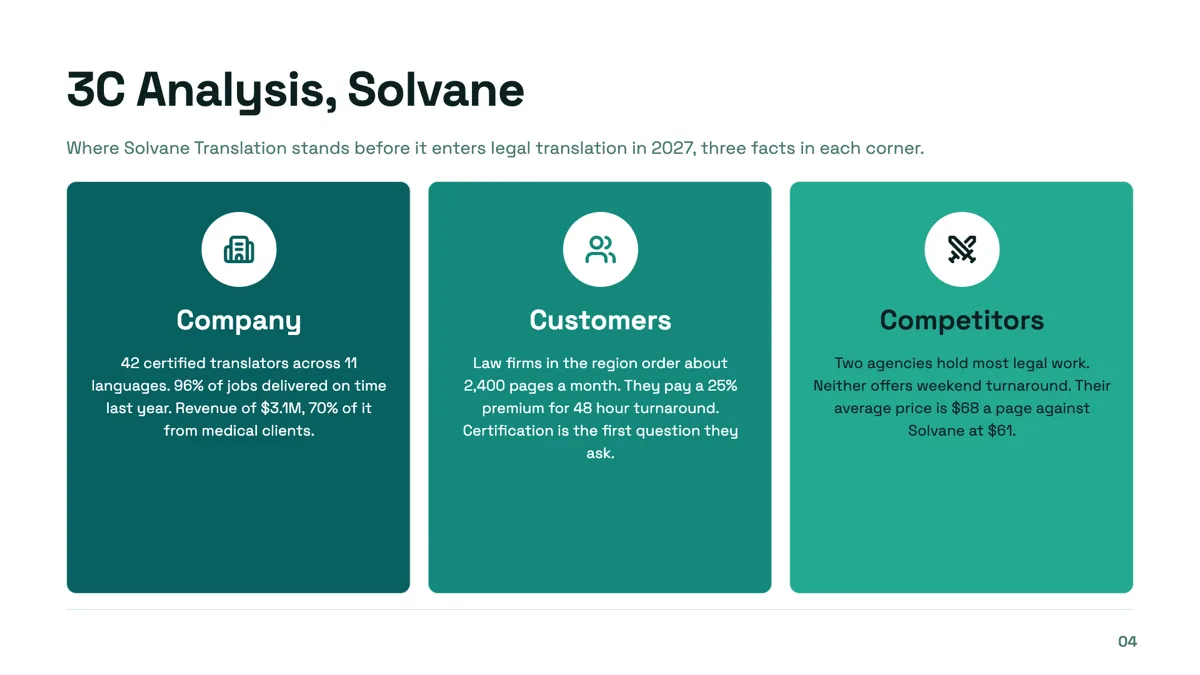
3C analysis slide with three facts in every corner
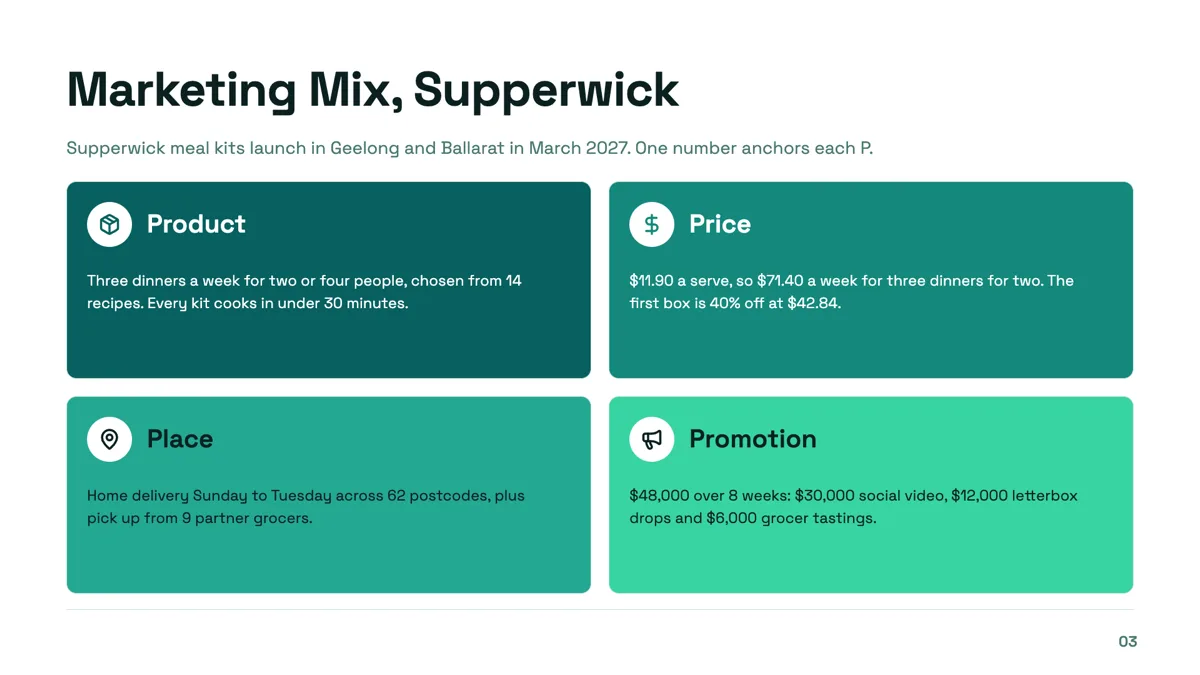
4P marketing mix slide with a number on every P
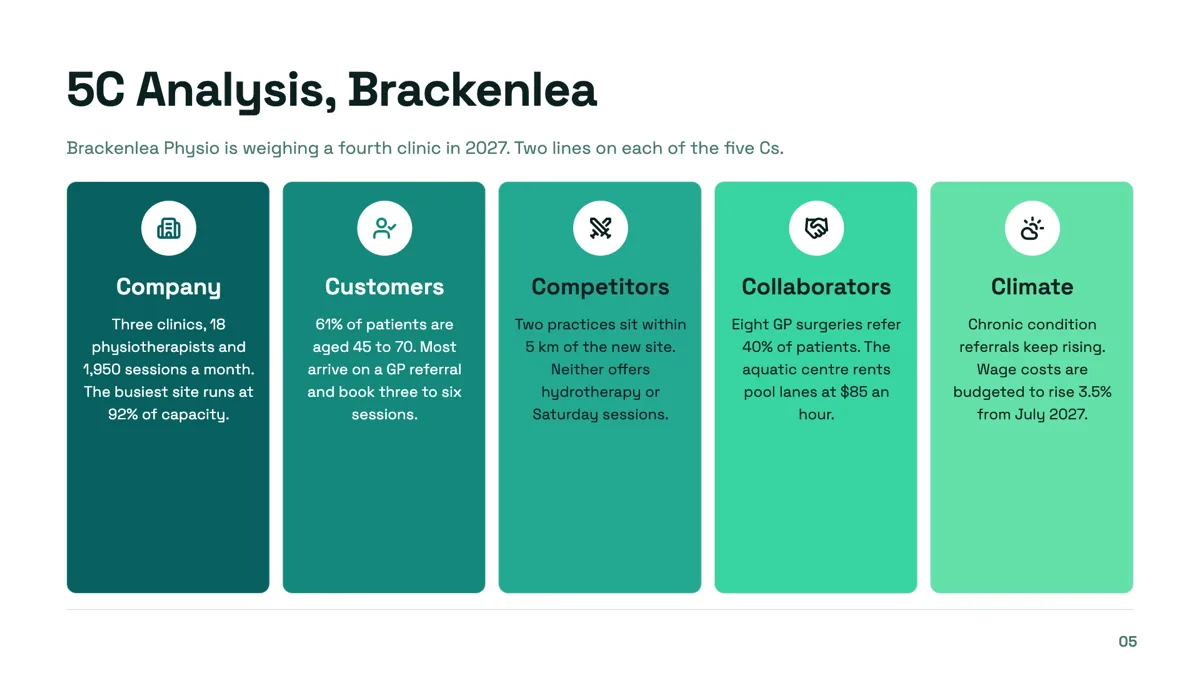
5C analysis slide for a fourth clinic decision
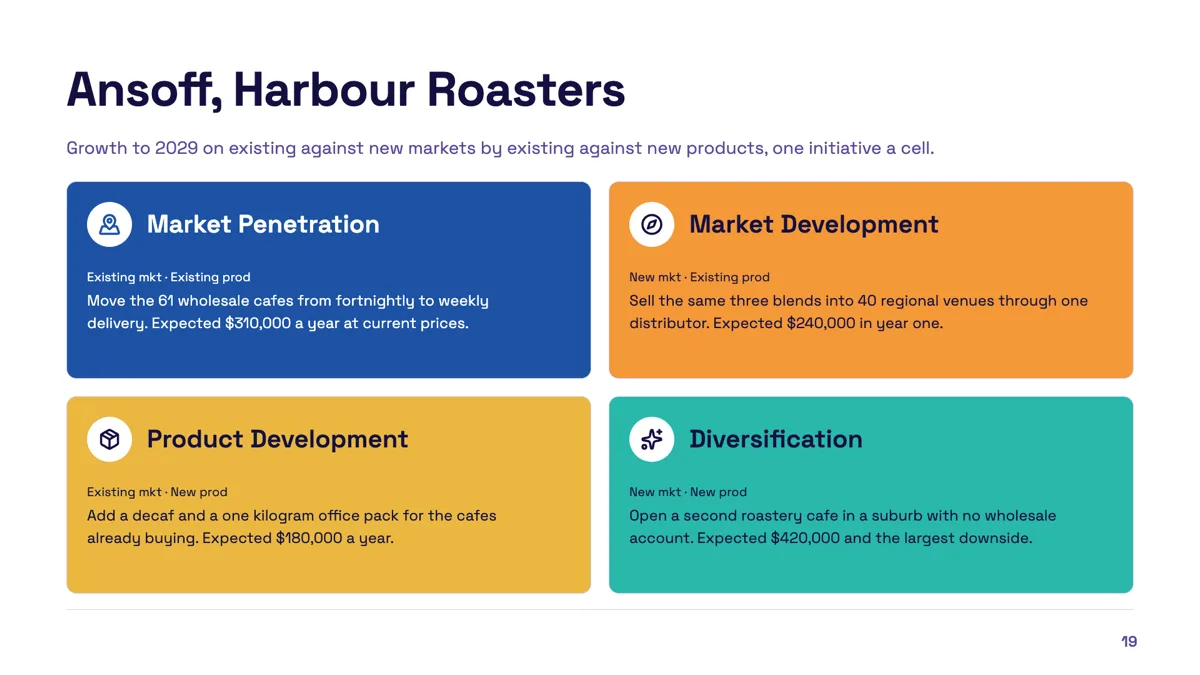
Ansoff matrix slide with one initiative in every quadrant
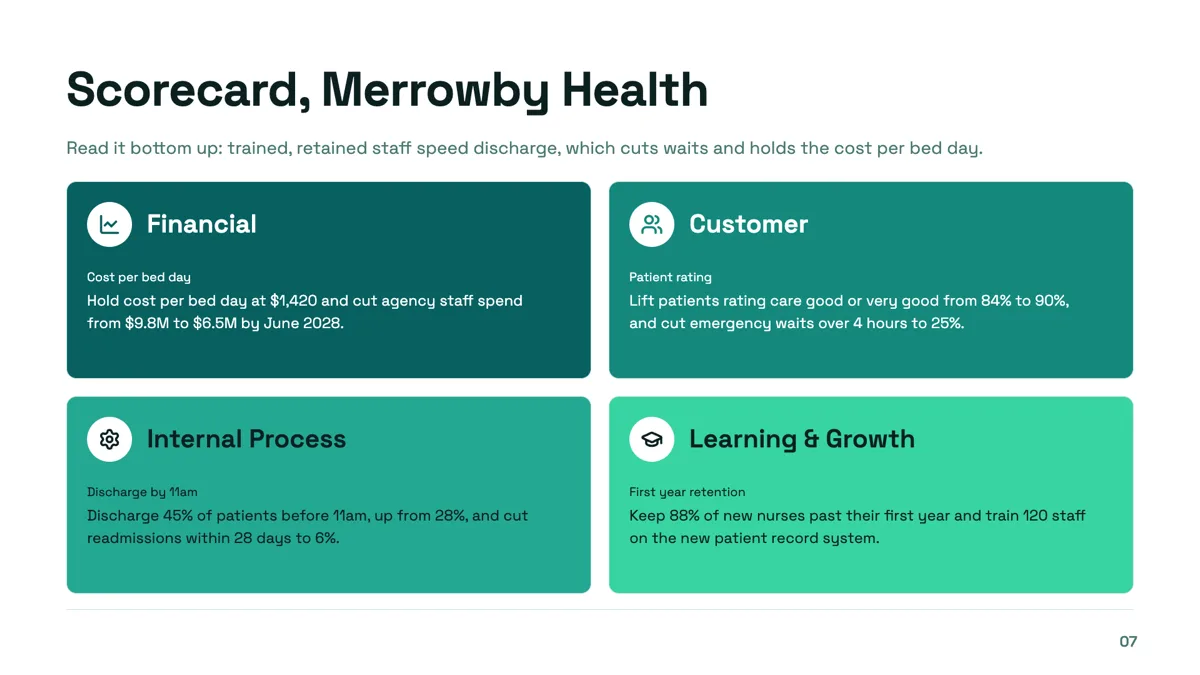
Balanced scorecard perspectives slide with a measure and target in each
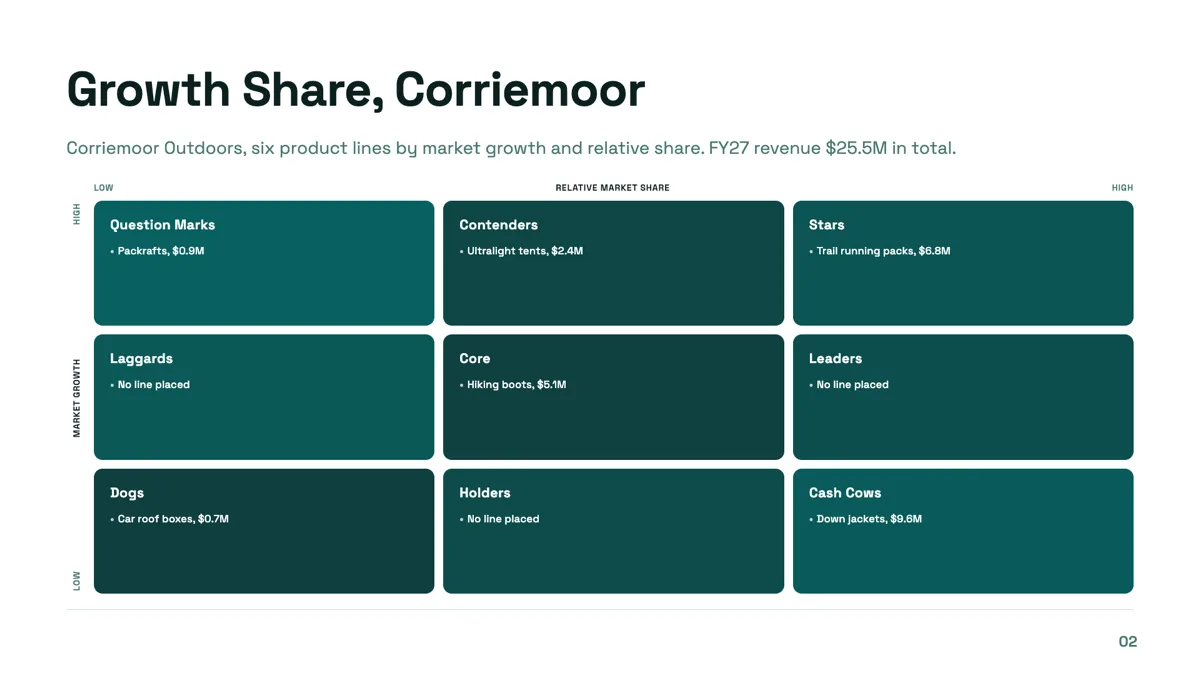
BCG matrix slide with six product lines on a three by three grid
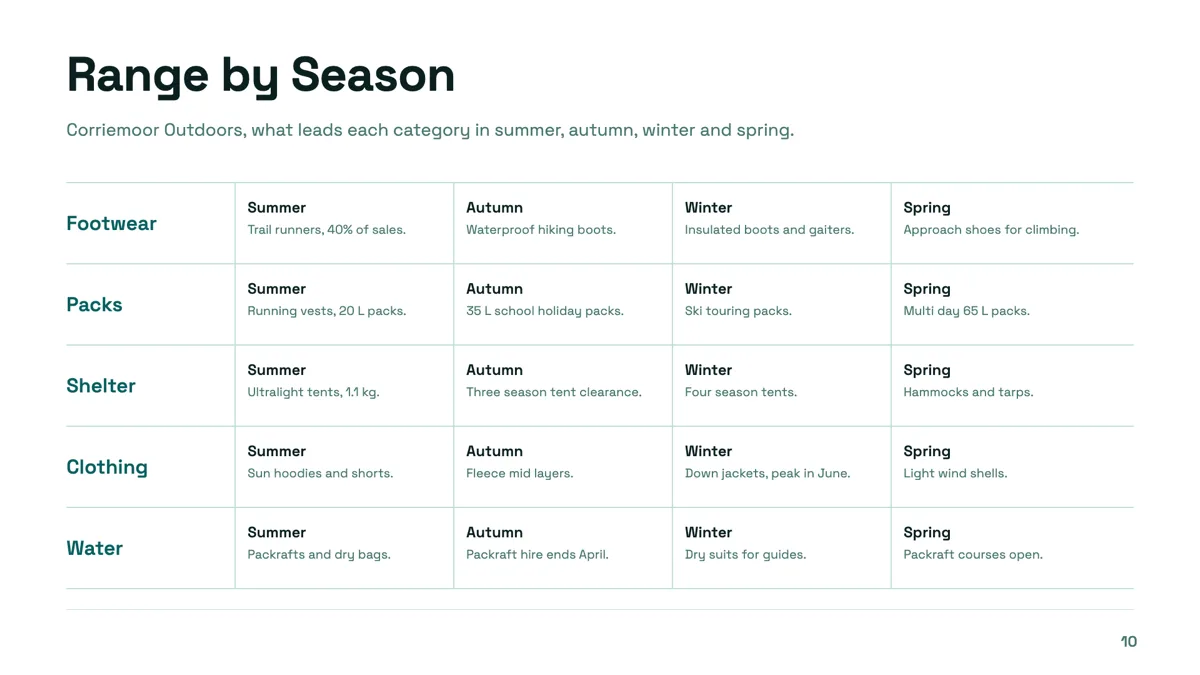
Category matrix slide with five categories across four seasons
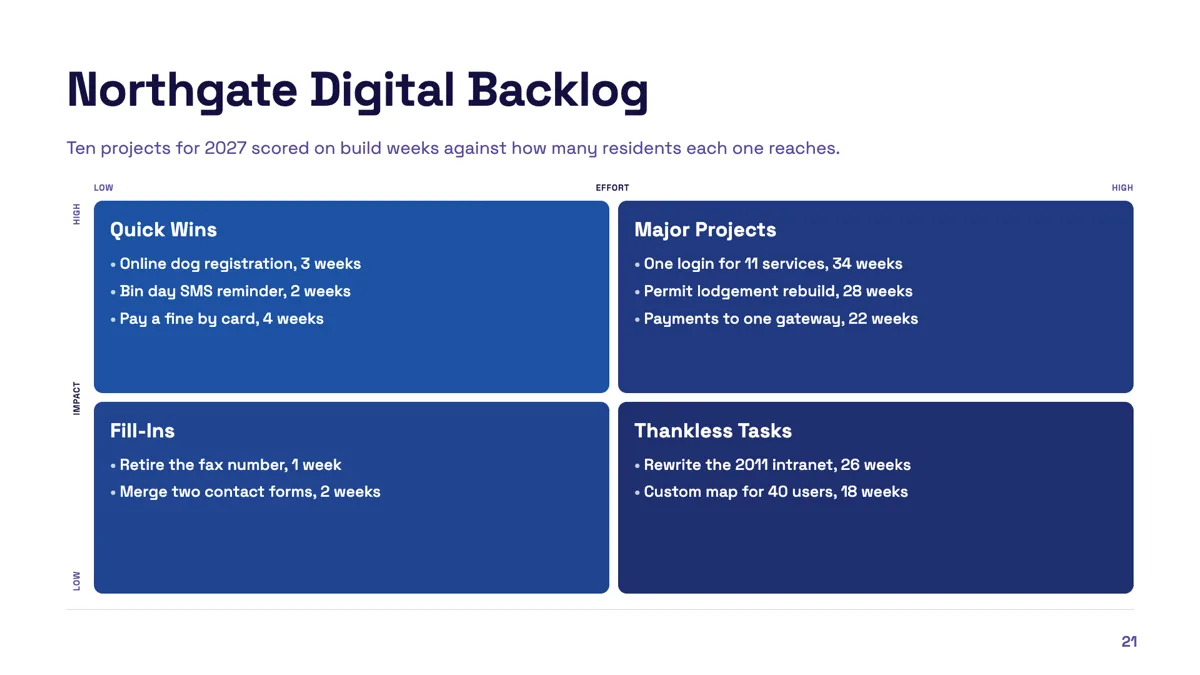
Effort impact matrix slide with ten projects placed
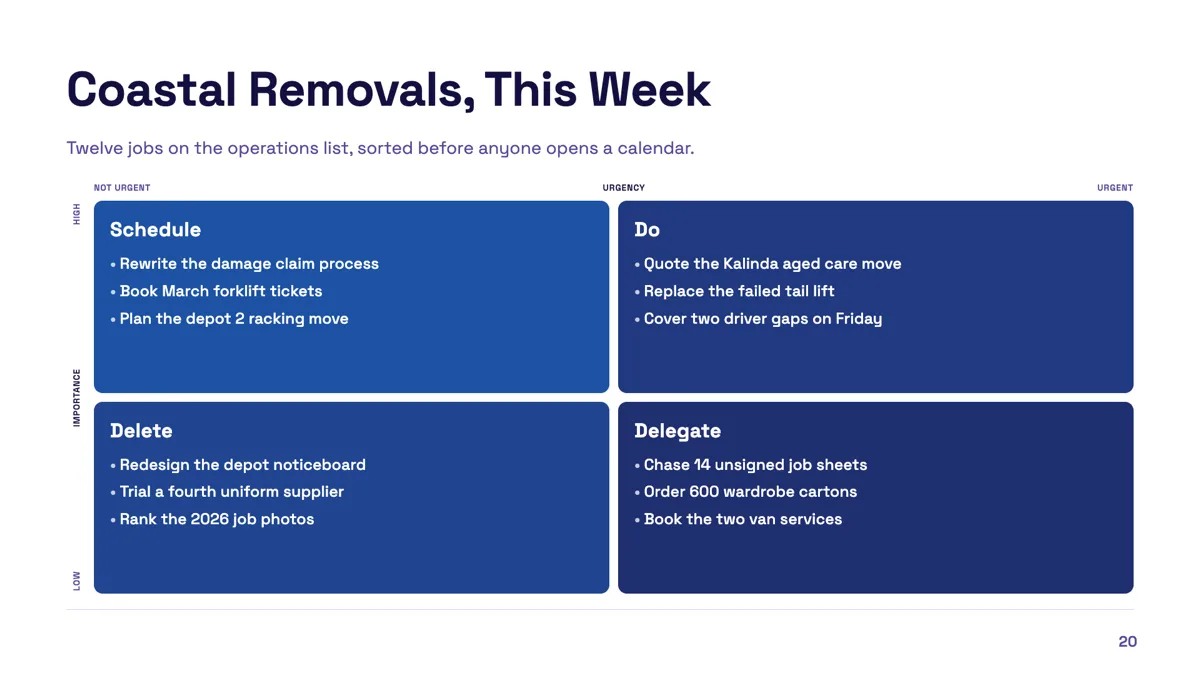
Eisenhower matrix slide with twelve tasks sorted
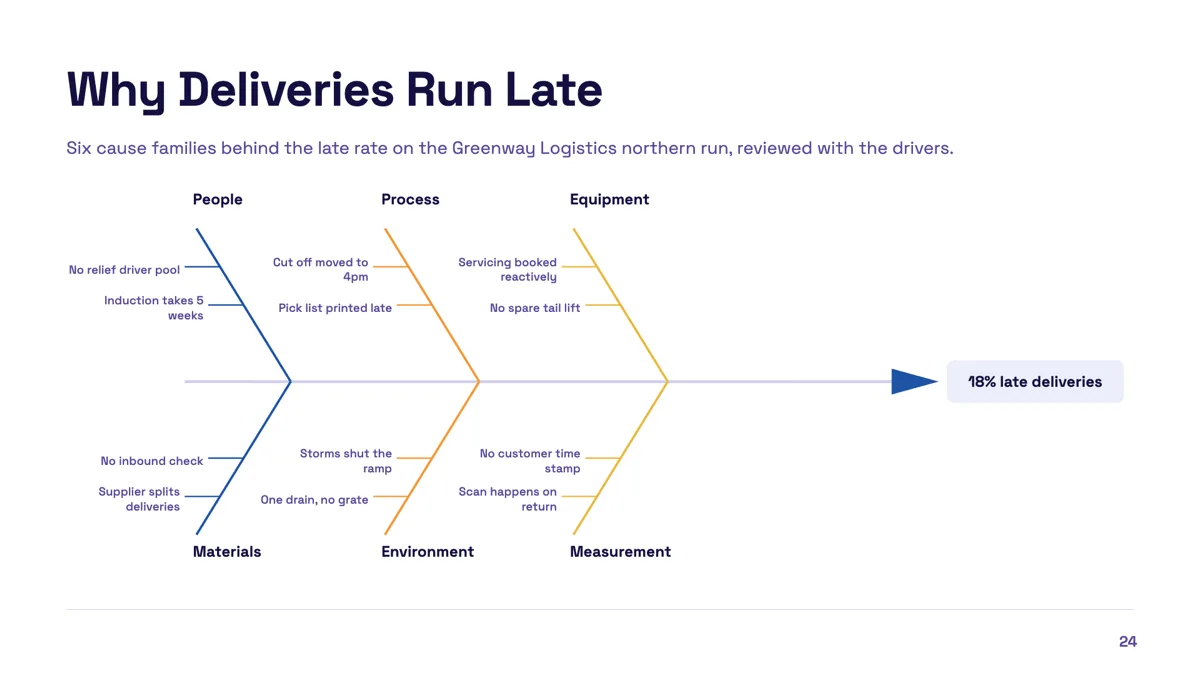
Fishbone diagram slide with six cause families
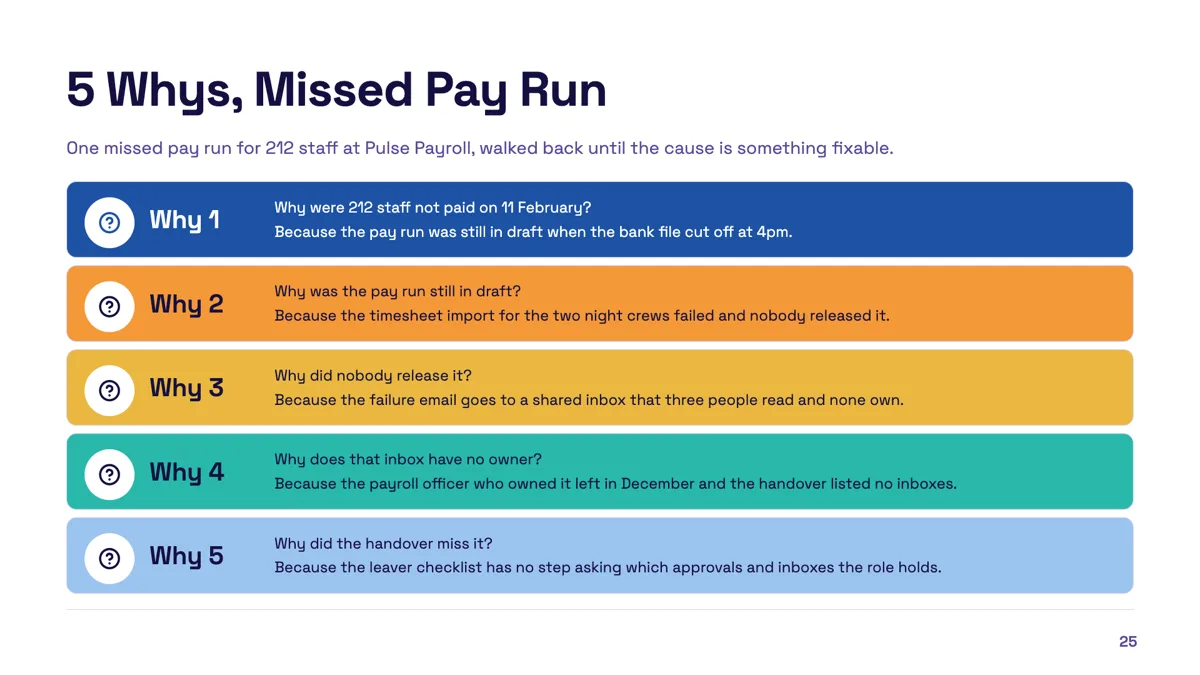
Five whys slide that ends at a fixable cause
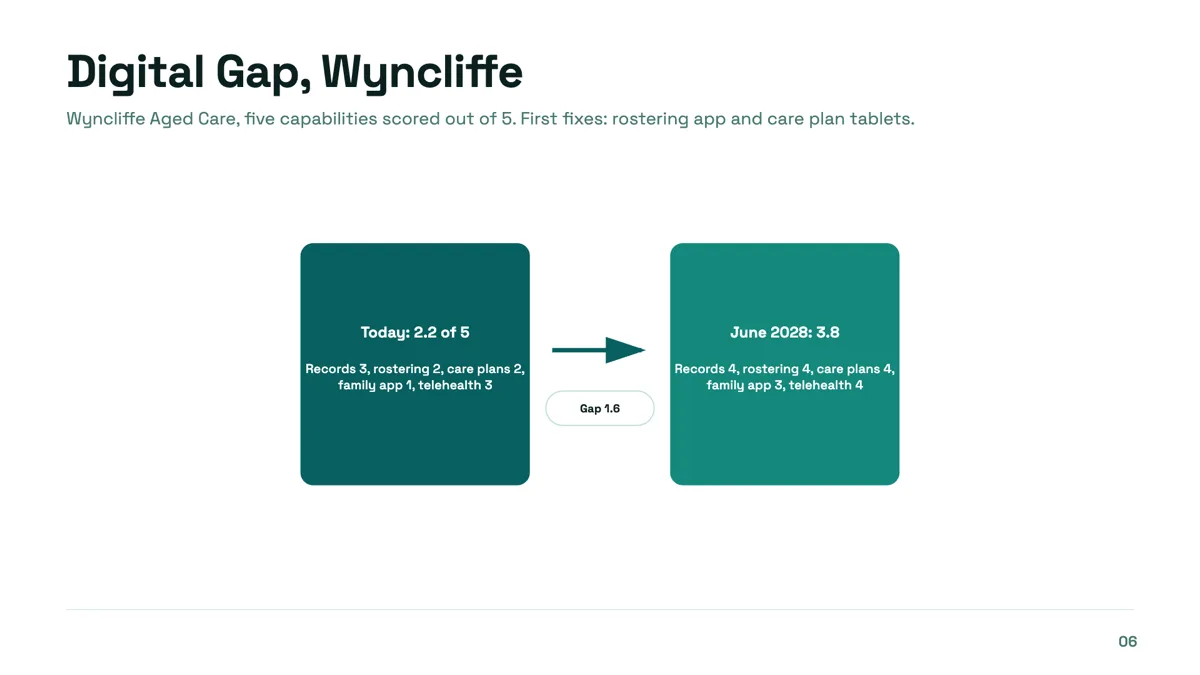
Gap analysis slide from current score to target
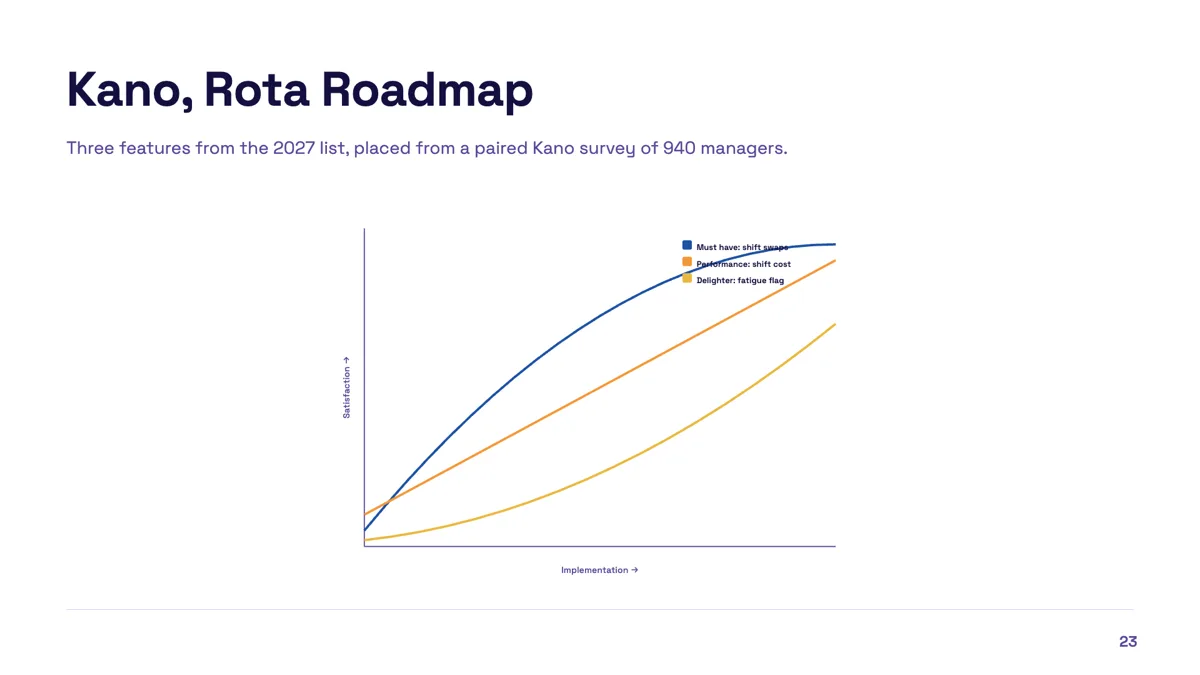
Kano model slide with three features classified
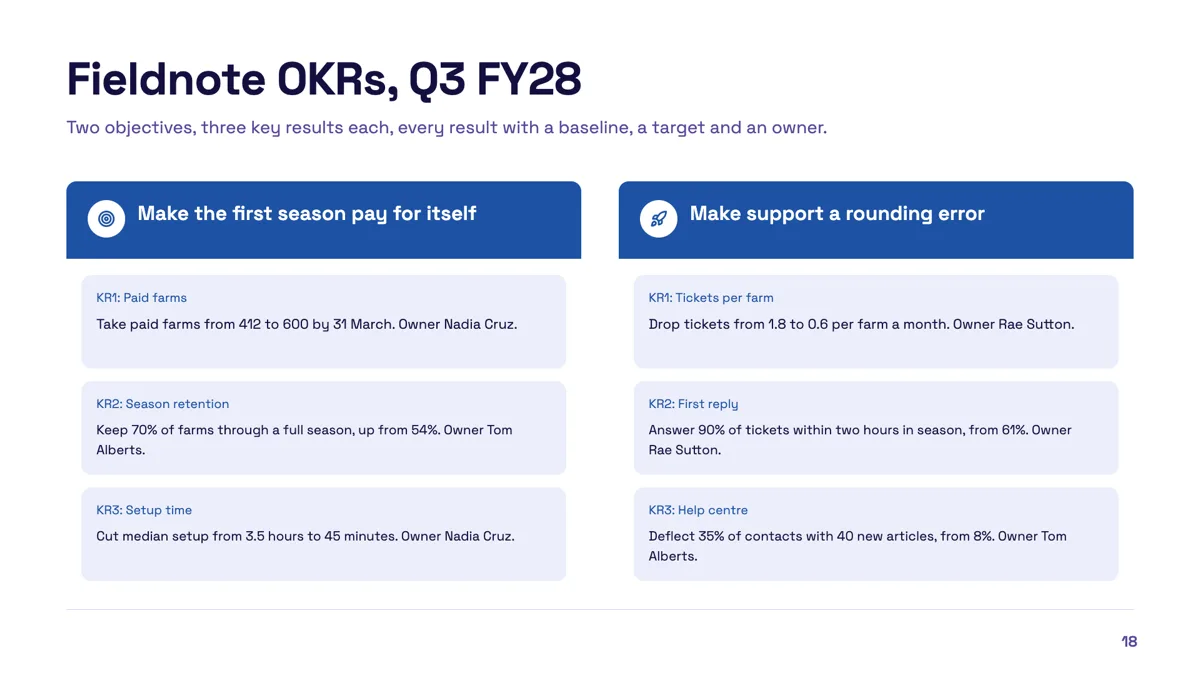
OKR slide example with two objectives and measurable results
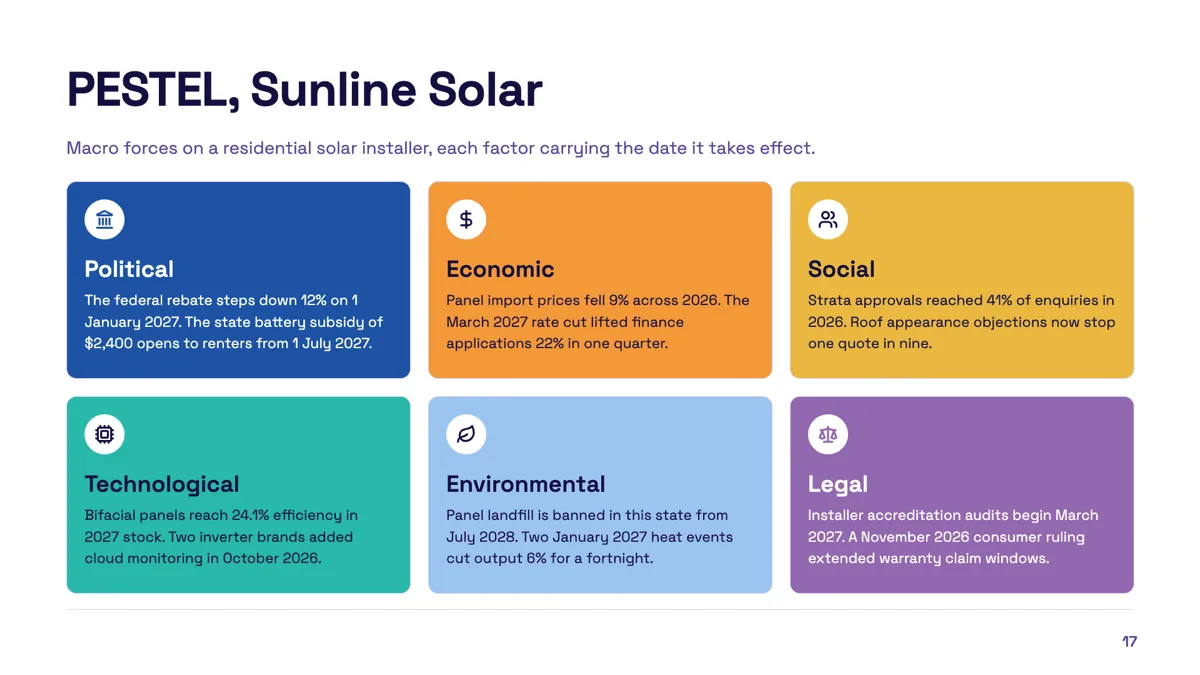
PESTEL slide example with a date on every factor
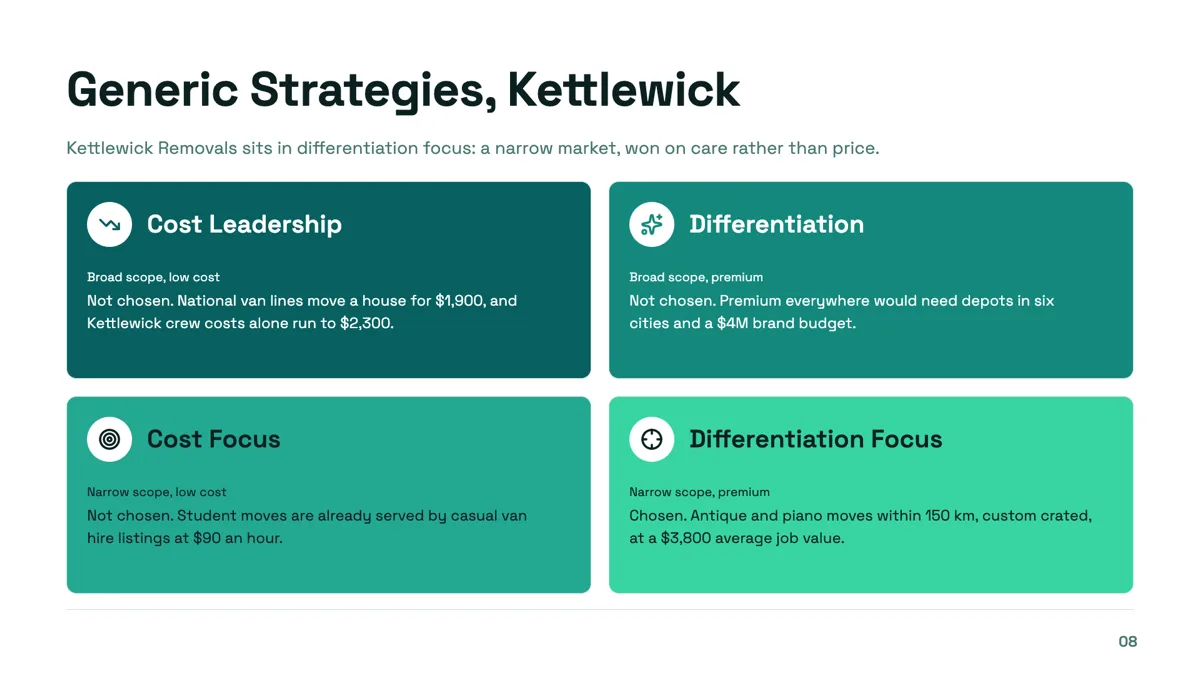
Porter generic strategies slide with one cell chosen and three ruled out
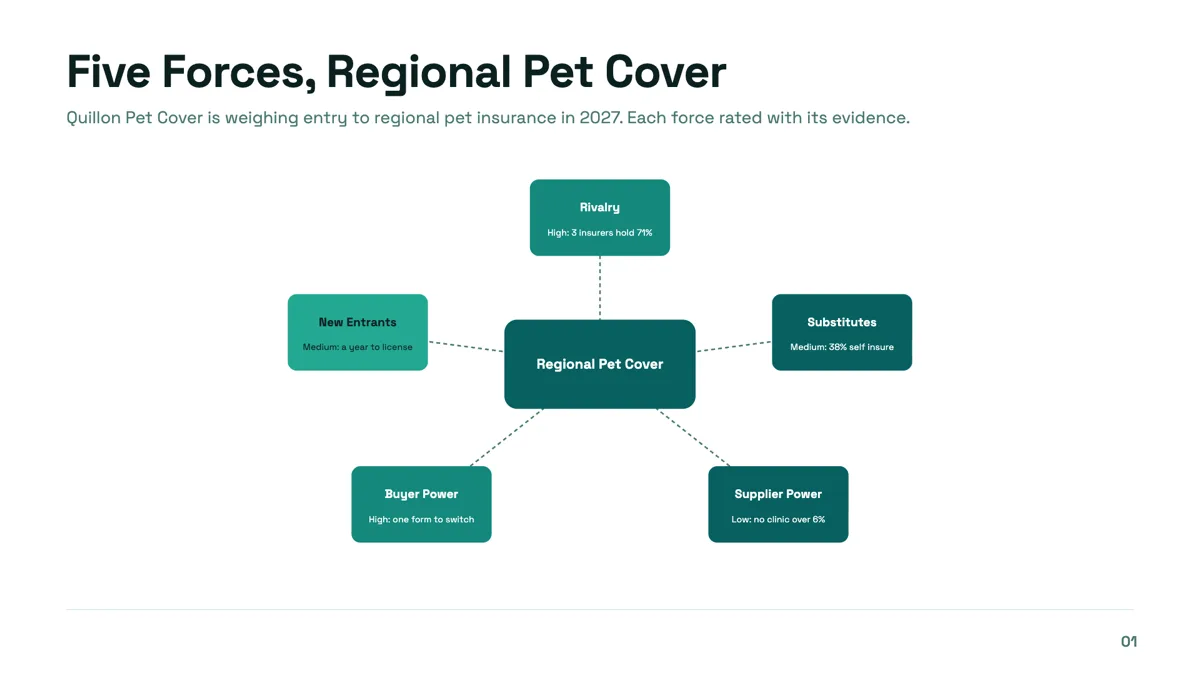
Porter's five forces slide with a rating and a reason on every force
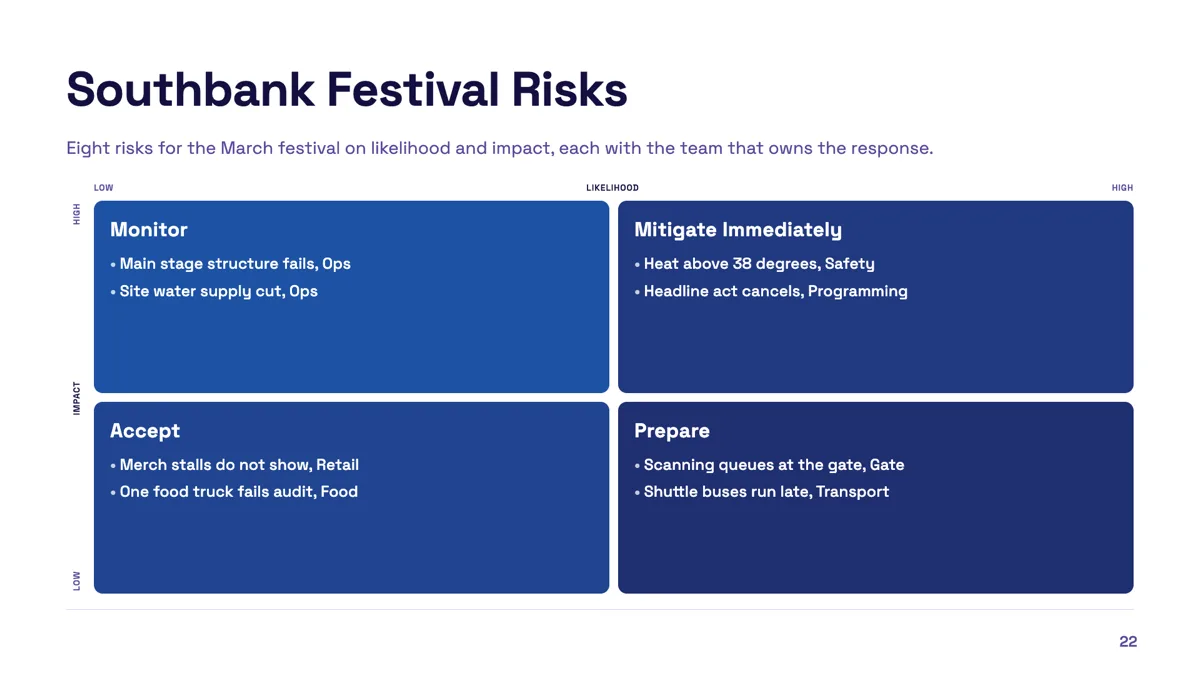
Risk matrix slide with eight risks and an owner on each
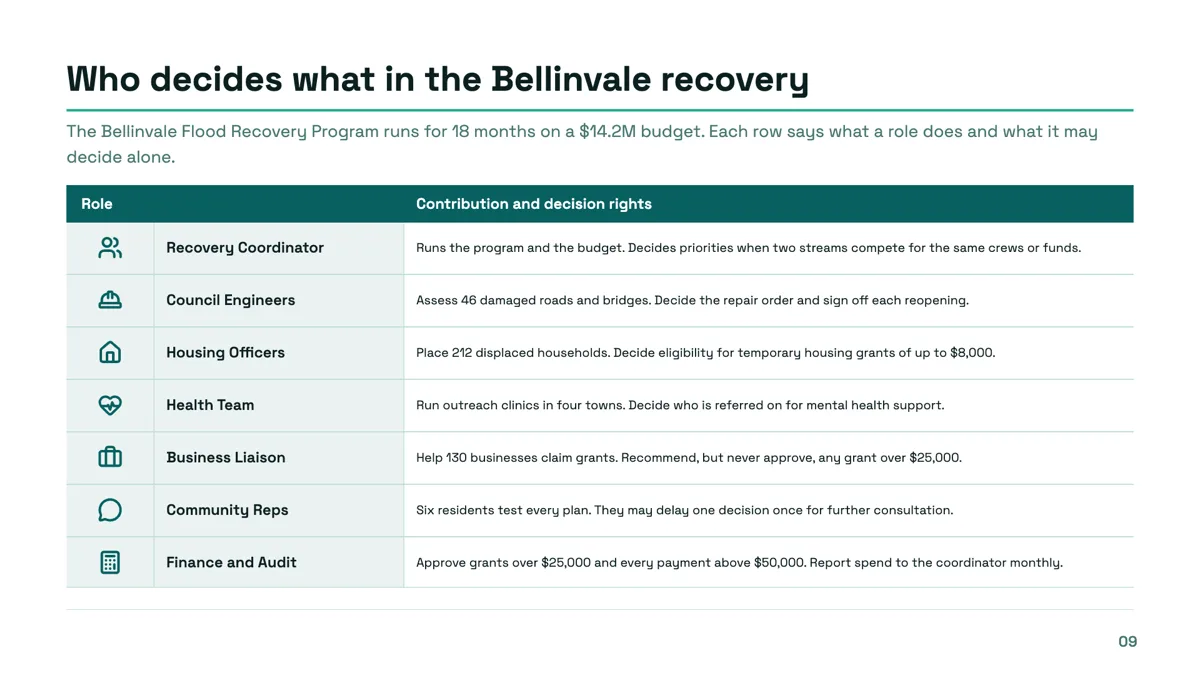
Roles and responsibilities slide with decision rights in every row
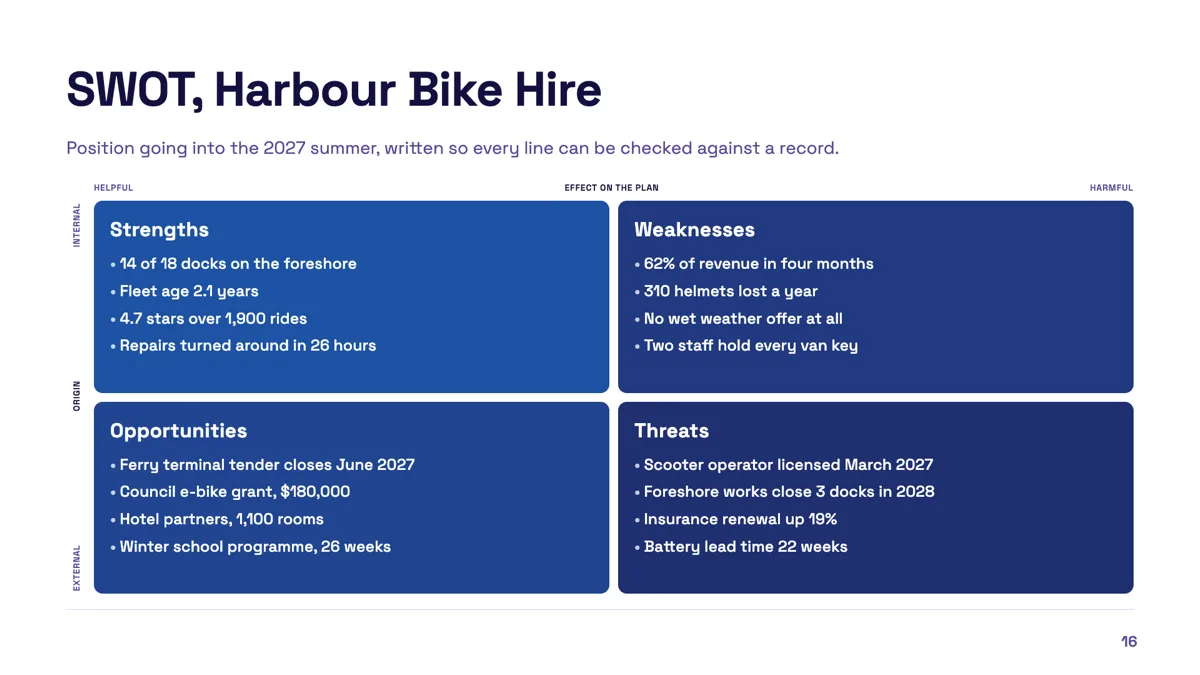
SWOT slide example filled with checkable points
Questions people ask
Which frameworks are included?
Twenty three templates, including SWOT, PESTEL, Ansoff, the growth share matrix, a balanced scorecard, 3C, the 4P mix, 5C, Porter's five forces, Porter's generic strategies, Kano, gap analysis, a fishbone, the 5 Whys, Eisenhower, a risk matrix, effort against impact and a nine cell matrix.
Can I turn a SWOT into a two by two?
Yes. The inspector lets a SWOT and a quadrant matrix swap between those two kinds, because both are four cells. A three by three axis matrix is offered only as itself.
How many bullets fit in a quadrant?
Three or four short ones in the SWOT template, and similar in the other quadrant layouts. Text is fitted to the slot after it renders, so a fifth bullet shrinks everything rather than overflowing.
Is there a five forces layout?
Yes, two: a Porter's five forces diagram with a central industry node and five surrounding force nodes, and a five forces card layout filed under the diagram role. Both carry the standard force names.
Can I build my own framework?
Use one of the generic grids, such as the two by two sections, the nine cell matrix or the category by item matrix, and write your own labels. The named templates keep their labels.
Do framework slides survive a PowerPoint export?
In the editable export, matrix and diagram artwork stays as a picture, but its labels are emitted as native text boxes over the top, so the words can still be edited in PowerPoint.
Make your own presentation
The button opens the generator with this use case already described. Change the wording to match yours, generate, then edit anything you like.
Create a presentation with OneCraftRelated pages
SWOT analysis slide
A SWOT is four boxes and a discipline. The boxes are easy. The discipline is keeping each entry short enough to argue about and honest enough to be worth arguing about, which is mostly a writing problem rather than a design one.
2x2 matrix slides
A 2x2 is only useful when both axes are things that can genuinely be high or low, and when putting an item in a quadrant is a claim somebody could dispute. Get the axes right and the grid does the arguing for you. Get them vague and it is decoration.
Customer persona slide templates
Nine layouts are filed under the persona purpose, and they are not all the same slide. Three are persona cards, two are empathy maps, two are journeys, and the rest sit between. The fields decide which one your research actually fits.
More finished work of this kind is on the presentation examples hub.
Written and checked by the OneCraft team. Last checked .