How to
How to verify domain ownership with a TXT record
Add your domain in Site settings, copy the TXT and CNAME records to your domain provider, press Verify now and read each status until the site opens at your domain.
Sites3 min readUpdated
This guide shows you how to verify domain ownership with a TXT record and connect your own domain to a website you made in OneCraft.
You add two records at the company where you bought the domain. The TXT record proves the domain is yours, and the CNAME record points it at your site. Then one button checks both and sets up the secure certificate.
What you need
- A website in OneCraft. The domain shows the published version, so publish it first (see how to publish a website made with AI).
- A paid plan. Custom domains are not on the free plan; Starter allows 1 domain, Pro 5.
- A login for your domain provider’s DNS settings.
Adding the domain
Open the site’s Site settings: the gear in the builder header, or Address and your own domain at the bottom of the right panel. In the Address card, under Your own domain, click Add domain.
The Add a domain dialog reads “Use a domain you own, like www.example.com. You will add two DNS records at your domain provider next.” Type the domain in the Domain box and click Add domain.
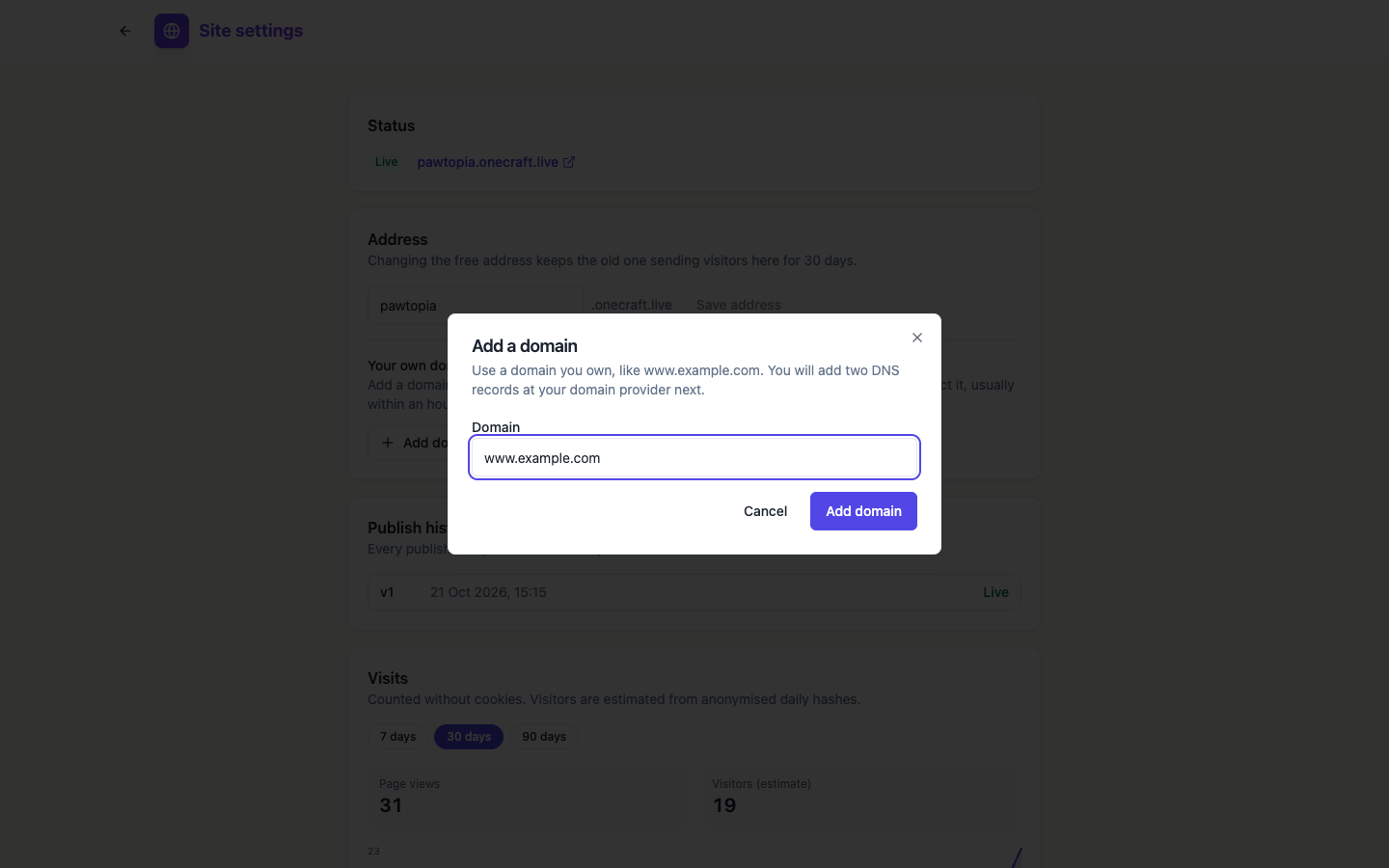 Type the exact address visitors will use. www.example.com and example.com are two different domains.
Copying the records
The domain now has its own card with the status Waiting for DNS, a Primary tag if it is your first domain, and two boxes:
- TXT record: the Name is
_onecraft.followed by your domain, and the Value is a long code unique to this domain. - CNAME record: the Name is your domain, and the Value is the address your site is served from.
Each line has a copy button. Copy them one at a time so nothing is mistyped.
At your domain provider
Open the DNS settings for the domain and add two new records with the types, names and values from the card. Some providers want only the part before your domain in the Name box (for a TXT record on www.example.com, that is _onecraft.www), and add the domain for you. Leave any time to live setting at its default.
If you are connecting a bare domain like example.com, the card adds a note: most providers do not allow a CNAME there, so use an ALIAS or ANAME record if yours offers one, or connect the www address too and make it primary.
Verify now and the statuses
Back in Site settings, press Verify now. The check runs straight away, and the card shows where the domain is:
- Waiting for DNS: the records are not visible yet. New records can take up to an hour to show; press Verify now again later. The line under the domain says which record is missing, such as “TXT record not found yet.”
- Needs attention: something is wrong with a record. “Fix the record, then press Verify now.”
- Issuing certificate: ownership is confirmed and the secure certificate is being set up. “Keep the CNAME record in place. The certificate usually arrives within 30 minutes.”
- Connected: “Your site opens at this domain.”
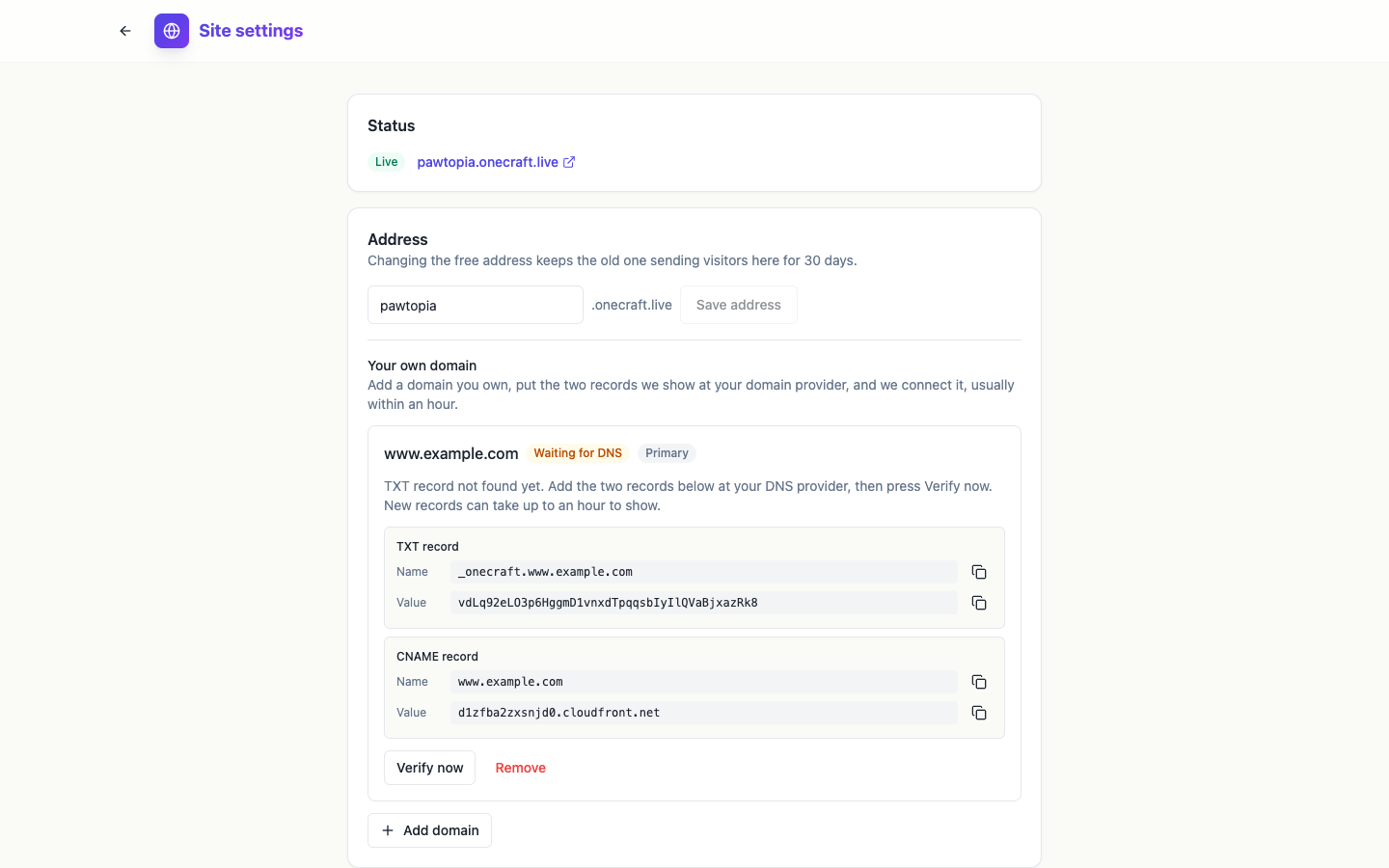 Right after adding the records, Verify now usually still finds nothing. Give the DNS up to an hour.
Primary domain and removing a domain
With more than one domain, Make primary on a card makes that one the address visitors land on, and the other live domains send visitors to it. Remove asks first: “The site stops opening at this domain. You can delete its DNS records afterwards.”
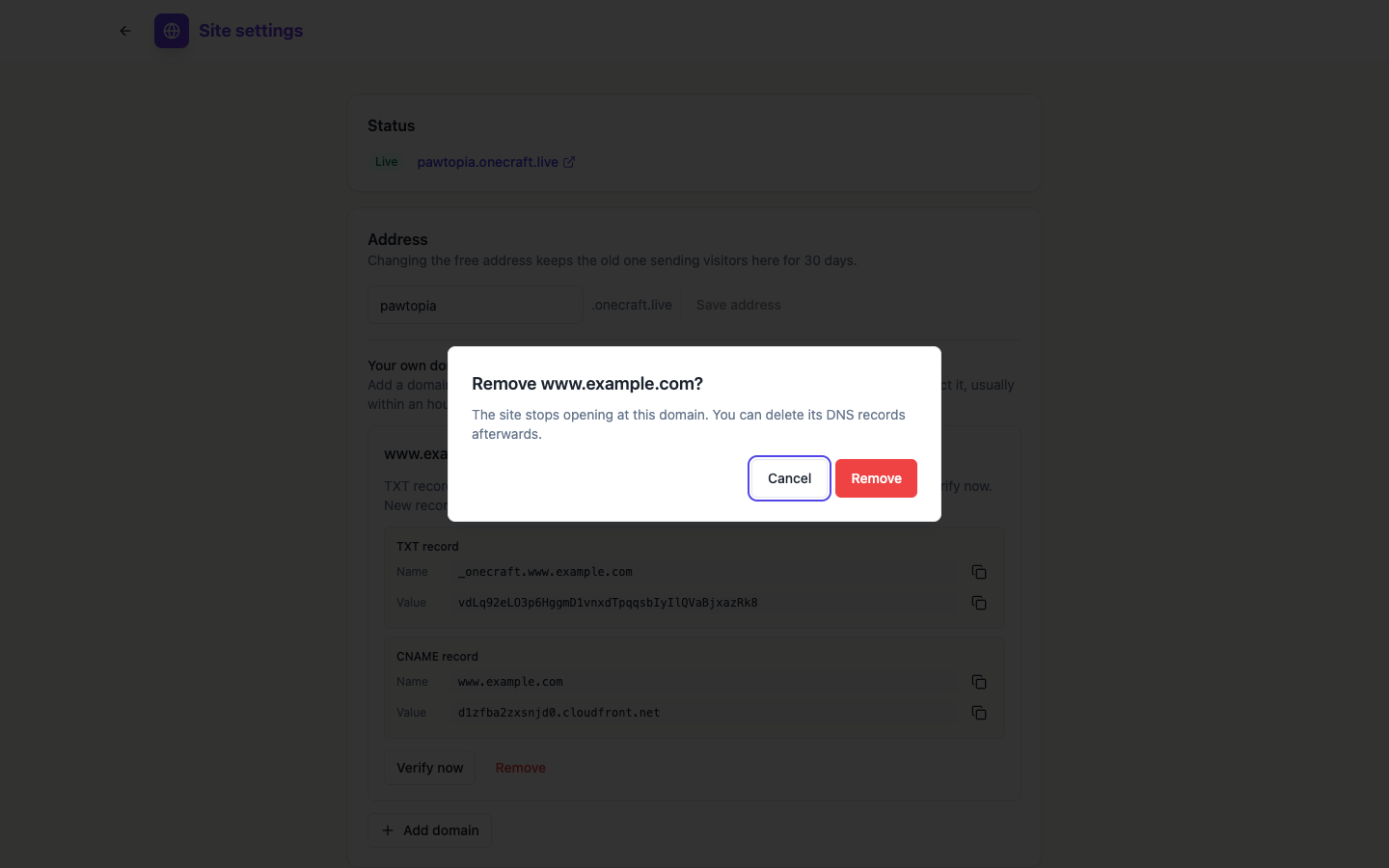 Removing a domain never touches the free onecraft.live address.
For more on how the two records work, see what is a TXT record and what is a CNAME record. The custom domain for your website page covers what a domain adds and what each plan allows.
Ready to try it yourself?
Start free. Describe what you need and let OneCraft do the first draft.
Get startedSee it in the product
More sites tutorials
- How to make a phone app with AIPick Mobile app in the generator, base it on one of your websites or not, describe what it should do, press Generate app and check every tab in the phone and tablet frames.
- How to create a website with AI, step by stepDescribe your business, give it a name, fill the options that matter, press Generate site and make your first change by chat. Every screen of the website generator, shown in order.
- How to install my app on my phone for testingBuild a test version of your app with Expo, scan the QR code on Android or add your Apple account for iPhone, and install the real app without a store. Costs and limits included.