AI app builder
Pick Mobile app, describe what the app does and who it is for, and the AI writes a real React Native app with Expo. Check it in a phone preview, change it by chatting, then build it for Android and iPhone and send it to the stores from your own accounts.
Free plan with 100 credits a month. See pricing
What it does
A real native app project
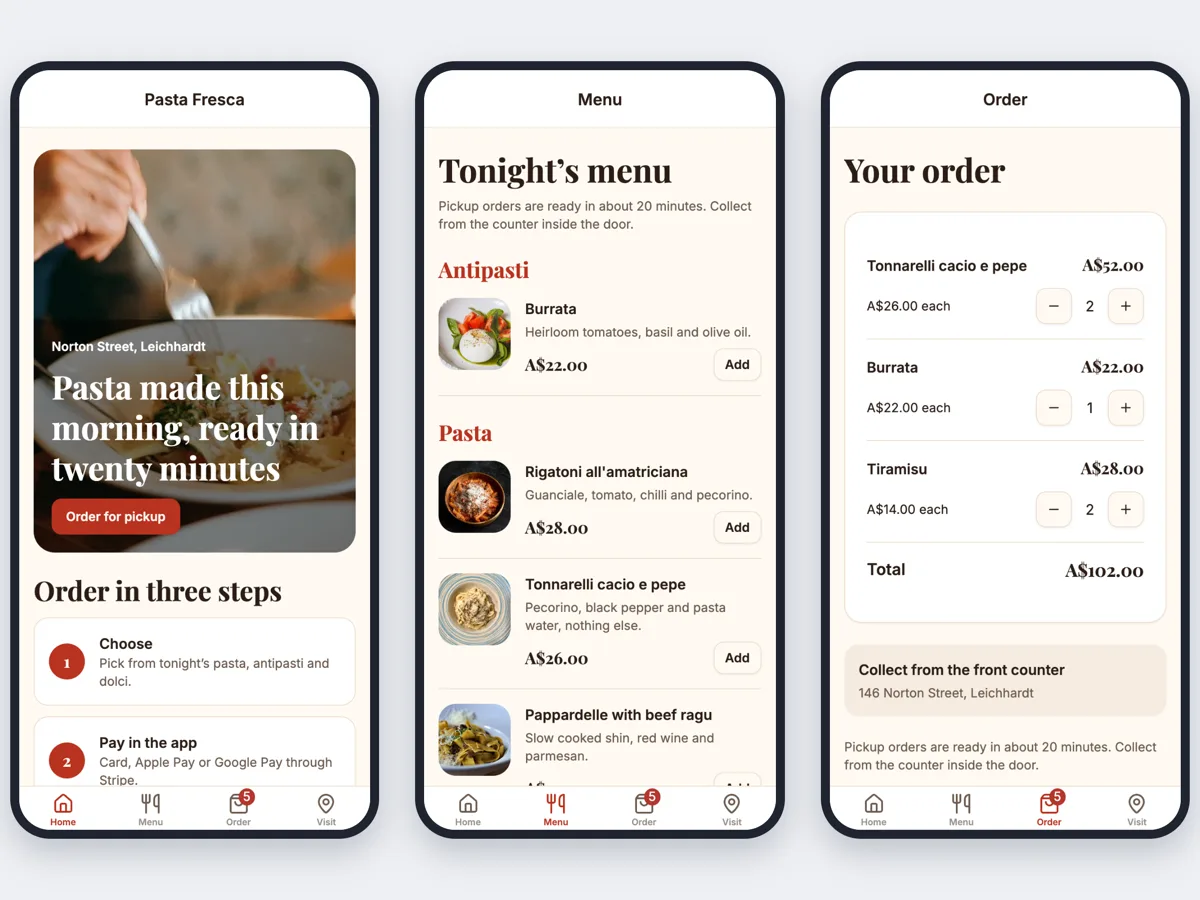
Expo with Expo Router, React Native Reusables components and Uniwind styling. Tabs, stacks and native controls, not a website in a wrapper.
Planned around your business
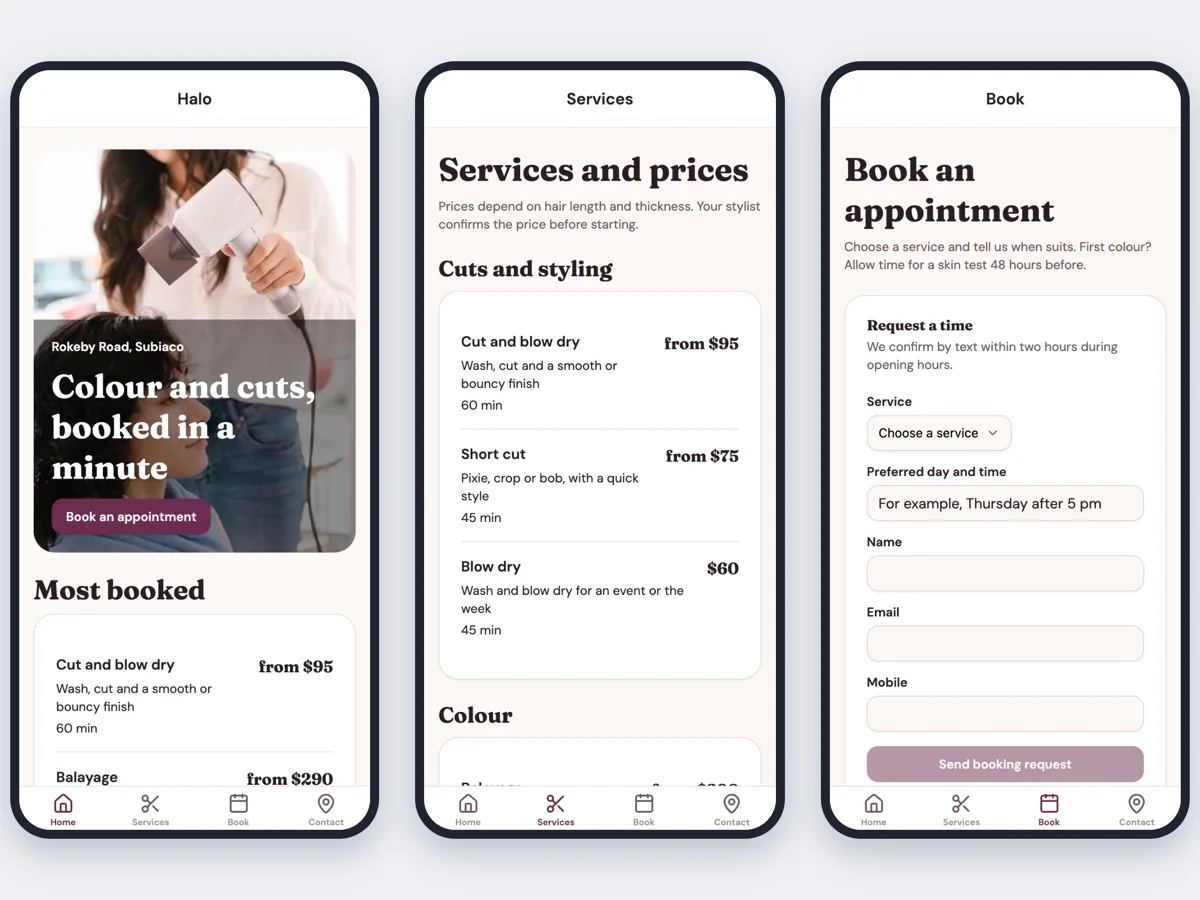
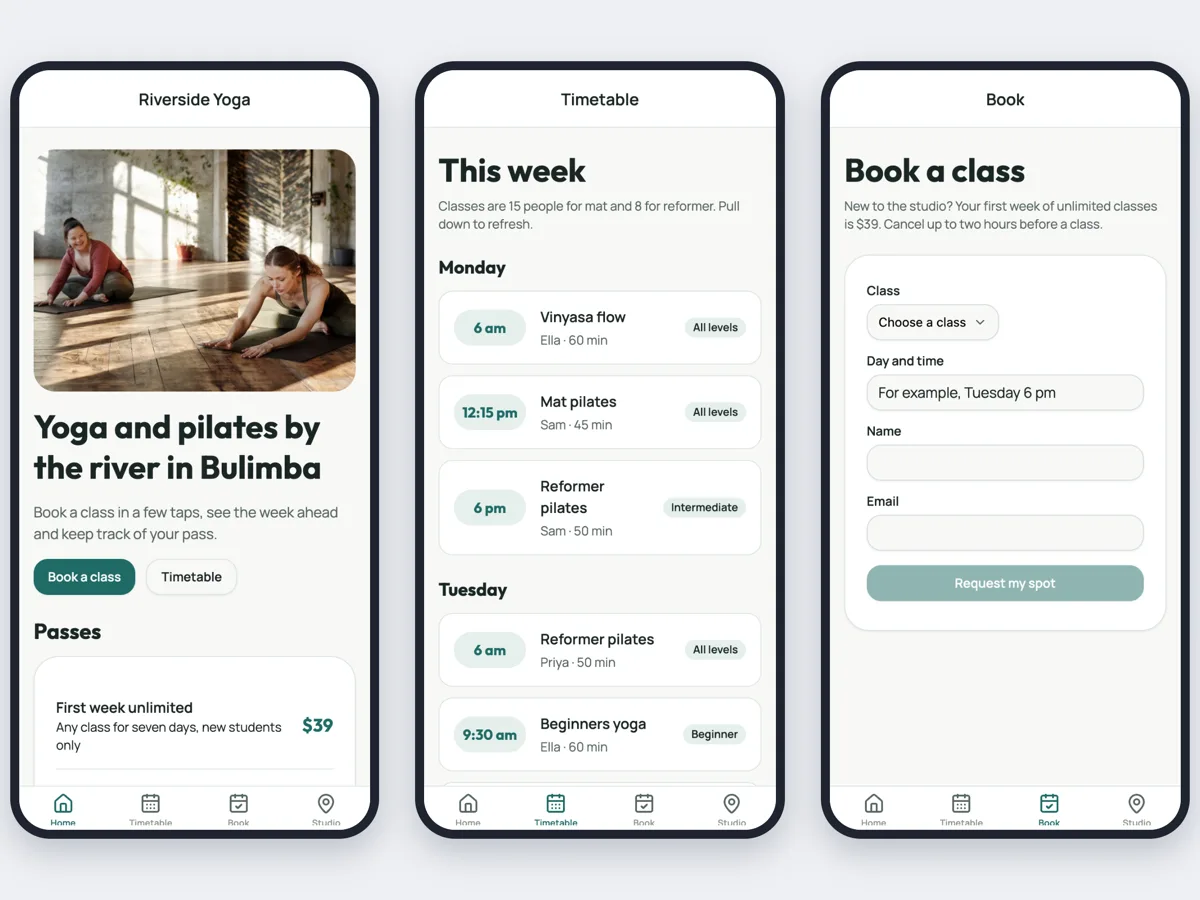
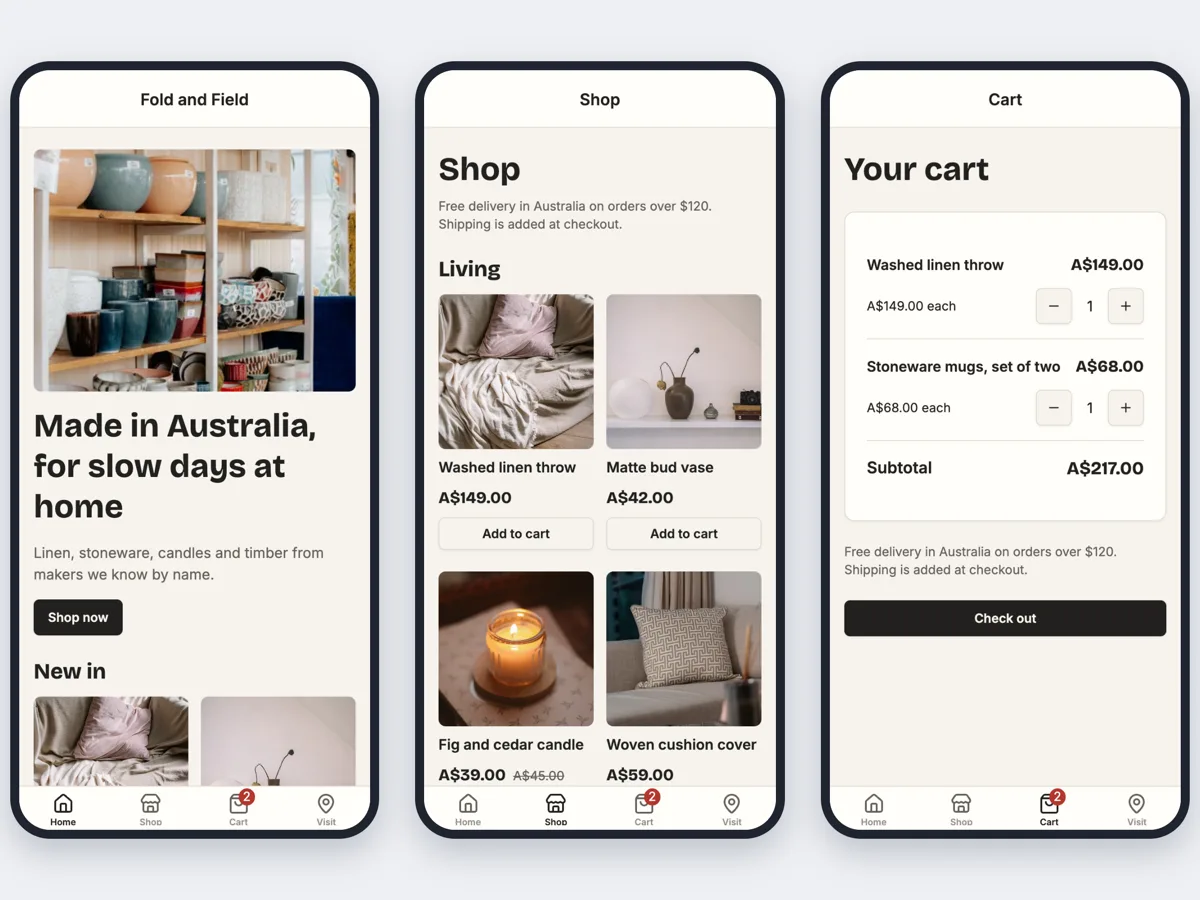
The AI plans 3 to 5 tabs, ending with an Account tab, and the screens behind them from your brief, such as a menu for a restaurant, a schedule and RSVP for an event, or services and booking for a salon. Start from one of your websites and the app takes its colours, fonts, content and database.
Phone preview and chat edits
See the app in a phone or tablet frame. Ask for a change in chat, and every change is a version you can preview and restore.
Build with Expo from the builder
Start an Android or iPhone build: a test build to try on your phone, with a QR code to install on Android, or a build for the stores.
Your accounts, your listing
Builds run on the OneCraft Expo organisation unless you connect your own Expo token. iPhone builds need your Apple developer key, and you submit the app to the App Store and Google Play yourself.
Bookings, accounts and data
The AI adds a database when a feature needs one, such as bookings, orders, accounts or members, following the same 65 capability guides as websites, with the tables, access rules and an Admin tab for staff.
Download the project
Download the whole Expo project to build, test or change it in your own tools.
How it is priced
- The free plan generates the app project with your credits. Expo builds for a phone need a paid plan, from Starter at $8 a month.
- AI work is billed by use, 1 credit per US cent of model cost plus 1 credit for each preview export.
- Each Expo build uses 5 credits.
- Store fees are separate: Apple charges 99 USD a year and Google Play 25 USD once.
Questions
Is this a real native app or a website in a wrapper?
A real app project. The code is React Native with Expo, written for phone screens with tabs, safe areas and native controls, and it is exported to the web only for the preview.
Does OneCraft publish the app to the App Store or Google Play?
No. Apple requires an app made with a builder to be submitted by the business that owns it, from its own developer account. You send it in with eas submit from the downloaded project.
What do the app stores charge?
Apple charges 99 USD a year for its developer program. Google Play charges 25 USD once and checks who you are, and a new personal account must test the app with at least 12 people for 14 days in a row before it can go live.
Can I try the app on my phone before it goes to a store?
Yes. Start a test build from the builder. On Android you scan a QR code to install it, and an iPhone test build installs from its Expo page on a registered iPhone.
Can I edit the code myself?
The files are read only in the builder, and you change the app by chatting. You can download the project and edit it in your own tools, but changes made outside are not brought back into the builder.
Is the app connected to my website?
Only if you base it on one. Pick one of your websites under Based on a website and the app takes its colours, fonts and content, and reads the same database, so a price or a class changed in the admin shows in both. Otherwise the app is its own project.
Start with a sentence.
Create a free account or sign in, and you land straight in the app.
Create an app