E-signatures · Alternative
A Zoho Sign alternative outside the Zoho suite
Zoho Sign is strongest when the rest of Zoho is already in use, with templates, suite integrations and blockchain timestamping on the top plan. OneCraft signing sits outside any suite and trades those for certified output and a verifiable audit trail, and this page is honest about where each side wins.
Updated , competitor details checked . Zoho and Zoho Sign are trademarks of their owner. OneCraft is not affiliated with or endorsed by Zoho, and every cell cites a public page or a source file.
Nuwan Madhusanka · Co-founder
3 min read · Published
The short verdict
Zoho Sign suits an organisation already inside Zoho, where templates, CRM sync, branded emails and an API on the top plan all pay for themselves. OneCraft signing suits a sender with no suite to join who wants every completed PDF certified, an eighteen event hash chained log and a certificate of completion, and who sends a modest number of envelopes.
| Feature | Zoho Sign | OneCraft |
|---|---|---|
| Price per user | Not published in the page as served. The pricing page renders its plan prices in JavaScript and returns empty price fields to a direct fetch checked 2026-09-20 | A free plan at $0 with 100 AI credits a month, then $8, $25 and $125 a month, priced per account rather than per signer seat |
| Documents per plan | Free allows 5 documents a month, Standard 25 per user a month, and Professional and Enterprise list unlimited envelopes checked 2026-09-20 | No envelope allowance is published on any plan; one envelope holds up to 25 recipients and up to 500 fields between them |
| Timestamping | Blockchain based timestamping is offered, and blockchain timestamping is listed on the Enterprise plan checked 2026-09-20 | RFC 3161 timestamping is implemented, attaching the token as an unsigned attribute, but the timestamp authority URL is empty in every deployed configuration, so signed PDFs carry no token today |
| Certification of the file | Documents are stated to be legally binding and to comply with the ESIGN Act, UETA, eIDAS and other international laws; the signing profile is not itemised checked 2026-09-20 | PAdES CMS certified at DocMDP P equals 1, recorded on the certificate as PAdES-SHA256-DocMDP when no timestamp token was attached |
| Verifying the signer | Multi factor authentication is offered to protect the account and documents with an additional level of security checked 2026-09-20 | 3 methods per recipient: the email link alone, an access code of at least 4 characters shared out of band, or a 6 digit emailed code valid for 10 minutes |
| Audit evidence | A clear picture of every step of the document signing process, including viewing, sending and signing checked 2026-09-20 | 18 audit event types in a hash chained log where each row seals the one before, with the envelope page reporting a verified chain or the event where it broke |
| Certificate after completion | Not itemised on the features page, which describes the audit trail rather than a certificate document checked 2026-09-20 | A three section certificate of completion: the envelope with both document hashes, a block per signer with method, time, IP and consent, then the full event log |
| Where documents come from | Sign documents from everyday apps through ready made integrations and REST APIs, with APIs and webhooks listed on the Enterprise plan checked 2026-09-20 | Three sources only: an uploaded PDF, a document generated in the same account, or a submitted form response, each staged before the envelope is created |
| Signing order | Sign documents yourself or collect signatures from anyone in the order you wish in just a few clicks checked 2026-09-20 | A Sign in order switch: on, only the lowest outstanding order is invited and every signer route is blocked out of turn; off, everyone is invited at once |
| Reusable templates | Frequently used documents can be converted into templates and reused, with unlimited templates listed on Professional checked 2026-09-20 | No templates. Each envelope is prepared from its own PDF, or arrives laid out from a generated document's signature blocks |
| Branding the emails | Brand identity such as logos, colours and content can be carried across documents with complete customisation checked 2026-09-20 | Five fixed emails through SES: invitation, completion with the certified PDF attached, declined, withdrawn and failure. There is no branding control over them |
| In-person signing | Collect signatures from anyone on the spot using your laptop or mobile devices checked 2026-09-20 | The owner hosts a session when it is that recipient's turn, the emailed check is waived for it, and an in person started event records the hosting account |
Where Zoho Sign is better
Timestamping that is actually switched on
Zoho Sign offers blockchain based timestamping and lists it on the Enterprise plan. The RFC 3161 code here is complete and correct, but the timestamp authority URL is empty in every deployed configuration, so no signed PDF currently carries a token. On that row Zoho wins outright, and the certificate here says so by naming the algorithm without a timestamp.
Templates and suite integration
Frequently used documents become reusable templates, unlimited on Professional, and documents can be signed from the everyday Zoho apps through ready made integrations. Nothing here reuses a prepared envelope and there are no suite connectors, so both the repetition and the round trip are manual.
Branded emails to signers
Zoho Sign carries logos, colours and content across documents with complete customisation. The five emails here are fixed: invitation, completion, declined, withdrawn and failure, sent through SES with a set layout and no branding control. A business that wants the signing email to look like its own cannot have that here.
APIs and webhooks
REST APIs are named among the features and APIs and webhooks appear on the Enterprise plan, alongside a pay per envelope plan with no monthly commitment. There is no public API here at all, so nothing can create or track an envelope from outside the account.
Where OneCraft is different
Certification is the default on every plan
Every completed envelope is PAdES certified at DocMDP level one, written into the document permissions with append only flags, so a later edit breaks a seal a PDF reader reports. If certification fails the envelope is marked failed and the owner emailed, rather than an unsealed file being released.
An audit trail that can be tested
Eighteen event types are hashed over sorted keys and chained so each row seals the one before, and the envelope page reports either a verified chain or the sequence number where it broke. A database trigger refuses updates to those rows outright.
Honest about what the certificate says
The certificate of completion prints the algorithm as PAdES-SHA256-DocMDP, and adds the words with RFC 3161 timestamp only when a token was really attached. Reading the algorithm line tells you exactly what evidence the file carries, rather than implying more.
No suite to join
An envelope starts from an uploaded PDF, a document generated in the same account or a submitted form response. The account that signs is the account that wrote the agreement, made the deck and built the intake form, which is a different kind of integration from a CRM connector.
A finished example
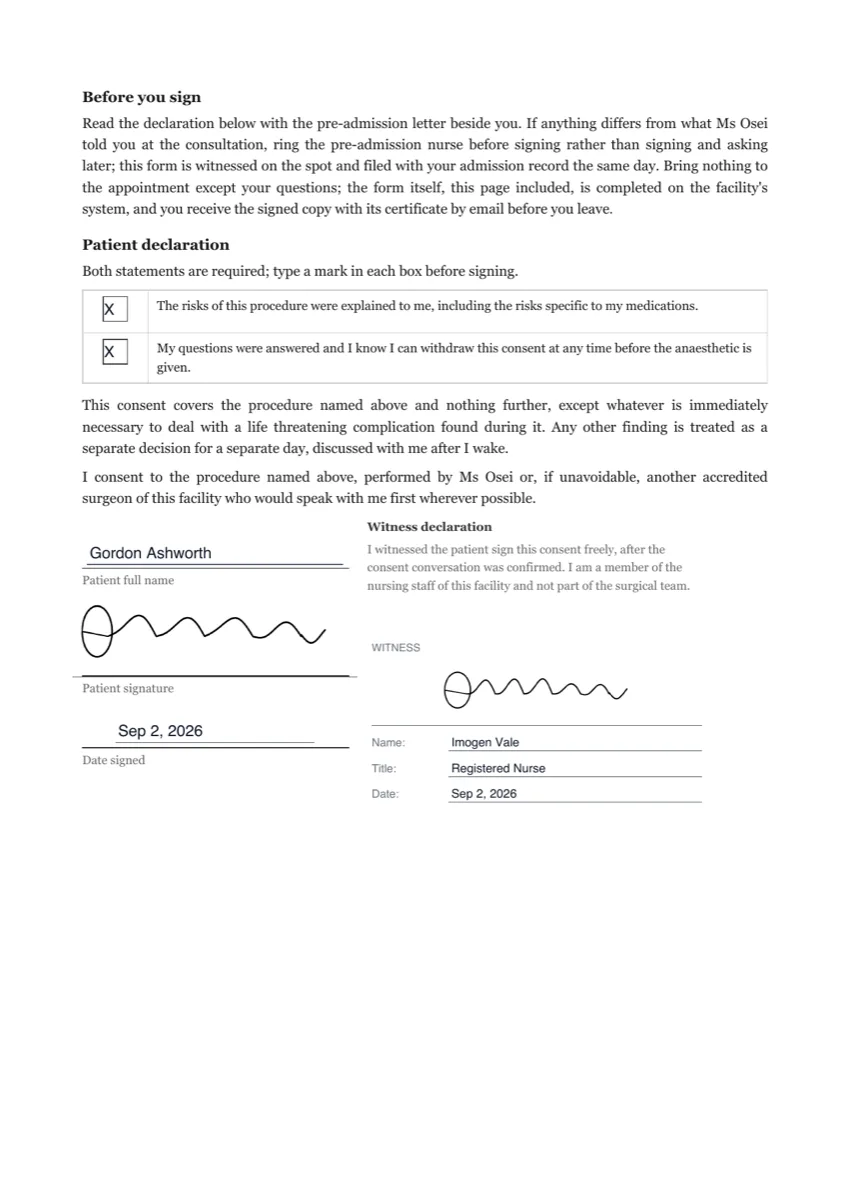 Medical consent e-signatureMade with OneCraft, exactly as the generator and editor left it. Open the page for the full breakdown.
Pricing in plain terms
Zoho Sign's prices could not be quoted. The pricing page, fetched on 20 September 2026, renders its plan prices in JavaScript and served empty price fields, so the price row says not published and links the page rather than guessing. The plan limits did render: Free allows five documents a month, Standard twenty five per user a month, Professional unlimited envelopes and unlimited templates, and Enterprise adds APIs, webhooks and blockchain timestamping. OneCraft's pricing page lists Free at $0 with 100 AI credits a month, Starter at $8, Pro at $25 and Pro Plus at $125, priced per account.
Moving across
Templates do not migrate, and neither do suite connections. Moving means uploading the PDF you already send, placing the fields, adding recipients with a verification method each and choosing whether they sign in order. PDFs go up to 25 MB, and rotated or password protected files are refused at upload with the page number or the reason given.
What could not be checked
Besides the prices, Zoho's features page names capabilities without stating limits or a signing profile, so the certification, certificate and authentication rows say exactly what the pages say. Blockchain timestamping is quoted as their wording; how it is implemented is not described on the pages fetched, so nothing here compares its strength against an RFC 3161 token.
How the OneCraft side was verified
Each cell names a row in an internal ledger checked against the signing service's source code, including the parts that are unflattering: the DocMDP certification level and its append only flags, the empty timestamp authority setting in the deployed templates, the eighteen event hash chain, the certificate of completion, the three verification methods, the fixed set of five emails, and the 25 recipient and 500 field caps.
Who should stay with Zoho Sign
Stay with Zoho Sign if the rest of Zoho is already in use, if templates and suite integrations carry the volume, if signing emails must be branded, if an API or webhooks are part of the process, or if timestamping has to be switched on today. That last row in particular is a genuine advantage and this page does not pretend otherwise.
Questions people ask
Do signed PDFs carry a trusted timestamp?
Not today. The RFC 3161 code is complete, the token would attach to the signer information as an unsigned attribute and the placeholder is already sized for it, but the timestamp authority URL is empty in every deployed configuration. The certificate names the algorithm without a timestamp, so the file never claims more than it carries.
What does certification give me instead?
A PAdES CMS signature certified at DocMDP level one, written into the document permissions with append only flags, so an edit after certification breaks a seal any standard PDF reader reports. Certification is required by default: a failure marks the envelope failed and emails the owner rather than releasing an unsealed file.
Can I brand the email a signer receives?
No. Five emails are sent through SES with a fixed layout: the invitation with a Document, Signing as and Expires panel and a Review and sign button, the completion email with the certified PDF attached, plus declined, withdrawn and failure notices. Colours, logos and wording are not configurable.
How many documents can be sent a month?
No envelope allowance is published on any plan, so sending for signature is part of the account rather than a counted item. What the plans meter is AI credits for generation. Zoho Sign publishes five documents a month on its free plan and twenty five per user a month on Standard.
Is there an API or webhook?
No public API and no webhooks for signing. Envelopes are created in the app from an uploaded PDF, or automatically from a generated document or a submitted form response through an internal handover that never crosses the public gateway. Zoho lists REST APIs and webhooks on its Enterprise plan for anything that needs wiring in.
Can several people sign in a set order?
Yes. A Sign in order switch decides it: with it on, only the lowest outstanding order is invited and every signer route blocks anyone acting out of turn, and with it off everyone is invited at once. Up to 25 recipients can be on one envelope, each with their own verification method.
Try the signing flow side of OneCraft
The button opens the generator with a starting prompt already filled in. Change the wording to match your own work before you run it.
Send a document for signingMore comparisons
- An Adobe Sign alternative without the Acrobat bundleAn Adobe Sign alternative for teams that do not need Acrobat: 10 field types, three identity checks, certified PDFs, and the workflows Acrobat keeps.
- A Xodo Sign alternative for signing documentsA Xodo Sign alternative for signing: in person sessions, three identity checks, certified PDFs and a hash chained trail, with templates and the API named.
- A Dropbox Sign alternative built around certified PDFsA Dropbox Sign alternative for senders who want certified PDFs and a hash chained audit trail, with templates, bulk send and the API named on their side.
What the module actually does, feature by feature: the E-signature software page, and the e-signatures maker page.
Step by step in the builder: Send a PDF for e-signature, then Add e-signatures with multiple signers.
Written and checked by the OneCraft team. Last checked .