E-signatures · Alternative
A Xodo Sign alternative for signing documents
Xodo Sign, formerly eversign, sells unlimited documents from ten dollars a month with templates, an API and a long list of storage integrations. OneCraft signing has none of those and offers certified output and verifiable evidence instead, and this page sets both sides out with each vendor's pages quoted.
Updated , competitor details checked . Xodo Sign and eversign are trademarks of their owner. OneCraft is not affiliated with or endorsed by them, and every cell cites a public page or a source file.
Nuwan Madhusanka · Co-founder
3 min read · Published
The short verdict
Xodo Sign suits a sender who wants cheap unlimited sending with reusable templates, storage and CRM integrations and a developer API behind it. OneCraft signing suits a sender who values what the finished file carries: a certified PDF, an eighteen event hash chained log and a certificate of completion, with in person signing hosted by the sender when someone signs in the room.
| Feature | Xodo Sign | OneCraft |
|---|---|---|
| Price per user | Basic at $10 a month billed yearly or $20 billed monthly, Professional at $16 billed yearly or $32 monthly, Enterprise on a custom quote checked 2026-09-20 | A free plan at $0 with 100 AI credits a month, then $8, $25 and $125 a month, priced per account rather than per signer seat |
| Documents a month | Unlimited Documents on Basic and Professional, with additional seats purchasable on both checked 2026-09-20 | No envelope allowance is published on any plan; one envelope holds up to 25 recipients and up to 500 fields between them |
| Reusable templates | 3 templates per team member on Basic and unlimited on Professional, each saving signer roles, signing order and prepared fields checked 2026-09-20 | No templates. Each envelope is prepared from its own PDF, or arrives laid out from a document generated in the same account |
| In-person signing | In person signing is listed on Basic, Professional and Enterprise, with the signed document automatically delivered to all signers by email afterwards checked 2026-09-20 | The owner hosts the session when it is that recipient's turn, the emailed check is waived for it, and an in person started event records the host's account |
| Verifying the signer | Every transaction is encrypted with industry standard 256 bit HTTPS encryption on monitored servers; no signer authentication method is named on the security page checked 2026-09-20 | 3 methods per recipient: the email link alone, an access code of at least 4 characters shared out of band, or a 6 digit emailed code valid for 10 minutes |
| Guessing protection | Not itemised on the security page, which covers encryption, privacy and document retention control checked 2026-09-20 | Access codes are salted scrypt hashes compared in constant time, 5 failed attempts lock the recipient for 15 minutes, and at most 5 codes issue per 10 minute window |
| Audit evidence | Each record is secure, easy to understand, and contains names, emails, IP addresses and time stamps for full transparency checked 2026-09-20 | 18 audit event types in a hash chained log where each row seals the one before, with the envelope page reporting a verified chain or the event where it broke |
| Certificate after completion | The audit trail page does not say whether a certificate or audit report document is produced checked 2026-09-20 | A three section certificate of completion: the envelope with both document hashes, one block per signer, then the full event log, downloadable on its own |
| Certification of the file | The technical signing profile of the completed PDF is not itemised on the features or security pages checked 2026-09-20 | PAdES CMS certified at DocMDP P equals 1, and a certification failure marks the envelope failed and emails the owner rather than releasing an unsealed file |
| Declining and withdrawing | Not itemised on the features pages checked, which cover templates, in person signing, the audit trail, security, contacts, teams and integrations checked 2026-09-20 | A signer declines with an optional reason up to 500 characters and the sender is emailed it; withdrawing expires outstanding recipients and emails everyone still holding a live link |
| Expiry | Document auto expiration is mentioned as part of retention control, without a stated default checked 2026-09-20 | Fixed at 30 days from creation with no setting to change it, swept nightly, after which the signing link returns a clear expiry message |
| Integrations and API | Gmail, Chrome, Google Drive, Google Docs, Dropbox, Evernote, Box, OneDrive, Salesforce, Zoho, Zapier, Relay.app and viaSocket, plus an eSignature API with a free sandbox checked 2026-09-20 | No public API and no storage connectors. Envelopes start from a PDF upload, a generated document or a submitted form response in the same account |
Where Xodo Sign is better
Templates that save the whole setup
A Xodo Sign template stores signer roles, the signing order and the prepared fields, three per team member on Basic and unlimited on Professional. Nothing here reuses a prepared envelope, so the same lease or NDA is laid out again each time it goes out.
Storage and CRM integrations
Gmail, Chrome, Google Drive, Google Docs, Dropbox, Evernote, Box, OneDrive, Salesforce, Zoho, Zapier, Relay.app and viaSocket are all named on their integrations page. There are no connectors here, so a document has to be downloaded and uploaded rather than picked from a drive.
A developer API with a sandbox
Xodo Sign publishes an eSignature API with documentation and a free sandbox, and sells API plans separately. There is no public API here, so signing cannot be embedded in a product or triggered from another system; the only automatic route is a document or form inside the same account.
Unlimited documents at a low price
Basic at ten dollars a month billed yearly already includes unlimited documents, which is hard to beat for a sender who does nothing but send. Plans here meter AI credits for generation instead, so a heavy generator run spends the allowance in a way pure signing volume never would.
Where OneCraft is different
In person signing that is still audited
The owner starts the session from the envelope page only when it is that recipient's turn, and the recipient token and signing session are passed through router state rather than the address bar. The emailed check is waived for the session, and an in person started event records which account hosted it.
Evidence that can be verified rather than trusted
Eighteen event types are hashed over sorted keys and chained, so reordering or editing a row breaks the chain, and the envelope page reports either a verified chain or the sequence number where it failed. A database trigger refuses updates to those rows outright.
The completed PDF is certified
A PAdES CMS signature certified at DocMDP level one is written into the document permissions, so a later edit breaks a seal a standard PDF reader reports. Certification is required: a failure marks the envelope failed and emails the owner instead of shipping an unsealed file.
Declining and withdrawing are handled properly
A signer can decline with a reason of up to 500 characters and the sender is emailed it, with no further stamping. Withdrawing is refused only on a completed or already withdrawn envelope, expires every outstanding recipient and emails everyone who still held a live link.
A finished example
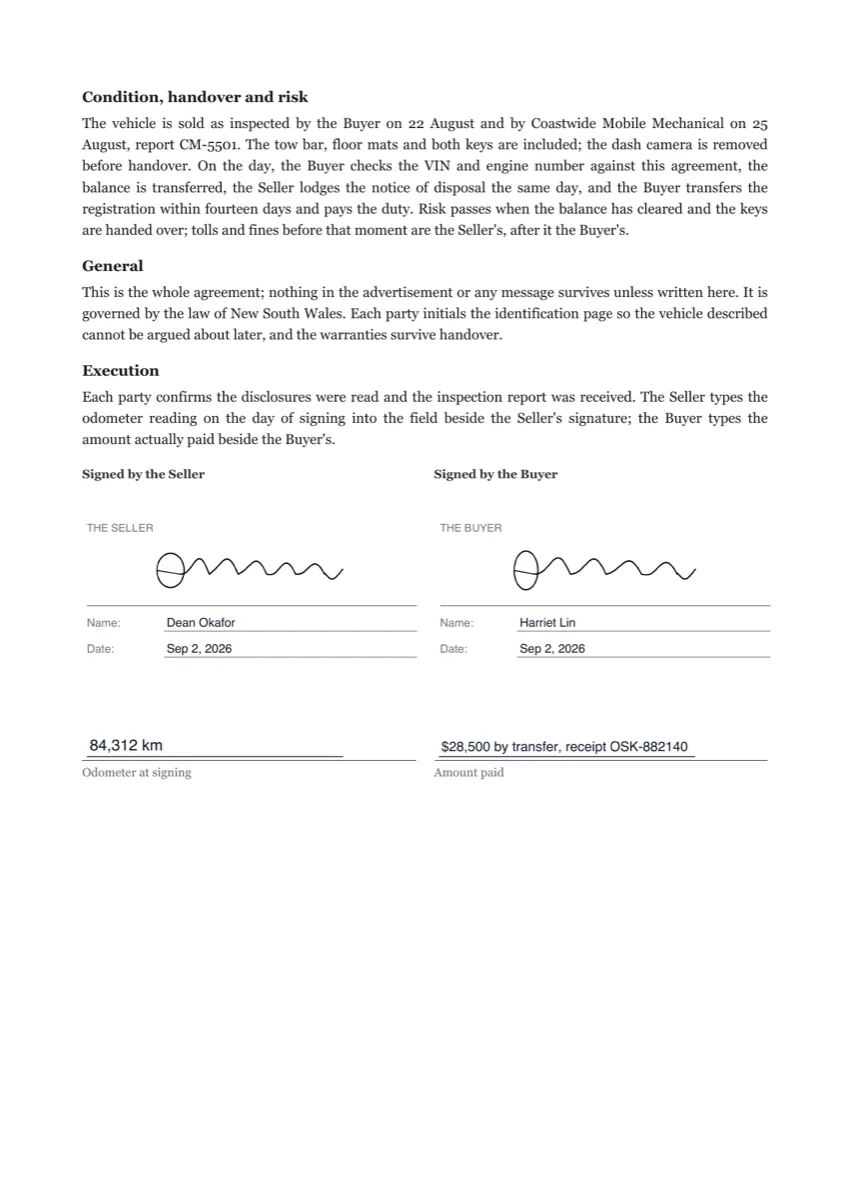 Sign a vehicle sale agreement onlineMade with OneCraft, exactly as the generator and editor left it. Open the page for the full breakdown.
Pricing in plain terms
The Xodo Sign pricing page, checked 20 September 2026 and branded Xodo Sign formerly eversign, lists Basic at $10 a month billed yearly or $20 billed monthly with unlimited documents and three templates per team member, Professional at $16 billed yearly or $32 monthly with unlimited templates, and Enterprise on a custom quote, with separate API plans starting from a free sandbox of two production documents. OneCraft's pricing page lists Free at $0 with 100 AI credits a month, Starter at $8, Pro at $25 and Pro Plus at $125, priced per account with no envelope allowance stated.
Moving across
Templates do not migrate, because there is nothing here to receive the signer roles, order and field positions they store. Moving means uploading the PDF you already send, placing fields, adding recipients with a verification method each and choosing whether they sign in order. PDFs go up to 25 MB, and rotated or password protected files are refused at upload with the page number or the reason.
What could not be checked
Their security page names 256 bit HTTPS encryption and document auto expiration but does not name any signer authentication method or a default expiry period, and the audit trail page does not say whether a certificate document is produced, so those rows say exactly that. The technical signing profile of the completed PDF is not itemised anywhere on the pages fetched. Prices were served in US dollars.
How the OneCraft side was verified
Each cell names a row in an internal ledger checked against the signing service's source code: the 25 recipient and 500 field caps, the three verification methods with scrypt hashing and the five attempt lockout, the in person route and the event it writes, the eighteen event hash chain, the certificate of completion, the decline and withdraw rules, the 30 day expiry and the DocMDP certification level.
Who should stay with Xodo Sign
Stay with Xodo Sign if templates carry your repeat paperwork, if documents come from Google Drive, Dropbox, OneDrive, Box or Salesforce, if an API and a sandbox are part of the plan, or if unlimited sending at ten dollars a month is simply the cheaper answer. What is offered here instead is certified output and evidence you can check.
Questions people ask
How does in person signing work here?
The owner opens the envelope, starts an in person session for a recipient whose turn it is, and hands over the device. The emailed identity check is waived for that session, the recipient token never enters the address bar, and an in person started event is written to the log with the hosting account recorded against it.
Can I reuse a prepared document?
No. There are no templates, so signer roles, signing order and field positions are set again on each envelope. The offset is that a document generated in the same account carries its signature block parties into the envelope as recipients with their fields already placed, so the repetition can live in the generator prompt.
What identity checks are available?
Three: the emailed link on its own, an access code of at least four characters that you share with the signer separately, or a six digit code emailed at signing time that expires in ten minutes and is redeemable once. Five failed attempts lock that recipient for fifteen minutes, written so parallel guesses cannot skip the counter.
What happens if someone refuses to sign?
They decline, optionally with a reason of up to 500 characters. The envelope moves to declined, the sender is emailed the reason and no further stamping happens. The sender can still withdraw a declined envelope; withdrawing is refused only once an envelope is completed or already withdrawn.
Can I set how long the link stays live?
No. Every envelope expires 30 days after it is created, a nightly sweep marks outstanding recipients expired, and the link then returns a clear expiry message. The update route will accept a future date but no part of the app ever sends one, so 30 days is what every envelope gets.
Is there a way to pull documents from Google Drive or Dropbox?
No. There are no storage connectors and no public API, so a file is uploaded from the device as a PDF of up to 25 MB. The automatic routes are internal: a document generated in the account, or a submitted form response, each becoming an envelope without a manual upload.
Try the signing flow side of OneCraft
The button opens the generator with a starting prompt already filled in. Change the wording to match your own work before you run it.
Send a document for signingMore comparisons
- A signNow alternative for small teamsA signNow alternative for small teams: 25 recipients an envelope, three identity checks, a certificate of completion, and the templates and bulk send it lacks.
- A Dropbox Sign alternative built around certified PDFsA Dropbox Sign alternative for senders who want certified PDFs and a hash chained audit trail, with templates, bulk send and the API named on their side.
- A Zoho Sign alternative outside the Zoho suiteA Zoho Sign alternative for teams outside the Zoho suite: three identity checks, certified PDFs, a hash chained trail, and where timestamping really stands.
What the module actually does, feature by feature: the E-signature software page, and the e-signatures maker page.
Step by step in the builder: Send a PDF for e-signature, then Add e-signatures with multiple signers.
Sources
Written and checked by the OneCraft team. Last checked .