Classic form
Contractor registration form for site access and WHS records
A contractor registration is the paperwork that has to exist before a gate opens, and the parts that matter are the ones with a date on them. This form collects the licence class, the supervisor white card number, a SWMS written for this site, three insurance policies with their expiry dates, the plant coming through the gate and a signed acknowledgement of the site rules.
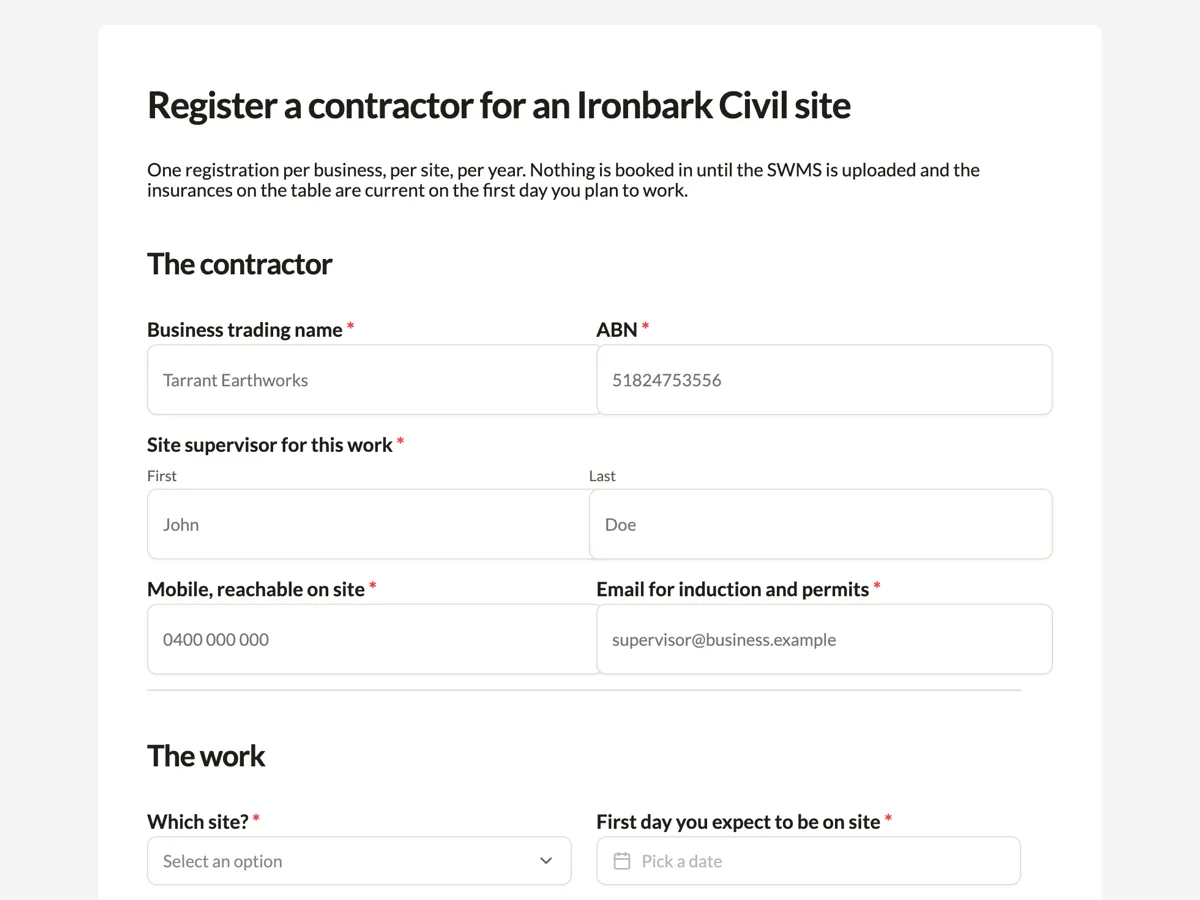
The form itself
A static copy of the finished form, exactly as it renders. Nothing here can be filled in or submitted, so read it as a reference and build your own from the button above.
Every field, and what it collects
The complete field list, in the order respondents meet it.
- Business trading nameShort textRequired
- ABNShort textRequired
- Site supervisor for this workNameRequired
- Mobile, reachable on siteShort textRequired
- Email for induction and permitsShort textRequired
- Which site?DropdownRequired
- Options: Ashcombe Road duplication, chainage 0 to 4.2 · Merrin Creek bridge replacement · Northgate industrial estate, stage 3 civil · Wattleford water main renewal, stage 2
- First day you expect to be on siteDateRequired
- Scope of work, in your own wordsLong textRequired
- How many of your workers will attend?NumberRequired
- Licence class held by the businessDropdownRequired
- Options: Unrestricted building, civil works · Restricted, earthworks and excavation only · Restricted, concreting and structures · Plumbing and drainage, licensed · Electrical contractor, licensed · Not licensed, we work under a principal contractor licence
- Supervisor white card numberShort textRequired
- High risk work licences the crew holdsMultiple choice
- Options: LF forklift · CN non slewing crane · C2 slewing crane up to 20 tonnes · WP boom over 11 metres · RB basic rigging · DG dogging · SB basic scaffolding · None of these are needed for this scope
- Safe work method statement for this scopeFile uploadRequired
- PDF, one file, up to 20 MB. It must name this site, list the high risk construction work involved, and show the date it was last reviewed. A generic SWMS with another site on the cover page is returned unread.
- InsurancesTableRequired
- Columns: Policy type · Insurer · Policy number · Expiry date
- Plant coming on siteTable
- Columns: Item · Make and model · Plant or asset number
- Site rules acknowledgementMultiple choiceRequired
- Options: I have read the Ironbark Civil site rules and will brief my crew on them · I understand the site is drug and alcohol tested and that testing is random · I will report every incident and near miss to the site supervisor the same day · I understand a permit is required for confined space, hot work and any excavation deeper than 1.5 metres
- Signature of the supervisor or an authorised officerSignatureRequired
The contractor
The work
Licences and tickets
Safety documents
Plant and equipment
Site rules and declaration
A registration form is a dated record, not an introduction
Everything useful on this form has an expiry attached. A licence class without a current policy behind it is worthless, a SWMS written for a different site is worse than none, and a white card number that nobody checked is a finding waiting to be written up. So the form is arranged by what expires: the insurance table takes a policy number and an expiry in the same row, the SWMS upload rejects a generic document in its instructions, and the first day on site sits near the top so a reviewer can see whether any of it lapses mid job.
The Australian pieces on this form
The white card is the Australian construction induction card and it is the one ticket every worker needs before an induction, which is why the field asks for the supervisor card and says individual cards are checked at the induction instead. The safe work method statement is the document required for high risk construction work, and the upload note asks for the site name, the high risk work involved and the review date because those are the three things that make it site specific. The high risk work licence list uses the national class codes, from LF forklift through to SB basic scaffolding, so a supervisor reads them without translation.
How to adapt this form
A facilities team running a single building swaps the site dropdown for a floor and asset list and replaces the plant table with a permit to work request, because the risk profile is hot work rather than earthmoving. A labour hire agency drops the business insurance table, since cover sits with the agency, and adds a table of worker names with their white card numbers and expiry dates. A mine site keeps every field and adds a fitness for work declaration and a site specific inductions dropdown, which is the layer that sits above a construction induction.
What makes this form work
The insurance table pairs a policy number with an expiry
Three rows of policy type, insurer, policy number and expiry date. A reviewer can see in one glance whether cover survives the job, which a stack of certificate PDFs never shows.
The SWMS upload states what will be rejected
PDF only, one file, and a note that a generic statement with another site on the cover page is returned unread. The instruction is on the field because that is the one place a contractor is definitely looking.
High risk work licences use the national class codes
LF forklift, CN non slewing crane, C2 slewing crane up to 20 tonnes, WP boom type elevating work platform over 11 metres, RB, DG and SB. A supervisor reads the ticks without translating a private shorthand.
Questions people ask
Why upload the SWMS rather than build it into the form?
Because a safe work method statement is a controlled document that belongs to the contractor and is signed by their workers. Rebuilding it as form fields would create a second version that nobody signed. The upload is PDF only and the instructions say a generic statement with another site on the cover page is returned unread, which is the failure this field exists to catch.
How many rows should the insurance table have?
Three, and the count is fixed because a table renders exactly the rows it is set to. Three covers public liability, workers compensation and either motor vehicle or professional indemnity, which is the usual set for a civil subcontractor. A contractor with more policies lists the three that gate site access and brings the rest to the induction.
Does this form replace a site induction?
No, and the thank you screen says so plainly. A supervisor reviews the SWMS and the insurance dates within two working days and then emails an induction time, and nobody is admitted before that induction is done. The form is the record that makes the induction short, not a substitute for standing on the site and being walked through it.
Why ask for the number of workers attending?
It drives three practical things: how many induction slots to hold, whether the site amenities cope, and whether the scope described is plausible for the crew size. A six person crew booked against a scope that needs twenty is a conversation worth having before the first day rather than at the gate on the morning.
What does the site rules acknowledgement actually cover?
Four statements, each a separate tick: reading the rules and briefing the crew, random drug and alcohol testing, same day reporting of incidents and near misses, and the permit requirement for confined space, hot work and excavation deeper than 1.5 metres. Splitting them means a contractor reads four specific commitments instead of one blanket agreement.
Where do the responses go?
Into the responses table, and the CSV export puts one column per field, with the insurance and plant tables exported as a JSON array of the filled rows. With the email alert add-on the submission also lands in the WHS inbox with the values in the message body, which is how a supervisor sees a registration without opening the builder.
Build your own in about a minute
The button below opens the generator with this use case already described. Change the wording to match your own, generate, then edit anything you like.
Make one like thisOther form examples
First aid course registration form with the USI on it
A registered training organisation cannot issue a statement of attainment without a Unique Student Identifier, and the worst time to discover that is at half past eight on a Saturday morning. This registration asks for the USI in the fourth field, with the reason written above it, and collects the support somebody needs before they have to ask for it in a room of strangers.
Driving lesson registration form with the licence details
A driving instructor cannot legally take a learner out on an expired licence, so the number and the expiry date belong on the booking rather than on the kerb at the first lesson. This twelve field registration collects both, along with the logbook hours a learner has actually recorded and the address the instructor drives to.
Vendor registration form with ABN, banking and insurance on it
A vendor registration form has one job, which is to get a supplier to the point where a purchase order can be raised and an invoice can be paid. That means an ABN that matches the invoices, bank details collected once and never changed by email, a current certificate of currency with its expiry, and a signature against all three.
Want the steps in the builder? Read Every form field and when to use it, then View, export and manage responses. For everything this generator can do, see the form maker.
Written and checked by the OneCraft team. Last checked .