Presentations · Compared
Canva vs OneCraft for presentations
Canva gives you a huge library and a free form editor; OneCraft writes the deck from your topic or your document and gives you 1,071 layouts to move it between. Which one fits depends on whether you start from a blank slide or from a brief.
Updated , competitor details checked . Canva is a trademark of its owner. OneCraft is not affiliated with or endorsed by it.
Nuwan Madhusanka · Co-founder
3 min read · Published · Updated
The short verdict
Canva suits teams that co-edit decks live, lean on a media library and animate slides for delivery inside Canva. OneCraft suits someone with a brief and a deadline: the deck is written and laid out in one run, moves between 1,071 role based layouts, and leaves as an editable PowerPoint file with native charts.
| Feature | Canva | OneCraft |
|---|---|---|
| Starting point | Templates and a free form editor, with Magic Write for drafting text checked 2026-09-02 | A prompt of up to 10,000 characters, or an attached file on the Starter plan; the deck is outlined and filled in one run |
| Layouts | Not itemised as a count on their presentations page checked 2026-09-02 | 1,071 slide templates organised under 26 named roles, from cover and metrics to persona and pricing |
| Themes and brand | Brand Kit with logos, colors and fonts, up to 5 brands, part of the Pro bundle checked 2026-09-02 | 99 themes in the picker plus a Your brand group from your account brand kits, 42 fonts, 15 background layouts, and a brand chrome slot for your logo |
| AI writing | Magic Write, 25 uses in total free and 250 queries a month on paid plans checked 2026-09-02 | The outline is grounded by one web search and one page fetch per deck; findings shape content and sources are never printed |
| Charts | Data visualisation through Canva Sheets checked 2026-09-02 | 10 chart kinds on the canvas; 9 of them export as native, editable PowerPoint charts |
| Diagrams and maps | Not itemised on their presentations page checked 2026-09-02 | 12 diagram kinds in the library, 3 matrix kinds, flowcharts with auto layout, and a world map with two modes |
| PowerPoint export | PPTX download for presentations only; their help notes animations and embedded videos are not supported in it checked 2026-09-02 | PDF free; PowerPoint and editable PPTX on the Starter plan, rendered server side from the saved version |
| Presenting | Presenter view with notes, a timer and upcoming slides checked 2026-09-02 | Keyboard driven present mode with speaker notes, a notes pop-out for a second screen, and pen, highlighter and spotlight tools |
| Recording | Present and record talking presentations checked 2026-09-02 | WebM recording at 1080p, 1440p or 4K, with optional camera overlay and microphone, downloaded as a file |
| Collaboration | Comments, assigned tasks, and real time editing checked 2026-09-02 | OneCraft does not have collaborative editing; the share link serves the deck read only |
| Editing model | Free form canvas editing with one click animations and transitions checked 2026-09-02 | 66 element tiles over 16 slot kinds, and an AI chat whose 9 edit operations land as a preview you apply or discard |
| Mobile | Not itemised on their presentations page checked 2026-09-02 | Below 1024 px the editor becomes a vertical feed of slides with tap to select and drag to reorder |
Where Canva is better
The library and media assets
Canva's template, photo, video and element libraries dwarf anything OneCraft carries, and the photo editor fixes images in place. When a deck is mostly visual storytelling assembled from stock, Canva is the faster and richer canvas.
Live collaboration and comments
Real time editing, comments and assigned tasks are on Canva's own presentations page. OneCraft has none of that; a deck has one editor at a time and the share link is read only. Teams that build decks together in the file should stay with Canva.
Animation inside the deck
Canva offers one click animations and transitions, and video embeds play inside a Canva presentation. OneCraft's motion is 8 slide transitions including none, and nothing animates within a slide. Delivered from Canva, their decks simply move more.
Brand governance across a team
Canva Pro's Brand Kit holds logos, colours and fonts for up to five brands and applies them across presentations, flyers and everything else. OneCraft also keeps brand kits in account settings, each with a logo and three colours, offered as a Your brand theme in the deck theme picker. What it lacks is Canva's team side: brand controls and shared editing across a group.
Free form control
On a Canva slide anything goes anywhere. OneCraft slides are structured slots within a chosen template, which keeps decks tidy but will frustrate anyone who wants a text box at an exact free position. The structure is the product; it is also the constraint.
Where OneCraft is different
The deck is written, not just decorated
From one prompt or an attached document, the generator outlines the deck, picks a role and layout per slide, writes the copy and fills charts and images, grounded by one research call. Magic Write helps with words on a slide; the OneCraft generator produces the deck.
Roles make layouts swappable
Every slide belongs to one of 26 roles, and swapping to any of that role's templates re-pours the content into the new layout. Restyling a deck is minutes of clicking through alternatives rather than dragging boxes, and nothing falls off the grid.
The PowerPoint file is genuinely editable
Text, lists, images, tables and 9 of the 10 chart kinds arrive in PowerPoint as native objects, so the client can edit the bars, not a picture of bars. Canva's own help page notes its PPTX export drops animations and embedded videos; OneCraft's export is built for the handoff.
Presenting is part of the product
Present mode carries keyboard shortcuts, speaker notes with a pop-out window for the second screen, pen, highlighter and spotlight tools in five colours, and WebM recording up to 4K with a camera overlay. Nothing extra to install on the podium laptop.
A finished example
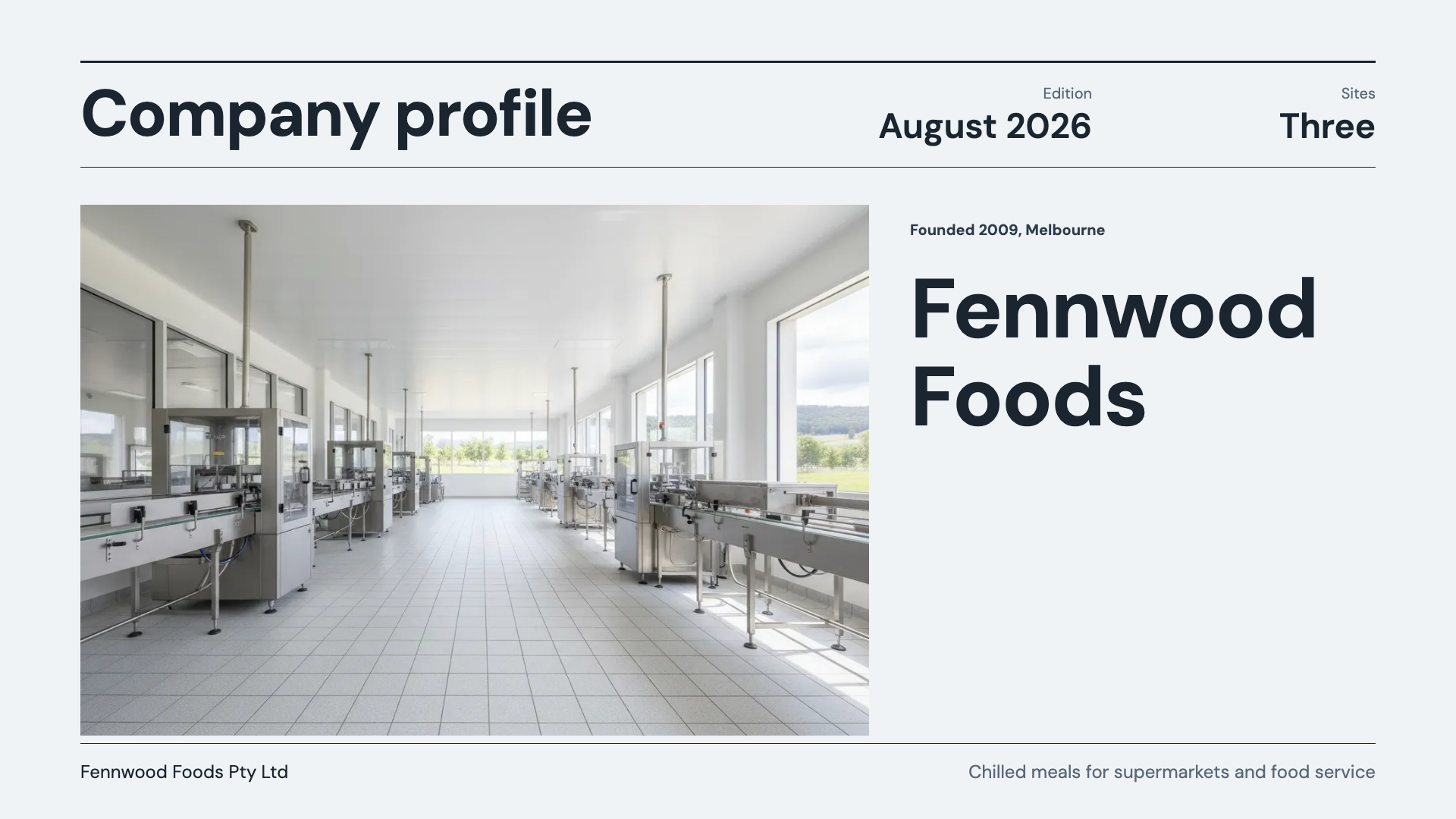 Company profile presentationMade with OneCraft, exactly as the generator and editor left it. Open the page for the full breakdown.
Pricing in plain terms
Canva's pricing page, checked 2 September 2026, lists Canva Free at US$0, Canva Pro at US$180 a year for one person and Canva Business at US$250 a year per person, with Brand Kit and Magic Switch in the paid tiers. OneCraft's pricing page lists Free with 100 AI credits a month, Starter at $8 a month and Pro at $25. On the free plan a generated deck is capped at 6 slides and PowerPoint export is locked; Starter lifts the cap to 20 slides and unlocks PPTX, editable PPTX, recording and pen.
Moving across
There is no Canva import and no PPTX import. What crosses over is content: a PDF can be turned into a presentation through the converter, and any text can be pasted into the prompt. The generator reads the words, not the design, so expect a new layout in a OneCraft theme rather than a lookalike of the old deck.
What the Canva pages do not state
Canva does not publish a presentation template count, so no number is quoted. Its PPTX export caveats come from its own help page on download file types, which limits PPTX to presentations and lists animations and embedded videos as unsupported. Claims about Canva Sheets are quoted from the presentations page as written.
How the OneCraft side was verified
Every OneCraft cell names a row in an internal fact ledger checked against the product's source code: 1,071 templates counted on disk, the 9 of 10 chart kinds that map to native PowerPoint charts, the one search and one fetch research budget, and the absence of collaborative editing. If it is not in the ledger, it is not on this page.
Who should stay with Canva
Stay with Canva if your team edits decks together in real time, if slides lean on its media library and animations, or if the Brand Kit already governs your visual identity. OneCraft wins when the job is turning a brief or a document into a finished, exportable deck quickly, and it does not pretend to be a shared canvas.
Questions people ask
Can I import a Canva deck into OneCraft?
No. There is no Canva import and no PPTX import. You can feed the content across, paste the text into a prompt or convert a PDF export of the deck, but the design starts fresh in a OneCraft theme. If preserving your existing slides matters, stay where they are.
Which exports better to PowerPoint?
OneCraft, for editability: text, lists, images, tables and 9 of 10 chart kinds become native PowerPoint objects, and only the waffle chart stays a picture. Canva's own help page says its PPTX download is for presentations only and does not carry animations or embedded videos.
Does OneCraft have animations?
Slide transitions only: 8 options including none, set for the deck with per slide overrides. Nothing animates inside a slide, and there are no entrance effects on elements. Canva's one click animations are richer for decks delivered on screen from Canva itself.
Can I present with notes on a second screen?
Yes. Present mode has a notes pop-out, a separate browser window with the notes and the slide counter that you drag to the second display. The main window carries the shortcuts, pen, highlighter and spotlight. It works without installing anything on the presenting machine.
What does the free OneCraft plan leave out for decks?
Yes. OneCraft's free plan carries 100 AI credits a month and generates decks up to 6 slides, with PDF export included. PowerPoint and editable PPTX export, recording, pen and file attachments need the Starter plan at $8 a month. Canva Free is also genuinely usable, with its AI allowances capped.
Can I record my presentation?
Yes, in present mode: WebM at 1080p, 1440p or 4K with an optional camera overlay and microphone, with pause and resume, saved as a downloadable file. It needs a recent browser. Canva's presentations page lists recording too, so this one is a wash unless 4K matters to you.
Try the presentation side of OneCraft
The button opens the generator with a starting prompt already filled in. Change the wording to match your own work before you run it.
Create a presentation with OneCraftMore comparisons
- Gamma vs Beautiful.ai vs OneCraftGamma, Beautiful.ai and OneCraft compared for AI presentations: generation, layouts, editing, PowerPoint export, presenting and pricing.
- A Canva alternative for flyersOneCraft as a Canva alternative for flyers: 259 designs in 8 sizes filled from a description, against Canva's library, editor and print service.
What the module actually does, feature by feature: the AI presentation maker page.
Step by step in the builder: Make a pitch presentation with AI, then Present your slides with speaker notes and pen.
Written and checked by the OneCraft team. Last checked .