Videos · Alternative
A Fliki alternative for text-to-video with voiceover
If you want text turned into a short video whose scenes are composed for the message, with a matched voice and captions, OneCraft is a Fliki alternative built around designed scenes rather than stock footage. Fliki stays ahead for its voice catalogue, voice cloning, a large stock library and longer videos.
Updated , competitor details checked . Fliki is a trademark of its owner. OneCraft is not affiliated with or endorsed by it.
Nuwan Madhusanka · Co-founder
3 min read · Published
The short verdict
Fliki suits creators who turn ideas, scripts, blog posts and slides into narrated videos with a very large choice of voices, voice cloning, a stock media library and videos of up to 15 or 40 minutes. OneCraft suits people who want a short promo, tutorial or creator-style video where each scene is laid out for its job, such as a stat, a comparison or an offer, with a matched voice, captions and music that ducks under it.
| Feature | Fliki | OneCraft |
|---|---|---|
| Price | Not published as text on the pricing page checked; Free, Standard and Premium prices show as placeholders, Enterprise is custom checked 2026-10-05 | About 20 credits per video generation, billed by AI usage; Free $0 with 100 credits a month, Starter $8 with 500, Pro $25 with 1,500, Pro+ $125 with 7,500 |
| Voices | 300 voices across 80+ languages on Free, 1,000 on Standard, 2,000+ on Premium checked 2026-10-05 | Google Chirp3-HD in 4 styles by 2 genders picked automatically, and the whole Google voice catalogue searchable per scene |
| Voice cloning | Voice cloning on Standard; multiple voice clones on Premium checked 2026-10-05 | No voice cloning; per scene voice, speed from 0.85x to 1.25x and delay |
| Stock media | Stock images, video clips and music assets on every plan; 10 million+ stock media per the FAQ checked 2026-10-05 | Promos draw 1 to 3 Pexels clips during generation, and every clip scene has a Stock footage search |
| Scenes | Videos from ideas, scripts, blog posts or PPTs, with AI images and avatars on higher plans checked 2026-10-05 | 410 layouts across 52 roles, including charts, diagrams, checklists and offers; 3 to 12 scenes per video |
| Captions | Animated word by word captions in 80+ languages, styled to match a brand checked 2026-10-05 | One dark pill; each word brightens as it is spoken when word timings are available, otherwise letters type on with the voice; no style options |
| Music ducking | Not described on the pages checked checked 2026-10-05 | Music drops to 22% under narration, ramping over 12 frames each side |
| Length | Videos up to 15 minutes on Standard and 40 minutes on Premium checked 2026-10-05 | Short, standard and long target about 10, 18 and 30 seconds |
| Export | 720p with a Fliki watermark on Free; 1080p on Standard checked 2026-10-05 | MP4 with 4K from the Starter plan; your own wordmark or logo URL as the watermark |
Where Fliki is better
A much bigger voice choice
Fliki lists 2,000+ voices on Premium, with ultra-realistic and expressive tiers, and casts up to five voices as characters. OneCraft picks one of 8 Chirp3-HD voices automatically; you can search the Google catalogue per scene, but there is no character casting.
Voice cloning
Fliki clones your voice on Standard and several voices on Premium. OneCraft has no voice cloning and no way to record your own narration in the generator.
Stock media library
Fliki includes stock images, video clips and music on every plan. OneCraft searches Pexels for a handful of clips in promos and uses 13 library music tracks; if your video is mostly stock, Fliki has much more to draw on.
Longer videos and more inputs
Fliki makes videos up to 15 or 40 minutes from ideas, scripts, blog posts and PowerPoint files. OneCraft's longest option targets about 30 seconds.
Where OneCraft is different
Scenes laid out for their job
A stat scene shows the number large, a comparison shows two sides, a checklist lists the points to remember and an offer scene carries the price and the deadline. The AI writes the content and code lays it out, so text stays on grid when you edit it.
A voice matched to the brief
The director picks a voice style, energetic, instructional, warm or neutral, for the brief's language, and tutorials always get the instructional style. 56 languages have a mapped voice.
Music that gets out of the way
Background music starts at 25% volume and ducks to 22% under every narrated line, ramping over 12 frames each side.
Tutorials and creator ads too
The same generator makes paced tutorials from screenshots and creator-style UGC ads with one generated persona on the Pro plan.
A finished example
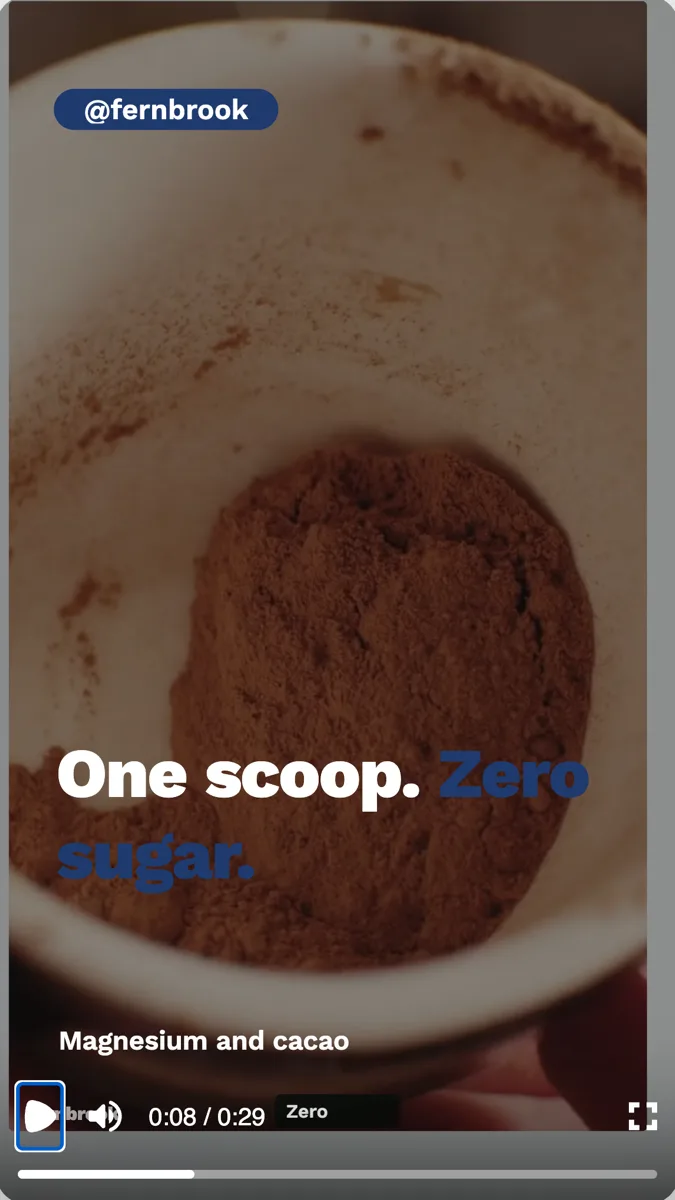 Supplement UGC video exampleMade with OneCraft, exactly as the generator and editor left it. Open the page for the full breakdown.
Pricing in plain terms
Checked 5 October 2026. Fliki's pricing page did not serve its plan prices as text; the Free, Standard and Premium cards showed placeholders, and Enterprise is listed as custom pricing billed yearly. The page does state 180 credits a month on Standard and 600 on Premium, and its FAQ says the free plan generates 5 minutes of audio and video a month. OneCraft's pricing page lists Free at $0 with 100 credits a month, Starter at $8 with 500, Pro at $25 with 1,500 and Pro+ at $125 with 7,500. A video generation uses about 20 credits, and new narration is billed by length, roughly 3 credits a minute of speech.
How the voice is chosen
The brief's language decides the voice locale. The director then chooses one of four styles and a gender, which maps to one Chirp3-HD voice. In the builder you can open the voice dialog on any scene, search the full Google catalogue, and set the speed and a delay in seconds. A language with no mapped voice gets no narration, though the text is still written in that language.
Text in, short video out
Paste the script or key points into the brief, up to 10,000 characters, or attach up to 5 documents, which are summarised before the director writes. Expect a video of 3 to 12 scenes, not a scene per sentence. Long scripts are condensed to their main points, so put the claims and numbers that must survive near the top of the brief.
What could not be checked
Fliki's plan prices and whether music ducks under narration were not shown on the pages read, so the price cell says not published and the ducking cell says not described. Every OneCraft cell names a row in an internal fact ledger checked against the product's source code.
Who should stay with Fliki
Stay with Fliki if you need a large voice catalogue, voice cloning or multi-voice dialogue, if your videos lean on stock footage, or if you turn long scripts, blog posts or slides into videos of several minutes. OneCraft fits short videos where each scene has to make one point clearly.
Questions people ask
Can OneCraft clone my voice like Fliki?
No. OneCraft narrates with Google voices only. The director picks one automatically from four styles for the brief's language, and you can choose any voice from the Google catalogue per scene. If your channel depends on your own voice, Fliki's voice cloning or a recording of your own is the better route.
How many voices can I choose from in OneCraft?
The automatic pick uses 8 Chirp3-HD voices, four styles in two genders, mapped to 56 languages. The voice dialog also searches the whole live Google voice catalogue, so you are not limited to those eight. Each scene can use a different voice, speed and delay if a line needs it.
Does OneCraft turn a blog post into a video like Fliki?
Not with a link import. Paste the post's key points into the brief or attach it as a PDF or text file, and the director condenses it into a short video of 3 to 12 scenes. Fliki is built to convert blog posts and scripts into longer narrated videos.
What happens to background music when the voice speaks in OneCraft?
Music ducks automatically to 22% under each narrated line and comes back up afterwards, ramping over 12 frames each side. The default music volume is 25% and the slider goes up to 60%. Choose one of 13 library tracks, upload your own or paste a URL.
Which languages can a OneCraft voiceover use?
56 languages have a mapped voice, including English, Spanish, Hindi, Arabic, Japanese and Swahili. Malay, Filipino and Traditional Chinese use an older Wavenet tier; the other 53 get Chirp3-HD. A language with no mapped voice, Persian for example, comes back with no narration at all. Fliki lists 80+ languages on its pricing page.
Try the video side of OneCraft
The button opens the generator with a starting prompt already filled in. Change the wording to match your own work before you run it.
Create a video with OneCraftMore comparisons
- A Lumen5 alternative for promo videos from a briefA Lumen5 alternative for promo videos from a brief: OneCraft and Lumen5 compared on inputs, scenes, stock media, music, voices, captions and credits.
- A Pictory alternative for short promo videosA Pictory alternative for short promo videos: OneCraft and Pictory compared on price, stock footage, captions, voices, video length and formats.
- A Veed alternative for generated promo videosA Veed alternative for generated promo videos: OneCraft and VEED compared on price, editor model, subtitles, stock media, formats and watermark.
What the module actually does, feature by feature: the AI video maker page, and the videos maker page.
Step by step in the builder: Add voiceover, captions and music to a video, then Make a promo video with AI voiceover.
Written and checked by the OneCraft team. Last checked .