Videos · Alternative
A Veed alternative for generated promo videos
If you want a promo video generated from a brief rather than edited from your own footage, OneCraft is a Veed alternative that composes the scenes, writes the narration and adds captions for you. VEED stays ahead as a browser editor for footage you already have, with subtitles from your audio, translation and a screen recorder.
Updated , competitor details checked . VEED is a trademark of its owner. OneCraft is not affiliated with or endorsed by it.
Nuwan Madhusanka · Co-founder
3 min read · Published
The short verdict
VEED suits people who edit their own footage in the browser and want fast subtitles from the audio, translation, a screen and webcam recorder, templates and a stock library in one place. OneCraft suits people who have a product and an offer but no footage, and want a short promo composed for them from a brief, with narration, captions and a few stock clips placed where they help.
| Feature | VEED | OneCraft |
|---|---|---|
| Price | Not published as text on the pricing page checked; the plan prices render in the browser, in local currency where available checked 2026-10-05 | About 20 credits per video generation, billed by AI usage; Free $0 with 100 credits a month, Starter $8 with 500, Pro $25 with 1,500, Pro+ $125 with 7,500 |
| Editor model | A browser editor to edit, convert, subtitle and transcribe your own video checked 2026-10-05 | Scenes, not a timeline: the AI writes the content and the layout, motion and timing are deterministic code |
| Subtitles | Generated from your audio, up to 99.9% accurate per the page; burned in or downloaded as SRT, VTT or TXT; unlimited on paid plans within a 50 hour monthly fair use limit checked 2026-10-05 | Built from the narration text, on by default, with a per scene toggle |
| Translation | Auto-subtitle with translation; translations are minute based and count toward the plan allowance checked 2026-10-05 | No translation of your audio; the brief's language sets the copy and narration, with 56 languages mapped to a voice |
| Stock media | Stock audio and video: limited on Free, unlimited on paid plans checked 2026-10-05 | Promos draw 1 to 3 Pexels clips during generation, and every clip scene has a Stock footage search showing up to 6 results |
| Screen recording | Records screen, webcam or both with sound in the browser checked 2026-10-05 | Still frames only, one per step, with a marked click and zoom, for tutorial videos |
| Formats | Video templates and ad templates customised for any platform checked 2026-10-05 | Landscape 1920 by 1080 and vertical 1080 by 1920; square is not offered in the pickers |
| Watermark | VEED's watermark on Free videos; removed on any paid plan checked 2026-10-05 | Your own wordmark or a logo entered as a URL, bottom left at 72% opacity; there is no upload button for it |
| Export | 1080p, with 4K export listed among plan features checked 2026-10-05 | MP4, with 4K from the Starter plan; a share link plays live in the browser |
Where VEED is better
Editing your own footage
VEED is a full browser editor for video you shot. OneCraft has no timeline: an uploaded clip goes on a clip scene with trim and fit controls, and the rest of the video is composed around it.
Subtitles and translation of your audio
VEED transcribes your recording, translates the subtitles and exports SRT, VTT or TXT files. OneCraft does not transcribe or translate audio you upload; its captions come from the narration it writes.
Screen and webcam recording
VEED records screen, webcam and sound together in the browser. OneCraft takes still screenshots for tutorials and never records motion video.
Bigger stock library
VEED's paid plans include unlimited stock audio and video. OneCraft searches Pexels for a handful of clips per promo and up to 6 results per clip scene search.
Where OneCraft is different
The first draft is written for you
A brief of up to 10,000 characters becomes a promo of 3 to 12 scenes, each with a named role such as hook question, feature spotlight, stat, offer or call to action, with copy and narration written to fit.
Stock clips used with restraint
In a promo the director places one to three Pexels clips for the human side of the story and never uses stock for your own product. The rest is your images, AI images and drawn scenes.
Narration and music handled together
A Chirp3-HD voice is chosen for the brief's language, captions follow it, and background music from 13 tracks or your own upload ducks to 22% under the voice.
One account for the campaign
The same account makes the matching flyer, deck, document or form, and a brand kit's palette appears as a Your brand group in the video theme picker.
A finished example
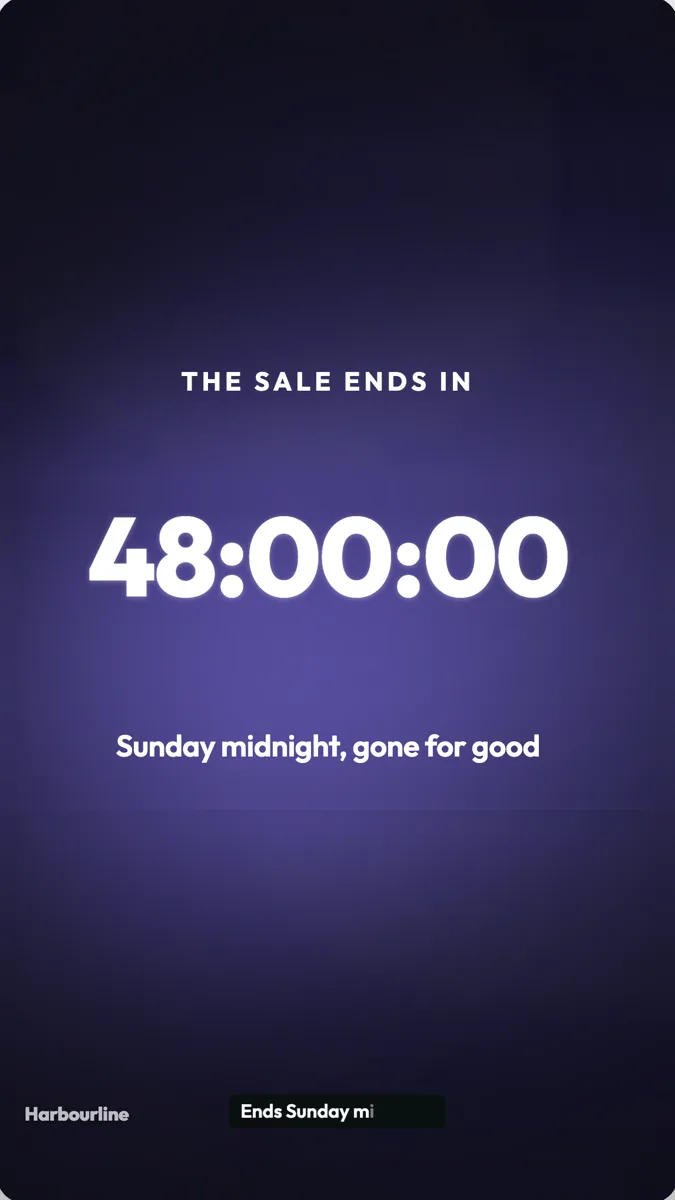 Countdown offer video exampleMade with OneCraft, exactly as the generator and editor left it. Open the page for the full breakdown.
Pricing in plain terms
Checked 5 October 2026. VEED's pricing page did not serve its plan prices as text: the cards render in the browser, and its FAQ says prices show in local currency where available. The page does state that paid plans remove the watermark and include unlimited subtitle generation within a 50 hour monthly fair use limit, and that paid trials need a card. OneCraft's pricing page lists Free at $0 with 100 credits a month, Starter at $8 with 500, Pro at $25 with 1,500 and Pro+ at $125 with 7,500, and a video generation uses about 20 credits.
Editing versus generating
With an editor the order is footage, then cuts, then text and subtitles. With OneCraft the order is a brief, then a composed video, then edits to the words, images and voice. The second is faster when there is nothing to cut, and slower when the shot you need only exists on your phone. For a mixed job, upload that clip to a clip scene in a OneCraft promo and keep the rest generated.
Getting the offer right
Put the real price, date and terms in the brief. The director is told never to invent numbers, and research tools are used only when the brief needs facts the model does not have. Check every figure on the preview before exporting, then switch between landscape and vertical without rebuilding the scenes. A countdown scene keeps the sale deadline in view, and the closing scene carries the call to action with the shop address or link you gave.
What could not be checked
VEED's plan prices and the exact plan that unlocks 4K export were not shown as text on the pages read, so the table marks the price as not published and quotes 4K only as a listed feature. Every OneCraft cell names a row in an internal fact ledger checked against the product's source code.
Who should stay with VEED
Stay with VEED if you edit footage you shot, if you need subtitle files or translated subtitles from your own audio, if you record your screen and webcam together, or if you rely on a large stock library. OneCraft fits when the promo has to be made from a brief and a few images.
Questions people ask
Can OneCraft add subtitles to a video I upload?
No. OneCraft does not transcribe uploaded audio or video. Its captions are built from the narration the director writes, so they appear on generated scenes with a voice. If you need subtitles for footage you already recorded, or an SRT file to upload elsewhere, VEED's subtitle tool is the right choice.
Does OneCraft have stock video like VEED?
Yes, on a smaller scale. Promo generation searches Pexels and places one to three stock clips, and every clip scene in the builder has a Stock footage search showing up to 6 results. Tutorial and UGC videos get no stock clips. VEED's paid plans list unlimited stock audio and video.
Can I remove the OneCraft watermark?
The watermark in a OneCraft video is your own: a wordmark or a logo you enter as a link, placed bottom left at 72% opacity and faded out before the closing scene. It is a branding option you control in the theme panel rather than a mark of the free plan.
Which video sizes does OneCraft export?
Landscape at 1920 by 1080 and vertical at 1080 by 1920, both at 30 frames a second, with 4K export from the Starter plan. Square is a real canvas in the code but is not offered in either picker, so plan Instagram feed posts as vertical or landscape.
How is a OneCraft promo different from a VEED template?
A template is a fixed design you fill in by hand. A OneCraft promo is planned from your brief: the director chooses the scenes, writes the copy and narration and sets the durations, and the renderer lays it out. You then edit any scene, but the starting point is already about your offer.
Try the video side of OneCraft
The button opens the generator with a starting prompt already filled in. Change the wording to match your own work before you run it.
Create a video with OneCraftMore comparisons
- A CapCut alternative for business promosA CapCut alternative for business promos made from a brief: OneCraft and CapCut compared on price, platform, starting point, captions, music and export.
- A Descript alternative when you have no footageA Descript alternative for when you have no recording yet: OneCraft and Descript compared on price, starting point, screen capture, voice and captions.
- A Pictory alternative for short promo videosA Pictory alternative for short promo videos: OneCraft and Pictory compared on price, stock footage, captions, voices, video length and formats.
What the module actually does, feature by feature: the AI video maker page, and the videos maker page.
Step by step in the builder: Make a promo video with AI voiceover, then Export a video for YouTube, Reels and TikTok.
Written and checked by the OneCraft team. Last checked .