Videos · Alternative
A CapCut alternative for business promos
If you run a business and need a promo made from a brief rather than edited from clips on your phone, OneCraft is a CapCut alternative that writes the scenes, narration and captions in the browser. CapCut stays ahead for free editing of your own footage, effects, trends and mobile editing.
Updated , competitor details checked . CapCut is a trademark of its owner. OneCraft is not affiliated with or endorsed by it.
Nuwan Madhusanka · Co-founder
3 min read · Published
The short verdict
CapCut suits creators who shoot their own clips and want to edit them for free on a phone, tablet, desktop or the web, with trending templates, effects, music and auto captions from the audio. OneCraft suits business owners who have a product and an offer but no edit to make, and want a short promo or creator-style ad written and composed from a brief, with a voice and captions.
| Feature | CapCut | OneCraft |
|---|---|---|
| Price | Free to try with no credit card, per the homepage; paid plan prices not published on the pages checked checked 2026-10-05 | About 20 credits per video generation, billed by AI usage; Free $0 with 100 credits a month, Starter $8 with 500, Pro $25 with 1,500, Pro+ $125 with 7,500 |
| Platform | CapCut Desktop, CapCut Online, CapCut Mobile and CapCut Pad checked 2026-10-05 | Browser only; screen capture for tutorials needs a desktop browser, and phones upload screenshots instead |
| Starting point | Your footage or a template, edited with effects, filters, keyframes and transitions checked 2026-10-05 | A brief of up to 10,000 characters, with up to 8 images and 5 documents attached |
| Captions | Auto captions from video and audio by speech recognition, with translation into other languages checked 2026-10-05 | Built from the narration text in one dark pill, with a bottom inset of 120 px on vertical and 44 px on landscape |
| Music | Trendy music in the online editor checked 2026-10-05 | 13 library tracks, your own upload or a pasted URL; default volume 25%, ducking to 22% under narration |
| Effects | Abundant video effects, colour wheels, keyframes and curves on desktop checked 2026-10-05 | No effects library; 19 slot entrance animations and a pace setting, Dynamic or Calm |
| Creator-style ads | Trending templates for TikTok, Reels and social posts checked 2026-10-05 | A UGC mode on the Pro plan and up: one generated persona, at most 3 talking scenes, under 30 seconds |
| Export | Resolution, quality, frame rate and format chosen in advanced export settings checked 2026-10-05 | MP4 at 30 fps, landscape or vertical, with 4K from the Starter plan |
Where CapCut is better
Free editing of your own footage
CapCut is free to start and built for cutting the clips you shot, with effects, filters, keyframes and transitions. OneCraft has no timeline and no effects library; an uploaded clip sits on one clip scene with trim and fit controls.
Mobile and desktop apps
CapCut runs on phones, tablets, desktop and the web. OneCraft runs in the browser only, and its screen capture for tutorials needs a desktop browser.
Trends and templates
CapCut's templates follow what is trending on TikTok and Reels, with effects you can apply in one tap. OneCraft has 32 templates and does not track social trends.
Captions from your own speech
CapCut recognises the speech in your clip and captions it, with translation. OneCraft captions only the narration it writes and does not transcribe uploaded audio.
Where OneCraft is different
Written from the brief
Put the product, price, dates and offer in the brief and the director writes the copy, the narration and the scene order. It is told never to invent numbers, so the offer on screen is the one you gave.
A creator ad without a creator
UGC mode generates one persona from a description, animates up to three talking beats from that one portrait and ends on a close with the offer, all under 30 seconds.
Captions placed for vertical video
On vertical video the caption pill sits 120 px above the bottom edge with type at 30 px and a maximum width of 72%, and it follows the voice as each line is spoken.
Campaign assets in one account
The same account makes the flyer, the deck and the sign-up form for the same offer, and a brand kit's palette appears as a Your brand group in the video theme picker.
A finished example
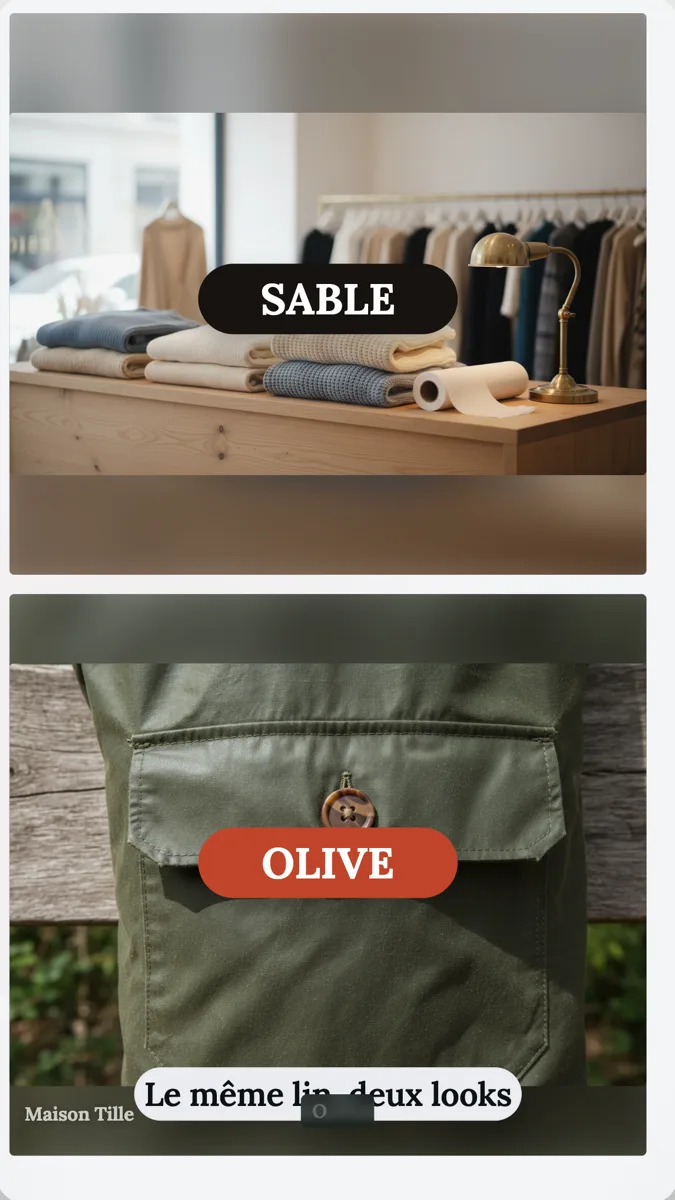 Fashion brand UGC ad exampleMade with OneCraft, exactly as the generator and editor left it. Open the page for the full breakdown.
Pricing in plain terms
Checked 5 October 2026. CapCut's homepage says it can be tried online with no credit card and describes many of its tools as free, but no pricing page or plan prices were published at the URLs checked; capcut.com/pricing returned a not found page. OneCraft's pricing page lists Free at $0 with 100 credits a month, Starter at $8 with 500, Pro at $25 with 1,500 and Pro+ at $125 with 7,500. A video generation uses about 20 credits, and UGC videos need the Pro plan or higher.
Footage first or brief first
CapCut starts from what you shot. That is the right order when you have good clips and time to edit. OneCraft starts from what you want to say. The director turns the brief into scenes with roles such as hook question, product hero, social proof and offer, and the renderer draws them in one of 21 looks, so every scene shares the same type, colour and motion. If you also have a clip, a promo can place it on a clip scene, and generation may add one to three Pexels clips for the human side of the story.
Checking a vertical ad before it runs
Platforms lay their own buttons and captions over the lower part of a vertical video, and the overlay varies by placement. OneCraft's caption pill sits 120 px above the bottom edge of a 1080 by 1920 frame, so preview the export in the placement you are buying and move key copy higher if an overlay covers it. Captions can also be switched off per scene where the platform adds its own.
What could not be checked
CapCut published no plan prices and no export resolution limits on the pages read, so the price cell says not published and the export cell quotes only the advanced settings. Every OneCraft cell names a row in an internal fact ledger checked against the product's source code.
Who should stay with CapCut
Stay with CapCut if you film your own clips and want free editing on your phone, if effects and trending templates are part of your style, or if you need captions from speech you recorded. OneCraft fits when a business needs a promo or creator-style ad written and built from a brief.
Questions people ask
Is OneCraft free like CapCut?
OneCraft has a Free plan at $0 with 100 credits a month, and a video generation uses about 20 credits. Exports bill their render time, usually a small amount. 4K export needs the Starter plan at $8 a month, and UGC creator videos need the Pro plan at $25 a month.
Can I edit OneCraft videos on my phone?
OneCraft runs in the browser, and it does not have a mobile app. Screen capture for tutorials needs a desktop browser; on a phone the generator asks you to upload screenshots instead. CapCut's mobile and tablet apps are built for editing on the go.
Can OneCraft follow a TikTok trend?
No. OneCraft does not track trends, sounds or effects on social platforms. It writes a promo or a creator-style ad from your brief using its own scene layouts. If your content depends on a trending format or sound, CapCut's templates are designed for that.
Does OneCraft caption my own voice recording?
No. Captions are built from the narration text the director writes, not from uploaded audio, and you can switch them off per scene. An uploaded clip can keep or mute its own sound, but its speech is not transcribed. CapCut's auto captions work from the audio in your clip.
What does a UGC style business ad look like in OneCraft?
One generated creator speaks in up to three short talking scenes, and the other scenes show proof, credentials and the offer for 2.5 to 3 seconds each. The video stays under 30 seconds and always ends on a closing scene. The skincare, fashion and pet food examples show the result.
Try the video side of OneCraft
The button opens the generator with a starting prompt already filled in. Change the wording to match your own work before you run it.
Create a video with OneCraftMore comparisons
- A Veed alternative for generated promo videosA Veed alternative for generated promo videos: OneCraft and VEED compared on price, editor model, subtitles, stock media, formats and watermark.
- A Canva video alternative with scenes written by AIA Canva video alternative where AI writes the scenes: OneCraft and Canva compared on price, generation, stock, formats, captions, music and export.
- A HeyGen alternative for creator-style adsA HeyGen alternative for short creator-style ads: OneCraft and HeyGen compared on price, avatars, translation, talking scenes, voices and video length.
What the module actually does, feature by feature: the AI video maker page, and the videos maker page.
Step by step in the builder: Make a UGC creator video, then Export a video for YouTube, Reels and TikTok.
Written and checked by the OneCraft team. Last checked .