Videos · Alternative
A Canva video alternative with scenes written by AI
If you want the whole video written from a brief, with narration and captions, rather than filling in a video template by hand, OneCraft is a Canva video alternative built for that. Canva stays ahead for its stock library, template volume, team brand controls and an easy editor for everything else you design.
Updated , competitor details checked . Canva is a trademark of its owner. OneCraft is not affiliated with or endorsed by it.
Nuwan Madhusanka · Co-founder
3 min read · Published
The short verdict
Canva suits people and teams who already design in Canva and want to edit videos from templates with a huge stock library, brand kits, auto captions and AI clips, alongside every other design type. OneCraft suits people who want a short promo, tutorial or creator-style video written for them from a brief: the scenes, the copy, the narration and the captions come back together and are then edited scene by scene.
| Feature | Canva | OneCraft |
|---|---|---|
| Price | Free US$0; Pro US$144 a year for one person; Business US$250 a year per person; Enterprise by quote checked 2026-10-05 | About 20 credits per video generation, billed by AI usage; Free $0 with 100 credits a month, Starter $8 with 500, Pro $25 with 1,500, Pro+ $125 with 7,500 |
| Generation | AI-generated clips to fill footage gaps, and Magic Video for social-ready content checked 2026-10-05 | The whole video from a brief: template, slot copy, narration, scene order and durations, with layout and motion in code |
| Stock | 4.7M+ photos, videos, graphics and audio on Free; 141M+ premium items on Pro and Business checked 2026-10-05 | Promos draw 1 to 3 Pexels clips during generation, and every clip scene has a Stock footage search |
| Templates | 1.6M+ templates on Free and 3.6M+ on Pro across all design types checked 2026-10-05 | 32 video templates; scenes are drawn from 52 roles with 410 layouts behind them |
| Formats | Templates for TikTok, Instagram Reels, YouTube Shorts and other platforms checked 2026-10-05 | Landscape 1920 by 1080 and vertical 1080 by 1920; square is not offered in the pickers |
| Captions | Captions generated automatically, with colour, styling and animation checked 2026-10-05 | Built from the narration text, on by default, with a per scene toggle; the highlight has no style options |
| Voice | Record voiceovers, and an AI voice generator in Canva AI checked 2026-10-05 | Narration written per scene and spoken by a Chirp3-HD voice matched to the brief's language; 56 languages mapped |
| Music | Music tracks, with beat matching on Pro checked 2026-10-05 | 13 library tracks, your upload or a URL; music ducks to 22% under narration |
| Brand | 1 brand kit on Free, 5 on Pro, 100 on Business checked 2026-10-05 | A Your brand group in the video theme picker from the account brand kit, plus a wordmark or logo URL watermark |
| Export and credits | MP4 or GIF checked 2026-10-05 | MP4 with 4K from Starter; export bills its render time, and an unchanged re-export is free |
Where Canva is better
A far larger stock library
Canva lists more than 141 million premium photos, videos, graphics and audio items on Pro, and 4.7 million on Free. OneCraft searches Pexels for a handful of clips per promo; if your video is mostly stock, Canva has far more to choose from.
Template volume
Canva lists 3.6 million templates on Pro across every design type. OneCraft has 32 video templates and composes most videos from its scene layouts instead.
Team brand controls
Canva's Business plan carries 100 brand kits and team collaboration tools, and Enterprise 1,000. OneCraft applies the palette of a brand kit saved in account settings, with up to 20 kits loaded per account, and the video pages read here do not describe team editing.
Caption styling and GIF export
Canva styles and animates its captions and exports GIF as well as MP4. OneCraft's caption highlight has no style options, and video exports are MP4.
Where OneCraft is different
The video is written, not assembled
From one brief the director chooses the template, writes the copy for every slot, writes the narration and sets each scene's length. You start from a finished draft about your offer instead of a template about someone else's.
Narration by default
Every scene can carry narration in the brief's language, captions follow the voice and music ducks under it, so a promo comes back ready to watch with sound.
Explanatory scenes
Charts in 10 kinds, diagrams in 6, a world map with 124 named places, checklists and step scenes are native elements with editable labels, not stock graphics.
Tutorials and UGC from the same generator
The same place makes a paced tutorial from screenshots, with a marked click and zoom per step, and a creator-style ad with one generated persona on the Pro plan.
A finished example
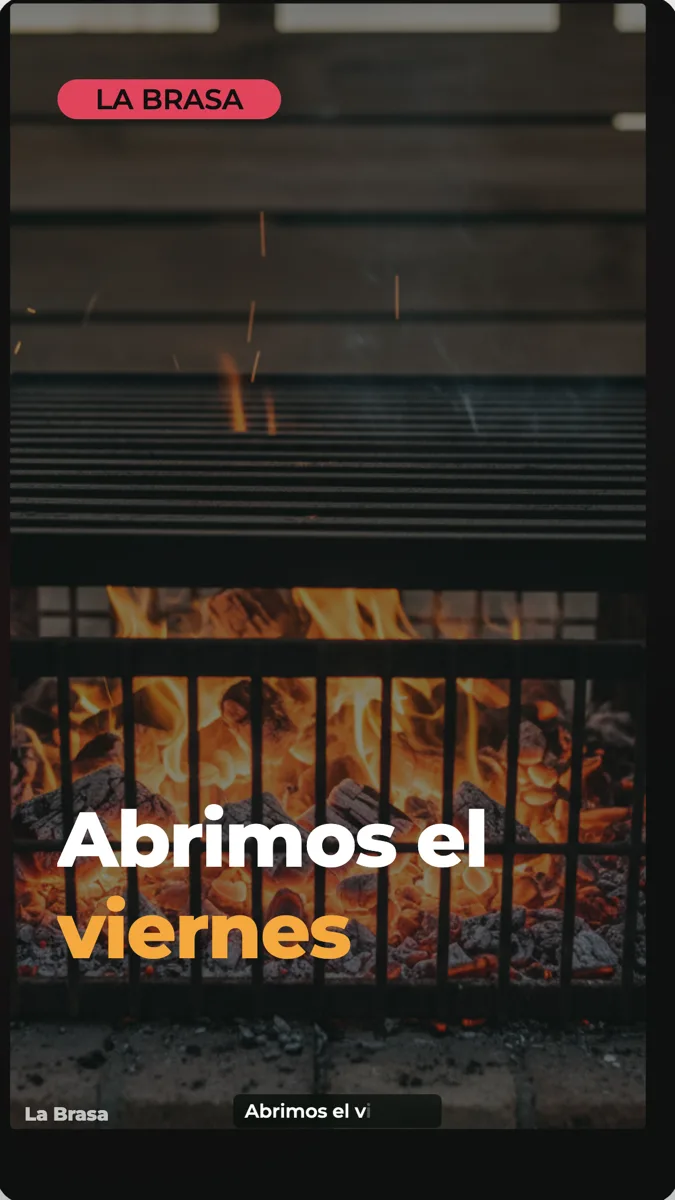 Restaurant promo video exampleMade with OneCraft, exactly as the generator and editor left it. Open the page for the full breakdown.
Pricing in plain terms
Checked 5 October 2026. Canva's pricing page lists Free at US$0, Pro at US$144 a year for one person and Business at US$250 a year per person, with Enterprise by quote; the page is served in local currency in some regions. OneCraft's pricing page lists Free at $0 with 100 credits a month, Starter at $8 with 500, Pro at $25 with 1,500 and Pro+ at $125 with 7,500. A video generation uses about 20 credits, and 4K export needs Starter.
How the two editors feel
Canva's video editor works like its other editors: pick a template, swap the media, change the text, add music and captions. OneCraft's builder opens on a video that already has its scenes, narration and captions. You edit a scene in the inspector, change a voice line, swap an image or a stock clip, and move between landscape and vertical. Layout and motion come from code, which keeps every scene on its grid when the words change.
A restaurant opening as an example
A brief with the opening date, the dishes, the discount and the booking link becomes a hook, a few dish scenes with your own photos or AI images, an offer scene and a call to action. One to three Pexels clips may cover the atmosphere, but never the dishes themselves, because stock is never used for your own product. Change the discount or the date later in the inspector and export again; the scenes keep their layout.
What could not be checked
Canva's pages do not state a maximum video length or the export resolution per plan, so neither appears in the table. Its AI voice and Magic Video features are quoted only as the video editor page names them. Every OneCraft cell names a row in an internal fact ledger checked against the product's source code.
Who should stay with Canva
Stay with Canva if your videos rely on a large stock library or template catalogue, if your team shares brand kits and edits designs together, or if video is one small part of everything you already design there. OneCraft fits when you want a narrated promo, tutorial or creator ad written from a brief.
Questions people ask
Can OneCraft write a whole video from a description like Canva Magic Video?
Yes, that is how every OneCraft video starts. A brief of up to 10,000 characters, with up to 8 images and 5 documents attached, becomes a video of 3 to 12 scenes with copy, narration, captions and timing. Canva's pages describe Magic Video for social-ready content without detailing its steps.
Does OneCraft have a stock library like Canva?
Not a library you browse. Promo generation searches Pexels for one to three clips, and each clip scene in the builder has a Stock footage search with up to 6 results. Your own images, AI images and drawn scenes make up the rest. Canva's stock library is far larger.
Can I use my Canva brand colours in OneCraft?
Yes, by entering them in a OneCraft brand kit. The kit's palette then appears as a Your brand group in the video theme picker, and you can add your wordmark or a logo link as a watermark. OneCraft does not import anything from a Canva account.
Can OneCraft export a GIF or a square video?
OneCraft exports MP4 in landscape or vertical. Square is a real canvas in the code but is not offered in either picker, and GIF is not among the documented export formats. Canva's video editor lists MP4 and GIF exports and has templates for many platform sizes.
How long is a OneCraft video compared with a Canva video?
The short, standard and long lengths target about 10, 18 and 30 seconds, across 3 to 6, 4 to 9 and 6 to 12 scenes. UGC videos stay under 30 seconds. That suits promos, openings, offers and short tutorials, not long edited videos.
Try the video side of OneCraft
The button opens the generator with a starting prompt already filled in. Change the wording to match your own work before you run it.
Create a video with OneCraftMore comparisons
- A Canva alternative for flyersOneCraft as a Canva alternative for flyers: 259 designs in 8 sizes filled from a description, against Canva's library, editor and print service.
- A CapCut alternative for business promosA CapCut alternative for business promos made from a brief: OneCraft and CapCut compared on price, platform, starting point, captions, music and export.
- A Runway alternative for videos that explain thingsA Runway alternative for videos that explain things: OneCraft and Runway compared on price, credits, what is generated, editing, captions and export.
What the module actually does, feature by feature: the AI video maker page.
Step by step in the builder: Make a promo video with AI voiceover, then Add voiceover, captions and music to a video.
Written and checked by the OneCraft team. Last checked .