Videos · Alternative
A Runway alternative for videos that explain things
If your video has to explain a product, a process or a number rather than show cinematic footage, OneCraft is a Runway alternative that builds narrated scenes with typography, charts, images and captions from a brief. Runway stays ahead for generative footage, its model lineup and studio-grade output.
Updated , competitor details checked . Runway is a trademark of its owner. OneCraft is not affiliated with or endorsed by it.
Nuwan Madhusanka · Co-founder
3 min read · Published
The short verdict
Runway suits creators who want new footage generated by video models such as Gen-4.5, with music, voice and sound effect generation, 4K upscaling and HDR or ProRes output on its top plan. OneCraft suits people who need a short video that explains something, composed as scenes with headlines, charts, diagrams, images, narration and captions, and edited scene by scene rather than prompted shot by shot.
| Feature | Runway | OneCraft |
|---|---|---|
| Price | Free $0 with 125 one-time credits; Standard $12 a month billed annually or $15 monthly; Pro $28 or $35; Max $76 or $95 checked 2026-10-05 | About 20 credits per video generation, billed by AI usage; Free $0 with 100 credits a month, Starter $8 with 500, Pro $25 with 1,500, Pro+ $125 with 7,500 |
| What credits buy | Standard's 625 credits a month equal 52 seconds of Gen-4.5 or 104 seconds of Gen-4 Turbo; Gen-4.5 uses 12 credits a second checked 2026-10-05 | A whole video uses about 20 credits to generate; export bills its render time, usually a small amount |
| What is generated | Video, images and audio from models including Gen-4.5, Kling 3.0 and Nano Banana Pro checked 2026-10-05 | Content only: template, slot copy, narration, scene order and durations; layout, motion and timing are deterministic code |
| Scenes and visuals | Generated shots, with text to speech and music generation priced in credits checked 2026-10-05 | 410 scene layouts across 52 roles, with 10 chart kinds, 6 diagram kinds, AI images and your uploads |
| Editing | An agentic creative collaborator on every paid plan, per the pricing page checked 2026-10-05 | No timeline. A scene inspector edits each slot, with 19 entrance animations; transitions follow one of 2 paces, Dynamic or Calm |
| Narration | Text to speech at 1 credit per 50 characters; custom voice clones on Pro and Max checked 2026-10-05 | A Google Chirp3-HD voice chosen from 4 styles for the brief's language; 56 languages have a mapped voice |
| Captions | Not itemised on the pricing page checked checked 2026-10-05 | Built from the narration, on by default, with a per scene toggle |
| Length | Priced per second of generated footage, per model checked 2026-10-05 | Short, standard and long target about 10, 18 and 30 seconds |
| Export | No watermarks and 4K upscaling from Standard; HDR, ProRes and image sequences on Max checked 2026-10-05 | MP4 with 4K from the Starter plan, plus a share link that plays live in the browser |
Where Runway is better
Generative footage
Runway generates new video shots from text and images with models such as Gen-4.5, Aleph 2.0 and Kling 3.0. OneCraft does not generate footage: its scenes are drawn layouts, AI still images, your uploads and a few Pexels clips in promos.
Studio-grade output
Runway's Max plan lists HDR, ProRes and image sequences, and every paid plan includes 4K upscaling. OneCraft exports MP4, with 4K from Starter, and nothing beyond that.
Generated music, voice and sound
Runway prices music, sound effects and text to speech in credits, and Pro includes a custom voice clone. OneCraft uses 13 library tracks or your own upload for music and has no voice cloning.
Control of each shot
Runway lets you prompt and regenerate individual shots and run many generations in parallel. OneCraft's director writes the whole video at once; you then edit the words, images and order, not the motion of a shot.
Where OneCraft is different
Built to explain
Scenes have named roles such as hook question, how it works, stat, comparison, checklist and offer. A chart, a diagram or a world map is a native scene element with real labels, not a picture the model tried to draw.
Text stays crisp and editable
Headlines, numbers and captions are rendered by code on a grid rather than drawn by a model, and every word can be changed in the inspector after generation without regenerating anything.
Narration and captions by default
Every scene can carry narration in the brief's language, and captions follow the voice. Music ducks to 22% under the voice so the explanation stays clear.
Tutorials from screenshots
The tutorial type turns still screenshots into steps of 5 to 9 seconds with a marked click and an optional zoom, spoken by an instructional voice.
A finished example
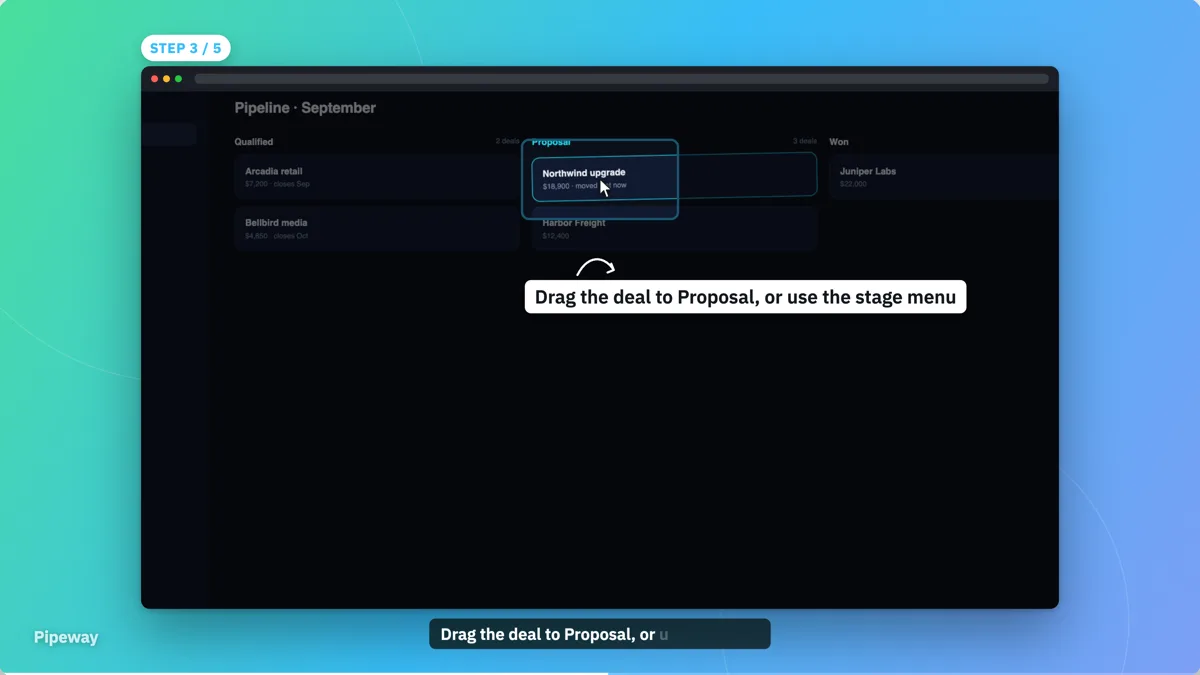 Software tutorial video exampleMade with OneCraft, exactly as the generator and editor left it. Open the page for the full breakdown.
Pricing and credits in plain terms
Checked 5 October 2026. Runway's pricing page lists Free at $0 with 125 one-time credits, Standard at $12 a month billed annually or $15 monthly with 625 credits, Pro at $28 or $35 with 2,250 credits and Max at $76 or $95 with 9,500 credits. Gen-4.5 uses 12 credits a second, so Standard's monthly credits make 52 seconds of Gen-4.5 footage. OneCraft bills real AI usage rather than seconds of footage: a video generation uses about 20 credits, with plans from Free at 100 credits a month to Pro+ at $125 with 7,500.
Two different jobs
A generative model is the right tool when the picture itself is the product: a mood film, a concept shot, a scene nobody can film. An explainer has a different job. It needs a clear claim, a number that reads at a glance, steps in order and a voice that says the same thing as the screen. OneCraft's director plans that structure and the renderer draws it, so the result is consistent across scenes and easy to correct. When a number changes next quarter, you edit the chart value and export again instead of generating a new shot.
Using both
A generated clip can sit inside a OneCraft video. Export the shot from any tool as MP4, WebM or MOV up to 200 MB, upload it to a clip scene, then trim it and choose fit or fill. The narration, captions and the explanatory scenes around it stay in OneCraft.
What could not be checked
Runway's pricing page does not itemise captions or a timeline editor, and the research page describes models rather than editing tools, so neither appears as a Runway feature in the table. Visual effects tools were not listed on the pages read and are not claimed. Every OneCraft cell names a row in an internal fact ledger checked against the product's source code.
Who should stay with Runway
Stay with Runway if your work is generated footage, visual effects or cinematic shots, if you need HDR or ProRes output, or if you want to prompt and regenerate each shot yourself. OneCraft is for short narrated videos whose job is to explain a product, a process or a number clearly.
Questions people ask
Can OneCraft generate video footage like Runway?
No. OneCraft does not run a video generation model. It composes scenes from drawn layouts, AI still images, your own uploads and, in promos, one to three Pexels stock clips. If the footage itself has to be invented, generate it in a tool like Runway and upload the clip to a OneCraft clip scene.
How does OneCraft charge compared with Runway's per second credits?
OneCraft bills real AI usage, and generating a whole video uses about 20 credits. Exporting bills its render time, usually a small amount, and new narration is billed by length, roughly 3 credits a minute of speech. Runway prices generated footage per second, per model.
Can I put a chart in a OneCraft video?
Yes. Charts are native scene elements in 10 kinds, including bar, line, pie, donut, radar, waterfall and waffle, and you edit the numbers in the inspector. There are also 6 diagram kinds such as funnel, cycle and Venn, and a world map with 124 named locations.
Does OneCraft have a timeline editor?
No. Each scene is edited in an inspector where you change copy, images, charts, narration and the entrance animation of each slot. Scene transitions are not picked one by one; the pace setting chooses between Dynamic, with a camera move per scene, and Calm, with crossfades and one slow push-in.
What resolution does a OneCraft video export at?
Videos export as MP4 at 1920 by 1080 landscape or 1080 by 1920 vertical, at 30 frames a second, and 4K export is available from the Starter plan. There is no ProRes or HDR output. A share link also plays the video live in the browser.
Try the video side of OneCraft
The button opens the generator with a starting prompt already filled in. Change the wording to match your own work before you run it.
Create a video with OneCraftMore comparisons
- An InVideo alternative for promo videosOneCraft as an InVideo alternative for promo, tutorial and UGC videos: scenes from a brief, voiceover, captions and stock clips, but no timeline.
- A Descript alternative when you have no footageA Descript alternative for when you have no recording yet: OneCraft and Descript compared on price, starting point, screen capture, voice and captions.
- A Canva video alternative with scenes written by AIA Canva video alternative where AI writes the scenes: OneCraft and Canva compared on price, generation, stock, formats, captions, music and export.
What the module actually does, feature by feature: the AI video maker page, and the videos maker page.
Step by step in the builder: Make a promo video with AI voiceover, then Add voiceover, captions and music to a video.
Written and checked by the OneCraft team. Last checked .