Videos · Alternative
A Descript alternative when you have no footage
If you have no recording to edit and need a short video made from a written brief, OneCraft is a Descript alternative that writes the script, builds the scenes and adds a synthesised voice and captions. Descript stays ahead when you already have recordings, since it edits video by editing the transcript.
Updated , competitor details checked . Descript is a trademark of its owner. OneCraft is not affiliated with or endorsed by it.
Nuwan Madhusanka · Co-founder
3 min read · Published
The short verdict
Descript suits people who record first: podcasters, interviewers and anyone who wants to cut a video by deleting words from its transcript, remove filler words and clean up audio. OneCraft suits people who start from nothing but a brief or a set of screenshots and want a short promo, tutorial or UGC style video built for them, with a synthesised voice and captions.
| Feature | Descript | OneCraft |
|---|---|---|
| Price | Free $0; Hobbyist $24, Creator $35 and Business $65 per person a month billed monthly, from $16 a month billed annually checked 2026-10-05 | About 20 credits per video generation, billed by AI usage; Free $0 with 100 credits a month, Starter $8 with 500, Pro $25 with 1,500, Pro+ $125 with 7,500 |
| Starting point | Your own recordings and uploads, edited as text; 60 media minutes a month on Free, 10 hours on Hobbyist checked 2026-10-05 | A brief of up to 10,000 characters, with up to 8 images and 5 documents attached |
| Screen capture | Records screen, webcam and microphone, then edits the recording in the transcript editor checked 2026-10-05 | Still PNG frames, one per press of Capture step, each with a marked click and No zoom, 1.5x or 2.1x; no motion video is recorded |
| Voice | AI speech with custom voice clones from Hobbyist checked 2026-10-05 | Synthesised per scene by a Google Chirp3-HD voice; speed, delay and voice set per scene, and the whole voice catalogue is searchable |
| Editing model | Text-based editing: edit video by editing a doc checked 2026-10-05 | Scene by scene: the AI writes the content, and layout, motion and timing are deterministic code you adjust in an inspector |
| Filler words | Removes ums, uhs, you knows and other filler words with a click checked 2026-10-05 | Not applicable: narration is written, then synthesised, so there is no recorded speech to clean |
| Captions | Subtitles added in a click from the transcript checked 2026-10-05 | Built from the narration text, on by default, with a per scene toggle |
| Export | 720p on Free; watermark-free 1080p on Hobbyist and 4K on Creator and Business checked 2026-10-05 | MP4, with 4K from the Starter plan; a share link plays live in the browser |
| Length | Limited by media hours per month rather than video length checked 2026-10-05 | Short, standard and long lengths of 3 to 6, 4 to 9 and 6 to 12 scenes |
Where Descript is better
Editing by transcript
Descript transcribes your recording and lets you cut the video by deleting words from the text. OneCraft never transcribes audio; its captions come from the script it writes.
Podcast and audio tools
Descript has multitrack audio editing, remote recording rooms and Studio Sound for cleaning up speech. OneCraft has no podcast tools and no audio clean up.
Filler word removal
Descript removes ums, uhs and similar filler words from a recording in one click. OneCraft has nothing to remove them from, since its voice is synthesised from text.
Real screen recordings
Descript records your screen, webcam and microphone as motion video. OneCraft captures still frames only, one per step, and turns them into a paced walkthrough.
Where OneCraft is different
No recording needed
A promo starts from a brief, and the director writes the script, picks the scenes and sets the timing. You can attach images and documents to ground it, but nothing has to be filmed or spoken.
Steps from screenshots
In tutorial mode each captured or uploaded screenshot becomes a step of 5 to 9 seconds with 10 to 25 words of narration. A marked point plays as a cursor glide, a click ripple and a camera ease in.
A voice you can rewrite
Because narration is text, changing a line means editing the words and regenerating that clip. Each voiceover clip is billed by length, about half a credit for a typical line, and the voice, speed (0.85x to 1.25x) and delay are set per scene, so a correction never means recording a take again.
Composed scenes
Scenes come from 410 layouts across 52 roles, including charts, diagrams and checklists, styled by one of 21 looks. Editing a headline or a number later does not touch the rest of the scene, because the layout is not part of what the AI produces.
A finished example
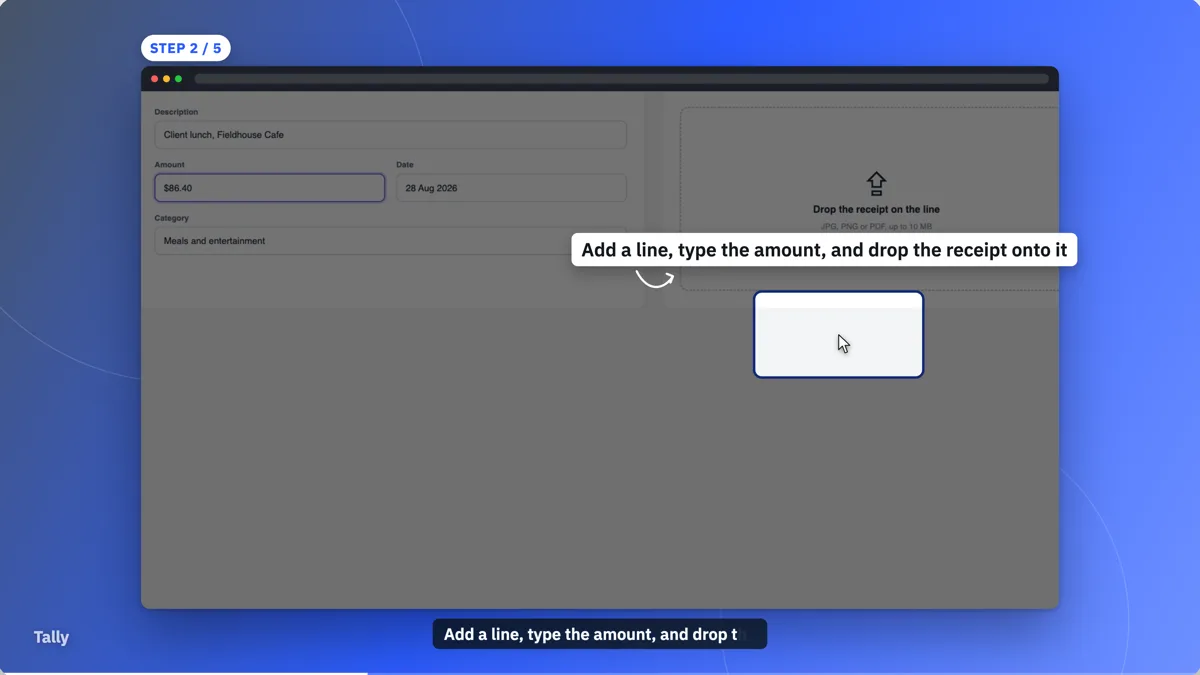 How-to video exampleMade with OneCraft, exactly as the generator and editor left it. Open the page for the full breakdown.
Pricing in plain terms
Checked 5 October 2026. Descript's pricing page lists a Free plan at $0 with 60 media minutes a month and 720p export, and Hobbyist, Creator and Business at $24, $35 and $65 per person a month billed monthly. The page states paid plans from $16 a month and savings of up to 35% on annual billing. OneCraft's pricing page lists Free at $0 with 100 credits a month, Starter at $8 with 500, Pro at $25 with 1,500 and Pro+ at $125 with 7,500. A video generation uses about 20 credits, billed by real AI usage.
Recording first or writing first
The two products start at opposite ends. Descript assumes the hard part, the recording, is done and makes the edit fast. OneCraft assumes there is no recording and makes the first version for you: the script, the visuals, the voice and the captions. If you do have a short clip, a OneCraft promo can place it on a clip scene as an MP4, WebM or MOV file up to 200 MB.
Making a how-to without filming
Open the generator, choose the tutorial type and press Capture step on each screen you want to show, or upload screenshots instead on a phone. Mark a click point on each frame and pick a zoom. The director writes one narration line per step, an instructional voice speaks it and the pace is set to Calm, with crossfades and one slow push-in.
What could not be checked
Descript's pricing page does not state a maximum video length, so the table quotes media hours instead. Its annual per-plan prices were not all shown as text, so only the starting price is quoted. Every OneCraft cell names a row in an internal fact ledger checked against the product's source code.
Who should stay with Descript
Stay with Descript if you record podcasts, interviews, webinars or screen walkthroughs and want to edit them by text, remove filler words, clean up sound or clone your own voice. OneCraft fits when there is no recording at all and the video has to be written and built from a brief or a set of screenshots.
Questions people ask
Can OneCraft edit a video by its transcript like Descript?
No. OneCraft does not transcribe uploaded audio or video, and there is no transcript editor. It writes the narration itself and you change a scene by editing that text. If your work starts with recorded speech that needs cutting, Descript's text-based editing is the better fit for that job.
Can OneCraft record my screen as a video?
It captures still frames, not motion video. Each press of Capture step, or the Space bar, snaps a PNG of the shared screen, and you can crop the area first. On a phone the generator asks you to upload screenshots instead, because screen capture needs a desktop browser.
Can I clone my own voice in OneCraft?
No. Narration uses Google voices, picked automatically from four styles for the brief's language, and you can search the full Google voice catalogue in the voice dialog for each scene. There is no voice cloning and no recording of your own narration inside the generator.
Is a OneCraft video good for a podcast clip?
Not really. OneCraft does not take an audio file and cut highlights from it, and it does not add a waveform or speaker labels. It is built for short composed promos, tutorials and creator-style ads. Descript's clip tools are designed for turning recorded episodes into shorter clips.
What does a OneCraft how-to video cost to make?
Generating the video uses about 20 credits. The export bills its render time, usually a small amount, and new narration is billed by length, roughly 3 credits a minute of speech. Re exporting unchanged content reuses the earlier MP4 at no extra charge.
Try the video side of OneCraft
The button opens the generator with a starting prompt already filled in. Change the wording to match your own work before you run it.
Create a video with OneCraftMore comparisons
- A Runway alternative for videos that explain thingsA Runway alternative for videos that explain things: OneCraft and Runway compared on price, credits, what is generated, editing, captions and export.
- A Veed alternative for generated promo videosA Veed alternative for generated promo videos: OneCraft and VEED compared on price, editor model, subtitles, stock media, formats and watermark.
- A Scribe alternative that outputs a videoA Scribe alternative that outputs a narrated video instead of a written guide: OneCraft and Scribe compared on price, output, capture, steps and sharing.
What the module actually does, feature by feature: the AI video maker page, and the videos maker page.
Step by step in the builder: Capture your screen for a tutorial video, then Make a how to video with AI.
Written and checked by the OneCraft team. Last checked .