Videos · Alternative
A HeyGen alternative for creator-style ads
If what you need is a short creator-style ad rather than a library of photoreal presenters, OneCraft is a HeyGen alternative that writes a UGC video under 30 seconds with one generated persona and a matched voice. HeyGen stays ahead for its avatar library, lip-synced translation and long talking videos.
Updated , competitor details checked . HeyGen is a trademark of its owner. OneCraft is not affiliated with or endorsed by it.
Nuwan Madhusanka · Co-founder
3 min read · Published
The short verdict
HeyGen suits teams that want a realistic presenter on camera: a library of more than 1,100 avatars, custom avatars, translation into 175+ languages with lip sync, and videos of up to 30 or 60 minutes. OneCraft suits people who want a short creator-style ad from a brief, with one generated persona, at most three talking scenes, captions and composed product scenes around them.
| Feature | HeyGen | OneCraft |
|---|---|---|
| Price | Free $0 (up to 3 videos a month, watermark); Creator $29 a month or $24 paid annually; Pro from $49; Business $149 a month plus $20 a seat checked 2026-10-05 | About 20 credits per video generation, billed by AI usage; Free $0 with 100 credits a month, Starter $8 with 500, Pro $25 with 1,500, Pro+ $125 with 7,500 |
| Avatars | 1,100+ realistic AI avatars, plus custom avatars on every plan checked 2026-10-05 | No library. One persona is generated per UGC video from a description, animated per beat, in UGC mode on the Pro plan and up |
| Translation | Translates existing videos into 175+ languages and dialects with voice cloning and lip sync checked 2026-10-05 | No translation of a finished video. The brief's language sets the copy and the narration; 56 languages have a mapped voice, with no lip sync |
| Talking scenes | The avatar presents the whole script checked 2026-10-05 | At most 3 talking scenes; the other scenes are held to 2.5 to 3 seconds and show proof, credentials and the close |
| Video length | 1 minute on Free, up to 30 minutes on Creator and Pro, up to 60 minutes on Business checked 2026-10-05 | UGC videos stay under 30 seconds and offer the short and standard lengths only |
| Voices | Voice cloning across 175+ languages for translation checked 2026-10-05 | One Google Chirp3-HD voice speaks every line of a UGC video, so the voice cannot drift between beats; no voice cloning |
| Captions | Subtitles can be added to translated videos checked 2026-10-05 | Built from the narration text, each word brightening as it is spoken (or typing on with the voice), on by default, with a per scene toggle |
| Export | Up to 1080p on Free and Creator, 4K on Pro and Business checked 2026-10-05 | MP4, with 4K from the Starter plan; landscape or vertical |
| Watermark | On Free videos; removed on paid plans checked 2026-10-05 | Your own wordmark or a logo URL, bottom left at 72% opacity; there is no logo upload button |
Where HeyGen is better
A large avatar library
HeyGen lists more than 1,100 realistic avatars and custom avatars on every plan. OneCraft has no avatar library at all: it generates one persona per UGC video from a written description, so you cannot pick a presenter or reuse the same face across videos.
Lip-synced translation
HeyGen translates an existing video or YouTube link into 175+ languages, keeps the speaker's voice with cloning and syncs the lips to the new words. OneCraft cannot translate a finished video; you generate a new one with the brief in the other language.
Long talking videos
HeyGen allows videos up to 30 minutes on Creator and Pro and up to 60 on Business, with the avatar presenting throughout. A OneCraft UGC video stays under 30 seconds with at most three talking scenes.
Custom avatars of real people
HeyGen builds avatars of you or your team. OneCraft's persona is always generated from a description, never trained on a real person.
Where OneCraft is different
An ad structure, not a presenter
A UGC video is built from four roles, talk, proof, credentials and close, and must end on the close. The persona speaks in at most three beats and the rest of the video shows the product, the claim and the offer.
One persona, one voice
One portrait is generated and one voice speaks every line, and each talking beat is animated from that same portrait, so identity and voice stay consistent across the video.
Promos and tutorials in the same place
The same generator makes promotional and tutorial videos too, and the account also makes the matching flyer, deck or form. A brief can carry up to 8 images and 5 documents.
Captions from the script
Captions come from the narration the AI writes and follow the voice word by word. Background music ducks to 22% under the voice.
A finished example
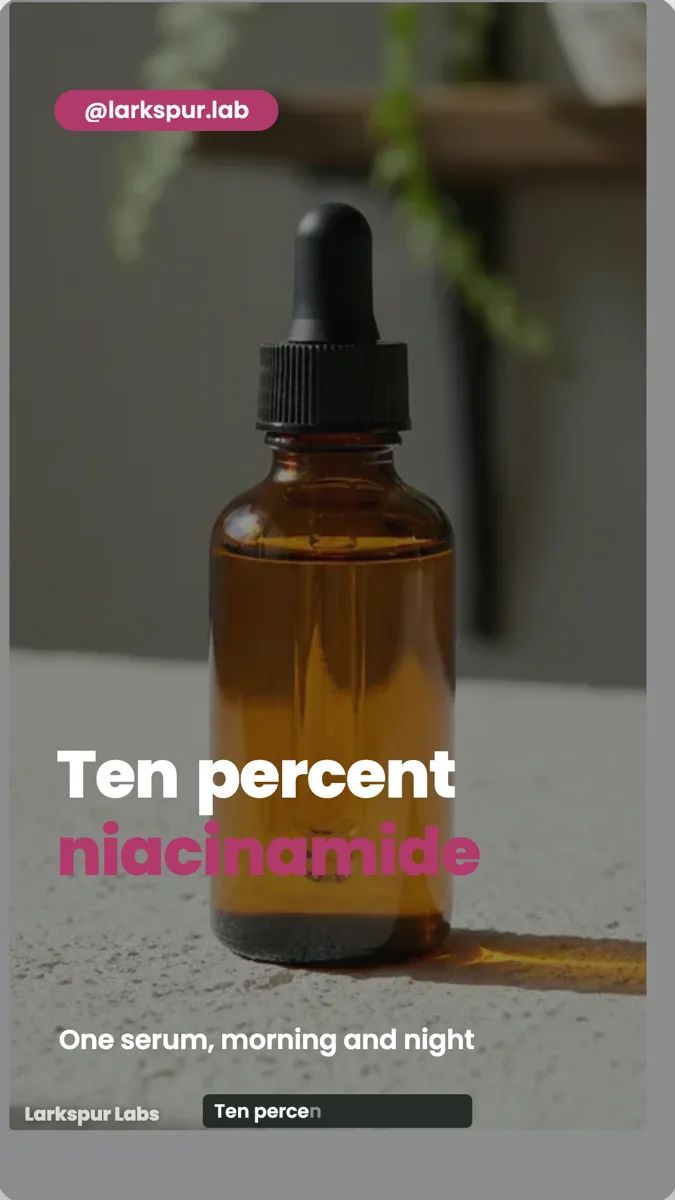 Skincare serum UGC ad exampleMade with OneCraft, exactly as the generator and editor left it. Open the page for the full breakdown.
Pricing in plain terms
Checked 5 October 2026. HeyGen's pricing page lists Free at $0 with up to 3 videos a month and a watermark, Creator at $29 a month or $24 a month paid annually with 600 credits, Pro from $49 a month with 1,000 credits, and Business at $149 a month plus $20 a seat. OneCraft's pricing page lists Free at $0 with 100 credits a month, Starter at $8 with 500, Pro at $25 with 1,500 and Pro+ at $125 with 7,500. A video generation uses about 20 credits, and UGC videos need the Pro plan or higher.
How a OneCraft UGC video is made
You describe the product and the creator in the brief. The director writes a creator description, a short script and the scene order. One portrait is generated, one voice speaks every line and each talking beat is animated from that portrait, up to three clips. If the avatar step fails, the UGC scene layouts still render, so you get a usable video. Non-talking scenes are held to 2.5 to 3 seconds and the video always ends on the close.
Languages without lip sync
Write the brief in the language you want, or name it in the language field, and the copy and narration come back in it. 56 languages have a mapped Google voice. A language with no mapped voice gets no voiceover at all, though the on screen text is still written in it. Nothing is lip-synced and nothing is translated after the fact.
What could not be checked
HeyGen's pages do not state which avatar features each credit tier unlocks beyond what the plan cards list, so only the avatar count, video lengths, export resolution and watermark rules appear in the table. Every OneCraft cell names a row in an internal fact ledger checked against the product's source code.
Who should stay with HeyGen
Stay with HeyGen if a realistic presenter is the point of your video, if you need custom avatars of your own team, if you translate existing videos with lip sync, or if your videos run for minutes rather than seconds. OneCraft fits short creator-style ads made from a brief.
Questions people ask
Can OneCraft use a stock avatar like HeyGen?
No. There is no avatar library to pick from. In UGC mode the director writes a description of one creator and a single portrait is generated from it for that video. If you want the same presenter in every video, or a realistic stock presenter, HeyGen is the better fit.
Does OneCraft lip-sync a video into another language?
No. OneCraft does not translate or dub a finished video. To make a version in another language you generate a new video with the brief in that language. The narration is spoken by a voice mapped to that language, and the captions follow the new narration rather than any lip movement.
How long can a OneCraft UGC video be?
Under 30 seconds. UGC offers the short and standard lengths only, with at most three talking scenes and the other scenes held to between 2.5 and 3 seconds. That length suits a social ad or a product post, not a presenter-led lesson or a sales walkthrough.
Which plan do I need for UGC videos in OneCraft?
UGC videos need the Pro plan or higher, which is $25 a month with 1,500 credits on OneCraft's pricing page. A video generation uses about 20 credits, and the export bills its render time, usually a small amount. Every UGC video stays under 30 seconds, so most finished ads cost the generation plus any new narration, which is billed by length.
Can I upload my own clip into a OneCraft UGC video?
Not into UGC mode, which never uses uploaded clip scenes. Promotional videos can place your own MP4, WebM or MOV clips of up to 200 MB with trim and fit controls. If your ad depends on footage of a real customer, film it and use a promotional video instead.
Try the video side of OneCraft
The button opens the generator with a starting prompt already filled in. Change the wording to match your own work before you run it.
Create a video with OneCraftMore comparisons
- A Synthesia alternative for tutorials and promosOneCraft as a Synthesia alternative: tutorial videos from your screenshots, promos from a brief, one UGC persona and 56 voice languages.
- A Colossyan alternative for training videosA Colossyan alternative for short training videos without avatars: OneCraft and Colossyan compared on price, avatars, structure, languages and SCORM.
- A CapCut alternative for business promosA CapCut alternative for business promos made from a brief: OneCraft and CapCut compared on price, platform, starting point, captions, music and export.
What the module actually does, feature by feature: the AI video maker page, and the videos maker page.
Step by step in the builder: Make a UGC creator video, then Add voiceover, captions and music to a video.
Written and checked by the OneCraft team. Last checked .