Videos · Alternative
A Colossyan alternative for training videos
If your training video is a short walkthrough of a tool or a process and does not need a presenter on screen, OneCraft is a Colossyan alternative that builds paced, narrated steps from screenshots. Colossyan stays ahead for avatar-led lessons, SCORM delivery to an LMS, quizzes and course building.
Updated , competitor details checked . Colossyan is a trademark of its owner. OneCraft is not affiliated with or endorsed by it.
Nuwan Madhusanka · Co-founder
3 min read · Published
The short verdict
Colossyan suits learning and development teams that build courses with AI presenters, interactive elements, quizzes, branching and SCORM packages tracked in an LMS, localised into 100+ languages. OneCraft suits people who need a short, narrated software or process walkthrough made from screenshots, with a marked click, zoom and captions on each step, delivered as an MP4 or a share link rather than a tracked course.
| Feature | Colossyan | OneCraft |
|---|---|---|
| Price | Starter free; Professional $59 a month on an annual plan plus $30 a month per additional member; Enterprise by quote checked 2026-10-05 | About 20 credits per video generation, billed by AI usage; Free $0 with 100 credits a month, Starter $8 with 500, Pro $25 with 1,500, Pro+ $125 with 7,500 |
| Avatars | 300+ stock avatars, custom avatars on every plan, studio avatars as an add-on checked 2026-10-05 | None in tutorials. A single generated persona exists only in UGC mode, for short ads |
| Tutorial structure | Structured courses with interactive elements and branching checked 2026-10-05 | 5 roles only: intro, tutorial step, how it works, checklist and outro; AI tutorials come back at the Calm pace |
| Step pacing | Video minutes per month: 20 on Starter, 30 with NEO and 10 with NEO2 on Professional checked 2026-10-05 | 5 to 9 seconds a step with 10 to 25 words of narration; 3 to 5 seconds for the intro and wrap-up |
| Languages | 120+ languages with lip sync in every language, per the pricing FAQ checked 2026-10-05 | 56 languages have a mapped voice, 53 of them Chirp3-HD; an unmapped language gets no voiceover |
| SCORM and LMS | SCORM 1.2 or 2004 (4th edition); 5 exports a month on Professional, unlimited on Enterprise checked 2026-10-05 | No SCORM export; a video is an MP4 or a share link |
| Quizzes | Quizzes and knowledge checks generated from content checked 2026-10-05 | No quizzes in video; a checklist scene can recap the steps |
| Captions | Captions and language kept when a learner reopens a SCORM video checked 2026-10-05 | Built from the narration text, on by default, with a per scene toggle |
| Export | Up to 1080p on Starter and Professional, up to 4K on Enterprise; watermark removal on Professional checked 2026-10-05 | MP4 with 4K from the Starter plan, plus a share link that plays live in the browser |
Where Colossyan is better
Avatar presenters
Colossyan lists more than 300 stock avatars, custom avatars on every plan and studio-filmed avatars as an add-on. OneCraft tutorials have no presenter at all; they show the screen, the click and the zoom.
SCORM and LMS tracking
Colossyan exports SCORM 1.2 and 2004 packages so an LMS can track who watched, for how long and whether they passed. OneCraft has no SCORM export; you upload its MP4 to the LMS as a plain video.
Quizzes and branching
Colossyan generates quizzes and knowledge checks and supports branching scenes. OneCraft videos are linear, with no questions or branches.
More languages with lip sync
Colossyan's pricing FAQ lists 120+ languages with lip sync. OneCraft maps 56 languages to a voice and lip-syncs nothing, since tutorials have no presenter.
Where OneCraft is different
The screen is the teacher
Each step is a real screenshot with a marked click that plays as a cursor glide, a click ripple and a camera ease in at 1.5x or 2.1x, so the learner sees exactly where to click.
Short by design
A tutorial has 3 to 12 scenes depending on the length you choose, each step held for 5 to 9 seconds. That suits one task per video rather than a whole course.
An instructional voice every time
Tutorials are always spoken in the instructional voice style, never the energetic one, and captions follow the narration.
Cheaper to update
When a screen changes, re-capture that frame and regenerate the line for that step. New narration is billed by length, about half a credit for a typical line, and an unchanged re-export costs nothing.
A finished example
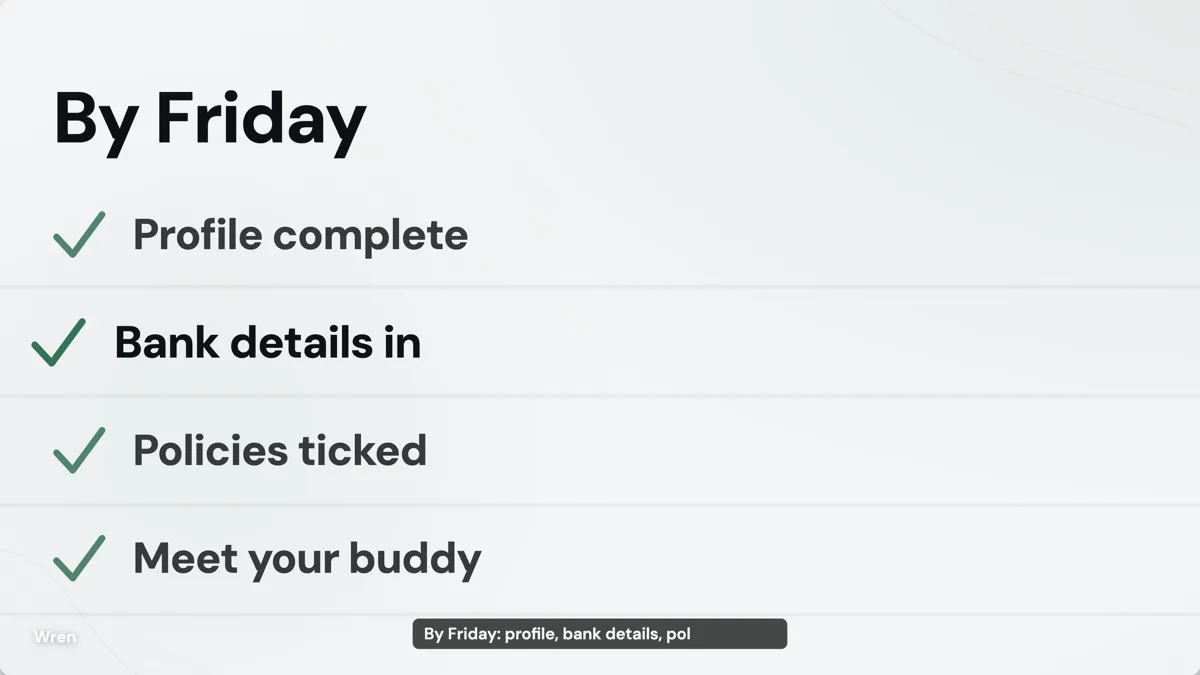 Onboarding video exampleMade with OneCraft, exactly as the generator and editor left it. Open the page for the full breakdown.
Pricing in plain terms
Checked 5 October 2026. Colossyan's pricing page lists Starter as free with 20 minutes a month, Professional at $59 a month on an annual plan with 30 minutes on NEO and 10 on NEO2, plus $30 a month for each additional member, and Enterprise by quote. OneCraft's pricing page lists Free at $0 with 100 credits a month, Starter at $8 with 500, Pro at $25 with 1,500 and Pro+ at $125 with 7,500. A video generation uses about 20 credits, billed by real AI usage.
Putting a OneCraft video in an LMS
Export the tutorial as an MP4 and upload it to your LMS as a video resource, or link the share page. A plain video file does not report the completion and score data a SCORM package sends, so the LMS can only track it the way it tracks any uploaded file. Add any knowledge check in the LMS itself.
Training that suits each tool
A presenter helps with policy, culture and soft skills, where a human face carries the message. A screen walkthrough helps with software tasks, where the learner needs to see the field and the button. Many teams use both: an avatar-led course in Colossyan for the why, and short OneCraft clips for each how. The safety training and compliance decks in the examples show the slide side of the same subject.
Writing a good training brief
Name the role of the learner, the tool, the task and the result they should see at the end. List the steps in order with the exact button and field labels, and say which values are examples. Capture one screenshot per step and mark the click. The director writes one line of narration per step, and a checklist scene can close the video with the points to remember.
What could not be checked
Colossyan's pages state 120+ languages in the pricing FAQ and 100+ on the home page; the table quotes the pricing page. Its per scene timing is not stated, so the table quotes its monthly video minutes instead. Every OneCraft cell names a row in an internal fact ledger checked against the product's source code.
Who should stay with Colossyan
Stay with Colossyan if your training needs a presenter on screen, SCORM packages tracked in an LMS, quizzes or branching, or localisation into many languages with lip sync. OneCraft fits a short software or process walkthrough where the screen itself shows the learner what to do.
Questions people ask
Can OneCraft export SCORM like Colossyan?
No. OneCraft exports an MP4 and offers a share link that plays the video in the browser. You can upload the MP4 to an LMS as a video resource, but it will not report SCORM completion or quiz scores. Colossyan exports SCORM 1.2 and 2004 packages for that.
Can a OneCraft training video have a presenter?
Not in tutorial mode. Tutorials show screenshots with a marked click and zoom and are narrated by a voice. A single generated persona exists only in UGC mode, which makes short creator-style ads under 30 seconds, not lessons. For an on screen presenter, an avatar tool such as Colossyan fits better.
How many languages can a OneCraft training video be narrated in?
56 languages have a mapped Google voice, 53 of them on the Chirp3-HD tier. Write the brief in the target language or name it in the language field. A language with no mapped voice gets no narration at all, though the on screen text is still written in it.
Can I add a quiz to a OneCraft video?
No. OneCraft videos are linear and have no questions, scoring or branches. A checklist scene can recap the steps at the end. If learners must answer questions, add them in your LMS or use a course tool such as Colossyan that generates knowledge checks.
How do I keep a OneCraft training video current when the software changes?
Re-capture the screens that changed, replace those frames in the builder and update the step's narration. Each new clip is billed by its length, about half a credit for a typical line, and the rest of the video keeps its layout and timing. Re-exporting content that has not changed reuses the earlier MP4 with no charge.
Try the video side of OneCraft
The button opens the generator with a starting prompt already filled in. Change the wording to match your own work before you run it.
Create a video with OneCraftMore comparisons
- A Synthesia alternative for tutorials and promosOneCraft as a Synthesia alternative: tutorial videos from your screenshots, promos from a brief, one UGC persona and 56 voice languages.
- A Guidde alternative for step-by-step how-to videosA Guidde alternative for step-by-step how-to videos: OneCraft and Guidde compared on price, capture, narration, step length, captions and sharing.
- A HeyGen alternative for creator-style adsA HeyGen alternative for short creator-style ads: OneCraft and HeyGen compared on price, avatars, translation, talking scenes, voices and video length.
What the module actually does, feature by feature: the AI video maker page, and the videos maker page.
Step by step in the builder: Make a how to video with AI, then Capture your screen for a tutorial video.
Written and checked by the OneCraft team. Last checked .