Videos · Alternative
A Kapwing alternative for generated social videos
If you have no footage to edit and need a short social video made from a written brief, OneCraft is a Kapwing alternative that writes the scenes, the narration and the captions for you. Kapwing stays ahead when you start from your own footage and need a timeline, subtitle translation or long exports.
Updated , competitor details checked . Kapwing is a trademark of its owner. OneCraft is not affiliated with or endorsed by it.
Nuwan Madhusanka · Co-founder
3 min read · Published
The short verdict
Kapwing suits people who start from footage they already have and want a browser timeline, accurate subtitles with translation, team comments and long exports. OneCraft suits people who start from a brief and want the whole short video generated, with scenes, narration, captions, stock clips and music, then adjusted scene by scene rather than cut on a timeline.
| Feature | Kapwing | OneCraft |
|---|---|---|
| Price | Free $0 with a watermark and 720p; Pro $16 a month billed annually or $24 monthly; Business $50 billed annually or $64 monthly; Enterprise custom checked 2026-10-05 | Free $0 with 100 credits a month, Starter $8 with 500, Pro $25 with 1,500, Pro+ $125 with 7,500 |
| Starting point | A drag and drop timeline to trim, split, add transitions, layer B-roll and apply effects to your footage checked 2026-10-05 | A written brief of up to 10,000 characters; the AI writes the copy, narration, scene order and durations |
| Subtitles | 99% accurate subtitles, translation into 100+ languages, export as SRT, VTT or TXT checked 2026-10-05 | Captions built from the narration, each word brightening as it is spoken; there is no subtitle file export |
| Formats and resizing | Change the size and dimensions of a video, with speakers centred and safe zones previewed per platform checked 2026-10-05 | Landscape 1920x1080 or vertical 1080x1920, switched in the builder toolbar; square is hidden from both pickers |
| Music | Thousands of royalty free songs and sound effects in a built in library checked 2026-10-05 | 13 library tracks, or your own upload or URL; default volume 25%, ducking to 22% under the voice |
| Stock media | A starter set on Free, unlimited stock assets on Pro and Business checked 2026-10-05 | Pexels stock clips: 1 to 3 chosen for a promo by the director, plus a Stock footage search on every clip scene |
| Watermark | Kapwing watermark on Free; no Kapwing watermark on Pro and Business checked 2026-10-05 | Your own wordmark or a logo URL, bottom left at 72% opacity; there is no logo upload button |
| Export | 720p and 4 minute exports on Free; 4K and 120 minute exports on Pro and Business checked 2026-10-05 | MP4, with 4K from the Starter plan; videos target 10, 18 or 30 seconds |
| Voice | Text to speech up to 1 minute on Free and 50 minutes a month on Pro; voice clones and lip sync on Business checked 2026-10-05 | Google Chirp3-HD voices picked from the brief's language, narration billed by length, roughly 3 credits a minute; no voice cloning |
Where Kapwing is better
Editing your own footage
Kapwing is a timeline editor: trim, split, layer B-roll and add effects to clips you shot. OneCraft has no timeline. You can place an uploaded clip in a promo scene with trim and fit controls, but you cannot cut a long recording into a finished edit.
Subtitles you can translate and export
Kapwing transcribes speech in your footage, translates subtitles into more than 100 languages and exports SRT, VTT or TXT files. OneCraft captions come from the narration it writes, stay inside the rendered video and cannot be exported as a file.
Long exports
Paid Kapwing plans export up to 120 minutes. A OneCraft video targets 10, 18 or 30 seconds, so repurposing a long talk or a podcast into clips is outside what it does.
Team review
Kapwing offers shared workspaces with real time comments. OneCraft has a read only share link that plays the video in the browser, with no comments on it.
Where OneCraft is different
No footage needed
The director plans the scenes from your brief, writes 5 to 8 words of narration per promo scene and fills each scene with headings, product shots, charts or a stock clip. A product launch with nothing filmed yet can still ship a video.
Images matched to the frame
Every uploaded image is analysed for its content and its real pixel size, and the director places tall images in tall slots and wide images in wide ones, so a vertical social cut does not squash a landscape photo.
Edits by scene, not by frame
You change a scene's text, image, chart, voice line or caption toggle in an inspector. Motion, timing curves and transitions are set by the layout and the pace you pick, Dynamic or Calm.
The rest of the campaign in one account
The same credits make the flyer, the deck and the sign up form for the launch, so one brief can drive every asset.
A finished example
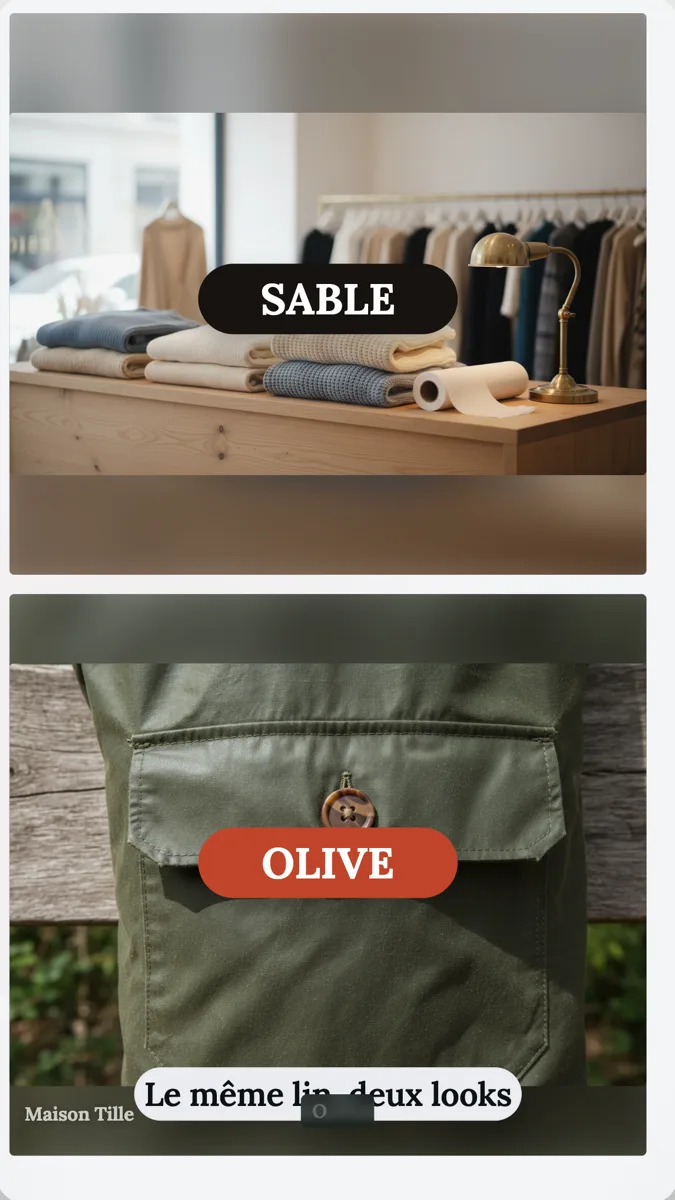 Fashion brand UGC ad exampleMade with OneCraft, exactly as the generator and editor left it. Open the page for the full breakdown.
Pricing in plain terms
Checked 5 October 2026. Kapwing's pricing page lists Free at $0 with 10 credits, a watermark, 720p and exports of up to 4 minutes; Pro at $16 a month billed annually or $24 billed monthly with 1,000 credits and 4K; Business at $50 a month billed annually or $64 monthly with 4,000 credits; and Enterprise at a custom price. OneCraft lists Free at $0 with 100 credits a month, Starter at $8 with 500, Pro at $25 with 1,500 and Pro+ at $125 with 7,500. A video generation uses about 20 credits, and an unchanged re-export is free.
Going from landscape to vertical
Kapwing resizes a video you already edited and previews safe zones for each platform. In OneCraft you choose landscape or vertical in the generator, or switch in the builder toolbar later. Vertical captions sit 120 pixels above the bottom edge, which is inside the 35% band that Meta asks advertisers to keep clear on Reels ads, so preview the placement before you publish an ad.
Where the stock comes from
For a promo, the director can search Pexels and place 1 to 3 stock clips as scenes, never as a stand in for your own product. In the builder, every clip scene has a Stock footage search showing up to six results, and a click copies the clip into the video. Stock depends on a configured key, and UGC and tutorial videos get none.
What could not be checked
Kapwing's repurpose page did not return readable text on the day, so no claim about turning long videos into clips is quoted from it. Every OneCraft cell names a row in an internal fact ledger checked against the product's source code.
Who should stay with Kapwing
Stay with Kapwing if you film your own clips and need a timeline, if subtitles in many languages or as files matter, if you cut long recordings into shorts, or if your team reviews videos with comments. OneCraft fits short social videos generated from a brief.
Questions people ask
Can OneCraft edit a video I already filmed?
Only in a limited way. A promo can include your own MP4, WebM or MOV clip of up to 200 MB as a scene, with trim start and end, cover or contain fit, and the clip audio muted or kept. There is no timeline, no splitting and no effects, so full editing of a recording belongs in a timeline editor such as Kapwing.
Does OneCraft translate subtitles?
No. Captions are drawn from the narration the AI writes in your chosen language. To make another language version, generate a new video with the brief in that language, and the narration and captions both come back in it. There is no SRT or VTT export, so captions cannot be uploaded separately to a platform.
Which social formats does OneCraft export?
Landscape at 1920 by 1080 and vertical at 1080 by 1920, as MP4. A square canvas exists in the code but is hidden from both pickers, so new videos cannot be made square. Use vertical for Reels, Shorts and TikTok, and landscape for YouTube and LinkedIn feeds.
Can I add my own music to a OneCraft video?
Yes. Pick one of the 13 library tracks, upload an audio file of up to 25 MB, or paste a URL. The default volume is 25% with a slider up to 60%, and the music drops to 22% under narration with a short ramp on each side, so the voice stays clear.
Is a OneCraft share link a downloadable video?
No. The share link opens a read only page that plays the video live in the browser through the player, and it is not an MP4 file. To post on a social network you export the MP4 from the builder and upload it yourself.
Try the video side of OneCraft
The button opens the generator with a starting prompt already filled in. Change the wording to match your own work before you run it.
Create a video with OneCraftMore comparisons
- A Veed alternative for generated promo videosA Veed alternative for generated promo videos: OneCraft and VEED compared on price, editor model, subtitles, stock media, formats and watermark.
- A CapCut alternative for business promosA CapCut alternative for business promos made from a brief: OneCraft and CapCut compared on price, platform, starting point, captions, music and export.
- A Descript alternative when you have no footageA Descript alternative for when you have no recording yet: OneCraft and Descript compared on price, starting point, screen capture, voice and captions.
What the module actually does, feature by feature: the AI video maker page, and the videos maker page.
Step by step in the builder: Export a video for YouTube, Reels and TikTok, then Add voiceover, captions and music to a video.
Written and checked by the OneCraft team. Last checked .