Proposals · Compared
Qwilr vs Better Proposals, and where OneCraft fits
Qwilr and Better Proposals both send a proposal as a web page with analytics, e-signatures and payments. Qwilr leans toward sales teams with quote blocks, ROI calculators and automated creation from a CRM, while Better Proposals leans toward agencies with section level analytics, follow up nudges and onboarding after the signature.
Updated , competitor details checked . Qwilr and Better Proposals are trademarks of their respective owners. OneCraft is an unrelated product and claims no affiliation with or endorsement by either.
Nuwan Madhusanka · Co-founder
3 min read · Published
The short verdict
Choose Qwilr when a sales team needs interactive pricing, calculators and proposals generated automatically from CRM data. Choose Better Proposals when an agency wants to see which sections a client read, nudge at the right moment and run onboarding forms straight after the signature. Choose OneCraft when the job is one owner writing a proposal from scratch and wanting the invoices and reminders handled after acceptance.
| Feature | Qwilr | Better Proposals | OneCraft |
|---|---|---|---|
| Price | Starter, Growth and Scale plans in USD, listed on Qwilr's pricing page and not restated here checked 2026-10-13 | Plans are listed on Better Proposals' pricing page and are not restated here checked 2026-10-13 | Free $0, Starter $8, Pro $25 and Pro+ $125 a month, per account |
| What the client opens | Create as many shareable, link-based Qwilr pages as you need. No limits. checked 2026-10-13 | Your client opens your proposal through a web link, not a spammy attachment, and can add on options or ask you questions via live chat checked 2026-10-13 | A paginated proposal behind a private tracked link, matching its PDF page for page |
| AI | AI Prefill and the Smart Proposal Engine listed among the Scale plan's key features checked 2026-10-13 | An MCP Server for AI that connects your AI agent to look up documents and create proposals checked 2026-10-13 | The AI writes the proposal from a brief of up to 8,000 characters, after researching the client |
| Pricing in the document | Quote tables, tiered plans or both, plus a built-in, interactive ROI calculator checked 2026-10-13 | Interactive documents where clients can add on options checked 2026-10-13 | One pricing table with optional items, editable quantities, tax, discount and a deposit line |
| Analytics | See how prospects engage with each page, where they're spending time and what they are clicking on; analytics history of 60 days, 120 days or unlimited by plan checked 2026-10-13 | See when clients received, opened, read, forwarded, downloaded, and signed and which sections they spent the most time on checked 2026-10-13 | Opens and total time viewed per link; no section level report |
| Signing | Get legally binding signatures, from one or multiple clients, without leaving the document checked 2026-10-13 | Add multiple signers, set a signing order, or let clients accept with a click of a button checked 2026-10-13 | Click acceptance with a drawn signature and a consent box, recorded on a certificate page |
| Payments | Collect partial, full or recurring payments directly through your Qwilr page checked 2026-10-13 | Integrate with Stripe, GoCardless, and PayPal and get paid directly from your documents checked 2026-10-13 | Stripe Checkout only, through the owner's connected account on a paid plan; no PayPal, direct debit or recurring payments |
| Approvals | Team-level permissions listed on the Scale plan checked 2026-10-13 | Manager Approvals: sending documents for feedback and approval before they hit a client's inbox checked 2026-10-13 | No approval step and no roles in Proposals |
| After the signature | Connect Qwilr to your CRM to automate proposal creation and post-close admin checked 2026-10-13 | Start the onboarding process right after signing straight from your docs, with call bookings, forms, and redirects checked 2026-10-13 | Invoices issued at acceptance and emailed with pay links; reminders on invoices you send |
| CRM | Integrates with HubSpot, Salesforce, Zoho, Pipedrive, and Quickbooks checked 2026-10-13 | HubSpot Advanced and Salesforce Advanced automatically update deal and opportunity stages checked 2026-10-13 | No CRM connector |
| Download your Qwilr pages as PDFs for printing and offline access checked 2026-10-13 | Enable PDF export for clients who still keep physical records checked 2026-10-13 | PDF rendered on the server for every proposal and invoice; PDF is the only export |
Where Qwilr is better
Calculators and automated creation
Qwilr's ROI calculator and quote blocks make pricing interactive in ways OneCraft's single table does not, and its Smart Proposal Engine builds proposals from CRM data at scale. For a sales team sending dozens of similar proposals, that automation matters more than drafting.
Recurring payments
Qwilr pages can collect partial, full or recurring payments. OneCraft has no recurring billing at all; a monthly fee is one line item, and later months are invoiced by hand.
Where Better Proposals is better
Section level analytics and nudges
Better Proposals shows which sections a client spent time on and suggests who to nudge today. OneCraft records opens and total viewing time per link, which tells you a proposal was read but not which page held attention.
Onboarding after the signature
Call bookings, forms and redirects can run straight after signing, so a new client lands in onboarding rather than in an inbox. OneCraft's next step after acceptance is the invoice.
Where OneCraft is different
A drafted first version
Qwilr lists AI Prefill on its top plan and Better Proposals connects an outside agent. OneCraft writes the specific proposal: your brief and price hints become sections, one pricing table and numbered terms, grounded by a web research step on the client.
The money side is finished
OneCraft issues the invoices at acceptance, numbers them, gives each a pay page, emails them, and reminds the client on the preset you choose once you send an invoice. An overdue invoice is flagged the day after it falls due.
A page layout that matches the PDF
The client's view is the same paginated layout as the PDF, scaled to the screen. What the client accepted on screen is what the PDF shows, page for page, with a certificate page added after a click acceptance.
A finished example
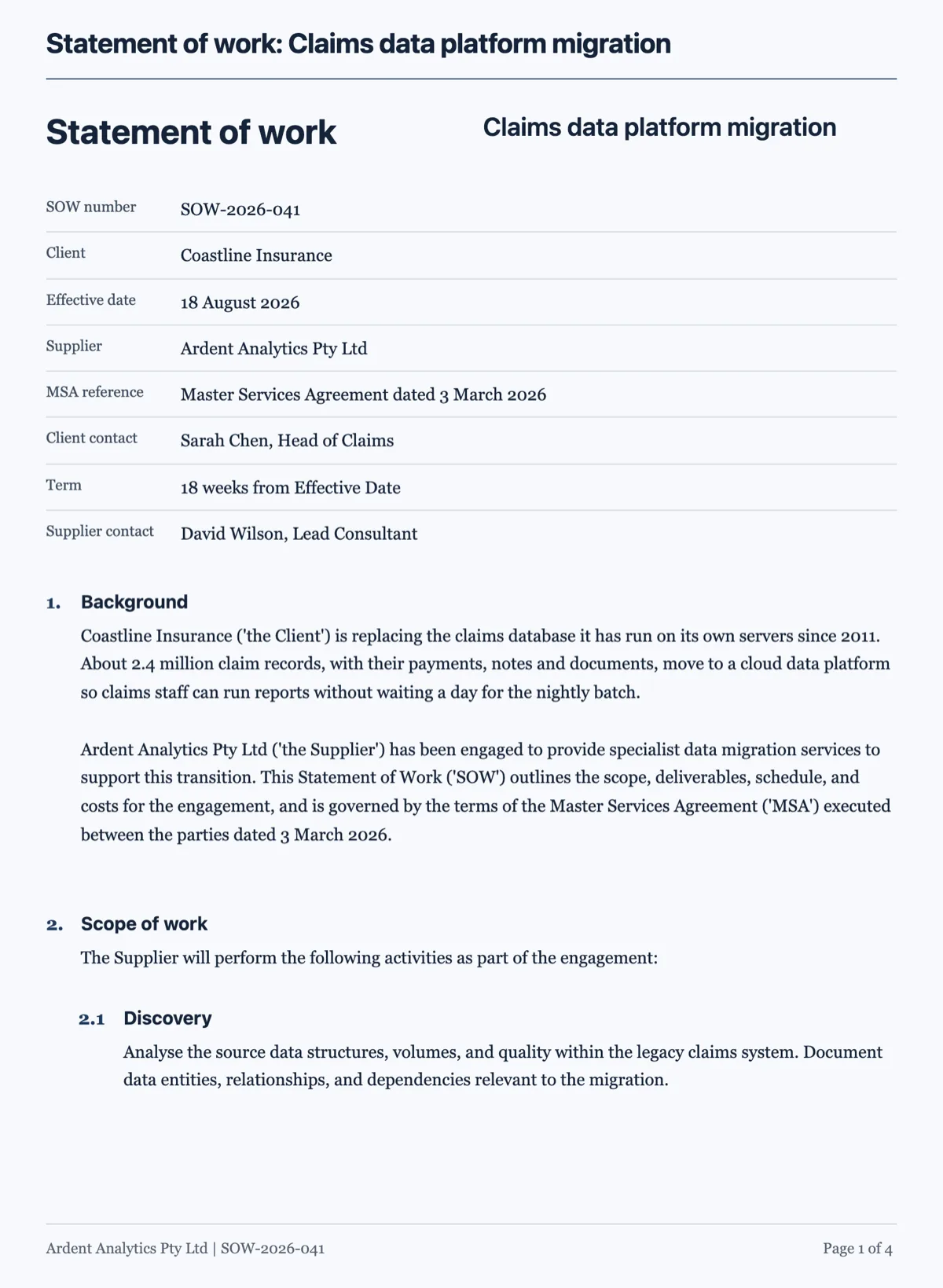 Statement of work template under a master agreementMade with OneCraft, exactly as the generator and editor left it. Open the page for the full breakdown.
The short answer
Qwilr and Better Proposals are closer to each other than either is to OneCraft. Both are web page proposals with analytics, signing and payments, and both list CRM connections and an AI agent connection. Qwilr is tuned for sales operations: quote blocks, tiered plans, calculators and automated creation. Better Proposals is tuned for agencies: section analytics, nudges, onboarding forms and manager approvals. OneCraft does less on the page and more after acceptance.
Web pages against pages
Qwilr and Better Proposals render a proposal as a scrolling web page, which is pleasant on a phone and makes embedded video natural. OneCraft renders a proposal as pages, the same pages as the PDF, scaled to the screen. That makes the on screen and printed versions identical, which matters when a client forwards the PDF to a finance team, and less flexible for rich media.
After the signature
Better Proposals leads the client into onboarding, with forms, call bookings and redirects. Qwilr hands the deal to the CRM to automate post close admin. OneCraft issues invoices. With a 50% deposit on a $10,000 video job, acceptance creates a deposit invoice for half the accepted total due that day and a draft balance invoice, and the deposit can be paid by card before the client closes the tab.
How the columns were checked
Qwilr cells quote its home page and pricing page, and Better Proposals cells quote its home page and pricing page, all read on 13 October 2026. Plan names are given but prices are left on each pricing page. OneCraft cells name rows in a ledger compiled from the product's source code, including the list of features it does not have.
Who should stay with Qwilr or Better Proposals
Stay with Qwilr if your team needs calculators, recurring payments or proposals created automatically from CRM data. Stay with Better Proposals if section analytics, follow up nudges, manager approvals or onboarding flows run your agency. OneCraft is for the owner who wants a drafted proposal and the invoices handled.
Questions people ask
What is the main difference between Qwilr and Better Proposals?
Emphasis. Qwilr focuses on interactive selling and automation for sales teams: quote blocks, tiered plans, ROI calculators and proposals built from CRM data. Better Proposals focuses on the agency workflow: section level analytics, follow up nudges, manager approvals and onboarding forms after signing. Both send web page proposals with e-signatures and payments.
Which one shows what sections a client read?
Better Proposals lists section level time on its pricing page, and Qwilr's page analytics show where prospects spend time and what they click. OneCraft records opens and total viewing time per recipient link through a heartbeat every 15 seconds, without a breakdown by section or page.
Can clients pay by PayPal or direct debit?
Better Proposals lists Stripe, GoCardless and PayPal. Qwilr lists payments through its pages, including recurring ones. OneCraft takes card payment through Stripe Checkout only, on the owner's connected Stripe account, and bank details printed on the invoice cover transfers, which you mark as paid yourself.
Does OneCraft have a follow up nudge like Better Proposals?
Not for proposals. The activity page shows who opened each link and for how long, and you decide when to follow up. Reminders do exist for invoices: off, gentle, standard or firm, sent automatically up to six times. A proposal also expires at its valid until date, which gives a natural deadline to mention.
Which is cheaper?
This page does not restate competitor prices because they change; both pricing pages are linked in the table. Plan names and limits differ, so compare on your own sending volume. OneCraft is per account at $0, $8, $25 or $125 a month, with proposal caps of 3 on Free and 25 on Starter.
Can I countersign in all three?
Better Proposals lists countersigning yourself and signing order. Qwilr lists signatures from one or multiple clients. OneCraft's click acceptance has no countersign step: the client signs and accepts online, and the accepted PDF with its certificate page is emailed to both of you.
Try the proposal side of OneCraft
The button opens the generator with a starting prompt already filled in. Change the wording to match your own work before you run it.
Create a proposal with OneCraftMore comparisons
- A Qwilr alternative for proposals clients accept and payA Qwilr alternative for proposals clients accept online and pay through Stripe: AI drafting, optional items, tracked links, and the web features Qwilr keeps.
- A Better Proposals alternative with AI drafting and pay linksA Better Proposals alternative that writes the proposal from a brief, tracks each link and takes deposits through Stripe, with their stronger features named.
- PandaDoc vs Proposify, with a third option for small businessesPandaDoc vs Proposify compared row by row on drafting, pricing tables, approvals, CRM, signing and payment, with OneCraft as the small business third option.
What the module actually does, feature by feature: the AI proposal generator page, and the proposals maker page.
Step by step in the builder: Send a proposal and get paid.
Written and checked by the OneCraft team. Last checked .