Posters
Conference poster generator
Paste what your study did and found, and the generator picks a poster layout, writes each section in scientific English and fills the charts, the participant flow and the reference list from your numbers. You get a complete draft to edit rather than an empty grid.
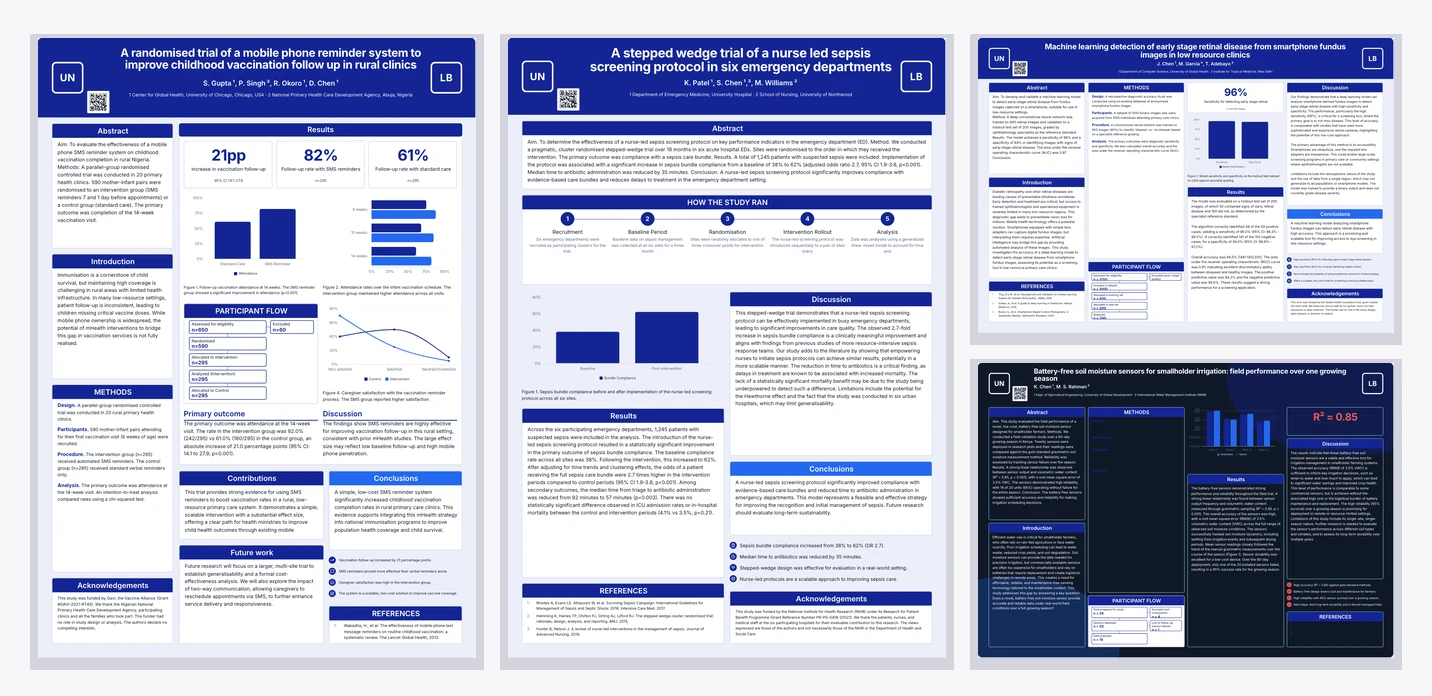
It writes in scientific English, not marketing
Posters use a separate set of writing rules from flyers. Past tense for what was done and found, present tense for what it means, real numbers reported plainly, and no hype adjectives or exclamation marks. Section bodies are written to their purpose: the abstract carries aim, method, headline result and takeaway; the discussion covers meaning, comparison with earlier work and limitations.
Your numbers land in every place they belong
An effect size in your brief becomes the key-number cards, the chart values, the participant flow counts and the sentences in the results, all telling the same arithmetic story. That consistency is the point: a poster where the headline figure disagrees with the chart is worse than one with no chart.
Layout is chosen for the study, not at random
The picker reads what your work is and matches it to a layout: a text-heavy review gets a broadsheet of narrow columns, a single dominant graph gets the hero-figure board, a protocol comparison gets the before-and-after board. Every candidate is already built for the size you picked, so it judges structure rather than shape.
What it will not do
The reference list is a required block on every layout, so a brief with no citations comes back with plausible looking references written to fill it. Read that list first and replace every entry with your real sources before anything is printed. The same is true of numbers: with none in the brief the board still reads as finished, and nothing on it marks a figure as illustrative. Figures are charts drawn from the numbers you gave, and every value can be retyped.
Two options, then edit
Each run returns two poster options built on different layouts so you can see the study laid out two ways before committing. Open the one that fits, and every block on it is editable: drag it, resize it, retype it, delete it or swap a chart type.
What to check before you print
Check the reference list first, because it is the block most likely to be entirely invented and the one a reviewer reads hardest. Replace all three entries with your own sources. Then the key numbers: every headline figure on the board has to match the number in your results, including its interval and its denominator. Then the chart values, which are typed into each figure and can drift from the key numbers if the brief gave both. Then the flow counts, where every arrow has to reconcile, because a participant flow that is out by one undermines every other number on the board. Only after those four passes is it worth looking at type sizes and spacing, which is the part people check first and the part that matters least.
How it works, in three steps
Step 1
Open the generator and choose Poster
The tab swaps the prompt help and the format list to the poster set.
Step 2
Paste the study in one paragraph
Aim, design, sample size, the results with intervals, the conclusion, then authors, affiliations and funder.
Step 3
Generate and open the draft
Two options come back; open the one that fits and edit any block in place.
The full walkthrough with screenshots is in the guide Choose the template, theme and size.
Limits worth knowing
- Poster generation bills at twice the flyer rate.
- Figures are charts filled from your numbers and editable in place; the seven image figure slots across four layouts cannot be filled yet, so those layouts are not offered here.
- A brief without numbers produces invented figures and references that nothing on the board marks as illustrative.
- Each run returns up to two poster options.
- Attachments can ground the draft; the request itself still outranks them.
See it on a finished piece
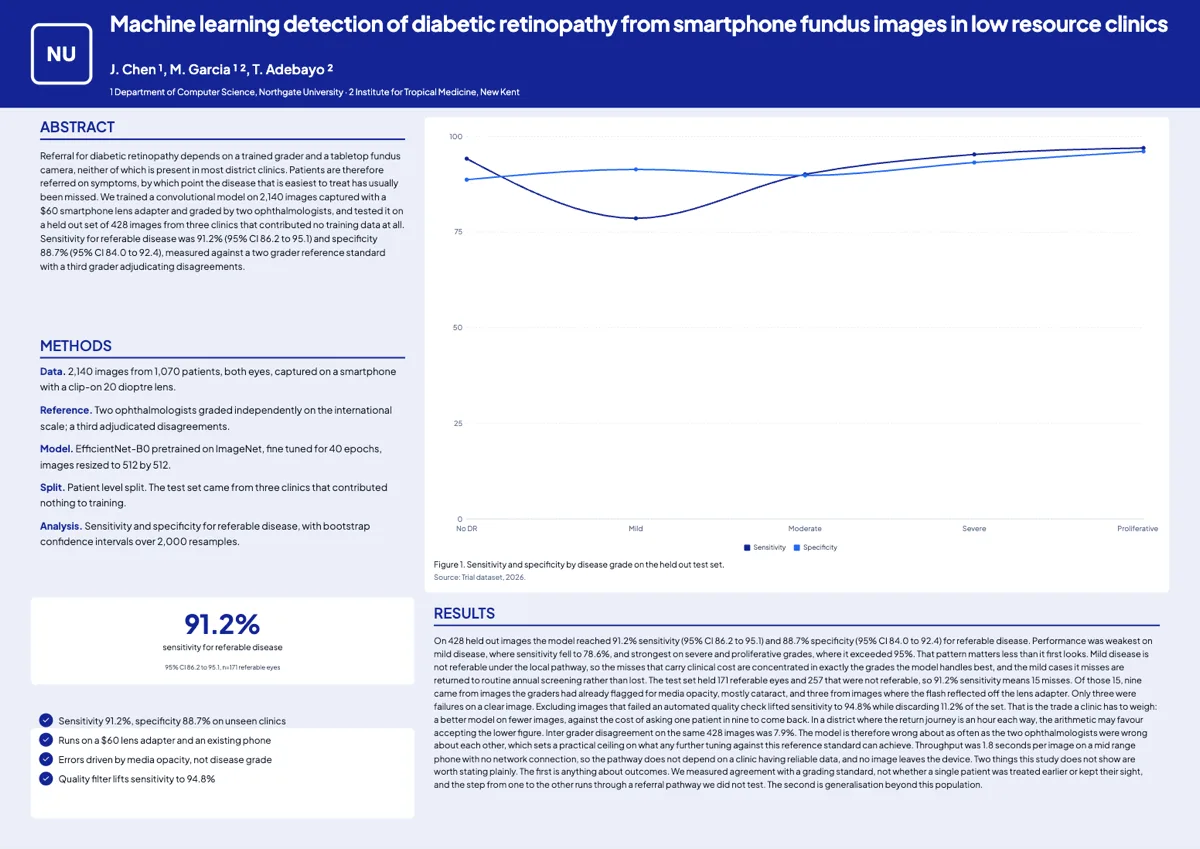
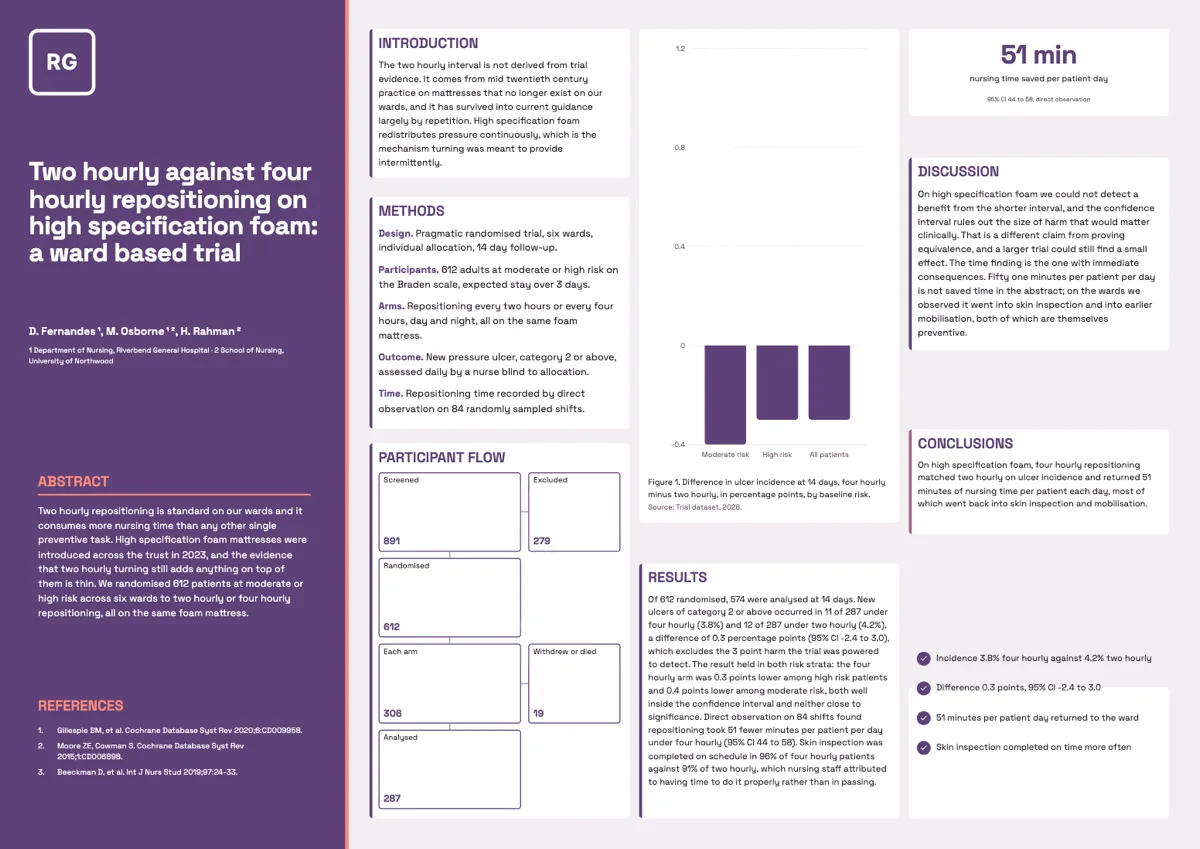
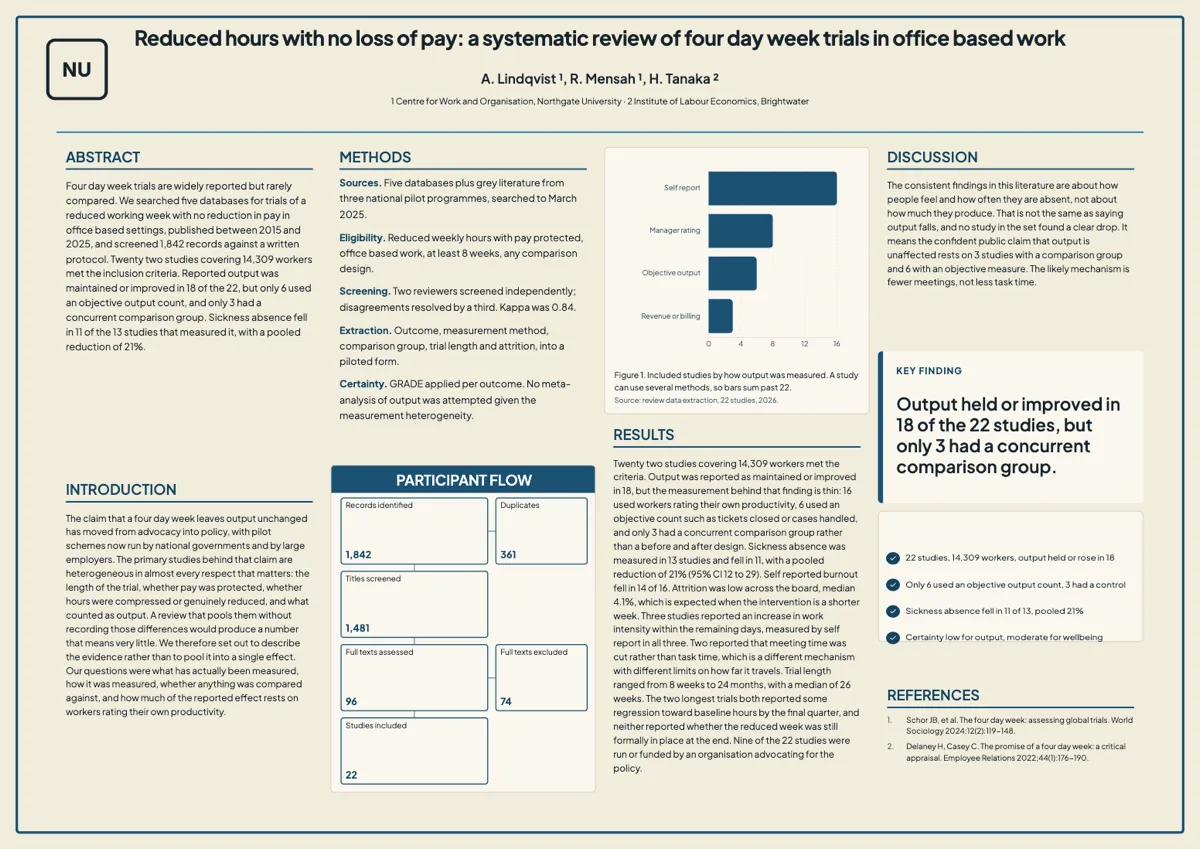
Questions people ask
How much detail should the brief have?
One dense paragraph is enough: aim, design, sample size, results with confidence intervals and p values, conclusion, authors and affiliations. The numbers are what fill the charts and the flow diagram.
Will it make up statistics?
Yes, if you give it none. Every key number, chart value, flow count and reference slot is required, so an empty brief is filled with numbers that look real. Put the effect size, its interval, the sample size and the p value in the brief, then check every block against your source before you print.
Can I pick the layout myself?
Yes. Choose a specific poster template before generating and it fills that one; skip it and it picks the layout that fits your study.
Can I upload my paper instead of typing a brief?
Yes. Attach the file and it grounds the draft, but anything you state in the request still takes priority over the attachment. Attaching files needs the Starter plan or higher; on the free plan the attach button says so.
Can I generate in another language?
Yes. The generator has a language field with thirty two suggestions, and the whole board is written in the language you pick, headings included. The layout does not change, so a language that runs longer than English may need a pass to trim section text back inside its block.
Does it use my attached paper's figures?
No. An attachment is read as text only, so its tables and charts are not imported as images. Numbers written in the text do reach the board, which is why a results paragraph with the effect size and interval spelled out is worth more than a figure the reader cannot extract.
How long does one run take?
It runs as a background job rather than blocking the page, so you can leave the tab and come back. Two poster options come back from one run, each with every block filled, and the wait is longer than a flyer because a board carries far more text and more figures.
Make your own poster
The button opens the generator with this use case already described. Change the wording to match yours, generate, then edit anything you like.
Create a poster with OneCraftRelated pages
Scientific poster maker
This scientific poster maker builds an A0 conference poster from a study brief, in portrait or landscape, with the abstract, methods, figures, results and references already laid out. A poster is a different job from a flyer, so it has its own tab in the generator, its own two canvas sizes and its own building blocks.
Research poster templates
Forty poster layouts, twenty in A0 portrait and twenty in A0 landscape. They are not colour variants of one grid; each one puts the reader somewhere different, from the traditional column board a committee expects to a billboard that leads with the finding.
Withdraw a signature request
You spotted the wrong figure on page two an hour after sending. There is no edit button on a sent envelope, on purpose, so the correction starts by taking the old one out of circulation properly.
More finished work of this kind is on the poster examples hub.
Written and checked by the OneCraft team. Last checked .