Presentations
Team slide templates
The profile purpose holds ten layouts and one firm rule: picture boxes marked as profile are skipped by image generation, in the first fill and in the AI chat. Your team's faces have to be your team's faces.
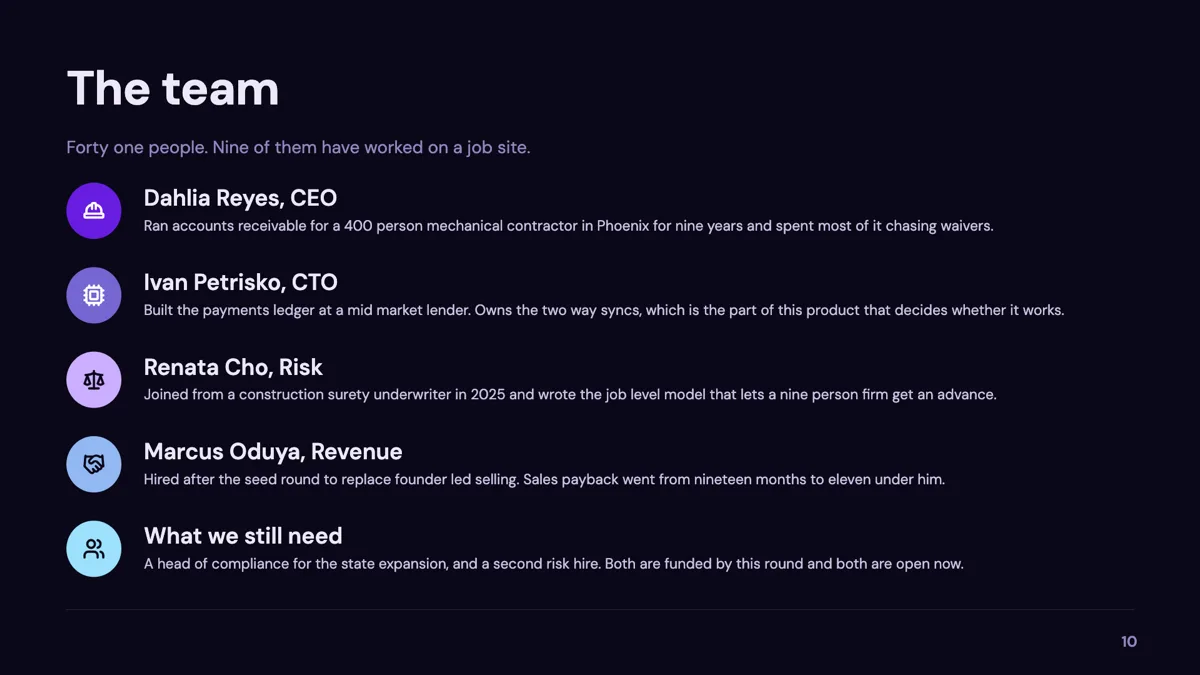
Ten layouts, by head count
Ten templates carry the profile purpose and three more list it as a secondary role. They divide by how many people you are showing: a headshot on the left with the bio on the right for one person, a hero portrait with sections beside it, a stats and headshot combination, a four by four team grid with a lead, a polaroid grid, a diagonal stack, a grouped founders and advisors layout, and a team row with client logos underneath. Pick by the number of faces first, because a two person layout stretched to six is the one thing none of them do well.
Headshots are uploaded, never generated
Any image box whose purpose is profile is skipped by generation, and so is any box marked as a logo. That skip lives in two places, the builder and the fill service, so it holds whether the image would have come from the first generation or from an AI chat instruction later. The reason is simple: a generated face is not the person, and a reader who knows them can tell instantly. Upload the real photograph, or leave the placeholder and say who is missing.
Name, role and one line
Each person carries a name of up to forty characters and a position of up to eighty, which is enough for a title and a company. The slide's own title is capped at thirty two characters and the subtitle at a hundred and forty. Bio sections are a list with a heading, a paragraph and an icon, so a single founder layout can carry three short sections rather than one long paragraph. There is a separate stats list, with an icon, a value and a label, for the numbers a company slide usually wants beside the people.
Advisors and client logos are their own lists
A team slide is often really two groups: the people who work here and the people who lend their names. The grouped layout keeps founders and advisors as separate lists so they are visibly different, and there is a client logos list for the row of marks that usually sits underneath. Logos follow the same rule as faces: they are never generated, so upload them or leave the space.
When a persona slide is the better answer
If the faces are illustrative rather than real, you do not want a team slide at all. A persona slide is built for made-up people: it has a name, a role, goals, traits and an optional portrait, and nobody reads it as a claim about who works for you. Using a team layout for invented people is the fastest way to lose a reader's trust.
How it works, in three steps
Step 1
Add the slide from the library
From Library, filtered to the profile purpose. Ten layouts come back; choose by how many people you are showing.
Step 2
Upload the headshots
Click each picture box and upload. Generation will not fill a profile box, so an empty one stays empty until you do.
Step 3
Write the role, not the CV
Name plus title and company. Eighty characters is the budget, and it is enough for the only thing the room needs.
Step 4
Add logos or advisors if the slide has them
Both are separate lists, so they lay out as their own group rather than being mixed in with the team.
The full walkthrough with screenshots is in the guide Add and generate images in slides.
Limits worth knowing
- Ten templates carry profile as their primary purpose; three more list it as a secondary role.
- Profile and logo image boxes are skipped by image generation everywhere, including the AI chat.
- A person's name is capped at 40 characters and their position at 80.
- The slide title is capped at 32 characters and the subtitle at 140.
- There is no link or button field on a person, so a profile cannot open a page.
Questions people ask
Why did my team photos stay as placeholders?
Because they are profile boxes, and generation skips those on purpose. The skip is enforced in the builder and again in the fill service, so nothing will quietly put an invented face on your team slide. Upload the real photographs and the placeholders fill; leave them and the layout still holds its shape.
Can I add a LinkedIn link under a name?
Not as a field on the person. A profile carries a name, a position and a photograph, and there is no link or button slot among them. Put the handle or the URL into the position line if it genuinely matters, or keep the links on a closing contact slide where they can be read properly.
How many people fit on one slide?
It depends on the layout, which is why they are named the way they are. One person gets a headshot with the bio beside it; four fit comfortably in the team grid with a lead; the polaroid grid and the diagonal stack take more but give each person less. Past about eight faces the names are too small to read from the back of a room, and the slide is doing a directory's job.
Can I use a logo instead of a face for an advisor?
You can upload whatever image you like into the box, including a company mark. It will be cropped to the same shape as the other pictures, so a wide logo in a circle will lose its edges. The grouped layout with a separate advisors list usually reads better than mixing marks and faces in one row.
Do uploaded headshots count against my storage?
Yes. An uploaded image is stored like any other file and counts against the storage on your plan, and the check runs before the upload is accepted. Team photographs are small, so this only matters if you are uploading full resolution camera files; resize them to roughly the size they will display at.
Should the founders and the advisors be on one slide?
Only if you have few enough of each. The grouped layout exists because the two groups mean different things: one is who does the work, the other is who vouches for it. Mixing them in a single row invites the reader to assume everyone is full time, which is the sort of impression that gets corrected awkwardly in the room.
Make your own presentation
The button opens the generator with this use case already described. Change the wording to match yours, generate, then edit anything you like.
Create a presentation with OneCraftRelated pages
Change a slide layout
Swapping a layout is not a template change in the usual sense, where your content gets dumped into a new frame and you spend ten minutes putting it back. The picker only offers designs that hold the same shape of content, and each card is rendered live with your words already in it.
Slide layout templates
There are 1,071 slide layout templates in the library, all at 1920 by 1080, and every one is filed under the job a slide does rather than under a look: comparison, metrics, pricing, timeline, testimonial and 21 more. That organising idea is worth understanding, because it is also how the generator picks a layout for each slide it writes.
Agenda slide templates
An agenda slide is a promise about the next twenty minutes. The twelve layouts differ in how many items they hold and whether each item carries a time, and the section dividers later in the deck should use the same names so the promise is visibly kept.
More finished work of this kind is on the presentation examples hub.
Written and checked by the OneCraft team. Last checked .