Presentations · Alternative
A Google Slides alternative with AI decks and slide roles
A Google Slides alternative is worth trying when the slow part is writing and laying out the deck, not sharing it. Google Slides is a familiar, collaborative editor with live co-editing, comments and offline use; OneCraft generates the whole deck from a brief into layouts grouped by slide role, then presents, records and exports it.
Updated , competitor details checked . Google Slides and Google Workspace are trademarks of Google LLC. OneCraft is not affiliated with or endorsed by Google, and every cell cites a public page checked on the date shown or a named ledger row.
Indunil Asanka · Co-founder
3 min read · Published
The short verdict
Google Slides suits anyone who builds decks by hand with other people: live co-editing, comments, offline editing, PowerPoint round trips and a price already covered by many Google accounts. OneCraft suits a person who wants a first full draft written and laid out from a brief, then restyled by swapping layouts and presented with notes, pen and recording.
| Feature | Google Slides | OneCraft |
|---|---|---|
| Cost | The Slides page reserves recording and speaker spotlight for Workspace plans, with Gemini features such as Help me visualise as an add-on checked 2026-09-29 | Free at $0 with 100 credits a month and decks capped at 6 slides; Starter $8, Pro $25 and Pro+ $125 a month |
| Workspace plans | Business Starter A$9.90, Standard A$19.80 and Plus A$30.90 per user a month, as served in AUD checked 2026-09-29 | Plans are per account and meter AI credits shared across decks, documents, flyers, forms and videos |
| Collaboration | Live editing and comments, live pointers, and granular edit, comment or view sharing checked 2026-09-29 | No co-editing or comments; one read only share link per deck serving the current saved version |
| AI generation | Gemini generates a slide from a prompt and Drive content, and creates images checked 2026-09-29 | A whole 3 to 20 slide deck from a brief of up to 10,000 characters, each slide given a role and a layout |
| Templates and roles | An array of pre-designed templates, and domain templates on some Business and Enterprise plans checked 2026-09-29 | 1,071 templates across 26 roles such as cover, agenda, metrics, timeline and closing, with content kept when a slide swaps layout |
| Present mode | Present live or from Google Meet, with speaker spotlight and recording on some Workspace plans checked 2026-09-29 | Notes pop-out window, pen, highlighter and spotlight in 5 colours, and recording to WebM at 30 fps up to 4K on paid plans |
| PowerPoint | Convert PowerPoint files to Slides, or edit them directly without making a copy checked 2026-09-29 | Export only: PowerPoint and editable PPTX on paid plans, PDF on every plan; no PPTX import |
| Share link | Sharing permissions that control who can edit, comment or view checked 2026-09-29 | Read only for anyone with the link; a disabled deck's link returns 404, and speaker notes are readable with the N key |
| History | Revision history to revert to earlier versions checked 2026-09-29 | 50 saved versions listed; no autosave, so a version is made when you press Save or apply an assistant change |
| Offline and mobile | Access, create and edit offline, with apps in the App Store and Play Store checked 2026-09-29 | Browser only; below 1024 pixels the editor becomes a vertical feed of slides with a sheet inspector |
| Motion | Videos, animations and smooth transitions checked 2026-09-29 | 7 transition kinds plus None, as a deck default with per slide overrides; no video on slides |
| AI edits after generation | Gemini in Slides for images and slide generation, not included on Business Starter checked 2026-09-29 | An assistant with 9 operations that arrive as a preview to apply or discard |
Where Google Slides is better
Working on a deck together
Google Slides lets several people edit at once, comment, assign action items and follow each other's pointers. A OneCraft deck has one editor, no comments and a read only link. For a team deck built by five people, Slides is simply the better tool.
PowerPoint in both directions
Slides opens and edits PowerPoint files directly. OneCraft only exports PowerPoint; it cannot import a .pptx, so an existing deck cannot be brought in and continued.
Offline, apps and autosave
Slides edits offline, has phone and tablet apps, and saves as you type with revision history. OneCraft runs in the browser only, has no offline editing, and saves when you press Save or apply an assistant change, so unsaved work can be lost if a tab closes.
Video and animation on slides
Slides takes videos, GIFs, stickers and animations. OneCraft slides have no video, and motion is limited to seven slide transition kinds.
Where OneCraft is different
A first draft of the whole deck
One brief produces a complete deck of 3 to 20 slides, outlined and filled in one run and grounded by one web search and one page fetch. Gemini in Slides, as its page describes it, generates a slide at a time.
Layouts chosen by what each slide does
Each slide is placed in a role, such as agenda, metrics, comparison or takeaway, and uses one of that role's layouts. Swapping a layout keeps the content and its styling, so a lessons learned deck stays consistent without manual alignment.
Presenting tools on paid plans
A notes pop-out for the second screen, pen and highlighter, a spotlight ring and recording with an optional camera overlay are built into present mode, and the recording downloads as a WebM file.
A finished example
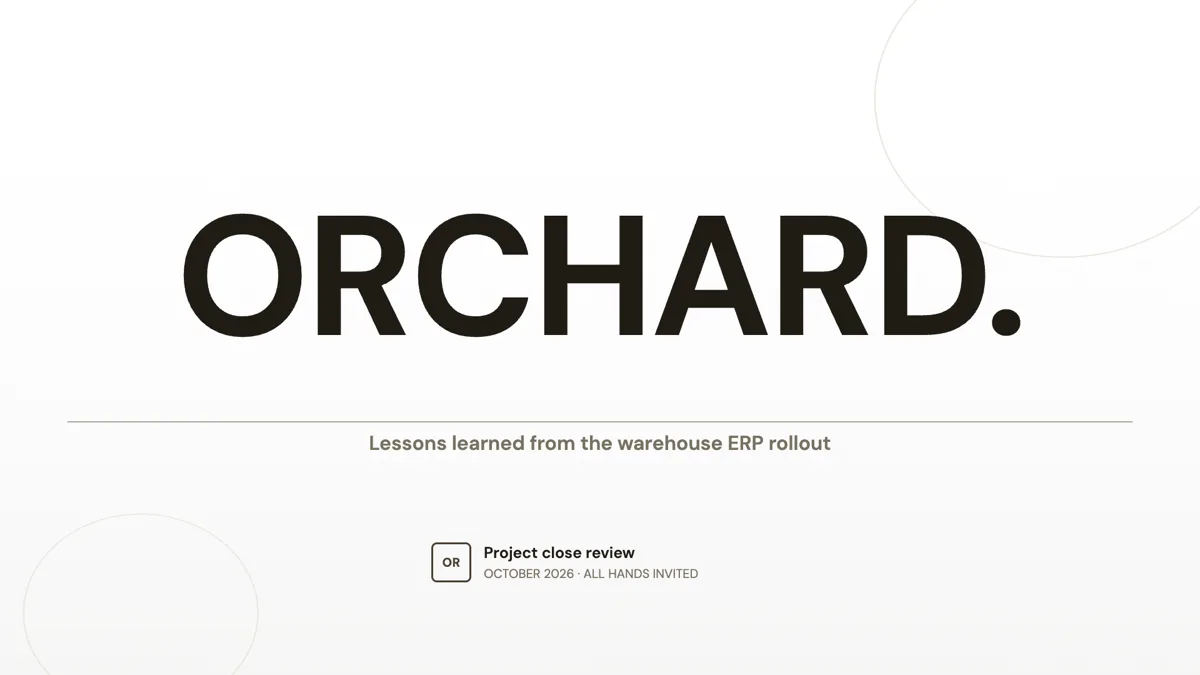 Lessons learned presentation that names the causes, not the peopleMade with OneCraft, exactly as the generator and editor left it. Open the page for the full breakdown.
Cost in plain terms
Google's Slides page, checked 29 September 2026, answers its own cost question by listing what needs a paid plan: recording and speaker spotlight need Google Workspace, and Gemini features such as Help me visualise are an add-on. The Workspace pricing page served Australian dollars: Business Starter A$9.90, Standard A$19.80 and Plus A$30.90 per user a month, with Gemini in Slides not on Starter. OneCraft lists Free at $0 with 100 credits a month, Starter at $8, Pro at $25 and Pro+ at $125.
Two different jobs
Google Slides is an editor: it makes arranging slides easy and makes doing it together easier still. OneCraft is closer to a drafting tool: it turns a brief into slides that already have a structure, then gives you a smaller editor to adjust them. Many people will use both, generating a draft in OneCraft, exporting the editable PPTX and uploading it to Drive, where Slides can open it for the team.
Moving across
A Slides deck cannot be imported into OneCraft. Download it as PDF and attach it on a paid plan, where its text grounds a new deck, or paste the outline into the prompt. The result uses OneCraft's layouts and themes. The OneCraft PDF export is page images with no selectable text, so use the editable PPTX when the deck needs further editing elsewhere.
What could not be checked
Google's Slides page does not state a template count or describe Gemini generating a whole deck, so those cells quote what it does say. Workspace prices were served in Australian dollars with introductory discounts shown; the list prices are quoted. OneCraft cells each name a row in an internal ledger checked against the slide editor's source code.
Who should stay with Google Slides
Stay with Google Slides if you build decks with other people, rely on comments and revision history, edit offline or on a phone, or pass PowerPoint files back and forth. OneCraft suits a person who wants the first complete draft written and laid out from a brief, then exported to PowerPoint or PDF.
Questions people ask
Can I open a OneCraft deck in Google Slides?
Yes, through export. Download the editable PPTX on a paid plan and open it in Slides, where text, lists, tables and most charts arrive as editable objects. The free plan exports PDF only. Speaker notes are not included in any export, so copy them across separately if you need them.
Does OneCraft save automatically like Google Slides?
No. The slide editor has no autosave. It saves when you press Save and once whenever you apply a change from the AI assistant, and each save becomes a version in history. Undo within a session goes back 50 steps. Save before closing the tab.
Can I record a presentation with my camera?
Yes, on a paid plan. Present mode records the slides with optional camera overlay and microphone at 1080p, 1440p or 4K, with a countdown, pause and resume, and downloads a WebM file named after the deck. It needs a recent Chrome, Edge, Firefox or Safari.
Is there anything like speaker notes on a second screen?
Yes. Notes are written per slide in a notes pane and never appear on the slide. In present mode, press N to show them or pop them out into a separate window with the slide number, then drag that window to your laptop screen while the projector shows the deck.
Can I change the look of every slide at once?
Yes. Picking a theme restyles the whole deck, from 99 themes in the picker, and fonts can be changed from 42. Each slide also has a colour mode button that cycles four modes, spectrum, matching, outline and dark, for that slide alone. Individual slides can be swapped to another layout in their role.
Try the presentation side of OneCraft
The button opens the generator with a starting prompt already filled in. Change the wording to match your own work before you run it.
Create a presentation with OneCraftMore comparisons
- A pitch.com alternative for decks without collaborationA pitch.com alternative for one person turning a brief into a deck: AI generation, 1,071 layouts, PDF and editable PPTX, a read only link, and what Pitch keeps.
- A SlidesAI alternative that is not a Google add-onA SlidesAI alternative that runs in its own editor: a longer prompt limit, 1,071 layouts, 99 themes, chat edits and PowerPoint export, next to SlidesAI's plans.
- A PowerPoint Designer alternative for whole decksA PowerPoint Designer alternative that lays out a whole deck from a brief, swaps layouts and themes with content kept, and exports editable PPTX back.
What the module actually does, feature by feature: the AI presentation maker page, and the presentations maker page.
Step by step in the builder: Make a pitch presentation with AI, then Present your slides with speaker notes and pen.
Written and checked by the OneCraft team. Last checked .