Presentations · Alternative
A pitch.com alternative for decks without collaboration
A pitch.com alternative fits when one person writes the deck and the team only needs to read it. Pitch is built for groups: real time co-editing, comments, tracked links, pitch rooms and video; OneCraft generates a whole deck from a brief for a single editor, exports PDF and editable PowerPoint, and shares a read only link.
Updated , competitor details checked . Pitch is a trademark of its owner. OneCraft is not affiliated with or endorsed by it, and every cell cites a public page checked on the date shown or a named row in a fact ledger checked against source code.
Indunil Asanka · Co-founder
3 min read · Published
The short verdict
Pitch suits teams that build decks together and follow up on them: live co-editing, comments, slide assignments, video, tracked links, pitch rooms and an API. OneCraft suits a single author who wants a brief turned into a structured deck quickly and handed over as PDF or editable PowerPoint, with presenting and recording built in.
| Feature | Pitch | OneCraft |
|---|---|---|
| Pricing | Free at €0; Plus €10, Team €15 and Business €20 a month paying yearly; Enterprise on request checked 2026-09-29 | Free at $0 with 100 credits a month and decks capped at 6 slides; Starter $8, Pro $25 and Pro+ $125 a month, per account |
| AI credits | 100 credits on Free that do not renew; 500 a month on Plus and Team, 750 on Business, shared across the team checked 2026-09-29 | 150, 500, 1,500 and 7,500 credits a month on Free, Starter, Pro and Pro+, renewing monthly |
| Collaboration | Live collaboration, contextual comments and slide assignments on one deck checked 2026-09-29 | A single editor with saved versions; no co-editing or comments |
| AI generation | Pitch Agent and the Anything Block generate interactive, on-brand slides from a prompt checked 2026-09-29 | A brief of up to 10,000 characters becomes a 3 to 20 slide deck in one run, outlined and filled with no review step |
| Templates | Unlimited custom templates on every plan, plus a public template gallery checked 2026-09-29 | 1,071 slide templates across 26 roles; no custom template builder |
| Export formats | PDF exports, branded on Free; PowerPoint exports as PPTX files with no added Pitch branding from Plus checked 2026-09-29 | PDF on every plan; PowerPoint and editable PPTX on paid plans, with 9 of 10 chart kinds as native PowerPoint charts |
| Share link | Basic sharing links on every plan; advanced links that track visits, slide views and time per slide, and passcode protected links, on paid tiers checked 2026-09-29 | One read only link per deck serving the current saved version; no tracking, no passcode, and speaker notes readable with the N key |
| Video on slides | Video uploads from Plus, with YouTube, Vimeo, Loom and recordings among the media integrations checked 2026-09-29 | No video on slides; the slot kinds cover text, images, charts, diagrams, tables, maps and flowcharts |
| Version history | 30 days of version history on Team, unlimited on Business checked 2026-09-29 | Up to 50 saved versions listed on every plan, each previewable read only and restorable as a new version |
| API and automation | MCP integrations, an API and webhooks to create decks in response to triggers checked 2026-09-29 | No API or webhooks for decks; generation starts in the app |
| Presenting | Co-presenting on paid team tiers checked 2026-09-29 | One presenter, with notes in a pop-out window, pen and spotlight tools, and WebM recording up to 4K on paid plans |
| Mobile and offline | Mobile apps and offline access listed under collaboration checked 2026-09-29 | No app or offline mode; below 1024 pixels the browser editor becomes a vertical feed of slides |
Where Pitch is better
Real time collaboration
Several people can work on one Pitch deck at once, leave comments in context and assign slides to each other, with commenter roles on Team and Business. A OneCraft deck has one editor and no comments, so a sales team co-writing a proposal will find Pitch far better suited.
Links that report back
Pitch's advanced links track visits, slide views and time spent per slide, pitch rooms bundle decks and resources for a client, and links can carry a passcode. The OneCraft share link records nothing and cannot be protected, and anyone holding it can read the speaker notes.
Video inside the deck
Pitch takes uploaded video from the Plus plan and embeds YouTube, Vimeo and Loom. OneCraft slides hold no video at all; a product demo has to live outside the deck or be recorded over it with the presenter recording tool.
An API for automated decks
Pitch describes an API, webhooks and MCP integrations for building decks when a CRM event fires. OneCraft has none of that; every deck is started by a person in the generator.
Where OneCraft is different
A whole deck from one brief
The generator outlines and fills 3 to 20 slides in one run, choosing a role and layout for each, with no outline review step to click through. One web search and one page fetch ground the content, although sources are never printed on the slides.
Layouts by purpose
1,071 templates sit under 26 roles, including 80 comparison, 141 metrics and 67 timeline layouts. Swapping a slide's template moves its content by box and keeps its styling, which makes restyling a slide a matter of choosing.
Presenting and recording built in
Present mode has keyboard shortcuts, a notes pop-out for the second screen, pen, highlighter and spotlight in five colours, and records to WebM at up to 4K with an optional camera overlay.
A finished example
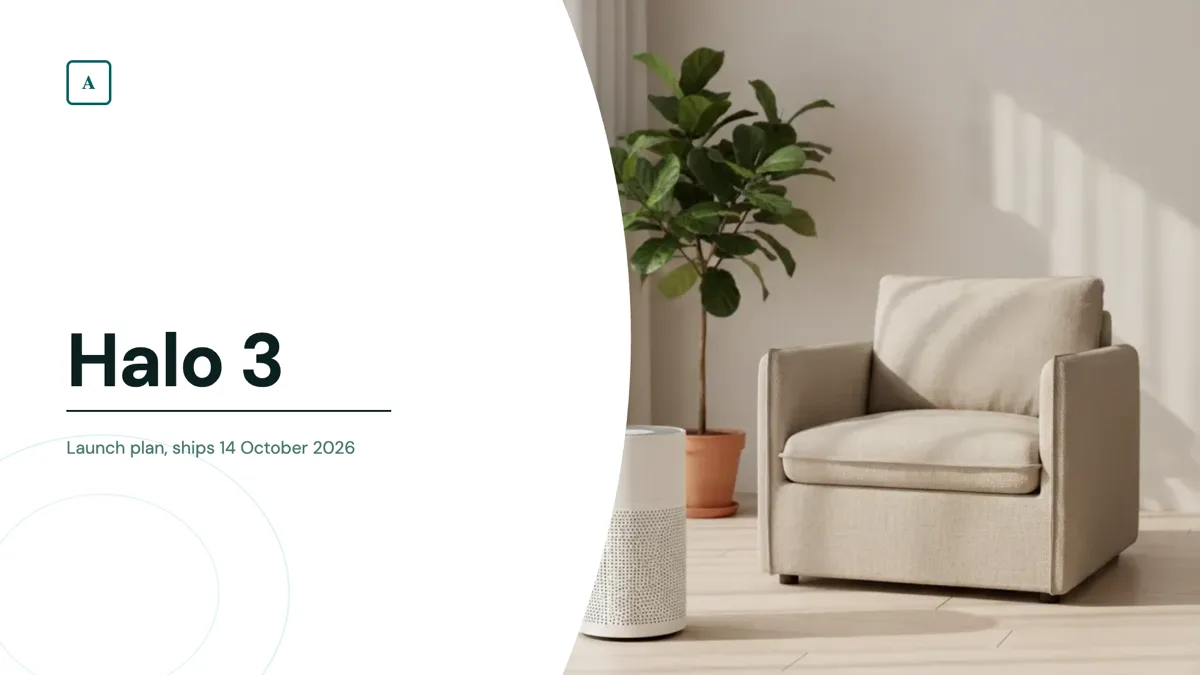 Product launch presentationMade with OneCraft, exactly as the generator and editor left it. Open the page for the full breakdown.
Pricing in plain terms
Pitch's pricing page, checked 29 September 2026, served euros: Free at €0 for up to five members with 100 AI credits that do not renew, Plus at €10 a month paying yearly with 500 credits a month and PowerPoint export, Team at €15 with commenter roles and tracked links, Business at €20 with unlimited advanced links, and Enterprise on request. Yearly billing saves 17 percent. OneCraft lists Free at $0 with 100 credits a month, Starter at $8, Pro at $25 and Pro+ at $125, per account.
What a single editor means in practice
Without co-editing, review happens outside the deck: send the read only link or a PDF, collect comments elsewhere, and make the changes yourself or through the AI assistant, whose edits arrive as a preview to apply or discard. The slide editor has no autosave, so saving is a deliberate step with the Save button, and each save becomes a version you can preview or restore later.
Moving across
Pitch decks do not import into OneCraft. Export the deck to PDF and attach it on a paid plan, where its text grounds a fresh generation, or paste the storyline into the prompt. The new deck uses OneCraft's layouts and themes, not Pitch's design. Before sharing, remember that the share link exposes speaker notes to anyone who presses N.
What could not be checked
Pitch's feature comparison grid lost its checkmarks in a text fetch, so plan availability is quoted only where the pricing cards state it in words; per seat pricing is shown as the page served it for one seat. OneCraft cells each name a row in an internal ledger checked against the slide editor's and generator's source code.
Who should stay with Pitch
Stay with Pitch if decks are a team sport for you: co-editing, comments, slide assignments, tracked links, pitch rooms, video and an API are its strengths and have no equivalent here. OneCraft makes sense when one person turns a brief into a deck and the rest of the team only needs to read it or receive the PowerPoint file.
Questions people ask
Can two people edit a OneCraft deck at the same time?
No. There is no real time co-editing and no comment thread on slides. The deck has one editor, and others see it through a read only share link or an exported file. If a team needs to write the same deck together, Pitch, Google Slides or Beautiful.ai's Team plan are built for that.
Can I see who opened my shared deck?
No. The share link serves the current saved version and records no views, times or visitors. Pitch's advanced links on its paid tiers report visits, slide views and time per slide, which is the feature to keep if follow-up timing matters to your sales process.
Can I put a product video on a slide?
No. Slides hold text, images, icons, charts, diagrams, tables, matrices, maps, timelines and flowcharts, but no video. A presenter can record the whole talk as a WebM file with a camera overlay, which is a different thing from a clip playing inside a slide.
What happens to speaker notes when I share a link?
They travel with it. The share link returns every slide including its notes, and the notes toggle works in the shared view, so anyone can press N and read them. Notes are not included in PDF or PowerPoint exports, so an exported file is the safer way to share a deck with private notes.
Does the free plan export to PowerPoint?
No. The free plan exports PDF only and caps generated decks at 6 slides. PowerPoint and editable PPTX exports, file attachments, the presenting pen and recording are unlocked on any paid plan. Pitch's own free plan exports branded PDFs, with PowerPoint export from its Plus plan.
Try the presentation side of OneCraft
The button opens the generator with a starting prompt already filled in. Change the wording to match your own work before you run it.
Create a presentation with OneCraftMore comparisons
- A Gamma alternative for AI presentations you can editA Gamma alternative for AI decks that leave as editable PowerPoint: fixed 1920 by 1080 slides, 1,071 layouts, 9 chat edits, and the web features Gamma keeps.
- A Google Slides alternative with AI decks and slide rolesA Google Slides alternative that writes a whole deck from a brief into 1,071 role based layouts, with presenting tools, PPTX export and its gaps.
- A Beautiful.ai alternative with editable PowerPointA Beautiful.ai alternative compared on price, layout logic, editable PowerPoint export, charts, notes and presenting, with the team features it keeps.
What the module actually does, feature by feature: the AI presentation maker page, and the presentations maker page.
Step by step in the builder: Share a presentation with a link, then Undo changes and restore an earlier version.
Written and checked by the OneCraft team. Last checked .