Presentations · Alternative
A Beautiful.ai alternative with editable PowerPoint
A Beautiful.ai alternative suits someone who wants a whole deck written from a brief and handed over as editable PowerPoint, more than a layout engine that tidies slides while they edit. Beautiful.ai's Smart Slides realign and resize content live and its Team plan adds brand control and analytics; OneCraft generates the deck into 1,071 templates and exports native charts.
Updated , competitor details checked . Beautiful.ai is a trademark of its owner. OneCraft is not affiliated with or endorsed by it, and every cell cites a public page checked on the date shown or a named row in a fact ledger checked against source code.
Indunil Asanka · Co-founder
3 min read · Published
The short verdict
Beautiful.ai suits a person or team that edits slides by hand often and wants layouts that keep themselves tidy, plus brand controls, live collaboration and viewer analytics on the Team plan. OneCraft suits a brief that should become a finished deck in one pass, with a free plan to start on and an editable PowerPoint file as the hand-off.
| Feature | Beautiful.ai | OneCraft |
|---|---|---|
| Pricing | Pro $14.50 a month billed annually; Team $40 per user a month annually or $50 monthly for 2 to 20 seats; a $45 monthly option; 14 day trial with a card checked 2026-09-29 | Free at $0 with 100 credits a month and decks capped at 6 slides; Starter $8, Pro $25 and Pro+ $125 a month, per account |
| Layout adjustment | Smart Slides realign, resize and animate content automatically as you add and edit it, across 300+ layouts checked 2026-09-29 | Swap a slide among 1,071 templates; content re-keys by box and per box styling survives, while content with no matching box is parked and comes back on the way back |
| AI generation | Unlimited AI content generation, extra context from files or links, AI images and translation checked 2026-09-29 | A prompt of up to 10,000 characters for a 3 to 20 slide deck, plus up to 5 attached files on paid plans, metered by monthly credits |
| PowerPoint export | PDF export and editable PowerPoint export listed, with PowerPoint import and export included in every seat checked 2026-09-29 | PDF on every plan; PowerPoint and editable PPTX on paid plans, with text, lists, images, tables and charts as native objects |
| Importing a deck | PowerPoint import listed on every seat checked 2026-09-29 | No PPTX import; paid plans attach PDF, text or image files, read for their text only |
| Charts | Dynamic data visualisations, with live data linking to charts and tables on Team checked 2026-09-29 | 10 chart kinds, 9 of which export as real PowerPoint charts; the waffle stays a picture |
| Speaker notes | Not itemised on the pricing page, which lists audio narration and offline playback checked 2026-09-29 | Rich text notes per slide, a pop-out notes window for a second screen; notes are not included in any export |
| Present and record | Slide transition animations, audio narration and player branding checked 2026-09-29 | Present mode with pen, highlighter and spotlight, and WebM recording at 1080p, 1440p or 4K with an optional camera, on paid plans |
| Brand control | Custom branded themes, locked slides and a shared asset library on Team, brand guardrails on Enterprise checked 2026-09-29 | 99 themes and 42 fonts to choose from, and a logo or text brand mark on the first slide or all slides; nothing can be locked |
| Collaboration | Real time, live collaborative editing on Team, with version control checked 2026-09-29 | No co-editing or comments; a read only share link serves the current saved version |
| Viewer analytics | Viewer and slide analytics with engagement alerts on Team checked 2026-09-29 | None; the share link records nothing |
| Version history | Version history listed among design features checked 2026-09-29 | The history drawer lists up to 50 saved versions; preview any of them read only, and restore clones it into a new version |
Where Beautiful.ai is better
Layouts that keep adjusting
Smart Slides respace text and visuals every time content changes, so a hand-edited slide stays aligned for its whole life. OneCraft templates hold structure at generation and when you swap, but inside a slot you edit freely and nothing re-balances the slide for you.
Team brand control
Beautiful.ai's Team plan adds custom branded themes, locked slides, a shared asset and slide library, and version control, with brand guardrails on Enterprise. OneCraft themes are a palette any user can change, with no way to lock a layout or enforce a brand.
Live collaboration and analytics
Team seats edit the same deck in real time and see viewer and slide analytics with engagement alerts. A OneCraft deck has one editor and no comments, and its share link records no views.
Import what you already have
PowerPoint import is on every Beautiful.ai seat. OneCraft has no PPTX import, so existing decks are rebuilt from their text rather than brought across.
Where OneCraft is different
A free plan and no trial card
OneCraft has a permanent free plan with 100 credits a month, decks up to 6 slides and PDF export. Beautiful.ai offers a 14 day trial that needs a credit card and charges it if the trial is not cancelled.
Layouts organised by what the slide does
The 1,071 templates sit under 26 roles, with 80 comparison and 141 metrics layouts among them. The generator picks a role per slide from the brief, and a swap keeps content and styling rather than starting the slide again.
Charts that survive the trip to PowerPoint
Bar, column, line, area, pie, donut, radar and waterfall charts, among nine kinds, become native PowerPoint charts in the editable export, so the numbers can be edited by whoever receives the file.
Presenting built in
Keyboard shortcuts, notes in a pop-out window, pen and spotlight tools in five colours and recording to a WebM file are part of the editor, so rehearsing and recording a talk needs nothing else.
A finished example
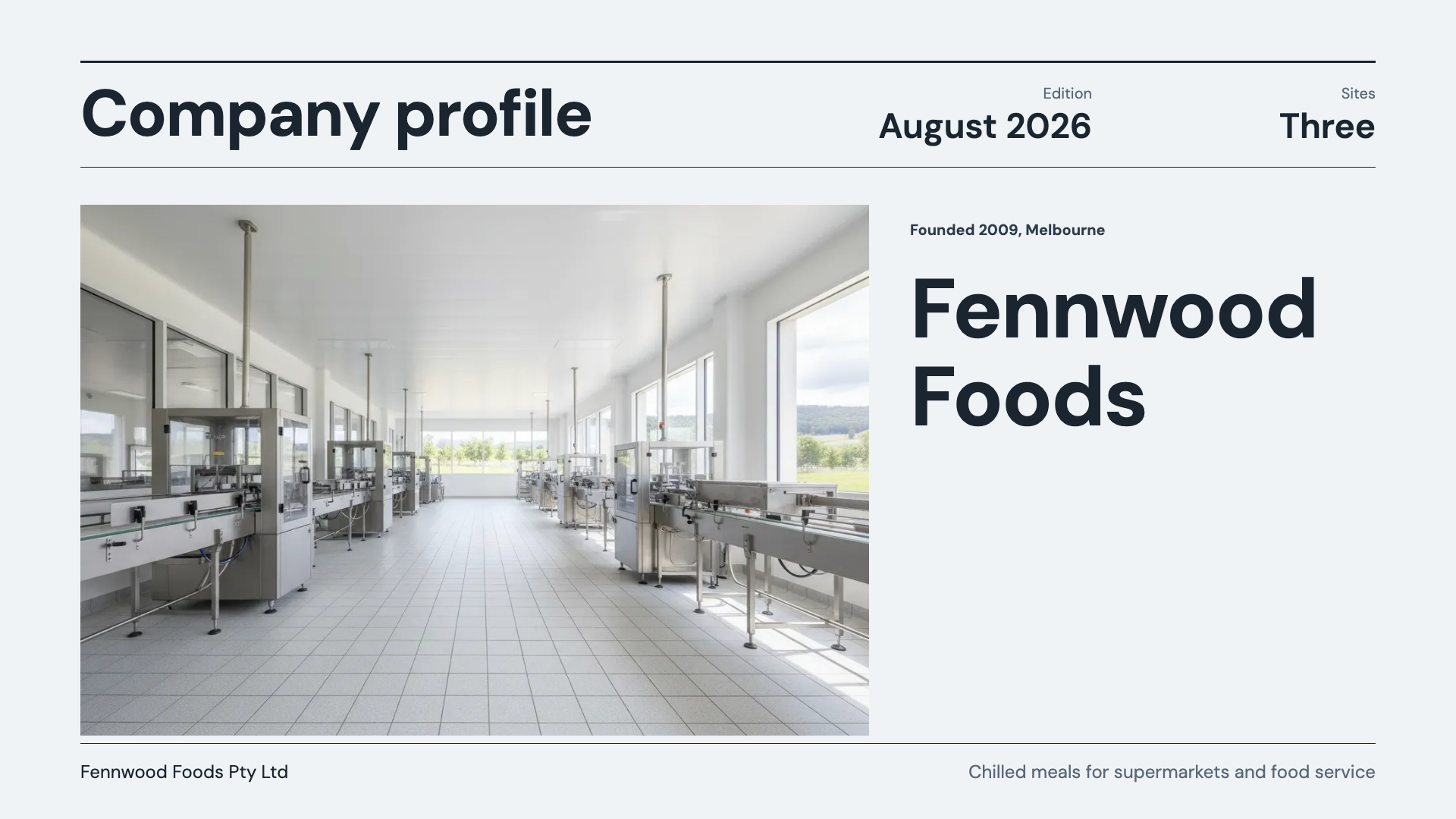 Company profile presentationMade with OneCraft, exactly as the generator and editor left it. Open the page for the full breakdown.
Pricing in plain terms
Beautiful.ai's pricing page, checked 29 September 2026, lists Pro at $14.50 a month billed annually and Team at $40 per user a month billed annually or $50 monthly, for 2 to 20 seats, with Enterprise on request. A monthly option for one-off projects is $45, and both paid plans start with a 14 day trial that requires a credit card. OneCraft lists Free at $0 with 100 credits a month, Starter at $8, Pro at $25 and Pro+ at $125, per account rather than per user.
Live layout or swap layout
The two products solve the same problem at different moments. Beautiful.ai keeps a slide in order while you type into it. OneCraft decides the slide's structure up front: the generator picks a template for each slide's role, and if the content outgrows it you swap to a sibling layout, and the content moves across by box. Hand editors will prefer the first; people starting from a brief will lean on the second.
Moving across
Nothing imports directly from Beautiful.ai. Export the deck as PDF and attach it on a paid plan, where its text grounds a new generation, or paste the outline into the prompt. Expect a new deck in OneCraft's layouts rather than a copy. There is no autosave in the slide editor: work is saved with the Save button and once whenever an assistant change is applied.
What could not be checked
Beautiful.ai's pricing page lists features by plan, but the checkmark grid did not survive a text fetch, so plan by plan availability is quoted only where the page states it in words. It does not describe speaker notes or a presenter view, and that cell says so. OneCraft cells each name a row in an internal ledger checked against the slide editor's source code.
Who should stay with Beautiful.ai
Stay with Beautiful.ai if your team edits slides constantly and relies on Smart Slides keeping them tidy, or needs locked brand themes, live co-editing, PowerPoint import and viewer analytics. OneCraft is for decks written from a brief and delivered as editable PowerPoint, by one person at a time.
Questions people ask
Does OneCraft rearrange a slide as I type, like Smart Slides?
No. Each slide keeps its template's layout while you edit, and text is styled from a fixed type ramp. When a slide needs a different arrangement, swap it to another template in the same role; content moves across by box and your per box styling is kept. Content with no matching box is parked and restored if you swap back.
Can I lock a theme so my team cannot change it?
No. Any user can change a deck's theme, fonts and colours, and there are no locked slides or brand guardrails. A logo or text brand mark can be placed top right on the first slide or on every slide. Beautiful.ai's Team plan adds custom branded themes and locked slides for that reason.
Is there a free way to try OneCraft decks?
Yes. The free plan renews 100 credits a month, generates decks of up to 6 slides and exports to PDF. PowerPoint export, editable PPTX, file attachments, the pen and recording need a paid plan from $8 a month. Beautiful.ai offers a 14 day trial that requires a card.
Can I present from a second screen with notes?
Yes. Press N in present mode to show notes, or pop them out into a separate Speaker notes window showing the slide number, and drag it to your laptop screen while the deck plays on the projector. Notes are rich text per slide and are not included in PDF or PowerPoint exports.
How many past versions are kept?
Each save creates a version, and the history drawer lists up to 50 of them. Any version can be previewed read only, and restoring one clones it into a new version labelled as restored, so nothing is overwritten. Undo within a session goes back 50 steps.
Try the presentation side of OneCraft
The button opens the generator with a starting prompt already filled in. Change the wording to match your own work before you run it.
Create a presentation with OneCraftMore comparisons
- Gamma vs Beautiful.ai vs OneCraftGamma, Beautiful.ai and OneCraft compared for AI presentations: generation, layouts, editing, PowerPoint export, presenting and pricing.
- A Gamma alternative for AI presentations you can editA Gamma alternative for AI decks that leave as editable PowerPoint: fixed 1920 by 1080 slides, 1,071 layouts, 9 chat edits, and the web features Gamma keeps.
- Canva vs OneCraft for presentationsCanva's presentation editor against OneCraft's AI deck generator: layouts, AI writing, charts, PowerPoint export, presenting and collaboration.
What the module actually does, feature by feature: the AI presentation maker page, and the presentations maker page.
Step by step in the builder: Change your presentation theme, fonts and colours, then Export a presentation to PowerPoint or PDF.
Written and checked by the OneCraft team. Last checked .