Presentations · Alternative
A Gamma alternative for AI presentations you can edit
A Gamma alternative is worth a look when the deck has to leave as a normal slide file someone else edits in PowerPoint. Gamma builds flexible cards that double as documents and websites, with analytics and embeds; OneCraft generates fixed 1920 by 1080 slides from 1,071 layouts and exports editable PPTX with native charts.
Updated , competitor details checked . Gamma is a trademark of its owner. OneCraft is not affiliated with or endorsed by it, and every cell cites a public page checked on the date shown or a named row in a fact ledger checked against source code.
Indunil Asanka · Co-founder
3 min read · Published
The short verdict
Gamma suits people who publish decks on the web: flexible cards, one prompt for decks, documents and sites, faithful PowerPoint import, embeds, analytics and live collaboration. OneCraft suits a brief that must become a fixed format slide deck built from structured layouts and handed over as editable PowerPoint, with presenting and recording in the same tool.
| Feature | Gamma | OneCraft |
|---|---|---|
| Pricing | Not published to this check: the pricing page refused an automated fetch with HTTP 403 checked 2026-09-29 | Free at $0 with 100 credits a month and decks capped at 6 slides; Starter $8, Pro $25 and Pro+ $125 a month with up to 20 slides |
| AI credits | 4,000 credits per member a month on Pro and 6,000 on Business, with unused credits rolling over up to twice the monthly limit checked 2026-09-29 | 150, 500, 1,500 and 7,500 credits a month on Free, Starter, Pro and Pro+, shared with documents, flyers, forms and videos |
| Output | Slides that dynamically adjust to fit content, acting as sections of a presentation, document or webpage checked 2026-09-29 | Fixed 1920 by 1080 slides, every one built from a template |
| Slides per generation | Up to 100 slides per generation on paid workspaces and up to 10 on free checked 2026-09-29 | A slider from 3 to 20 slides; free accounts are capped at 6 |
| PowerPoint export | PDF, PNG and PPTX, Google Slides through the PPTX, with tables exported as editable tables; a Made by Gamma badge on Free plan exports checked 2026-09-29 | PDF on every plan; PowerPoint and editable PPTX on paid plans, where text, lists, images, tables and 9 of 10 chart kinds arrive as native objects |
| Importing a deck | Imported PowerPoint decks land faithfully with layouts and structure intact, from files, webpages or Google Drive checked 2026-09-29 | No PPTX import. Paid plans attach up to 5 PDF, text or image files of 25 MB each, read for their text only |
| Layouts | Slide layouts offered from the sparkle menu or dragged from the insert menu; no count stated checked 2026-09-29 | 1,071 slide templates across 26 roles, from cover and metrics to persona and pricing |
| AI editing | Agent suggests and generates slides on request, charging credits per slide it generates checked 2026-09-29 | 9 chat operations, from adding and moving slides to swapping template or theme and generating an image, landing as a preview you apply or discard |
| Viewer analytics | Time per slide, views per slide and unique viewers, fully available on Pro and up checked 2026-09-29 | None. The share link serves the current saved version read only and records nothing |
| Embeds and web publishing | An iframe embed on every plan for docs and presentations, alongside publishing gammas as sites checked 2026-09-29 | No embed code and no site publishing; a read only share link per deck |
| Presenting | Presenter view with speaker notes, a timer and keyboard shortcuts checked 2026-09-29 | Present mode with notes in a pop-out window, pen, highlighter and spotlight, and WebM recording up to 4K on paid plans |
| Research | Not described in the help articles checked checked 2026-09-29 | One web search and one page fetch per deck ground the outline; sources are never printed on slides |
Where Gamma is better
Web native cards and sites
Gamma slides resize to fit their content and the same gamma can be a presentation, a document or a published site on a custom domain. OneCraft makes fixed 16 by 9 slides only, with no site publishing, so a deck that is really a web page belongs in Gamma.
Faithful PowerPoint import
Gamma imports an existing PowerPoint deck with its layouts and structure intact and can restyle it on the way in. OneCraft has no PPTX import at all; attached files are read for their text, so an old deck is rebuilt rather than carried across.
Analytics and embeds
Gamma reports time per slide, views per slide and unique viewers on Pro and up, and any doc or presentation can be embedded with an iframe. The OneCraft share link records nothing and has no embed code.
Collaboration on the deck
Gamma sets view, comment or edit access per person and workspace. A OneCraft deck has no comments or co-editing; others see it through a read only link, and the editor has no autosave, so work is saved with the Save button.
Where OneCraft is different
Structured layouts under named roles
Every slide belongs to a role such as cover, metrics, comparison, timeline or pricing, and each role owns a family of templates. Swapping template re-keys the content by box and keeps per box styling, so restyling a slide is choosing, not rebuilding.
PowerPoint as the hand-off
The editable PPTX export writes text, lists, images and tables as native objects and turns 9 of the 10 chart kinds into real PowerPoint charts. Diagrams and maps stay pictures with their labels as native text boxes.
Edits you approve first
The AI assistant never changes the deck directly. Its nine operations arrive as a preview you apply or discard, and the last 200 chat messages stay with the deck. A single slide is redone through the assistant or reset to the AI version.
Present and record in one place
Speaker notes pop out to a second window, pen, highlighter and spotlight work in five colours, and recording saves WebM at 1080p, 1440p or 4K with an optional camera overlay. Pen and recording need a paid plan.
A finished example
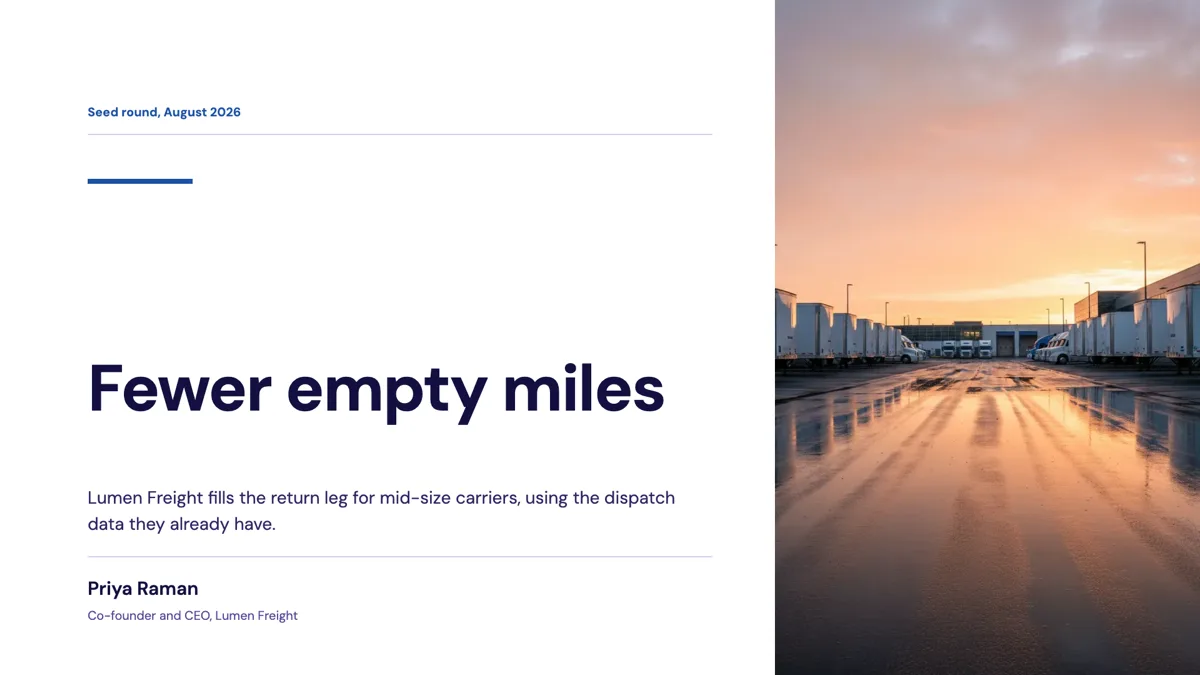 Investor pitch deckMade with OneCraft, exactly as the generator and editor left it. Open the page for the full breakdown.
Pricing in plain terms
Gamma's pricing page refused an automated request on 29 September 2026, so no Gamma price is quoted here. Its help centre, checked the same day, states that Pro carries 4,000 credits per member a month and Business 6,000, billed per member, with unused credits rolling over up to twice the monthly limit. OneCraft lists Free at $0 with 100 credits a month, Starter at $8 with 500, Pro at $25 with 1,500 and Pro+ at $125 with 7,500. Free decks are capped at 6 slides and export to PDF only.
Cards or slides
The biggest difference is the unit. A Gamma slide stretches to hold what is on it, which reads well on a screen and as a web page. A OneCraft slide is a fixed 1920 by 1080 canvas whose template sets where every box goes, which is what PowerPoint, projectors and printed handouts expect. If the deck will be opened in PowerPoint by someone else, fixed slides survive the trip with fewer surprises.
Moving across
There is no import path from Gamma into OneCraft. Export the gamma as PDF, then paste its outline into the generator prompt, or attach the PDF on a paid plan so its text grounds the new deck. The result is a new deck in OneCraft's layouts rather than a copy. PDF exports from OneCraft are page images, so text in them is not selectable; the editable PPTX is the format for further editing.
What could not be checked
Gamma's marketing site and pricing page returned HTTP 403 to automated requests, so Gamma cells come from its public help centre instead, each dated. The help articles do not describe research during generation or a layout count, and those cells say so. OneCraft cells each name a row in an internal ledger checked against the slide editor's and generator's source code.
Who should stay with Gamma
Stay with Gamma if your decks live on the web, if you import existing PowerPoint files often, or if viewer analytics, embeds and shared editing are part of how you work. OneCraft is for a deck that must be a conventional 16 by 9 file, built from structured layouts and delivered as editable PowerPoint.
Questions people ask
Can OneCraft open a Gamma presentation?
Not directly. There is no PPTX import, and a PDF attached to the generator on a paid plan is read for its text only, so the deck is rebuilt in OneCraft's own layouts. For a short deck, pasting the outline into the prompt and letting the generator choose layouts is usually faster than re-creating slides by hand.
Do charts stay editable after export to PowerPoint?
Nine of the ten chart kinds become real PowerPoint charts in the editable PPTX export, so their data can be edited in PowerPoint. The waffle chart has no native equivalent and arrives as a picture. The plain PowerPoint export and the PDF are images of each slide, which keeps them faithful but not editable.
How long can a generated deck be?
The generator's length slider runs from 3 to 20 slides, and a free account is capped at 6. More slides can be added afterwards in the editor or by asking the assistant. Gamma's help centre states up to 100 slides per generation on paid workspaces and up to 10 on free ones.
Does the AI look things up before writing the deck?
Yes, within a small budget: one web search returning the top five snippets and one fetch of up to two pages per deck. The findings shape the outline and the slide copy, but sources are never printed on the slides, so check any figure before presenting it.
Can people comment on a shared deck?
No. The share link opens the deck's current saved version read only, with no comments, and anyone holding it can press N to read the speaker notes. Keep private remarks out of the notes before sharing. Gamma sets view, comment or edit access per person, which suits review cycles better.
Try the presentation side of OneCraft
The button opens the generator with a starting prompt already filled in. Change the wording to match your own work before you run it.
Create a presentation with OneCraftMore comparisons
- Gamma vs Beautiful.ai vs OneCraftGamma, Beautiful.ai and OneCraft compared for AI presentations: generation, layouts, editing, PowerPoint export, presenting and pricing.
- A Beautiful.ai alternative with editable PowerPointA Beautiful.ai alternative compared on price, layout logic, editable PowerPoint export, charts, notes and presenting, with the team features it keeps.
- A pitch.com alternative for decks without collaborationA pitch.com alternative for one person turning a brief into a deck: AI generation, 1,071 layouts, PDF and editable PPTX, a read only link, and what Pitch keeps.
What the module actually does, feature by feature: the AI presentation maker page, and the presentations maker page.
Step by step in the builder: Export a presentation to PowerPoint or PDF, then Edit your deck with the AI assistant.
Written and checked by the OneCraft team. Last checked .