Forms · Alternative
A Jotform alternative for forms, PDFs and signing
Jotform's strength is breadth: tens of thousands of templates, payments, approvals and a PDF product line. This page compares that breadth with a smaller set built around AI generation, and says plainly which Jotform features have no equivalent here at all.
Updated , competitor details checked . Jotform is a trademark of its owner. OneCraft is not affiliated with or endorsed by it.
Nuwan Madhusanka · Co-founder
3 min read · Published · Updated
The short verdict
Jotform suits anyone who needs payments in the form, approval flows behind it, or a template for everything, and who accepts submission caps as the price. OneCraft suits people who would rather describe the form, or photograph the paper version, and have AI build it, with fillable PDFs and certified e-signing in the same account.
| Feature | Jotform | OneCraft |
|---|---|---|
| Form kinds | Online forms with a drag and drop builder and 150+ integrations checked 2026-09-02 | Classic and conversational forms from one builder |
| Components | Conditional logic to show or hide fields, send emails and vary thank-you messages checked 2026-09-02 | 41 component types, including matrix, table, chart blocks, photo and recorded answers. Jump rules on conversational forms only, with no show or hide of fields |
| Templates | 20,000+ free online form templates checked 2026-09-02 | Dozens of worked examples; the blank page answer is the generator, prompted with up to 10,000 characters |
| Form to PDF | A PDF Editor that turns collected responses into PDF documents, with 2,000+ PDF templates checked 2026-09-02 | A fillable PDF export on the Starter plan and up, shaped in a dedicated PDF layout editor; a blank template PDF is free |
| PDF form to web form | Smart PDF Forms turn your PDF forms into online forms and keep the original PDF layout checked 2026-09-02 | A PDF or a photo of a paper form is read as a generator attachment and rebuilt as a web form; the layout is not preserved |
| E-signature | Jotform Sign: create, share and e-sign documents, with an audit trail checked 2026-09-02 | An e-signing add-on sends a submitted response as an envelope with a hash chained audit trail and a certified PDF |
| Payments | More than 40 payment gateways, including Square, PayPal and Stripe, with no extra transaction fees checked 2026-09-02 | OneCraft does not take payments in forms |
| Approvals | Drag and drop approval flows with automated emails per task checked 2026-09-02 | OneCraft does not have approval workflows |
| Themes | Not itemised as a count on their features page checked 2026-09-02 | 37 themes plus 22 colour palettes, 24 background patterns and 23 font pairs |
| Access control | HIPAA features are available on their Gold and Enterprise plans checked 2026-09-02 | 4 access types: public, secret key, login required and domain restricted |
| Automation | 150+ integrations listed on their products page checked 2026-09-02 | A webhook fired once per submission with no retry, and an email alert to one address |
| Submission caps | Starter free: 100 submissions and 5 forms a month; Bronze 1,000, Silver 2,500, Gold 10,000 submissions a month checked 2026-09-02 | Plans meter AI generation credits; the pricing page lists no submission cap. Fillable PDF export is the Starter gate |
Where Jotform is better
Payments, forty gateways of them
Jotform's payments page claims more than 40 gateways, from Square and PayPal to Stripe, with no extra transaction fees. OneCraft forms cannot charge anyone anything. Order forms, registrations with fees and donation forms are Jotform use cases, full stop.
Approval workflows
Jotform Approvals builds multi step approval flows with automated emails per task, so a leave request or purchase order can route through managers without leaving the product. OneCraft has no approvals at all; a submission lands in the responses table and any routing is yours to build.
The template library
More than 20,000 form templates plus 2,000 PDF templates, by their own count. Whatever the niche, there is probably a Jotform template within a search. OneCraft carries worked examples in the dozens and leans on generation instead.
Layout preserving PDF conversion
Jotform's Smart PDF Forms keep the original PDF's layout while making it fillable online, which matters when the paper form is regulated or familiar. OneCraft reads a PDF's fields and text and rebuilds the form in its own layout; the original design does not survive the trip.
HIPAA plans
Jotform offers HIPAA enabled accounts with a signed BAA on its Gold and Enterprise plans, per its own HIPAA page. OneCraft makes no healthcare compliance claims, so US health providers with HIPAA obligations have a concrete reason to stay.
Where OneCraft is different
The form is generated, not assembled
Describe the form in up to 10,000 characters, or attach the old PDF or a photo of the paper version on a paid plan, and the generator builds fields, sections, welcome screen and theme in one pass. Editing afterwards is the exception, not the workflow.
One account, five kinds of artefact
The login that makes your intake form also generates documents, presentations, flyers and promo videos, and sends things for signature. Jotform is a deep forms company; OneCraft is a suite where forms are one of five outputs.
A certified signing trail
The e-signing add-on produces an envelope with up to 25 recipients, an 18 event hash chained audit trail, a certificate of completion, and a PAdES certified PDF. It is closer to a dedicated signing product than to a signature image pasted on a form.
Conversational mode is native
One question at a time is a first class form type with its own 25 component toolkit and its own themes, including recorded audio and video answers. It is a different experience from a classic form paginated into steps.
A finished example
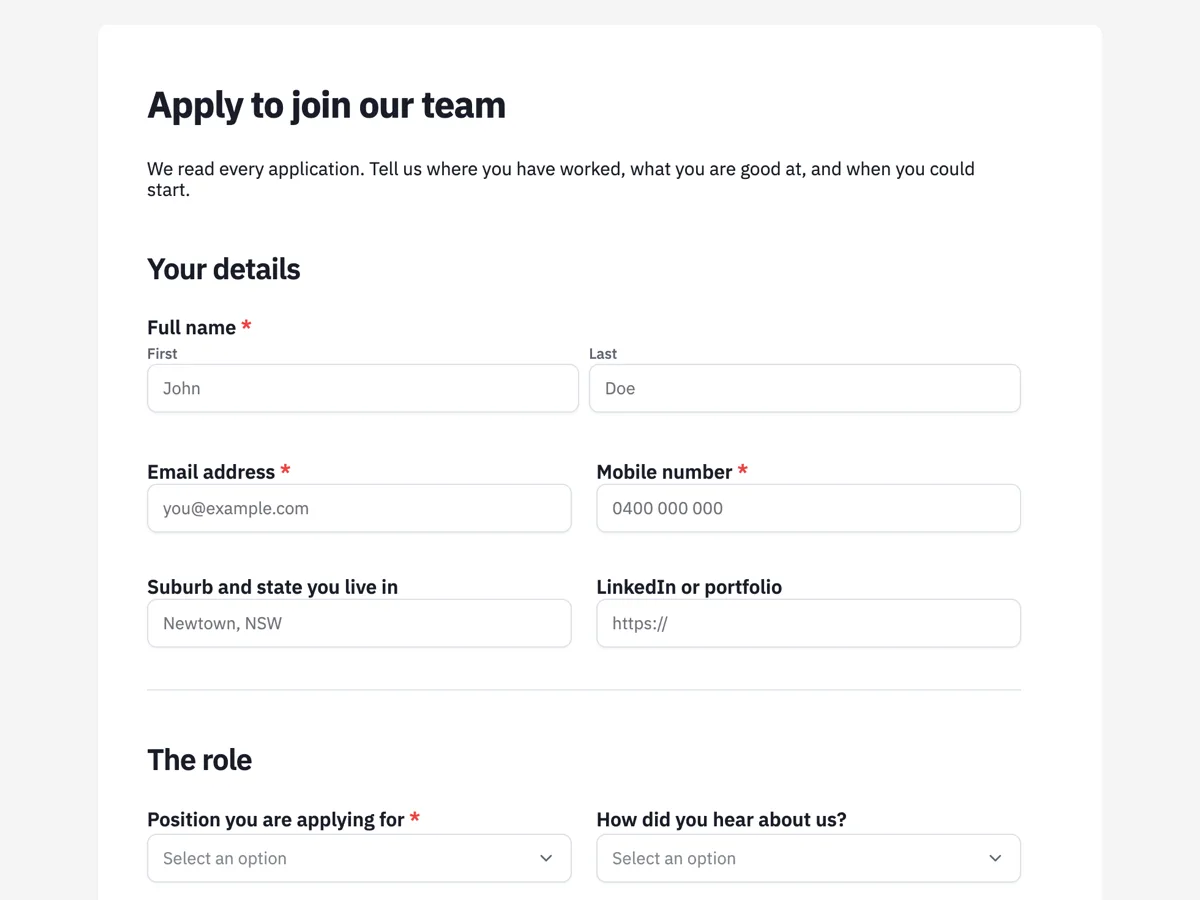 Job application formMade with OneCraft, exactly as the generator and editor left it. Open the page for the full breakdown.
Pricing in plain terms
Jotform's pricing page, checked 2 September 2026, lists Starter free with 100 monthly submissions and 5 forms, Bronze at $39 a month or $34 a month billed yearly with 1,000 submissions, Silver at $49 or $39 with 2,500, and Gold at $129 or $99 with 10,000. OneCraft's pricing page lists Free with 100 AI credits a month, Starter at $8 with 500 credits and Pro at $25 with 1,500; the page meters AI credits and lists no submission cap. The comparison is caps on collecting versus credits on generating.
Moving across
A Jotform form does not import directly, but the PDF route is real: export or print the form to PDF, upload it to the PDF form to online form converter, and the generator reads the fields and rebuilds them as a web form. Expect to touch up labels and required flags rather than start from nothing. Submission history stays in Jotform, so export it to CSV before you archive the account.
What we could not check
Jotform's theme count is not stated on its features page, so the table says so instead of inventing one. Template counts are Jotform's own claims on its template pages, quoted as written. Per plan payment submission caps beyond the headline figures were on the pricing page at check time, 10 on Starter rising to 1,000 on Gold, and are dated the same day.
How the OneCraft side was verified
Every OneCraft cell cites a row in an internal fact ledger verified against the product's source code, from the 41 component types to the webhook's single fire and 10 second timeout. The absences are ledger entries too: no payments, no approvals, and no logic beyond jump rules on conversational forms. Nothing here describes a roadmap.
Who should stay with Jotform
Stay with Jotform if the form takes money, if submissions route through approvals, if you need HIPAA features, or if your workflow depends on templates and integrations in the hundreds. None of those exist in OneCraft, and a smaller tool with AI generation does not replace them.
Questions people ask
Can I take payments with OneCraft forms?
No. There is no payment field and no gateway integration of any kind, and this page lists that as a plain absence. Jotform supports more than 40 payment gateways by its own count, so forms that charge money on submission should stay there.
Can I import a Jotform form?
Not directly. The working path is through PDF: save the form as a PDF, upload it to the converter, and the generator reads the fields and rebuilds the form in OneCraft's layout. The visual design of the original does not carry over, and past submissions stay in Jotform.
Is there a submission cap?
OneCraft's pricing page lists no submission cap; plans meter AI generation credits instead, from 150 a month free. Jotform's plans cap monthly submissions, 100 on the free Starter plan up to 10,000 on Gold, and a busy form can outgrow a tier mid month.
Does OneCraft have a PDF editor?
It has a PDF layout editor for the form's own fillable PDF export, where you shape how the fields sit on the page before downloading. It does not edit arbitrary PDFs the way Jotform's PDF Editor works on collected responses and templates. For the form you built, though, the PDF output is fully yours to arrange.
Can I add an e-signature?
Yes. An inline signature field captures a drawn or typed signature into the response PDF, and the e-signing add-on sends the response out as a signing envelope with identity checks, a hash chained audit trail and a certificate of completion. Jotform Sign is its comparable product, and both are listed in the table.
Can two people approve a submission before it counts?
No. OneCraft has no approval workflow, so nothing routes a submission to a manager for sign off. Jotform Approvals does exactly this with a drag and drop flow builder, and if approvals are in your process, that alone decides the comparison.
Try the form side of OneCraft
The button opens the generator with a starting prompt already filled in. Change the wording to match your own work before you run it.
Create a form with OneCraftMore comparisons
- A Typeform alternative, compared honestlyOneCraft as a Typeform alternative for conversational forms: what matches, what does not, where Typeform stays ahead, and both public pricing pages quoted.
- A Google Forms alternative: what you gain, what you give upOneCraft as a Google Forms alternative: themes, welcome screens, fillable PDFs, e-signature and AI generation, against the Sheets link you give up.
- A DocuSign alternative for small businessOneCraft e-signature as a DocuSign alternative for small business: fields, signing order, identity checks, audit trail and certified PDFs, with the gaps named.
What the module actually does, feature by feature: the AI form builder page.
Step by step in the builder: Convert a paper form to a web form, then Shape the PDF version of your form.
Written and checked by the OneCraft team. Last checked .