Forms · Alternative
A Typeform alternative, compared honestly
Typeform made the one question at a time form the standard, and its pricing scales with responses. This page compares it with OneCraft's conversational forms on the things that matter when you are choosing: field types, logic, themes, exports, signing, and what each pricing page actually says.
Updated , competitor details checked . Typeform is a trademark of its owner. OneCraft is not affiliated with or endorsed by it.
Nuwan Madhusanka · Co-founder
3 min read · Published · Updated
The short verdict
Typeform suits teams that live on its integrations, logic jumps and polish, and are happy paying for responses. OneCraft suits people who want a conversational form written for them by AI, with e-signing, fillable PDFs and the matching document, deck and flyer in the same account, and whose branching fits simple jump rules.
| Feature | Typeform | OneCraft |
|---|---|---|
| Form kinds | Forms, surveys, quizzes and polls, asked one question at a time checked 2026-09-02 | Classic and conversational forms from the same builder, switchable per form |
| Builder toolkit | Drag and drop builder, video forms, and 3,000+ professional templates checked 2026-09-02 | 41 component types: 36 in the classic toolkit, 25 in the conversational one |
| Themes and branding | Customisable colors, logos, fonts and custom domains checked 2026-09-02 | 37 themes, 12 classic and 25 conversational, plus 22 colour palettes and 23 font pairs |
| Conditional logic | Logic jumps triggered by an answer or a hidden field value, plus a calculator for scores and totals checked 2026-09-02 | Jump rules only: an answer can skip ahead or end the form. No calculator or hidden fields |
| Welcome and thank-you screens | Not itemised on their product page checked 2026-09-02 | 10 welcome screen layouts and 4 thank-you layouts, with confetti and a timed redirect |
| File upload | A file uploads row on the pricing grid, with 1 GB of storage on the free plan checked 2026-09-02 | 1 to 10 files per field, images and PDF only, up to 100 MB each |
| Recorded answers | Video forms for recording questions and responses checked 2026-09-02 | Audio or video answers, 120 seconds by default, in conversational forms only |
| E-signature | Not listed on their product page checked 2026-09-02 | An e-signing add-on turns a submitted response into a signing envelope with an audit trail and certificate |
| PDF output | Not listed on their product page checked 2026-09-02 | Fillable PDF export on the Starter plan and up; a blank template PDF is free |
| Responses and export | Real-time analytics and reporting checked 2026-09-02 | A responses table with CSV export, one column per input field, composite answers kept in one column |
| Integrations and webhooks | 300+ app integrations, including HubSpot, Slack, Stripe and Google Sheets checked 2026-09-02 | A webhook that fires once per submission with no retry, plus email alerts to one address |
| AI generation | Creator AI, Interaction AI and Insights AI checked 2026-09-02 | The whole form is generated from a prompt of up to 10,000 characters, with 5 file attachments on paid plans |
| Payments | Payment questions via Stripe, ticked from the Plus plan on the pricing grid checked 2026-09-02 | OneCraft does not take payments in forms |
Where Typeform is better
The integrations catalogue
Typeform's product page claims more than 300 app integrations, naming HubSpot, Slack, Stripe, Calendly, Google Sheets and Notion among them. OneCraft's automation surface is a single webhook per form and an email alert. If your form feeds a CRM or a marketing stack directly, Typeform connects and OneCraft makes you do the plumbing.
Logic jumps, calculator and hidden fields
Typeform routes people down different paths from their answers, keeps scores and totals with its calculator, and reads hidden fields from the URL, all documented on its own developer pages. OneCraft has only the first in a simple form: jump rules that skip ahead or end the form on an answer, with no calculator and no hidden fields. Forms that qualify, score or branch belong on Typeform.
Embed and share modes
Typeform's embed library documents five modes, inline widget, popup, slider, side tab and popover, so the form can sit in a page any way you like. OneCraft publishes a link and an iframe embed, and that is the extent of it.
A much larger template gallery
Typeform advertises more than 3,000 professional templates. OneCraft's example gallery is measured in dozens, and its answer to a blank page is the AI generator rather than a template search. Browsers of templates will find Typeform richer.
Payments in the form
Typeform sells payment questions through Stripe from its Plus plan. OneCraft forms cannot take money at all, so order forms that charge on submission are simply not a OneCraft use case.
Where OneCraft is different
The form is written for you
You describe the form in up to 10,000 characters, or attach a PDF or a photo of a paper form on paid plans, and the generator builds the fields, welcome screen and theme in one pass. Typeform's AI assists inside its builder; OneCraft's replaces the building.
A response can be signed
The e-signing add-on turns a submitted response into a signing envelope with up to 25 recipients, an 18 event hash chained audit trail and a certificate of completion. Collecting an agreement and its signature is one flow, not an export into a second product.
The form has a PDF life
Any form can leave the browser: a free blank template PDF for printing, and a fillable PDF export on the Starter plan and up, laid out in a dedicated PDF editor. Paper heavy workflows, clinics, schools, trades, get both versions from one build.
One account covers the rest of the work
The same login generates documents, presentations, flyers and promo videos, with signing built in. If a form is one artefact among several for the same project, the suite matters more than any single feature.
A finished example
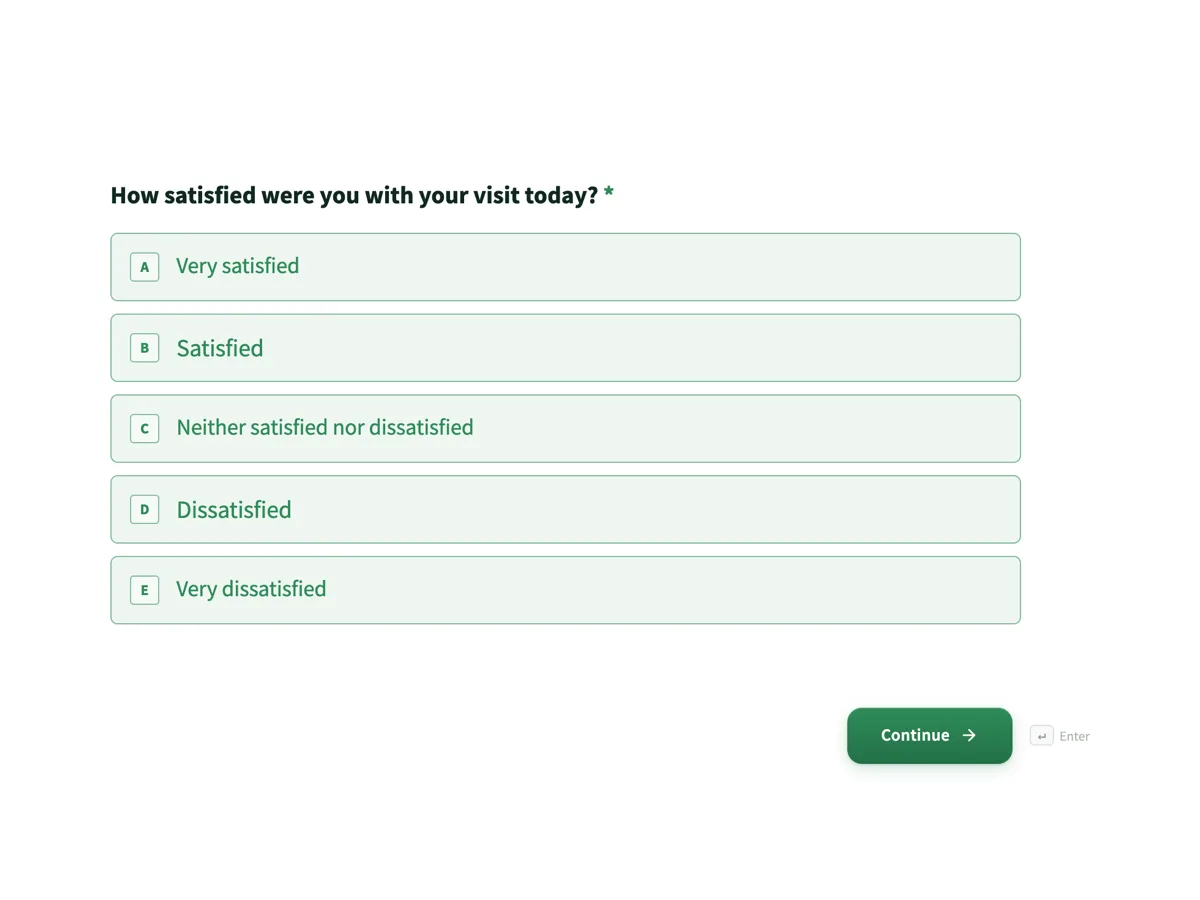 Customer feedback surveyMade with OneCraft, exactly as the generator and editor left it. Open the page for the full breakdown.
Pricing in plain terms
Typeform's pricing page, checked 2 September 2026, lists Basic at $39 USD a month billed monthly or $28 billed yearly with 100 responses a month included, Plus at $79 or $56 with 1,000 responses, and Business at $129 or $91 with 10,000. The page mentions a free plan with a limited number of responses but prints no number for it. OneCraft's pricing page lists Free with 100 AI credits a month, Starter at $8 a month with 500 credits and Pro at $25 with 1,500; plans meter AI generation credits and the page lists no response cap.
Moving a form across
There is no Typeform importer, and this page will not pretend otherwise. The working path is to paste your question list into the questions list converter, or to describe the form in a prompt, and let the generator rebuild it. Response history stays behind in Typeform; export it to CSV there before you close anything.
What we could not check
Typeform's help centre blocks automated checks, so facts that live only there, the per file upload cap and multi language support among them, are not quoted anywhere on this page. The free plan's response cap is not printed on their pricing page either, so it is stated as unstated rather than guessed at.
How the OneCraft side was verified
Every OneCraft cell names a row in an internal fact ledger checked against the product's source code, from the 41 component types to the webhook that fires once with no retry. The absences are deliberate entries in that ledger too: no payments, no quiz scoring, and logic limited to jump rules. What you read here is what the code does today.
Who should stay with Typeform
Stay with Typeform if you depend on its integrations, hidden field logic, calculator or payment questions, or if your team already lives in its analytics. Those are real capabilities OneCraft does not have, and no amount of AI generation substitutes for a branching form wired into a CRM.
Questions people ask
Can I import my Typeform forms into OneCraft?
No. There is no importer for Typeform or any other builder. The practical route is to paste the question list into the converter at questions list to form, or describe the form in a prompt, and let the generator rebuild it. Past responses stay in Typeform, so export them to CSV first.
Does OneCraft have logic jumps?
Yes, simple ones. The Logic tab sets rules per question that jump ahead or end and submit the form when an answer matches, such as is, contains, or more or less than a number. There is no calculator and no hidden field logic. If your form must score people or route them on hidden values, that is a genuine reason to choose Typeform.
Is there a free plan?
Yes. OneCraft's free plan includes 100 AI credits a month, enough for about four generated projects, and published forms keep collecting responses. Typeform's pricing page also offers a free plan but does not print its response cap; its paid plans meter responses per month, starting at 100 on Basic.
Can respondents upload files?
Yes. A file upload field accepts 1 to 10 files, restricted to images and PDF, at up to 100 MB per file. Conversational forms can also collect recorded audio or video answers of up to 120 seconds. Typeform lists file uploads on its pricing grid with storage rising by plan.
Can I collect a signature on a form?
Yes, two ways. An inline signature field lets the respondent draw or type a signature that prints into the response PDF, and the e-signing add-on sends the finished response out as a proper signing envelope with an audit trail and a certificate of completion. Typeform's product page lists no equivalent.
Does OneCraft integrate with Zapier?
There is no Zapier app. What exists is a webhook that fires once per submission as a JSON POST with a 10 second timeout and no retry, plus an email alert to one address. Anything listening for webhooks, including Zapier's own webhook trigger, can receive it, but the catalogue of native connectors is Typeform's advantage.
Can I embed the form in my site?
Yes, a published form can be embedded with an iframe snippet, and the embed page under the make section covers the details. Typeform documents five embed modes including popups and side tabs, so if you want a launcher button rather than an inline frame, Typeform's embed options are broader.
Try the form side of OneCraft
The button opens the generator with a starting prompt already filled in. Change the wording to match your own work before you run it.
Create a form with OneCraftMore comparisons
- Tally vs Typeform vs OneCraftTally, Typeform and OneCraft compared for conversational forms: price and caps, fields, logic, design, PDFs and signing, with where each one wins.
- A Google Forms alternative: what you gain, what you give upOneCraft as a Google Forms alternative: themes, welcome screens, fillable PDFs, e-signature and AI generation, against the Sheets link you give up.
- A Jotform alternative for forms, PDFs and signingOneCraft as a Jotform alternative: classic and conversational forms, fillable PDFs, e-signature and AI generation, with Jotform's breadth stated honestly.
What the module actually does, feature by feature: the AI form builder page, and the forms maker page.
Step by step in the builder: Create a conversational form with AI, then Classic vs conversational forms.
Written and checked by the OneCraft team. Last checked .