Flyers · Alternative
A PosterMyWall alternative for event flyers
For event flyers written from the details you already have, OneCraft is a PosterMyWall alternative that fills a finished design from one description and gives you two to choose from. PosterMyWall keeps the lead on template volume, video flyers, social scheduling, email campaigns and event pages.
Updated , competitor details checked . PosterMyWall is a trademark of its owner. OneCraft is not affiliated with or endorsed by it.
Indunil Asanka · Co-founder
2 min read · Published
The short verdict
PosterMyWall suits event organisers and local businesses who want a huge template library, animated and video flyers, social scheduling, trackable email and event pages in one marketing tool. OneCraft suits people who want the event flyer written from the facts, two finished designs to pick from, and the same design in 8 sizes.
| Feature | PosterMyWall | OneCraft |
|---|---|---|
| Price | Free with limited downloads; Premium A$19 a month, less on an annual plan; the page served Australian dollars to this region checked 2026-09-29 | Free at $0 with 100 credits a month, then Starter $8, Pro $25 and Pro+ $125 a month; generating from your own files starts on Starter |
| Templates vs AI fill | "3M+ free templates"; "Turn prompts into designs, images, & emails" checked 2026-09-29 | 259 flyer designs; one prompt fills text, image prompts and icons, and 2 designs return when no template is chosen |
| Video flyers | Basic animations and video editing free; full video editor and recorder on Premium checked 2026-09-29 | Flyers are still images; a separate video module builds scene by scene promos from a brief |
| Sizes | Not itemised on the pages checked checked 2026-09-29 | 8 sizes, from A4 portrait and landscape to Instagram, Facebook, LinkedIn and X headers |
| Print quality | Unlimited high quality downloads with no watermark on Premium; high resolution downloads on Free are paid per design checked 2026-09-29 | Exports at twice the canvas, so A4 lands at 2480 by 3508 pixels, 300 DPI, RGB, with no bleed |
| Scheduling | Schedule to Facebook, X, Instagram, YouTube, LinkedIn, TikTok, Pinterest, Google Business Profile and Threads checked 2026-09-29 | OneCraft does not schedule or publish posts |
| AI tools | AI images, background remover, writer, voice, subtitles and AI video clips checked 2026-09-29 | AI images per slot at one of 8 aspect ratios with no text in the image; logo slots are never generated |
| Brand kit | 1 brand kit on Premium; unlimited on Premium Plus checked 2026-09-29 | 99 themes, 42 fonts and custom hex colours chosen per flyer |
| Email and event pages | 3,000 trackable emails and 10 event pages a month on Premium checked 2026-09-29 | OneCraft does not send marketing email or host event pages |
Where PosterMyWall is better
Template volume
PosterMyWall's homepage claims over three million free templates, and its pricing page counts over a million design and email templates. OneCraft has 259 flyer designs; for browsing by occasion, PosterMyWall is far wider.
Video flyers
PosterMyWall includes animation and a video editor, so a flyer can become a moving post. OneCraft flyers are still images, and video is a separate module rather than a flyer option.
Social scheduling
PosterMyWall schedules posts to nine networks, from Instagram and TikTok to Google Business Profile. OneCraft ends at the exported file.
Email campaigns and event pages
Premium adds 3,000 trackable emails and 10 event pages a month, and Premium Plus adds ticket sales. OneCraft has none of that event marketing tooling.
Where OneCraft is different
The flyer is written from your facts
Put the act, venue, date, times and prices in the prompt and the generator writes them into a finished design. It never invents a price or a date, so missing facts stay missing instead of being guessed.
Two designs to choose from
Leave the template choice blank and the run returns Flyer 1 and Flyer 2, two different designs with the same content, both editable.
Same design, every size
All 259 designs have native layouts for all 8 sizes, so the A4 gig poster, the Instagram story and the Facebook cover come from one design with content moved by slot.
Charts and tables when an event needs them
67 insertable tiles include 10 chart kinds, 12 diagrams and 3 table styles, useful for a race map legend, a timetable or a fundraising tally.
A finished example
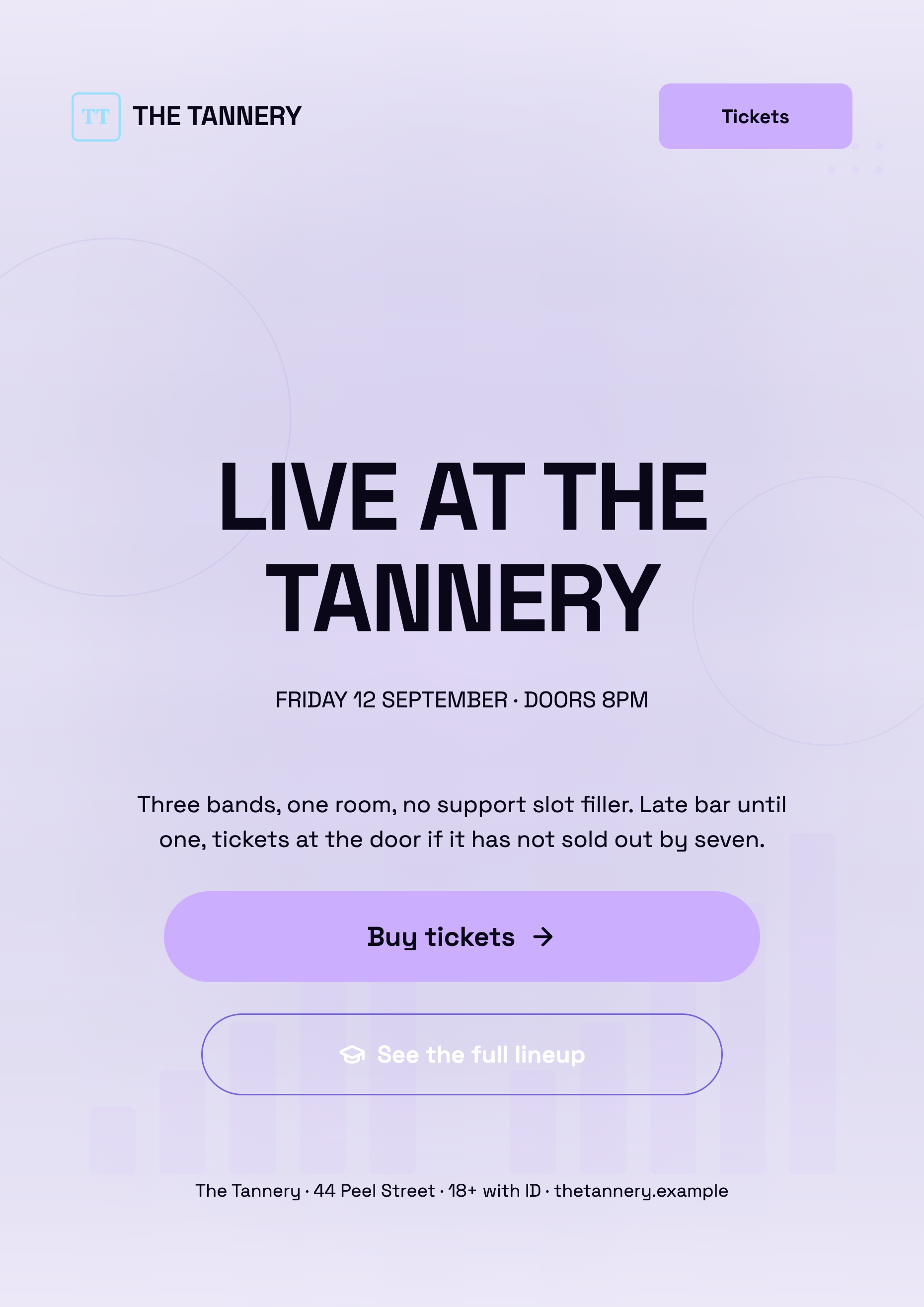 Concert and live music flyerMade with OneCraft, exactly as the generator and editor left it. Open the page for the full breakdown.
Pricing in plain terms
Checked 29 September 2026. PosterMyWall's pricing page, served in Australian dollars to this region, lists a free plan with limited downloads and paid high resolution downloads from A$7.99, Premium at A$19 a month with unlimited downloads, one brand kit and 100 monthly credits, and a higher Premium Plus tier. OneCraft's pricing page lists Free at $0 with 100 credits a month, Starter at $8 a month with 500 credits, Pro at $25 a month with 1,500 credits, Pro+ at $125 a month with 7,500 credits, and a custom Enterprise plan.
Moving across
PosterMyWall designs cannot be imported. Download the flyer and upload the PDF or image to OneCraft's make a flyer from a PDF or photo route; the text is read and rebuilt into a OneCraft design. Animation, email campaigns and event pages stay in PosterMyWall.
What could not be checked
PosterMyWall's pages checked did not list flyer dimensions, export DPI, a print ordering service or the Premium Plus price, so those are not claimed. Its two template counts, three million plus on the homepage and one million plus on the pricing page, are each quoted with the page they came from.
How the OneCraft side was verified
Every OneCraft cell names a row in an internal fact ledger checked against the product's source code: the design count from the template manifest, the 8 canvas sizes, the export maths of twice the canvas, the image generation rules and the add items catalogue. Video flyers, scheduling, email and event pages are recorded as absences.
Choosing between them
An event organiser with a gig every weekend often wants the whole promotion loop in one place: pick a template, animate it, schedule it to Instagram and TikTok, email the mailing list and sell tickets from an event page. PosterMyWall covers that loop and OneCraft does not. OneCraft covers the first step differently, by writing the flyer from the act, venue, times and prices you give it and returning two designs in the size you need. If the loop matters, stay; if writing each week's flyer is the slow part, OneCraft helps most there.
Who should stay with PosterMyWall
Stay with PosterMyWall if your event flyers need to move, if you schedule posts or send email from the same tool, if you host event pages or sell tickets there, or if browsing millions of templates is how you work. OneCraft writes still flyers and stops at the file.
Questions people ask
Is PosterMyWall free?
It has a free plan with limited downloads, and its pricing page says high resolution downloads on the free plan are paid per design from A$7.99. Premium removes the watermark and unlocks unlimited downloads. OneCraft's free plan gives 100 credits a month to generate and edit flyers.
Can OneCraft make a video flyer?
Not in the flyer editor. OneCraft flyers export as PDF, PNG and JPG. For motion, its video module turns a brief into a short promo with scenes, voiceover and captions in landscape or vertical, which is a separate artifact rather than an animated flyer.
Is a OneCraft flyer sharp enough to print?
For most uses, yes. Exports capture at twice the canvas, so an A4 flyer is 2480 by 3508 pixels, which is 300 DPI. The files are RGB with no bleed or crop marks, so a print shop trimming to the edge may ask for a version with margins.
Can I schedule my flyer to Instagram from OneCraft?
No. Export the Instagram post or story size from OneCraft and upload it yourself, either in the Instagram app or through a separate scheduling tool. PosterMyWall schedules directly to nine networks, including Instagram, TikTok and Google Business Profile, which saves a step if you post often.
How many sizes can one event flyer have?
Eight: A4 portrait and landscape, Instagram post and story, Facebook post, LinkedIn post, Facebook cover and X header. Each page of a flyer has its own size, so one flyer can hold an A4 page and an Instagram story version side by side.
Try the flyer side of OneCraft
The button opens the generator with a starting prompt already filled in. Change the wording to match your own work before you run it.
Create a flyer with OneCraftMore comparisons
- A VistaCreate alternative for flyersA VistaCreate (Crello) alternative for flyers: OneCraft and VistaCreate compared on price, design from text, animation, sizes, themes, AI images and print.
- An Adobe Express alternative for flyers and postersAn Adobe Express alternative for flyers and posters: OneCraft and Adobe Express compared on price, templates, AI, sizes, themes, print and research posters.
- A Template.net alternative that fills the templateA Template.net alternative that fills the template for you: OneCraft and Template.net compared on price, catalogue size, AI fill, sizes and export formats.
What the module actually does, feature by feature: the AI flyer maker page, and the flyers maker page.
Step by step in the builder: Create a flyer for Instagram and print, then Resize one flyer for every social size.
Written and checked by the OneCraft team. Last checked .