Websites
Delivery and pickup ordering with time slots and tracking
Delivery and pickup ordering lets customers choose how they get their order, see the delivery fee for their postcode before they pay, and pick a time slot that still has room. After that, a tracking page tells them where the order is up to without a phone call.
Zones and fees
Ask for delivery and the AI follows its delivery guide: delivery zones as lists of postcodes, each with a fee, a minimum order and a free over amount. At checkout the fee for the typed postcode shows straight away, and a postcode outside every zone gets a plain answer that it is not delivered there.
Time slots with capacity
Delivery and pickup slots have a start, an end and a capacity. Checkout shows days as chips and slots with 2 left or Full. The order function locks the slot, refuses it when full or already past, and counts the order in; a cancel gives the place back. Staff generate slots for the next 14 days from a weekly pattern in the admin.
Fees worked out in the order
The fee, the minimum and the free over amount are applied inside the order function, with the slot check, so the total the customer pays is the one the database worked out. Payment then goes through Stripe Checkout on your connected account, on a paid plan.
The tracking page
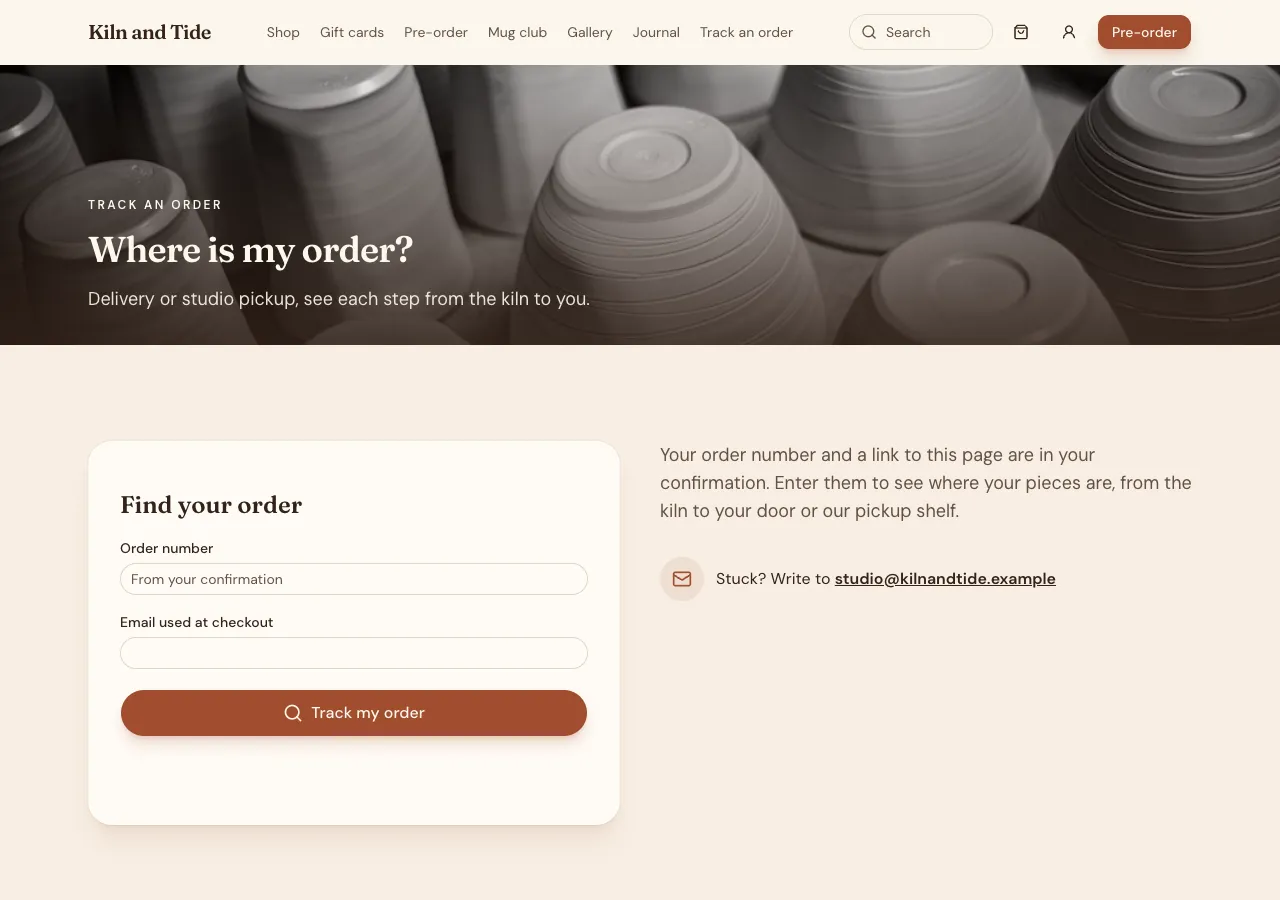
Each order has a tracking page linked from the thank you page and the customer's orders: a timeline of Received, Preparing, Ready for pickup or Out for delivery, then Delivered or Collected, with times and the slot. The page shows the first name and the steps, never the address, email or phone, and refreshes every 30 seconds while open.
Running deliveries
Staff work today's orders grouped by slot in the admin, delivery and pickup apart, each with the address, items and a Google Maps directions link, and buttons that step the status and notify a signed in buyer in the site's bell. A printable run sheet is sorted by postcode. Drivers can use the phone app's Admin tab.
How it works, in three steps
Step 1
Describe delivery
List the postcode zones, fees, minimum, free over amount, slot lengths and capacity, and pickup times.
Step 2
Generate slots
In the admin, set the weekly pattern and generate the next 14 days of slots.
Step 3
Check and publish
Order to a zone and outside it in the preview, fill a slot, then publish on a paid plan.
Limits worth knowing
- There is no live driver location; buyers see the status steps staff set.
- The site cannot email or text tracking updates; signed in buyers get a notification.
- Card payments need a paid plan and Stripe connected in account settings; the platform fee is 2% on Starter, 1% on Pro and 0.5% on Pro+, with Stripe fees on top.
- The data lives in the site's own database: a hosted one on every plan, or your own Supabase account.
Questions people ask
How does a customer know if I deliver to them?
At checkout they type a postcode and see straight away which zone it falls in and the fee, or a plain message that you do not deliver there yet. The same check runs again inside the order, so the fee cannot be changed on the page.
Can I limit how many orders each slot takes?
Yes. Each slot has a capacity, and the order function locks the slot and refuses an order when it is full, so two last minute orders cannot both take the last place. Checkout shows how many places are left and marks full slots.
Can customers track their driver?
No. The phone app has no location access, so there is no live map of the driver. Customers see the status steps your staff set, such as Out for delivery, with times, on a tracking page that refreshes while it is open.
Will customers get a text when the order is on its way?
No. The site does not send texts, and it cannot email tracking updates to customers, because site mail only reaches the signed in sender or the owner. Signed in buyers get a notification in the site's bell, and every buyer keeps the tracking link.
Can I offer free delivery over an amount?
Yes. Each zone has an optional free over amount, and the order function sets the delivery fee to zero when the order reaches it. A minimum order per zone can also stop very small deliveries. Both show at checkout before payment.
Does it work for a restaurant or cafe?
Yes. Delivery and pickup slots work alongside a menu with ordering, table ordering and a kitchen board. A cafe might offer pickup slots every 15 minutes and delivery in two postcodes, with the kitchen board showing pickup times on each order.
Make your own website
The button opens the generator with this use case already described. Change the wording to match yours, generate, then edit anything you like.
Create a website with OneCraftRelated pages
Referral program for your website, with links and rewards
A referral program gives each customer a personal link and rewards them when a friend they sent buys. It pays only when rewards follow real purchases, not sign ups, and when the rules stop people referring themselves with throwaway accounts.
Online ordering for restaurants from your own menu and kitchen board
Online ordering for restaurants lets guests order from your menu on your own website, for pickup, at the table or for delivery, and sends each order to the kitchen. On OneCraft the agent writes this with the menu and orders guides: your menu with options and allergens, a checkout priced in the database and a kitchen board in your site's admin.
AI online store builder: a shop written as code for your own site
An AI online store builder writes the shop for you: product pages, a cart, a checkout and an admin to run it. On OneCraft an agent writes all of it as code into your website, keeps products and orders in the site's own database, and takes card payments through Stripe Checkout on your own Stripe account.
More finished work of this kind is on the website examples hub.
Written and checked by the OneCraft team. Last checked .