Websites
Referral program for your website, with links and rewards
A referral program gives each customer a personal link and rewards them when a friend they sent buys. It pays only when rewards follow real purchases, not sign ups, and when the rules stop people referring themselves with throwaway accounts.
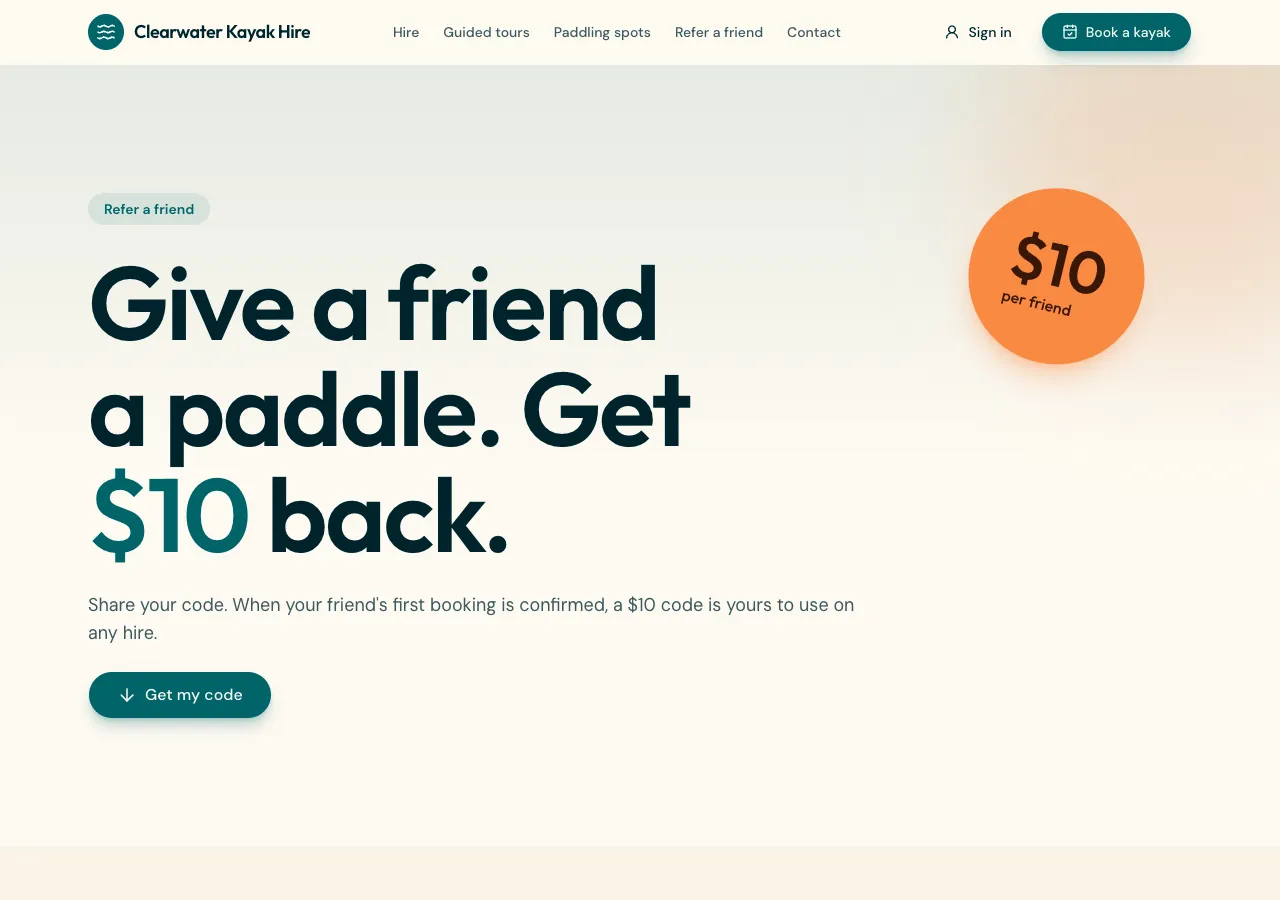
Personal links
Ask for referrals and the AI follows its referrals guide: each signed in customer gets a short code and a link to the site with it, made the first time they open the Refer page, with Copy and Share buttons and the reward rule in one sentence. A visitor who arrives through a link keeps the code on their device for 30 days.
Rewards only after a purchase
When the friend signs up, a database function records a pending referral, once, only for a new account and never for the referrer themselves. The reward comes when the friend's first paid order reaches your minimum: points for the referrer, a one use discount code, or a commission worked out in cents. The referrer gets a notification in the site's bell.
What referrers see
The Refer page lists each referral's status and the reward earned, with the friend shown as a first letter and asterisks, never a name or email. A phone app based on the site has a Refer a friend card in the Account tab that shares the website's link.
Staff and commissions
Staff see referrals by status in the admin, reject self dealing, and export them as CSV. When the program pays commission, the site tracks totals per period and lets staff record payouts, but the money is paid by you outside the site.
What it does not do
There is no affiliate network, no automatic payouts and no cookie tracking across other websites; the code rides in the link and on the visitor's device. Referral rewards and any disclosure your industry needs are your terms to write, which the AI does not invent.
How it works, in three steps
Step 1
Describe the rewards
Say who gets what, the minimum first order, and whether it is points, a code or commission.
Step 2
Check the flow
Refer a test friend in the preview, buy as the friend, and watch the reward appear.
Step 3
Publish
On a paid plan, publish and tell customers where the Refer page is.
Limits worth knowing
- Rewards follow a paid order only, never a sign up alone.
- Commissions are tracked here and paid by you outside the site.
- Card payments need a paid plan and Stripe connected in account settings; the platform fee is 2% on Starter, 1% on Pro and 0.5% on Pro+, with Stripe fees on top.
- The data lives in the site's own database: a hosted one on every plan, or your own Supabase account.
Questions people ask
Why not reward people for sign ups?
Because sign ups are free to fake. A reward for a sign up invites throwaway accounts, so the referral stays pending until the friend's first order is paid and reaches your minimum. That way every reward is backed by real revenue.
Can the friend get a reward too?
Yes. Ask for a reward for both sides and the friend gets points or a one use code as well, shown as a small note when they arrive through a link. Keep the friend's reward simple, such as 10 percent off a first order, so it is easy to explain.
How are self referrals stopped?
The claim function refuses a code that belongs to the person claiming it, allows only one referrer per person, and accepts only accounts created in the last day. Staff can still reject a referral that looks like self dealing, which happens before any reward if it is still pending.
Do I need a loyalty program first?
Points rewards need the points side of the loyalty guide, which the AI adds with referrals when you ask for points. A one use discount code works without points. Commission needs neither, only a record of payouts you make outside the site.
How long does a referral link last?
The code is kept on the visitor's device for 30 days and is never replaced by a later code, so the first person who sent them gets the credit. After 30 days, or on a different device, the visitor arrives without the code.
Is a referral program legal?
Generally yes, but the details matter: in Australia, advertising and consumer law apply to the offer, and influencer style referrals may need a disclosure. Write clear terms and check the rules for your industry. The AI writes no legal terms for you.
Make your own website
The button opens the generator with this use case already described. Change the wording to match yours, generate, then edit anything you like.
Create a website with OneCraftRelated pages
Waitlist page builder with queue positions and referrals
A waitlist page collects interest before a launch and tells each person where they stand. A queue position and a referral link turn a sign up into something people share, as long as the rule for moving up is stated and the list cannot be read by anyone but you.
Photo gallery website with albums, a lightbox and before and after
A photo gallery website shows work large and uncropped, grouped so a visitor finds the kind of job they care about. The details that matter are a lightbox that works with a keyboard and a thumb, photos that load fast, alt text on every image, and an easy way for the owner to add new work.
Website newsletter signup: collect addresses and send from your admin
A website newsletter signup asks visitors for their email so you can send them news later, with a way to unsubscribe. On OneCraft the agent writes it with the email guide: a subscribers table, a sign-up form, an unsubscribe page, and a newsletter screen in your site's admin that sends through OneCraft to confirmed subscribers.
More finished work of this kind is on the website examples hub.
Written and checked by the OneCraft team. Last checked .