Websites
Rental booking website with availability and deposits
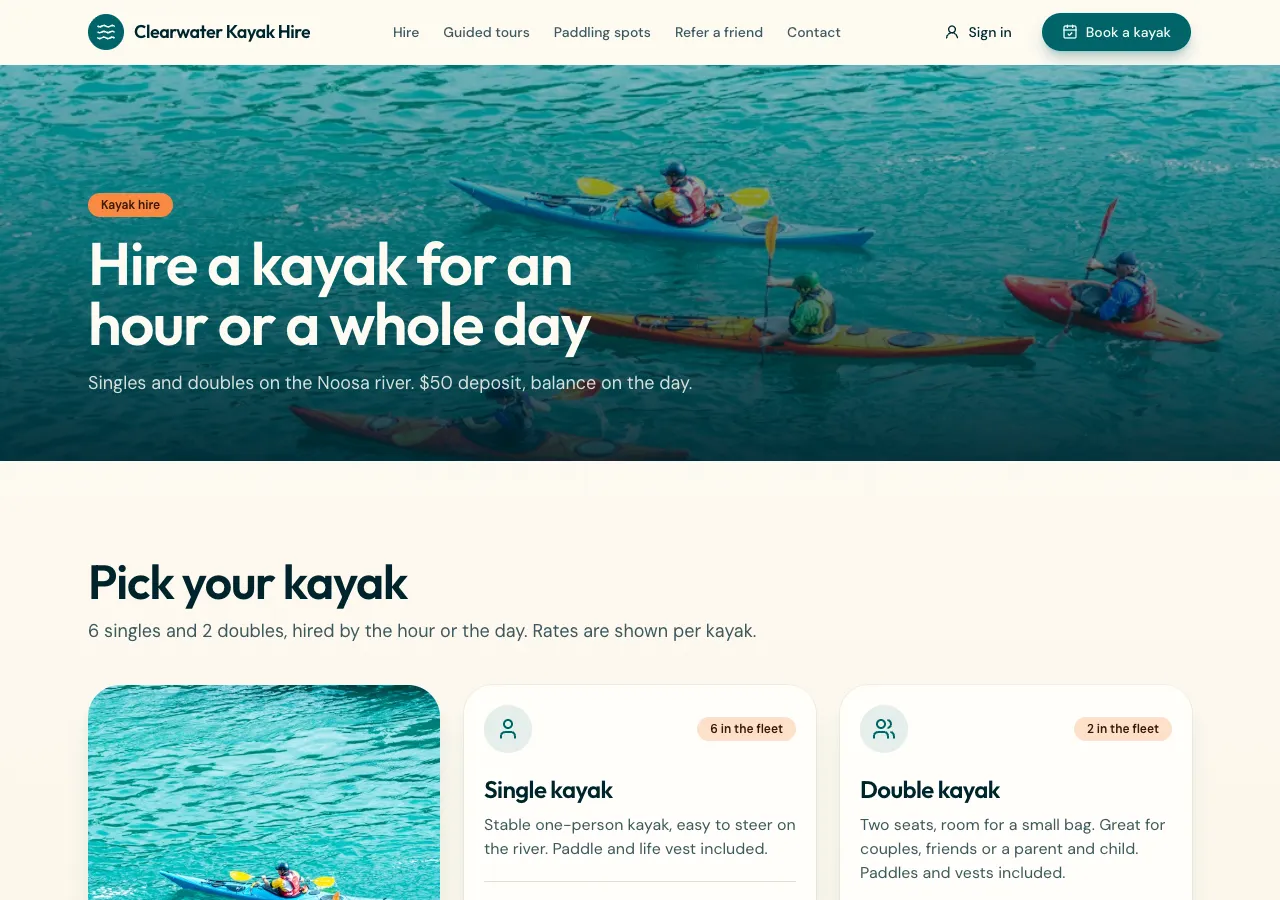
A rental booking website lets customers see when something is free, book it by the hour, day or night, and secure it with a deposit. It works when several identical units are counted correctly, cleaning time between rentals is kept, and the price is worked out in one place.
Items you rent out
Ask for rentals and the AI follows its rentals guide: items with photos, a unit of hour, day or night, a price, a deposit, minimum and maximum units, how many identical units you have, a buffer for cleaning between rentals, check in and check out times for nights, and a return checklist. Owners block dates for their own closures.
Availability counted in the database
A booking goes through a database function that locks the item, adds up the units already booked whose time plus buffer overlaps, includes blocked dates, and refuses the booking if there are not enough units left. The price is the units of time times the price times the quantity, worked out there, never in the browser.
What customers see
Each item has a month grid with fully booked days struck through, a start and end picker, the quantity, and the total and deposit as the function will compute them. After paying the deposit through Stripe Checkout on your connected account, the booking shows in My rentals with its status, and can be cancelled while it is still a request.
Deposits and the balance
A deposit is one payment and the balance another, so the customer sees Deposit paid and Balance due with a date and a Pay balance button, or Paid in full. Staff can mark a balance paid in person. Refunds of deposits are made in your Stripe dashboard.
Handing out and returns
Staff work from a calendar per item in the admin area: confirm a booking, hand it out, and on return tick the checklist and add a damage note. Reminders reach signed in customers in the site's notification bell, or on the phone app as a local reminder; there are no texts or pushes.
How it works, in three steps
Step 1
Describe what you rent
List the items, units, prices, deposits, how many of each and the buffer between rentals.
Step 2
Connect Stripe
Connect Stripe in account settings, Payments, so deposits can be taken.
Step 3
Check and publish
Book the last unit twice in the preview, then publish on a paid plan.
Limits worth knowing
- Card payments need a paid plan and Stripe connected in account settings; the platform fee is 2% on Starter, 1% on Pro and 0.5% on Pro+, with Stripe fees on top.
- Deposit refunds are made in your Stripe dashboard.
- Reminders come by the site's notification bell or the app's local reminders; no SMS.
- The data lives in the site's own database: a hosted one on every plan, or your own Supabase account.
Questions people ask
Can I rent several identical items?
Yes. Each item has a quantity, such as six kayaks, and the booking function counts the units already out at that time before it accepts a new booking. A customer can book two at once if two are free. Separate items, such as kayaks and paddleboards, each have their own count.
Can I charge by the hour and by the day?
Each item has one unit, hour, day or night, with its own price. If you rent the same thing both ways, ask for two items, such as Kayak hourly and Kayak full day, or ask the AI to build a day rate cap into the price function.
How does the cleaning buffer work?
Each item can have a buffer in minutes that is added to the end of every booking when availability is checked, so the next customer cannot start until the item is ready. The customer never sees the buffer, only the times that are actually free.
Is the deposit refundable?
That is your policy, shown before payment. The site records whether a deposit is refundable and shows the terms, but the refund itself is made in your Stripe dashboard, which marks the order refunded. The site never moves money on its own.
Can holiday lets use it?
Yes. Use night as the unit with check in and check out times, and the booking takes the dates and applies those times. Blocked dates cover your own stays. For a full accommodation business with channel managers, a dedicated booking engine fits better.
Do customers need an account?
Customers can book as guests with their details, and signed in customers also get My rentals with status and cancel while the booking is still a request. Payment works either way through Stripe Checkout. Staff always work from the admin calendar.
Make your own website
The button opens the generator with this use case already described. Change the wording to match yours, generate, then edit anything you like.
Create a website with OneCraftRelated pages
Website with online booking, written from your brief
A website with online booking lets a customer pick a service, a person and a free time, and get a confirmed booking without a phone call. What makes it trustworthy is that two people can never take the same slot, and that customers can see and cancel their own bookings.
Quote request website where clients accept and pay online
A quote request website turns get a quote into a structured request with the details and photos you need, then lets you send back a priced quote the customer can accept and pay without a phone call. It saves the back and forth that eats a tradie's or a studio's evenings.
Booking request form for your website that offers only free times
A booking request form for a website lets a client pick a service and a time and send the request to you to confirm. On OneCraft the agent writes it with the bookings guide: services, staff and working hours, a booking page that shows only free times, and a database rule that refuses double bookings.
More finished work of this kind is on the website examples hub.
Written and checked by the OneCraft team. Last checked .