Forms · Compared
Cognito Forms vs Jotform, with a third option compared
Calculations are the deciding feature. Cognito Forms is built around forms that compute and repeat: totals, repeating sections and tables, documents generated from entries. Jotform is built around breadth: 20,000 templates, 40 plus payment gateways, a PDF editor, signing and approvals. A third column fits neither job and says so, but covers forms that end in a designed or signed PDF.
Updated , competitor details checked . Cognito Forms is a trademark of its owner and Jotform is a trademark of Jotform Inc. OneCraft is not affiliated with or endorsed by either company.
Nuwan Madhusanka · Co-founder
2 min read · Published
The short verdict
Choose Cognito Forms when a form must calculate totals, repeat sections and generate documents from entries, at prices from free to $174 a month. Choose Jotform when breadth matters most: templates, payment gateways, a PDF editor, signing, approvals and HIPAA on Gold. Choose the third column for forms that only collect, print and sign, written for you from a description.
| Feature | Cognito Forms | Jotform | OneCraft |
|---|---|---|---|
| Free plan | Individual free: 1 user, unlimited forms, 100 entries a month, accept payments, 100 MB of storage checked 2026-10-21 | Starter $0: 5 forms, 100 monthly submissions, 100 MB upload space, 10 signed documents a month checked 2026-10-21 | Free $0 with 100 credits a month |
| Paid plans | Pro $24 a month, 2 users, 2,000 entries; Team $49, 5 users, 10,000 entries; Enterprise $174, 20 users, unlimited entries checked 2026-10-21 | Bronze $39 a month or $408 a year; Silver $49 or $468; Gold $129 or $1,188 checked 2026-10-21 | Starter $8, Pro $25, Pro+ $125 a month |
| Calculations | Calculations listed among Cognito's features checked 2026-10-21 | Conditional logic and form widgets; calculations not itemised on the features page read checked 2026-10-21 | No calculated fields |
| Repeating sections | Repeating Sections and Tables checked 2026-10-21 | Not itemised on the features page read checked 2026-10-21 | A table with a fixed number of rows and no add row button |
| Payments | Accept card payments and manage payment activity with Cognito Pay checked 2026-10-21 | 40+ payment gateway integrations with recurring subscriptions checked 2026-10-21 | No payment component |
| Documents from entries | Document Generation checked 2026-10-21 | PDF Editor creates polished PDFs from submissions checked 2026-10-21 | Response PDF from a layout editor; fillable PDF from Starter |
| Signatures | Electronic Signatures checked 2026-10-21 | Electronic signature forms for contracts, agreements and waivers checked 2026-10-21 | Inline signature and an e-signing add-on |
| HIPAA | Stay compliant with HIPAA, GDPR, CCPA and other privacy regulations checked 2026-10-21 | HIPAA compliance features on Gold and Enterprise checked 2026-10-21 | No compliance tier is claimed |
| Conditional logic | Conditional Logic checked 2026-10-21 | Show or hide fields, send emails and show different thank-you messages checked 2026-10-21 | Jump rules on conversational forms only |
| Extra users | Add users for $5 a user a month; guest tiers from $25 a month for 50 guests checked 2026-10-21 | Enterprise is described as the only multiuser plan checked 2026-10-21 | No seats sold |
Where Cognito Forms is better
Repeating sections and calculations
A section repeats as many times as the answer needs and fields total themselves, which is how order forms, expense claims and registrations with several attendees work. Neither other column does both.
Generous entries for the price
Pro gives 2,000 entries a month for $24 and Team 10,000 for $49, with payments on every plan including the free one.
Where Jotform is better
Breadth and templates
More than 20,000 templates, 40 plus payment gateways, a PDF editor, signing, approvals, offline mobile forms and over 200 integrations make Jotform the widest of the three.
Offline collection
Jotform Mobile Forms collect data offline and sync when the connection returns, which suits field inspections and events.
Where OneCraft is different
Honest about tables
A OneCraft table renders exactly the rows it was built with, each cell a text input, and it cannot grow or total. That is fine for a fixed list of six blends and wrong for an open ended order.
The form is written for you
A description, or on paid plans a PDF or photo of the old form, produces the fields, sections, welcome screen and theme in one pass, without browsing a template library.
Signing with a certificate
The e-signing add-on routes a response to its signers and finishes with a certified PDF and a certificate of completion recording each signer's verification method, time and IP address.
A finished example
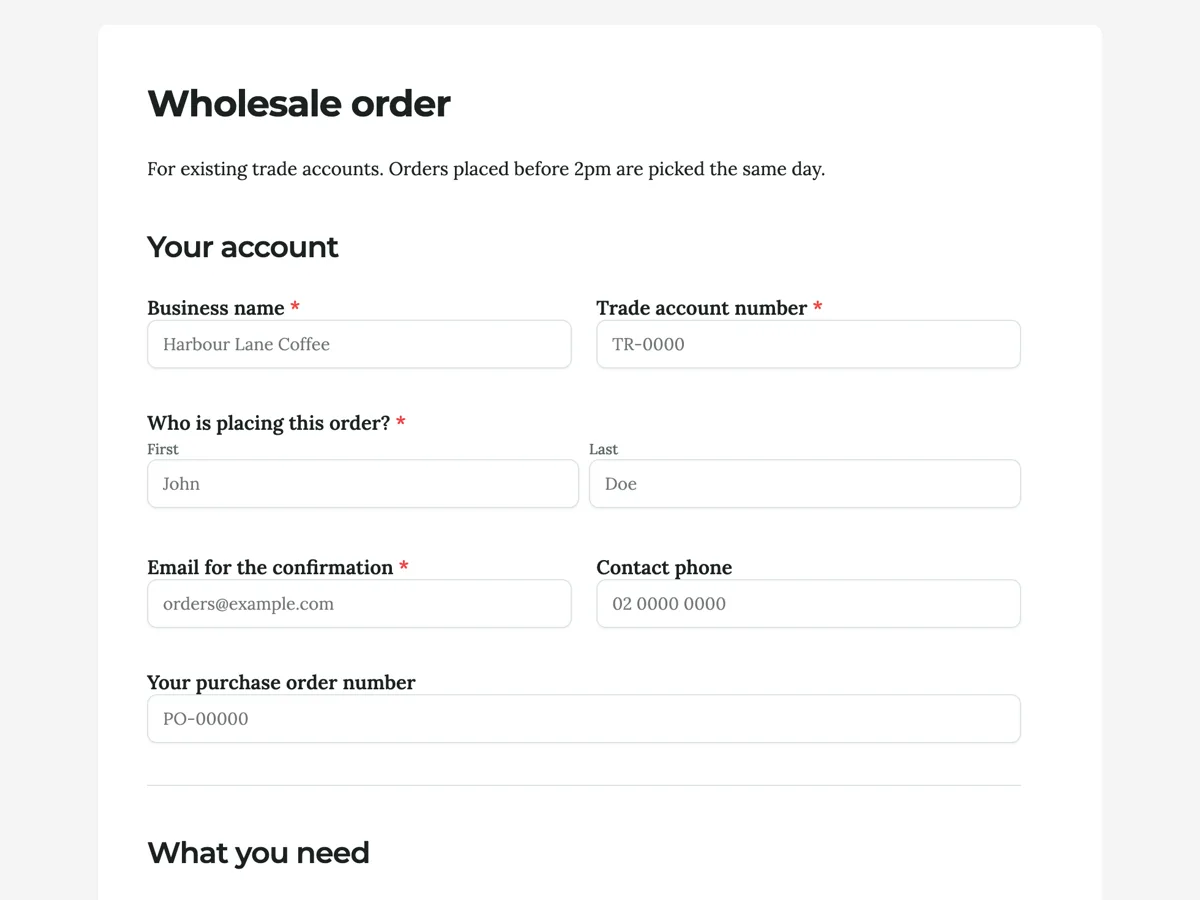 Product order formMade with OneCraft, exactly as the generator and editor left it. Open the page for the full breakdown.
Repeating sections and tables, honestly
Cognito Forms lists Repeating Sections and Tables as a feature, so a form grows with the answer. Jotform's features page read on 21 October 2026 does not itemise repeating sections, though widgets extend its forms. OneCraft's table draws a fixed number of rows set when the form is built, with no add row control and no totals, so an order of seven items on a six row table will not fit.
Prices read the same day
Cognito Forms: Individual free with 100 entries a month, Pro $24 a month, Team $49 and Enterprise $174, extra users $5 each a month. Jotform: Starter free, Bronze $39 a month or $408 a year, Silver $49 or $468, Gold $129 or $1,188, with 50% off for nonprofits and education. OneCraft: $0, $8, $25 and $125 a month.
Which is cheaper
At the entry point Cognito Forms is cheaper for volume: $24 for 2,000 entries against Jotform Bronze at $39 for 1,000 submissions. Jotform's yearly prices narrow the gap. OneCraft is cheaper again at $8, but only if you can live without calculations and payments.
Sources
Cognito Forms facts come from its pricing and features pages, Jotform facts from its pricing and features pages, all read on 21 October 2026. OneCraft cells cite an internal ledger checked against the product source.
Who should stay with Cognito Forms or Jotform
Stay with Cognito Forms if your forms calculate totals or repeat sections. Stay with Jotform if you need payments through many gateways, approvals, offline mobile collection or HIPAA on Gold. Move to the third column only for forms that collect a fixed set of answers and end in a PDF or a signature.
Questions people ask
Is Cognito Forms better than Jotform?
For calculated totals and repeating sections, yes. For breadth of templates, payment gateways, approvals and offline collection, Jotform leads. Many teams pick Cognito for order and claim forms and Jotform for everything else. Both offer free plans to test that split before paying.
Which one does calculations?
Cognito Forms lists calculations among its core features. Jotform's features page read on 21 October 2026 does not itemise calculations, though its widgets extend forms. OneCraft has no calculated fields. Totals on a OneCraft form are worked out after export in a spreadsheet.
Which is cheaper, Cognito Forms or Jotform?
Cognito Forms at the entry point: Pro is $24 a month for 2,000 entries, against Jotform Bronze at $39 a month for 1,000 submissions. On yearly billing Jotform Bronze is $408 a year. Check the entries or submissions you need before comparing.
Can a fixed row table replace a repeating section?
Only when the number of rows is known in advance. A OneCraft table renders exactly the rows it was given and cannot grow, so a six line order works and an open ended expense claim does not. Choose the row count from your largest realistic order.
Do all three collect signatures?
Yes. Cognito Forms and Jotform list electronic signatures, and OneCraft has an inline signature field plus an add-on that turns a response into a signing envelope with a certificate of completion. The difference is the certified file and audit trail after signing.
Try the form side of OneCraft
The button opens the generator with a starting prompt already filled in. Change the wording to match your own work before you run it.
Create a form with OneCraftMore comparisons
- A Cognito Forms alternative for forms and PDFsA Cognito Forms alternative for AI written forms, response PDFs and certified signing, with the repeating sections, calculations and payments gap stated.
- A Jotform alternative for forms, PDFs and signingOneCraft as a Jotform alternative: classic and conversational forms, fillable PDFs, e-signature and AI generation, with Jotform's breadth stated honestly.
- Jotform vs Formstack for business forms, and a third optionJotform vs Formstack compared on pricing, logic, approvals, HIPAA, PDFs, signing and AI for business forms, with a third column for OneCraft.
What the module actually does, feature by feature: the AI form builder page, and the forms maker page.
Step by step in the builder: The form builder components, then Send a document for e-signature.
Written and checked by the OneCraft team. Last checked .