Videos · Alternative
A Steve AI alternative for explainer videos
If your explainer needs charts, diagrams, maps and clear on screen text more than animated cartoon characters, OneCraft is a Steve AI alternative that turns a written brief into a short narrated scene video. Steve AI stays ahead for character animation, its range of output styles and long monthly video allowances.
Updated , competitor details checked . Steve AI is a trademark of its owner. OneCraft is not affiliated with or endorsed by it.
Nuwan Madhusanka · Co-founder
3 min read · Published
The short verdict
Steve AI suits people who want animated characters, a choice of output styles from animation to live footage and generative clips, and allowances measured in hundreds of minutes a month. OneCraft suits people who want a short explainer or promo written from a brief, built from composed scenes with charts, diagrams, maps, captions and narration, beside the matching deck or flyer in one account.
| Feature | Steve AI | OneCraft |
|---|---|---|
| Price | Basic $10 a month, shown as $120 a year; Starter $30; Pro $40; Generative AI $40; Enterprise custom checked 2026-10-05 | Free $0 with 100 credits a month, Starter $8 with 500, Pro $25 with 1,500, Pro+ $125 with 7,500 |
| Animation | 100+ animated characters on Basic and 300+ on Starter and up checked 2026-10-05 | No characters. Scenes animate text, 10 chart kinds, 6 diagram kinds and a world map with 124 named locations |
| Output styles | 7+ video output styles, including animations, generative AI and live videos checked 2026-10-05 | 3 video types: promotional, tutorial and UGC |
| Starting point | Text, prompt, script, audio or image to video checked 2026-10-05 | A brief of up to 10,000 characters, with up to 8 images and 5 documents attached |
| Narration | Choose from templates, languages, voices and presenters checked 2026-10-05 | Google Chirp3-HD voices in 4 styles, picked from the brief's language; 56 languages have a mapped voice |
| Length | 100 minutes of AI video a month on Basic and Starter, 300 on Pro, 400 on Generative AI checked 2026-10-05 | Short, standard or long, targeting 10, 18 or 30 seconds |
| Formats | Create in any format or style checked 2026-10-05 | Landscape 1920x1080 or vertical 1080x1920; square is hidden from both pickers |
| Export resolution | 720p on Basic, 1080p on Starter, 2K on Pro and Generative AI, 4K on Enterprise checked 2026-10-05 | MP4, with 4K from the Starter plan |
| Captions | Not itemised on the pages checked checked 2026-10-05 | Built from the narration text, on by default, with a per scene toggle |
| Music | Swap colour, music and more checked 2026-10-05 | 13 library tracks, or your own upload or URL; music ducks to 22% under the voice |
Where Steve AI is better
Character animation
Steve AI lists more than 300 animated characters on its paid plans, so a story can be told by a cast. OneCraft has no characters at all. Its scenes move text, charts, diagrams and images, which works for a product explainer but cannot act out a scene between people.
More output styles
Steve AI describes seven or more output styles, from animation to live footage and generative video. OneCraft offers three video types and one generator style pack, so the look of the result is narrower even when the content changes.
Long monthly allowances
Steve AI plans are measured in minutes, from 100 to 400 minutes of AI video a month. A OneCraft video targets 10, 18 or 30 seconds, so a ten minute lesson or a long narrated story is outside what the generator makes.
Translating a finished video
Steve AI lists an AI video translator for more than ten languages. OneCraft cannot translate a video once it exists; you generate a new one with the brief in the other language.
Where OneCraft is different
Numbers shown as data
A figure in the brief can land as a bar, line, pie, waterfall or waffle chart, a funnel or Venn diagram, or a highlighted country on a world map. For an explainer about a product or a process, a chart often says more than a character pointing at one.
Facts from your brief
The model writes content only: copy, narration, scene order and timing. The director is told never to invent numbers, and attached documents are summarised into the brief rather than ignored. Layout and motion are deterministic.
One script, one voice, one set of captions
Narration and captions come from the same script, and the captions follow the voice word by word. Change a line in the voice dialog and the captions change with it.
Videos beside the rest of the launch
The same account and credits make the deck, flyer, form or document that goes out with the video, so one brief can be reused across the whole launch.
A finished example
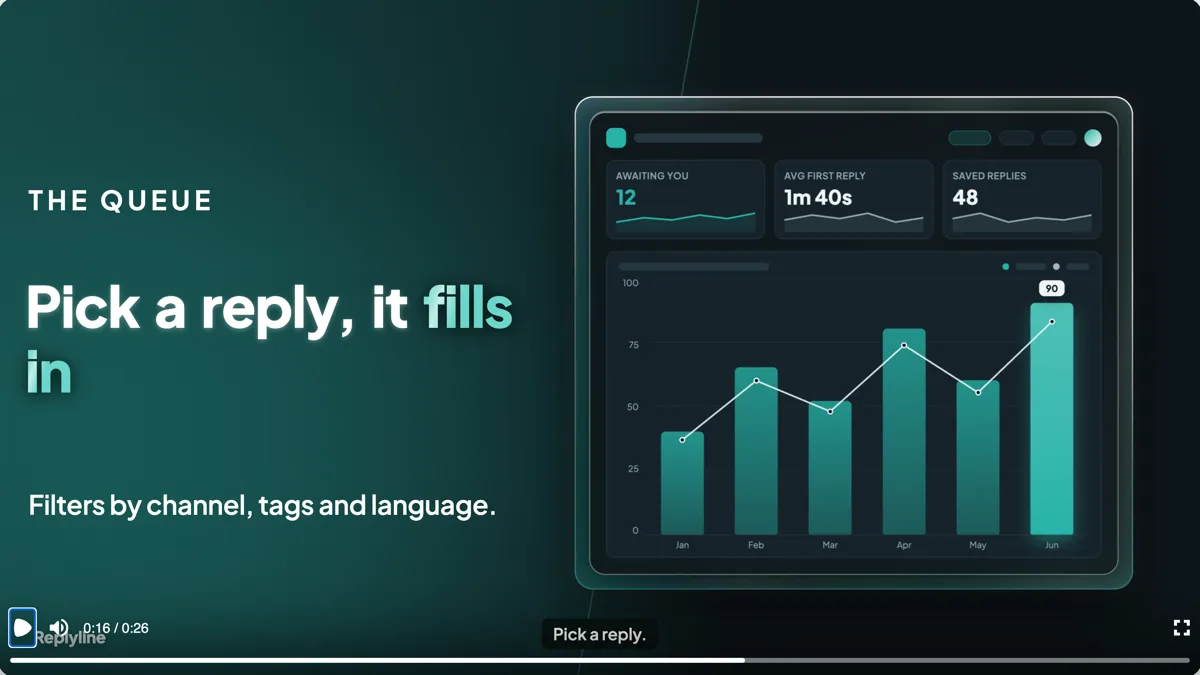 SaaS feature launch video exampleMade with OneCraft, exactly as the generator and editor left it. Open the page for the full breakdown.
Pricing in plain terms
Checked 5 October 2026. Steve AI's pricing page lists Basic at $10 a month, shown as $120 a year, with 100 minutes of AI video and 720p; Starter at $30 with 1080p; Pro at $40 with 300 minutes and 2K; Generative AI at $40 with 400 minutes; and Enterprise at a custom price with 4K. OneCraft lists Free at $0 with 100 credits a month, Starter at $8 with 500, Pro at $25 with 1,500 and Pro+ at $125 with 7,500. A video generation uses about 20 credits. An export bills its render time, usually a small amount, and new narration is billed by length.
How an explainer scene is built here
You write the brief: what the product does, the steps, the numbers and the ending. The director picks scene roles, writes a short line of narration for each scene and fills the slots: a heading, a list, a chart, a diagram or an image. A standard video has 4 to 9 scenes and a long one 6 to 12. Then you can change any text, swap a chart kind, replace an image, pick another voice from the whole Google catalogue or switch the pace between Dynamic and Calm.
Characters or composed scenes
Pick by what the viewer must remember. If it is a feeling or a story, a character carries it better, and Steve AI is built for that. If it is a number, a sequence of steps or a comparison, a chart or a diagram on screen while the voice explains it is easier to recall, and that is what OneCraft makes. Many teams use both: a character story for awareness and a data led explainer for the product page.
What could not be checked
Steve AI's pages checked do not itemise captions, the exact aspect ratios offered or how the voice is chosen per language, so those cells quote only what the pages say. Two of its feature pages returned a server error on the day. Every OneCraft cell names a row in an internal fact ledger checked against the product's source code.
Who should stay with Steve AI
Stay with Steve AI if your explainers depend on animated characters, if you want live footage or generative clips as the main visual, or if you publish many minutes of video each month. OneCraft fits short, data led explainers and promos made from a brief.
Questions people ask
Does OneCraft have animated characters like Steve AI?
No. There is no character library and no character animation. The closest thing is UGC mode on the Pro plan, which generates one realistic creator persona that speaks in up to three scenes. For an explainer, OneCraft animates text, charts, diagrams, maps and images instead, so the subject is shown rather than acted.
How long can a OneCraft explainer video be?
The generator offers short, standard and long, which target about 10, 18 and 30 seconds with 3 to 6, 4 to 9 and 6 to 12 scenes. Promo scenes run 2.5 to 4 seconds each with 5 to 8 words of narration, so the tool is built for short pieces, not a ten minute walkthrough or a full lesson.
Can I put my own figures in the charts?
Yes. Numbers you write in the brief are used as written, and the director is told never to invent statistics. After generation you can edit every value, label and series in the chart inspector, switch between the ten chart kinds, or replace the chart with a diagram if the point is a process rather than a quantity.
Which languages can the narration use?
Write the brief in the language you want, or name it in the language field. 56 languages have a mapped Google voice, and three of them fall back to the Wavenet tier. A language with no mapped voice still gets its on screen text written in that language, but the video comes back silent and you add a voice in the builder.
Can I put my logo on a OneCraft explainer?
Yes, as a watermark. You set your own wordmark or a logo entered as a URL, since there is no upload button for it, and it sits in the bottom left corner at 72% opacity. It fades in after the opening scene and out before the closing one, so it never covers the title or the call to action.
Try the video side of OneCraft
The button opens the generator with a starting prompt already filled in. Change the wording to match your own work before you run it.
Create a video with OneCraftMore comparisons
- A Fliki alternative for text-to-video with voiceoverA Fliki alternative for text-to-video with voiceover: OneCraft and Fliki compared on price, voices, stock media, scenes, captions and music ducking.
- A Pictory alternative for short promo videosA Pictory alternative for short promo videos: OneCraft and Pictory compared on price, stock footage, captions, voices, video length and formats.
- An InVideo alternative for promo videosOneCraft as an InVideo alternative for promo, tutorial and UGC videos: scenes from a brief, voiceover, captions and stock clips, but no timeline.
What the module actually does, feature by feature: the AI video maker page, and the videos maker page.
Step by step in the builder: Make a promo video with AI voiceover, then Add voiceover, captions and music to a video.
Written and checked by the OneCraft team. Last checked .