Forms · Compared
SurveyMonkey vs Qualtrics, and when neither is needed
SurveyMonkey is a business survey tool with published plan prices, a question bank and solid analysis. Qualtrics is a research and experience management system priced by interactions, with panels, quotas and enterprise programmes behind sales calls. Many small teams need neither, because their job is a form or a short feedback survey that ends in a spreadsheet or a PDF.
Updated , competitor details checked . SurveyMonkey is a trademark of SurveyMonkey Inc. and Qualtrics is a trademark of Qualtrics, LLC. OneCraft is unaffiliated with both and not endorsed by either.
Indunil Asanka · Co-founder
2 min read · Published
The short verdict
Qualtrics is the choice for research programmes: quotas, branching, panels, statistical analysis and SPSS exports at enterprise scale. SurveyMonkey is the choice for business surveys with published prices, good analysis and a question bank. A form builder such as OneCraft is enough when the job is a form or a short survey, and the answers need a CSV or a PDF rather than statistics.
| Feature | SurveyMonkey | Qualtrics | OneCraft |
|---|---|---|---|
| Pricing model | Published plans: Advantage Annual A$32 a month billed A$384 with 15,000 responses a year, shown to an Australian visitor checked 2026-10-21 | Pricing based on interactions, including survey responses and video minutes; online pricing starts at $420 per month checked 2026-10-21 | Published monthly plans: $0, $8, $25, $125 |
| Free access | Basic free with 10 questions per survey checked 2026-10-21 | A free account with basic survey functionality and limited features checked 2026-10-21 | Free at $0 with 100 credits a month |
| Enterprise | Enterprise from 5 users with single sign-on and a US, Canada or EU data centre, through a demo request checked 2026-10-21 | CX, EX and market research products, each priced on request checked 2026-10-21 | No enterprise tier with compliance claims |
| Logic and randomisation | Advanced logic and block randomisation on Premier checked 2026-10-21 | Smart logic, branching and quota controls checked 2026-10-21 | Jump rules on conversational forms only |
| Analysis | Statistical significance, crosstabs and AI thematic analysis by plan checked 2026-10-21 | 30+ graph types, crosstab and statistical analyses in dashboards checked 2026-10-21 | Responses table and CSV |
| Panels | SurveyMonkey Audience sold separately checked 2026-10-21 | Integrated human panels and synthetic audiences checked 2026-10-21 | No panel |
| Exports | Data exports from Standard checked 2026-10-21 | CSV, Excel, SPSS, Tableau, Power BI and Looker checked 2026-10-21 | CSV only |
| Question types | More question types on paid plans; 1,800+ pre-written questions checked 2026-10-21 | 23 question types including video and audio responses checked 2026-10-21 | 41 component types |
| Templates | 500+ expert templates checked 2026-10-21 | 50+ survey templates and 20+ pre-built solutions checked 2026-10-21 | Generator from a description of up to 10,000 characters |
| Data quality | Flag poor quality responses checked 2026-10-21 | Methodology guardrails in a Research Agent checked 2026-10-21 | Validation on length, value, files |
Where SurveyMonkey is better
Published prices and a fast start
SurveyMonkey shows plan prices and response limits on its pages and lets a single user buy a plan today. Qualtrics routes most products through a pricing request.
A question bank for non researchers
More than 1,800 pre-written questions and 500 plus templates help a business user write a sound survey without methods training.
Where Qualtrics is better
Research infrastructure
Quotas, branching, integrated panels, synthetic audiences and SPSS, Tableau and Power BI exports make Qualtrics a research system rather than a survey tool.
Enterprise programmes
Customer experience, employee experience and market research products, with contact centre analytics and continuous employee listening, cover whole programmes that neither other column attempts.
Where OneCraft is different
Forms, not research
OneCraft is a form builder that also makes surveys: intake, applications, consent, feedback and 360 reviews, generated from a description and themed.
A PDF for every response
A 360 review or an evaluation can be printed per response through a PDF layout editor, which suits HR files and committee packs.
Prices a small team can see
Every plan has a published monthly price from $0 to $125, priced by AI credits with no seats and no response cap printed.
A finished example
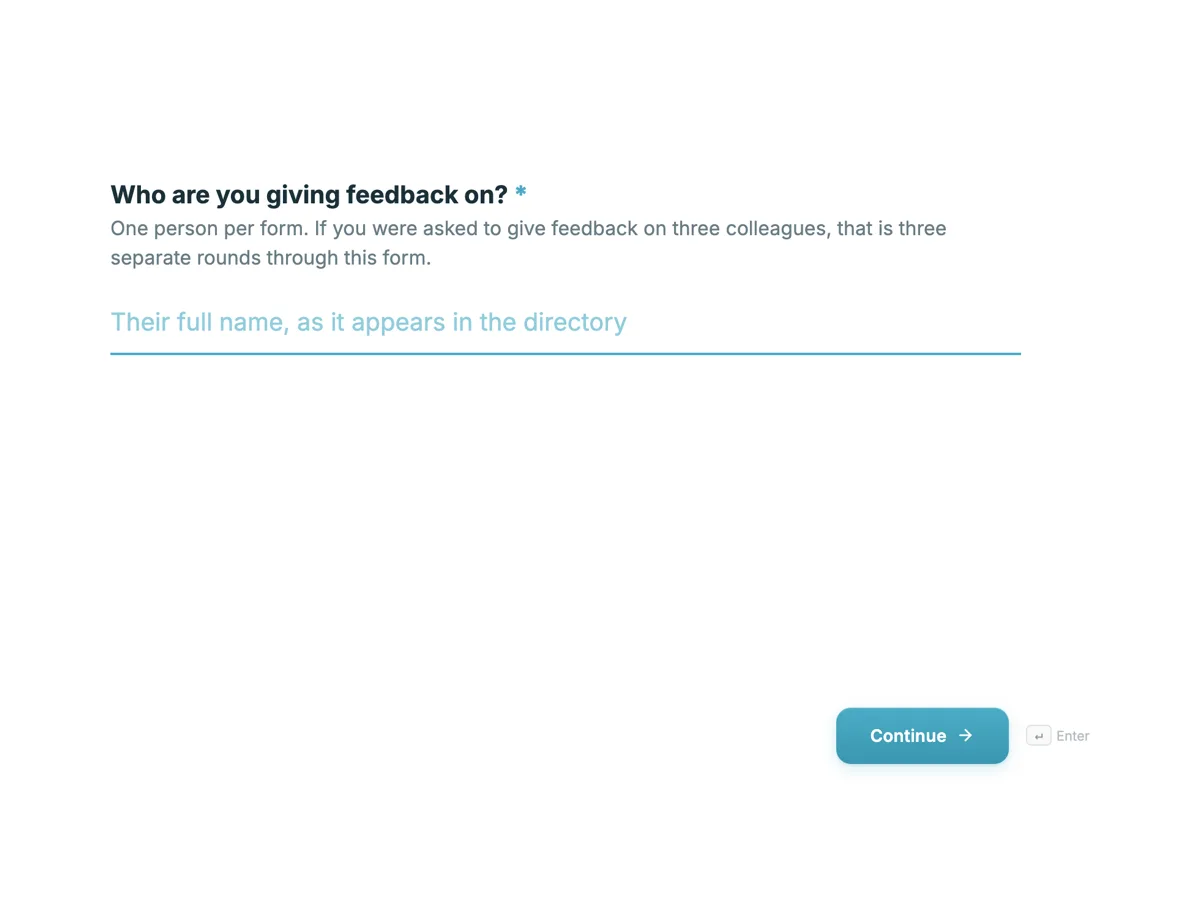 360 feedback formMade with OneCraft, exactly as the generator and editor left it. Open the page for the full breakdown.
University licences and who uses which
Neither pricing page read on 21 October 2026 lists a university licence price. Qualtrics links a free account and states that many brands use it for research; SurveyMonkey's plan pages focus on individual and team plans. Students should check what their institution licenses before paying for either, because a site licence usually makes the choice for them.
Prices read the same day
SurveyMonkey, in Australian dollars to an Australian visitor: Standard Monthly A$209, Advantage Annual A$32 a month billed A$384, Premier Annual A$119 a month billed A$1,428, Team Advantage A$23 and Team Premier A$75 per user a month from 3 users. Qualtrics: online pricing starts at $420 per month, with enterprise products priced on request. OneCraft: $0, $8, $25 and $125 a month.
When neither is needed
A small business running an annual staff survey, a clinic asking patients about their visit, or a consultancy running 360 reviews for six leads needs clear questions, a matrix, a CSV and perhaps a PDF per person. Paying for a research platform or a team analysis plan adds features nobody will open.
Sources
SurveyMonkey facts are from its pricing, individual plan and plan details pages; Qualtrics facts from its pricing and survey software pages; all read on 21 October 2026. OneCraft cells cite an internal ledger checked against the product source.
Who should stay with SurveyMonkey or Qualtrics
Stay with Qualtrics if your organisation runs research or experience programmes that need panels, quotas, statistics and enterprise controls. Stay with SurveyMonkey if you run regular business surveys and value its analysis and question bank. Choose a form builder only when the work is forms and short surveys, not research.
Questions people ask
Is Qualtrics better than SurveyMonkey?
For academic and market research, usually: quotas, panels, statistical analysis and SPSS exports are built in. For business surveys with a published price and a question bank, SurveyMonkey is easier to buy and use. Better depends on whether you run research or surveys.
Why is Qualtrics so expensive?
Qualtrics prices by interactions such as survey responses and video minutes, and packages enterprise programmes with panels, analytics and AI. Its survey software page states online pricing starts at $420 per month. That buys a research system, which costs more than a survey tool.
Which do universities use?
Many universities license Qualtrics for research, and some license SurveyMonkey, but neither pricing page read on 21 October 2026 lists academic licence prices. Ask your institution's IT or research office before buying. Student pricing changes often. Libraries and research offices usually know which licence covers students.
Can a 360 review be done in a form builder?
Yes, for small teams. A matrix rating communication, delivery and mentoring plus two open questions covers most 360 reviews, and each response can print as a PDF for the review meeting. Anonymity depends on how you share the link and what you ask, so avoid identifying questions.
Does OneCraft export to SPSS?
No. It exports CSV with option labels and composite answers joined into one column, which needs recoding before SPSS. Qualtrics lists SPSS among its native exports. A research assistant can do that recoding in an hour for a short survey, but for repeated studies the native export saves real time, which is one reason research teams pay for Qualtrics.
Try the form side of OneCraft
The button opens the generator with a starting prompt already filled in. Change the wording to match your own work before you run it.
Create a form with OneCraftMore comparisons
- A Qualtrics alternative for small surveys and feedbackA Qualtrics alternative for small surveys and feedback forms: logic, panels, analysis and price compared, with Qualtrics pages read on 21 October 2026.
- A SurveyMonkey alternative for surveys and feedbackA SurveyMonkey alternative for feedback surveys: 41 components, matrix grids, conversational mode and AI writing, with SurveyMonkey's response limits quoted.
- Typeform vs SurveyMonkey, with a third option comparedTypeform vs SurveyMonkey on response caps per plan, logic, analysis and design, both pricing pages read 21 October 2026, plus a third AI form builder.
What the module actually does, feature by feature: the AI form builder page, and the forms maker page.
Step by step in the builder: The form builder components, then View, export and manage your responses.
Written and checked by the OneCraft team. Last checked .