Forms · Compared
Typeform vs SurveyMonkey, with a third option compared
The split is design against analysis. Typeform sells the experience of answering, one question at a time, with response caps per month. SurveyMonkey sells the analysis afterwards, with statistical significance, crosstabs, AI theme grouping and benchmarks, and response caps per year. A third column covers forms where neither matters as much as getting a printable or signed record.
Updated , competitor details checked . Typeform is a trademark of its owner and SurveyMonkey is a trademark of SurveyMonkey Inc. OneCraft is not affiliated with or endorsed by either.
Indunil Asanka · Co-founder
2 min read · Published
The short verdict
Choose SurveyMonkey when the analysis is the job: significance testing, crosstabs, AI grouping of open answers and 50,000 or more responses a year on a team plan. Choose Typeform when the form itself must feel good to answer and response volumes are modest. Choose the third column for short forms and surveys you want generated, themed and, if needed, printed or signed, with no response cap printed.
| Feature | Typeform | SurveyMonkey | OneCraft |
|---|---|---|---|
| Entry paid plan | Basic $39 a month, or $28 a month billed yearly, with 100 responses a month and 1 user checked 2026-10-21 | Standard Monthly A$209 a month with 1,000 responses a month; Advantage Annual A$32 a month billed A$384 a year with 15,000 responses a year checked 2026-10-21 | Starter $8 a month with 500 credits |
| Response caps per plan | 100, 1,000 and 10,000 responses a month on Basic, Plus and Business checked 2026-10-21 | Team Advantage 50,000 and Team Premier 100,000 responses a year; A$0.15 per additional response checked 2026-10-21 | No response cap printed on the pricing page |
| Free plan | A free plan with a limited number of responses a month checked 2026-10-21 | Basic is free: 1 user, 10 questions per survey, limited responses per survey checked 2026-10-21 | Free at $0 with 100 credits a month |
| Team plans | Plus 3 users at $79 a month; Business 5 users at $129 checked 2026-10-21 | Team Advantage A$23 and Team Premier A$75 per user a month, from 3 users, billed annually checked 2026-10-21 | No seat pricing |
| Logic | Conditional logic on Basic checked 2026-10-21 | Skip logic on Standard, more logic on Advantage, advanced logic and block randomisation on Premier checked 2026-10-21 | Jump rules on conversational forms only |
| Analysis | Drop off rates and conversion tracking on Business checked 2026-10-21 | Statistical significance, multi survey analysis and AI thematic analysis on Advantage; crosstabs on Premier checked 2026-10-21 | A responses table and CSV export |
| Response quality | Prevent duplicate responses checked 2026-10-21 | Flag poor quality responses for profanity, gibberish, speeding or straight lining checked 2026-10-21 | Required fields and min and max validation |
| Templates | Free form, survey and quiz templates checked 2026-10-21 | 500+ expert templates and 1,800+ pre-written questions checked 2026-10-21 | A generator that writes the survey from a description |
| Respondent format | Interactive forms, one question at a time checked 2026-10-21 | Surveys and forms, with paid feature access through SurveyMonkey Audience even on Free checked 2026-10-21 | Classic and conversational forms in one builder |
| Video answers | Video questions and answers on the Talent plan checked 2026-10-21 | Not itemised on the plan pages checked checked 2026-10-21 | Audio or video answers, 120 seconds by default, conversational only |
Where Typeform is better
The answering experience
Typeform's whole product is built around one question at a time, branded and paced, which customer facing teams use to lift completion. SurveyMonkey's surveys are clear but traditional in layout.
Video questions for hiring
The Talent plan adds video questions and answers, which makes first round screening possible inside the form.
Where SurveyMonkey is better
Analysis that finds the story
Statistical significance, crosstabs, multi survey dashboards, AI thematic analysis and sentiment tagging turn responses into findings without a spreadsheet. Neither of the other columns offers that depth.
Volume at team scale
Team plans include 50,000 or 100,000 responses a year, with overage at A$0.15 a response, and a question bank of more than 1,800 pre-written questions.
Where OneCraft is different
Neither monthly nor yearly response caps
OneCraft's pricing page prints no response limit at all; it meters AI credits. A survey that goes viral does not hit a cap or an overage charge.
A survey drafted in one pass
Paste rough questions or describe what the survey must decide, and the generator writes sections, scales, an NPS question, welcome and thank-you screens and a theme together.
Surveys and paperwork together
The same account builds classic forms with signature fields and design blocks, so a practice can run its patient survey and its consent form with one look, and print either as a PDF.
A finished example
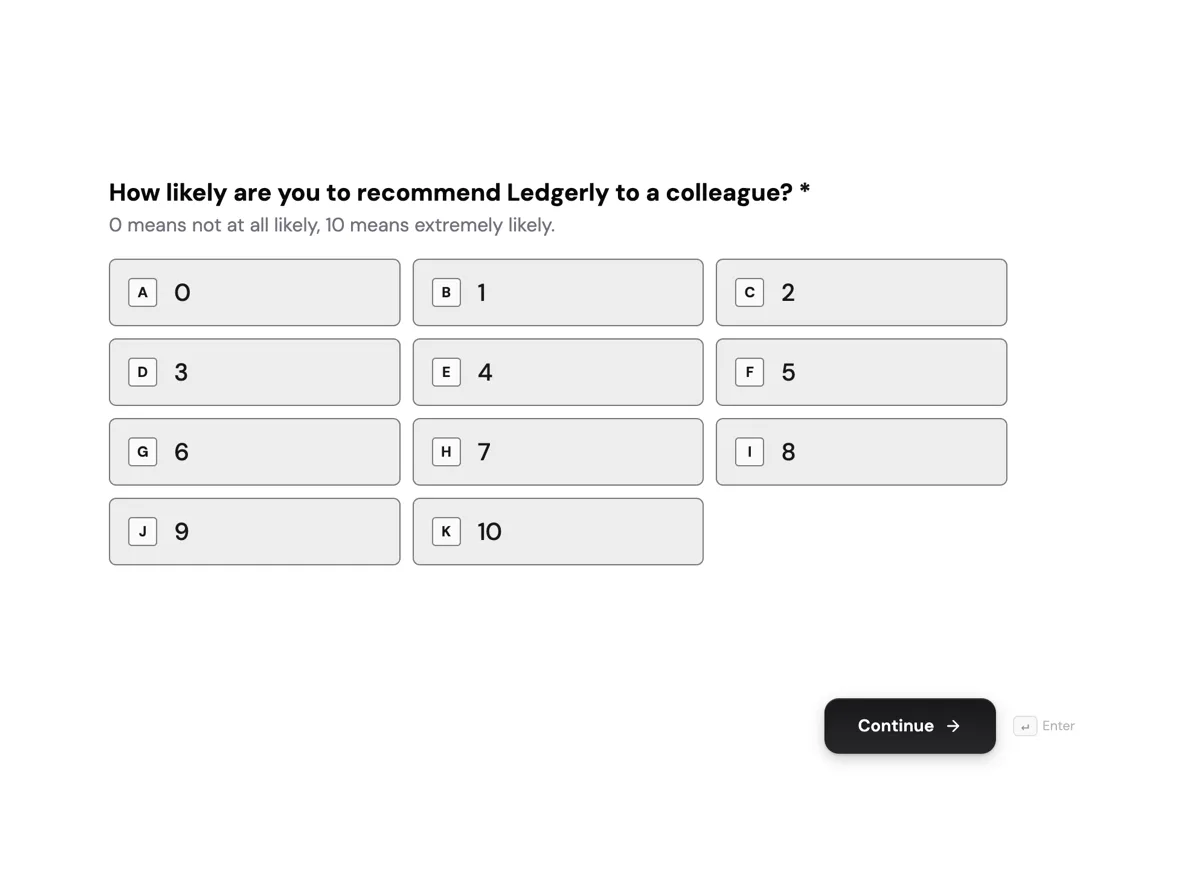 NPS survey with the score explainedMade with OneCraft, exactly as the generator and editor left it. Open the page for the full breakdown.
Response caps per plan in one table
Read on 21 October 2026: Typeform includes 100 responses a month on Basic, 1,000 on Plus, 10,000 on Business and Growth Flow, and 3,000 on Talent, with limits reset monthly. SurveyMonkey, shown in Australian dollars to an Australian visitor, includes 1,000 responses a month on Standard Monthly, 15,000 a year on Advantage Annual, 40,000 a year on Premier Annual, 50,000 a year on Team Advantage and 100,000 on Team Premier, charging A$0.15 for each response over the limit. Its free Basic plan caps questions at 10 per survey and shows a limited number of responses. OneCraft prints no response cap.
Prices on the same day
Typeform: Basic $39 a month or $28 billed yearly, Plus $79 or $56, Business $129 or $91. SurveyMonkey: Standard Monthly A$209 a month, Advantage Annual A$32 a month billed A$384, Premier Annual A$119 a month billed A$1,428, Team Advantage A$23 and Team Premier A$75 per user a month from 3 users, billed annually. OneCraft: $0, $8, $25 and $125 a month.
Design against analysis
If you will read every answer yourself, design and completion matter most and Typeform leads. If you will present findings to others, SurveyMonkey's analysis saves days. If you only need the answers in a CSV and perhaps a PDF, the third column costs least.
How the columns were filled
Typeform facts come from its pricing and product pages; SurveyMonkey facts from its pricing, individual plan, plan details and tour pages; all read on 21 October 2026. OneCraft cells cite an internal ledger checked against the product source.
Who should stay with Typeform or SurveyMonkey
Stay with SurveyMonkey if you report on significance, crosstabs or benchmarks, or collect tens of thousands of responses a year. Stay with Typeform if the respondent experience is the point and integrations matter. Pick the third column for short surveys and forms where cost and a printable result matter more than analysis.
Questions people ask
Is Typeform or SurveyMonkey better for surveys?
SurveyMonkey for surveys you need to analyse, with significance testing, crosstabs and AI theme grouping. Typeform for surveys where the respondent experience drives completion. For a short survey whose answers go to a spreadsheet, a cheaper builder may be enough.
Which is cheaper, Typeform or SurveyMonkey?
It depends on volume and currency. Typeform's Basic is $39 a month for 100 responses a month. SurveyMonkey's Advantage Annual was A$32 a month billed yearly for 15,000 responses a year when read from Australia. Compare the response cap you actually need, not the headline price.
Can Typeform analyse results?
Typeform's Business plan adds drop off rates and conversion tracking, and its pricing page mentions AI analysis features. SurveyMonkey goes further on statistics with significance testing and crosstabs. OneCraft offers a responses table and CSV export only. Most small teams analyse a CSV in a spreadsheet either way.
What happens if a survey goes over its response limit?
SurveyMonkey charges up to A$0.15 per extra response on paid plans and, on Basic, shows only a limited number. Typeform limits responses per month by plan and suggests upgrading. OneCraft prints no response cap on its pricing page. Plan for peaks such as an annual survey.
Does either tool calculate NPS automatically?
SurveyMonkey's features include NPS survey templates and analysis. OneCraft collects the 0 to 10 answer but computes no score, so the NPS formula is applied to the CSV in a spreadsheet. The arithmetic takes one formula: percentage of promoters minus percentage of detractors.
Try the form side of OneCraft
The button opens the generator with a starting prompt already filled in. Change the wording to match your own work before you run it.
Create a form with OneCraftMore comparisons
- A Typeform alternative, compared honestlyOneCraft as a Typeform alternative for conversational forms: what matches, what does not, where Typeform stays ahead, and both public pricing pages quoted.
- A SurveyMonkey alternative for surveys and feedbackA SurveyMonkey alternative for feedback surveys: 41 components, matrix grids, conversational mode and AI writing, with SurveyMonkey's response limits quoted.
- SurveyMonkey vs Google Forms, and a third choiceSurveyMonkey vs Google Forms on the free plan, question bank, analysis, logic and exports, read on 21 October 2026, with a third AI form builder compared.
What the module actually does, feature by feature: the AI form builder page, and the forms maker page.
Step by step in the builder: Create a conversational form with AI, then View, export and manage your responses.
Written and checked by the OneCraft team. Last checked .