Forms · Compared
SurveyMonkey vs Google Forms, and a third choice
On a free plan the answer is Google Forms: its product page states no question or response cap, while SurveyMonkey's free Basic plan allows 10 questions per survey and shows a limited number of responses. On analysis the answer flips, because SurveyMonkey's paid plans test significance, group open answers with AI and build crosstabs. A third choice fits short forms that need a designed look and a PDF.
Updated , competitor details checked . SurveyMonkey is a trademark of SurveyMonkey Inc. and Google Forms is a trademark of Google LLC. OneCraft has no affiliation with either and no endorsement from them.
Nuwan Madhusanka · Co-founder
2 min read · Published
The short verdict
Google Forms is the better free tool for students, teachers and internal teams who want unlimited questions and a Sheet. SurveyMonkey is the better paid tool when you need significance testing, AI grouping of open answers, a large question bank or response quality checks. The third choice suits short surveys and forms that should look designed and print as a PDF, at a lower monthly price.
| Feature | SurveyMonkey | Google Forms | OneCraft |
|---|---|---|---|
| Free plan limits | Basic is free: 1 user, unlimited surveys, 10 questions per survey, limited responses per survey checked 2026-10-21 | No question or response limit stated on the Forms product page checked 2026-10-21 | Free at $0 with 100 credits a month; no response cap printed |
| Paid entry | Standard Monthly at A$209 a month with 1,000 responses a month, shown to an Australian visitor checked 2026-10-21 | Sold within Google Workspace; Business Starter A$9.90 per user a month on an annual commitment checked 2026-10-21 | Starter $8 a month |
| Question bank | 500+ expert templates and more than 1,800 pre-written questions checked 2026-10-21 | Pre-made templates for surveys and questionnaires checked 2026-10-21 | A generator that writes the survey from a description |
| Question types | Some question types on Basic, more on Standard checked 2026-10-21 | Short answer, paragraph, multiple choice, checkboxes, dropdown, file upload, linear scale, rating, grids, date, time checked 2026-10-21 | 41 component types including matrix, table and recording |
| Analysis | Statistical significance, multi survey analysis and AI thematic analysis on Advantage; crosstabs on Premier checked 2026-10-21 | Automated charts in real time, and raw data exported to Sheets checked 2026-10-21 | A responses table and CSV export; no charts |
| Logic | Skip logic from Standard, advanced logic and block randomisation on Premier checked 2026-10-21 | Go to a section based on an answer to multiple choice, checkboxes or dropdown checked 2026-10-21 | Jump rules on conversational forms only |
| Response quality | Flag poor quality responses for gibberish, speeding or straight lining checked 2026-10-21 | Not described on the Forms product page checked 2026-10-21 | Validation on length, value, file type and count |
| Collaboration | Team plans from 3 users with shared brand assets and user roles checked 2026-10-21 | Share Forms with others to collaborate and analyse results in one place checked 2026-10-21 | No shared editing roles on a form |
| Export shape | Data exports on Standard and above checked 2026-10-21 | Export the raw data into Google Sheets checked 2026-10-21 | CSV with one column per field; a matrix joined into one column |
| Look | Custom design on Standard and premium themes on Advantage checked 2026-10-21 | Choose colours, images and fonts to match branding checked 2026-10-21 | 37 themes, 22 palettes, 24 background patterns |
Where SurveyMonkey is better
Analysis and benchmarks
Significance testing, crosstabs, multi survey analysis, AI thematic analysis and sentiment tagging do the work a spreadsheet would otherwise take days to do. Google's automated charts are simpler, and OneCraft has none.
A question bank written by experts
More than 1,800 pre-written questions and 500 plus templates reduce the risk of leading or double barrelled wording. That matters most to people writing their first survey.
Where Google Forms is better
No caps on the free tool
Google's Forms page states no limit on questions or responses, and answers flow into Sheets. SurveyMonkey's free plan stops at 10 questions a survey and shows limited responses.
Built into Workspace
Teams already on Gmail and Drive share a form like a document, collaborate on it and analyse the results together, with no new account.
Where OneCraft is different
A designed survey at a low price
For $8 a month, or free with 100 credits, a survey comes with a theme, palette, background pattern and welcome screen, without a premium plan for design.
Matrices and tables that print well
A matrix or table survey prints through the PDF layout editor, which suits course evaluations handed to a committee on paper.
Know the CSV before you export
Each input field is one column, option labels replace stored values, dates follow the field's own format, and a matrix or address is joined into one column rather than expanded.
A finished example
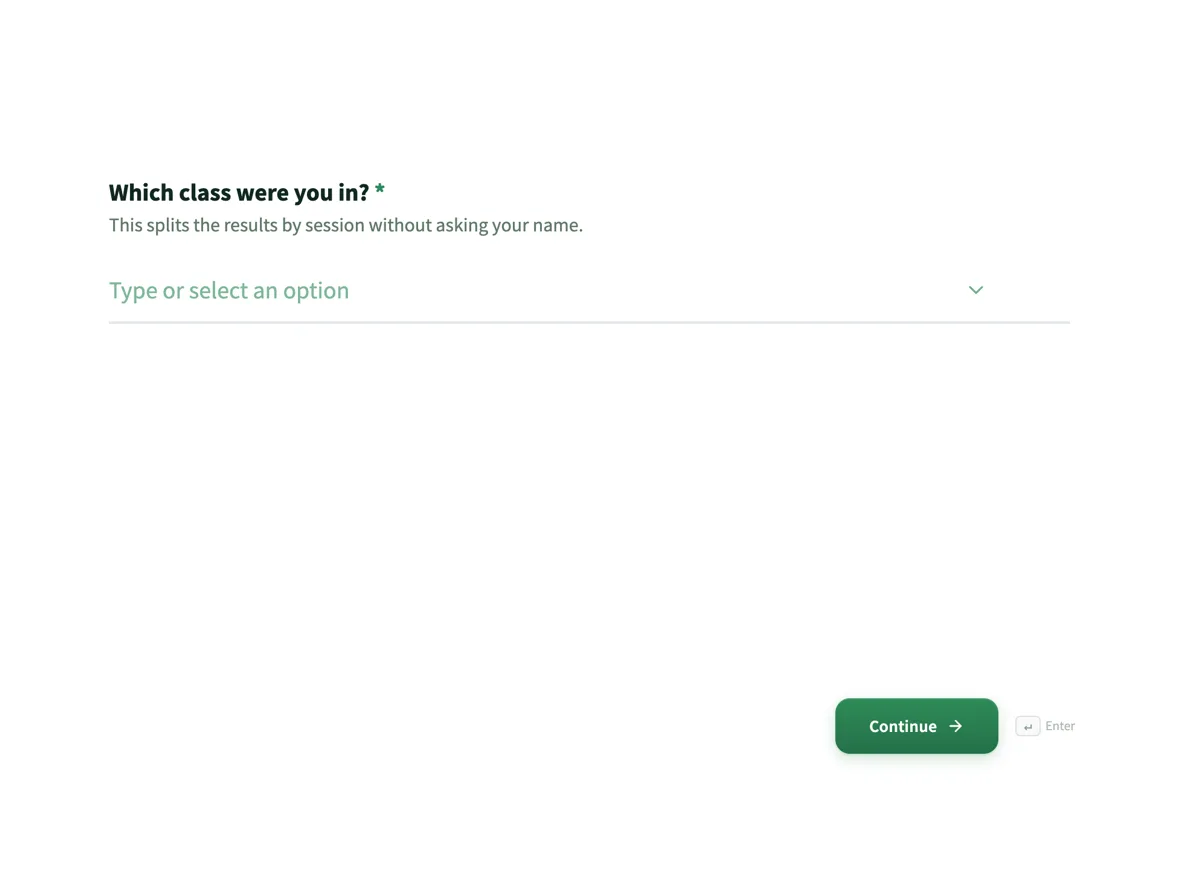 Course evaluation form that separates teaching from materialsMade with OneCraft, exactly as the generator and editor left it. Open the page for the full breakdown.
The free plan answer
Read on 21 October 2026, SurveyMonkey's free Basic plan gives 1 user unlimited surveys with 10 questions per survey, some question types and a limited number of responses per survey, with the exact amount shown after sign up. Google's Forms page states no limit on questions or responses. OneCraft's free plan gives 100 AI credits a month, about three generated projects, and prints no response cap.
What the CSV looks like from each
SurveyMonkey offers data exports from its Standard plan. Google sends raw data to Sheets, one row per response. OneCraft exports CSV with Submitted At first, then one column per input field; radio, dropdown and checkbox answers appear as their labels, a matrix appears as Statement: Answer pairs separated by a bar, an address and a full name are joined into one column, and a signature appears as [Signature Image]. Knowing this before you build saves cleaning later.
Prices read the same day
SurveyMonkey, in Australian dollars: Standard Monthly A$209, Advantage Annual A$32 a month billed A$384, Premier Annual A$119 a month billed A$1,428, Team Advantage A$23 and Team Premier A$75 per user a month from 3 users. Google Workspace Business Starter A$9.90 per user a month on an annual commitment. OneCraft: $0, $8, $25 and $125 US dollars a month.
Sources
SurveyMonkey facts come from its pricing, individual plan and plan details pages; Google facts from the Forms page, the Workspace pricing page and the Docs Editors Help article on question types; all read on 21 October 2026. OneCraft cells cite an internal ledger checked against the product source.
Who should stay with SurveyMonkey or Google Forms
Stay with Google Forms if you want a free, unlimited tool and Sheets is where you analyse. Stay with SurveyMonkey if you rely on its analysis, question bank or response quality checks, or report findings to others. Choose the third option when a survey or form must look designed or print as a PDF, and analysis can happen in a spreadsheet.
Questions people ask
Is SurveyMonkey better than Google Forms?
For analysis, yes: significance testing, crosstabs and AI theme grouping are on its paid plans. For a free tool with no stated question or response caps, Google Forms is better. Most people choose by budget and by how much analysis they will do.
Is SurveyMonkey free?
Its Basic plan is free with 1 user, unlimited surveys, 10 questions per survey and a limited number of responses per survey. Paid plans remove the question cap and add logic, exports and analysis. The exact free response amount is shown after sign up.
Which is better for students?
Google Forms, usually, because it is free with no stated caps and many schools use Workspace. If your university licenses SurveyMonkey or a research tool, use that for analysis. OneCraft's free plan suits a student who wants a designed survey and a CSV.
Can I add a matrix question in all three?
Yes. Google Forms has multiple choice and checkbox grids, SurveyMonkey offers matrix questions on its paid plans, and OneCraft has a matrix component with one or several answers per row. In OneCraft's CSV the matrix is joined into one column.
Can a survey be printed for people without internet?
OneCraft downloads a blank template PDF of any form with no plan gate, so a printed copy can be handed out. SurveyMonkey lists its SurveyMonkey Anywhere mobile app for collecting responses without an internet connection, and Google saves a signed in responder's progress as a draft for 30 days.
Try the form side of OneCraft
The button opens the generator with a starting prompt already filled in. Change the wording to match your own work before you run it.
Create a form with OneCraftMore comparisons
- A SurveyMonkey alternative for surveys and feedbackA SurveyMonkey alternative for feedback surveys: 41 components, matrix grids, conversational mode and AI writing, with SurveyMonkey's response limits quoted.
- A Google Forms alternative: what you gain, what you give upOneCraft as a Google Forms alternative: themes, welcome screens, fillable PDFs, e-signature and AI generation, against the Sheets link you give up.
- Google Forms vs Microsoft Forms, with a third columnGoogle Forms vs Microsoft Forms compared on cost, quizzes, spreadsheet sync, design, logic, file upload and AI, with OneCraft as a third column.
What the module actually does, feature by feature: the AI form builder page, and the forms maker page.
Step by step in the builder: View, export and manage your responses, then Create a form with AI.
Sources
Written and checked by the OneCraft team. Last checked .