Conversational form
Course evaluation form that separates teaching from materials
When one grid mixes the trainer, the slides and the assessment, a bad textbook sinks a good teacher. This evaluation splits the three, asks the workload question numerically, and keeps free text to the two questions a coordinator can act on before the next intake.
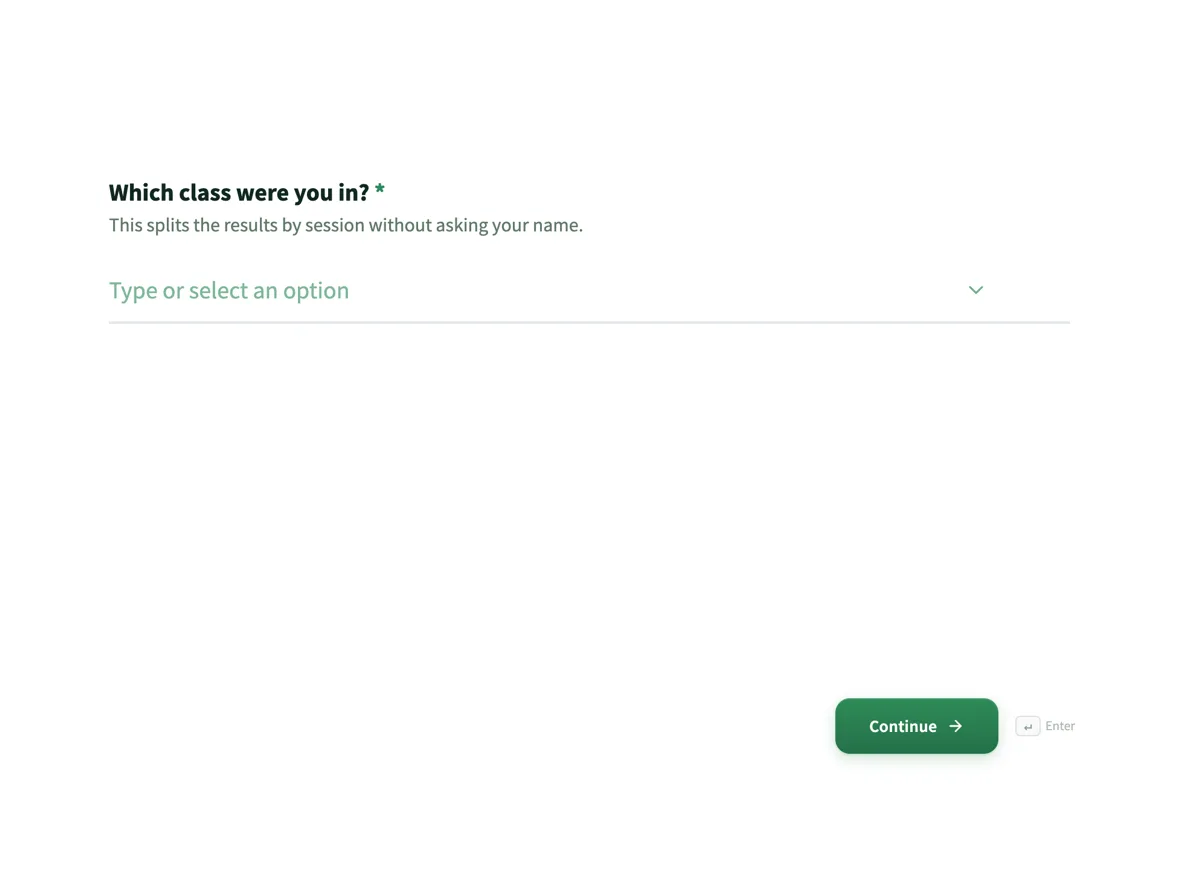
The form itself
The first screen of the form. A conversational form shows one question per screen, so the remaining screens are listed in the field table below. Nothing here can be filled in or submitted, so read it as a reference and build your own from the button above.
Every field, and what it collects
The complete field list, in the order respondents meet it.
- Which class were you in?DropdownRequired
- This splits the results by session without asking your name.
- Options: Tuesday evening · Thursday evening · Saturday morning · Online
- The teachingRating gridRequired
- Statements:
- Explained clearly
- Answered questions well
- Kept the sessions on time
- Gave useful feedback on assessments
- The materialsRating gridRequired
- Did not use is a real answer. Rate only what you opened.
- Statements:
- Workbook
- Slides
- Practice files
- Online portal
- The outcomeRating gridRequired
- Three tasks the course teaches. Answer for yourself today, not for the group.
- Statements:
- I can do bank reconciliations
- I can prepare a BAS
- I can set up a chart of accounts
- Hours per week outside classSingle choiceRequired
- Options: Under 2 · 2 to 4 · 4 to 6 · More than 6
- Most useful part of the courseLong text
- One thing to change before next termLong textRequired
- Would you recommend this course?Single choiceRequired
- Options: Yes · Maybe · No
- Anything else?Long text
Question banks built on this form
Why three grids instead of one
A single satisfaction grid produces a single muddy number. Splitting teaching, materials and outcome into their own grids means that once the coordinator averages the export, each set of averages goes to the person who can fix it: the trainer gets the teaching rows, the coordinator can see whether the workbook scored below the slides, and the institute sees whether graduates can actually reconcile a bank account. The outcome grid matters most and is asked in the plainest terms, three named tasks rated not yet, with help, or confidently, because that is the question the students’ future employers are silently asking the course.
How to adapt this form
A one day workshop collapses to a single grid plus the two open questions, since there are no materials worth rating separately after six hours. Corporate training adds one row to the outcome grid taken from the manager’s stated objective for sending the team. A university unit splits the teaching grid in two, lectures and tutorials, because they are usually different people, and keeps the Did not use column on everything, since no student opens every resource. The rule that survives every variant: rate people, things and results on separate screens.
What makes this form work
The Did not use column protects the materials average
The online portal nobody opened cannot score poor here, because the materials grid gives every row an honest exit. Ratings then come only from students who actually used each resource, which is the difference between fixing the workbook and binning a portal that was merely unadvertised.
The outcome grid names three real tasks
Bank reconciliations, preparing a BAS, setting up a chart of accounts: rated not yet, with help, or confidently. It asks did you learn to do the thing, not did you enjoy learning, and a cohort answering not yet on BAS tells the coordinator exactly which fortnight of the course to rebuild.
Class, never trainer, is the segment
The first screen asks which of four classes you sat in, which splits results by session without printing a colleague’s name on a survey. The coordinator still learns that Saturday morning outperforms Thursday evening; the survey never becomes a referendum on a named person.
Questions people ask
When should a course evaluation be sent?
In the last session, before grades are released, with the promise stated on the welcome screen that the trainer only ever sees averages and only after marking is done. Sent post-results, the evaluation measures the grade, not the course, and response rates drop to whoever is still checking that inbox.
How long should an evaluation be?
Under ten questions. This one is nine screens, three of which are grids that take four or five taps each, and it honours its three minute estimate. Longer instruments trade completion for coverage and usually lose; the second open question here does more work than five extra grids would.
How is it anonymous if it asks which class you were in?
The class dropdown has four entries, each with a dozen or more students, so the segment is wide enough to hide in. No name, email or student number is collected anywhere on the form. The coordinator can compare Tuesday against Saturday without ever knowing who wrote what.
What does a rating grid look like in the export?
One column per grid, with the statements and answers joined into a single cell separated by pipes. In a spreadsheet, split the column on the pipe character, then average each statement across responses. Three grids means three columns to split, and the whole term’s analysis fits in twenty minutes.
Should the recommend question be a scale?
Three options are enough at course level: yes, maybe, no. The count of noes is the alarm, the maybes are the improvement budget, and nothing about a 0 to 10 scale would sharpen either signal here. The NPS survey example covers the full scale for when the audience is customers rather than one cohort.
Can students change their answers after submitting?
No. A second submission creates a second row rather than editing the first, so the convention is to keep the latest per student, which anonymity makes moot here. Practically, nobody resubmits an anonymous course evaluation; the answer that matters is the one written in the room.
Build your own in about a minute
The button below opens the generator with this use case already described. Change the wording to match your own, generate, then edit anything you like.
Make one like thisOther form examples
NPS survey with the score explained
Net Promoter Score is one question, and most surveys ruin it by adding nine more. This one is the question, one follow up, and a permission to reply, and the page shows how the number is worked out from the responses table.
Webinar feedback survey template: content, audio and next topic
A webinar feedback survey has to separate what was said from how it came across on screen, and use the moment to decide the next session. This template asks whether people watched live or on replay and at what level, rates content, sound and length separately, and ends with a vote on next month's topic.
Customer feedback survey
A conversational feedback survey of six questions, shown one at a time with a 1 / 6 counter at the top of each screen. It opens with a five point satisfaction question about today's visit, moves to the Net Promoter question on a 0 to 10 scale, asks for the reason behind the score, then closes with what went well, one thing to improve and an optional email for a reply.
Want the steps in the builder? Read Create a conversational form with AI, then Form builder components. For everything this generator can do, see the form maker.
Sources
Written and checked by the OneCraft team. Last checked .