Forms · Alternative
A Qualtrics alternative for small surveys and feedback
Qualtrics is a research system: quotas, branching, panels of respondents, statistical analysis and exports to SPSS, priced by interactions and sold mostly through sales calls. Most small businesses and many students never need that. This page sets out who outgrows a small survey tool, who never needs Qualtrics, and what a lighter builder cannot do.
Updated , competitor details checked . Qualtrics is a trademark of Qualtrics, LLC. OneCraft is unrelated to Qualtrics and has no endorsement from it.
Indunil Asanka · Co-founder
3 min read · Published
The short verdict
Choose Qualtrics for academic research, market research programmes and enterprise experience management where quotas, randomisation, panels and statistics matter. Choose a smaller builder like OneCraft for feedback forms, course evaluations and staff pulse checks that need a clean design, a CSV and perhaps a PDF, not a research platform.
| Feature | Qualtrics | OneCraft |
|---|---|---|
| Pricing model | Pricing is based on interactions, including survey responses and minutes of video feedback; online pricing starts at $420 per month checked 2026-10-21 | Free at $0 with 100 credits a month; Starter $8, Pro $25, Pro+ $125 a month |
| Free option | A free account option with basic survey functionality and limited features checked 2026-10-21 | A free plan with 100 credits a month and no response cap printed on the pricing page |
| Enterprise packages | Customer experience, employee experience and market research products, each priced on request checked 2026-10-21 | One builder for forms and surveys with no separate research product |
| Question types | 23 question types including multiple choice, rating scales, matrix, open text, NPS, video and audio responses checked 2026-10-21 | 41 component types, including matrix, rating, fill in the blank and recorded audio or video answers |
| Logic and quotas | Smart logic, branching and quota controls in the survey builder checked 2026-10-21 | Jump rules on conversational forms only; no quotas, randomisation or piping |
| Respondent panels | Integrated human panel and synthetic audience access checked 2026-10-21 | No panel; you share the link with your own audience |
| Analysis | Dashboards with 30+ graph types, crosstab and statistical analyses checked 2026-10-21 | A responses table and CSV export; no built in statistics |
| Exports | Export to CSV, Excel, SPSS, Tableau, Power BI and Looker checked 2026-10-21 | CSV with one column per input field, labels instead of stored values |
| Templates and AI | 50+ survey templates and a Research Agent that guides study design checked 2026-10-21 | A generator that writes the survey from a description of up to 10,000 characters |
| Recorded answers | Video and audio responses among the question types checked 2026-10-21 | Audio or video answers, 120 seconds by default, on conversational forms |
Where Qualtrics is better
Real research controls
Quotas, branching, smart logic and best practice guidance are built into the Qualtrics survey builder, which is what a study needs to reach the right respondents in the right numbers. The OneCraft Logic tab only moves a conversational respondent forward or ends the form.
Analysis inside the tool
Crosstabs, statistical analysis, 30 plus chart types and AI summaries of video feedback happen in Qualtrics dashboards. OneCraft hands you a CSV; every percentage, chart and significance test is your job.
Respondents on tap
Qualtrics offers integrated human panels and synthetic audiences, so a study can be fielded without your own list. OneCraft has no panel; it reaches only people you send the link to.
Exports researchers expect
SPSS, Tableau, Power BI and Looker are on the export list. OneCraft exports CSV only, with a matrix joined into one column, which takes cleaning before any statistics package will read it the way a researcher wants.
Where OneCraft is different
Priced for a single survey
There is no sales call and no interaction metering. A free account with 100 credits a month can generate a survey and keep collecting responses, and paid plans start at $8 a month.
A survey drafted from your notes
Paste the questions you already have, or describe the decision the survey must inform, and the generator writes sections, scales and a welcome screen in one pass. On a paid plan a PDF of an old paper survey can be the starting point.
Forms as well as surveys
The same builder makes classic forms with design blocks and e-signature fields, so an enrolment form, a consent and the end of course survey can come from one account and one look.
A finished example
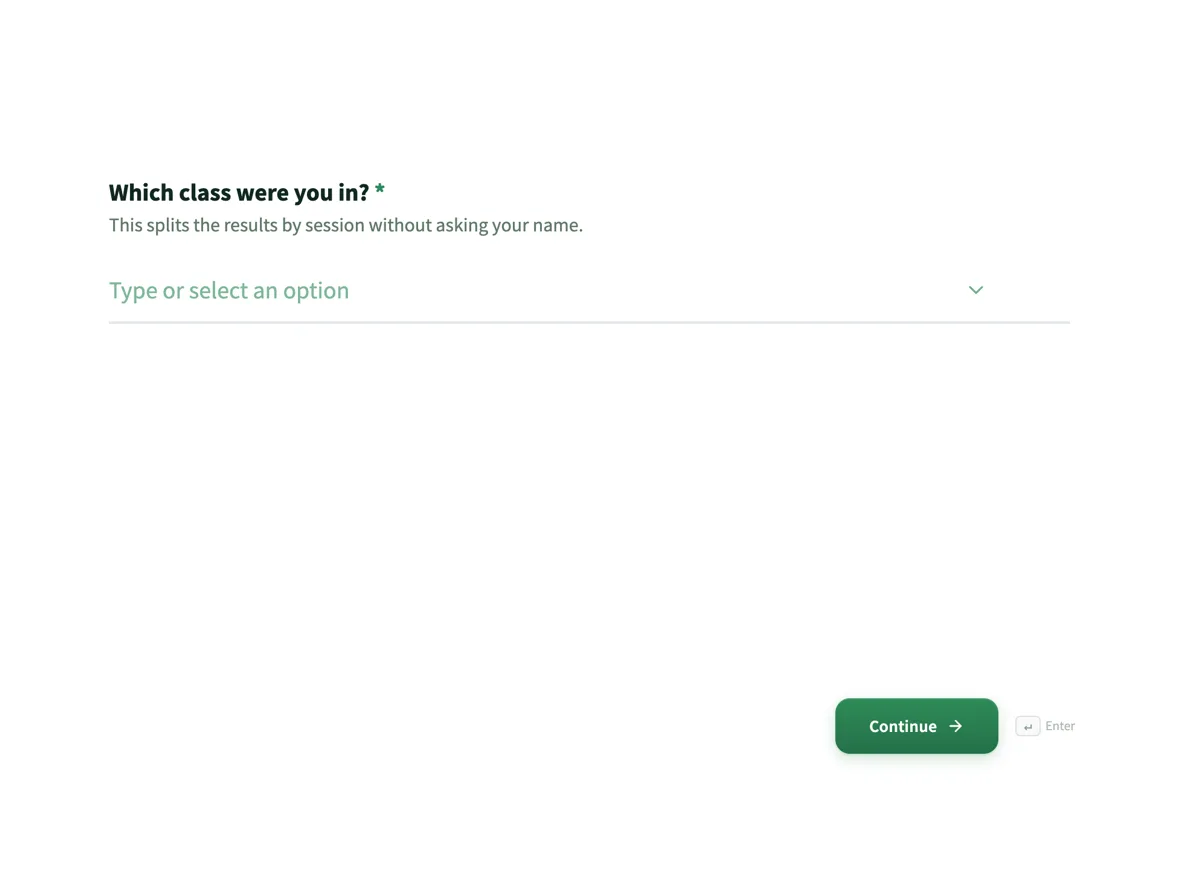 Course evaluation form that separates teaching from materialsMade with OneCraft, exactly as the generator and editor left it. Open the page for the full breakdown.
Pricing in plain terms
Qualtrics prices its platform by interactions. Its survey software page, read on 21 October 2026, says pricing is based on interactions including the number of survey responses and minutes of video feedback, that online pricing starts at $420 per month, and that a free account offers basic survey functionality with limited features. Its pricing page lists customer experience, employee experience and market research products, each with a Request Pricing button rather than a figure. OneCraft lists monthly prices on its own page: $0, $8, $25 and $125 for 100, 500, 1,500 and 7,500 AI credits.
Who outgrows a small survey tool
A researcher who must hit quotas by age and region, randomise question order to remove order effects, pipe earlier answers into later questions or run conjoint style studies will outgrow a form builder within one project. So will a team that reports statistical significance to a board every quarter. Those features are listed by name on the Qualtrics page and none has an equivalent here.
Who never needs Qualtrics
A café asking about a new menu, a small college running end of term evaluations, an HR lead checking staff wellbeing with eight questions, or a club asking members about fees. These surveys need clear wording, a rating scale or matrix, one or two open questions and a spreadsheet at the end. Paying research platform prices for them buys features nobody will touch.
How these claims were checked
Qualtrics figures come from its pricing page and survey software page as read on 21 October 2026. OneCraft cells cite an internal ledger read from the product source, including the absences listed above.
Who should stay with Qualtrics
Stay with Qualtrics if your work needs quotas, randomisation, respondent panels, statistical analysis or SPSS exports, or if your university or employer already licenses it. Those are the reasons Qualtrics exists, and a small form builder offers none of them.
Questions people ask
Is there a free alternative to Qualtrics for students?
Qualtrics itself offers a free account with basic survey functionality, and many universities license the full product, so check with your institution first. For a simple class project, a free OneCraft account with 100 credits a month can generate a survey and keep collecting responses with no response cap printed on its pricing page.
Can I export survey data to SPSS from OneCraft?
Not directly. The export is a CSV with one column per question, option labels rather than codes, and a matrix joined into a single column. SPSS can import a CSV, but you will need to recode labels and split matrix answers first. Qualtrics lists SPSS as a native export.
Does OneCraft randomise question order?
No. Questions appear in the order they were built, and the only logic is a jump rule on conversational forms. If order effects matter to your study, randomisation in Qualtrics or a similar research tool is the safer choice. Option order inside a question stays fixed too.
How much does Qualtrics cost per month?
Its survey software page states that online pricing starts at $420 per month and that pricing is based on interactions such as survey responses and video minutes. Enterprise packages are quoted on request. OneCraft's paid plans run from $8 to $125 a month, priced by AI credits.
Can respondents answer by video in both tools?
Yes. Qualtrics lists video and audio responses among its 23 question types. OneCraft records audio or video answers in conversational forms only, with a 120 second default length and a timer on by default. On OneCraft the CSV records a recorded answer as Recording uploaded, so you review it in the responses table rather than in the export.
Try the form side of OneCraft
The button opens the generator with a starting prompt already filled in. Change the wording to match your own work before you run it.
Create a form with OneCraftMore comparisons
- A SurveyMonkey alternative for surveys and feedbackA SurveyMonkey alternative for feedback surveys: 41 components, matrix grids, conversational mode and AI writing, with SurveyMonkey's response limits quoted.
- A Google Forms alternative: what you gain, what you give upOneCraft as a Google Forms alternative: themes, welcome screens, fillable PDFs, e-signature and AI generation, against the Sheets link you give up.
- A Typeform alternative, compared honestlyOneCraft as a Typeform alternative for conversational forms: what matches, what does not, where Typeform stays ahead, and both public pricing pages quoted.
What the module actually does, feature by feature: the AI form builder page, and the forms maker page.
Step by step in the builder: Create a conversational form with AI, then View, export and manage your responses.
Written and checked by the OneCraft team. Last checked .