Forms · Compared
Typeform vs Jotform, and where a third option fits
Typeform sells the experience of answering: one question at a time, recorded video, a form people finish. Jotform sells coverage: twenty thousand templates, forty payment gateways, PDFs and signing in the same account. This page sets their published figures side by side and adds a third column for a smaller AI first builder, so the trade offs are visible rather than argued.
Updated , competitor details checked . Typeform and Jotform are trademarks of their respective owners. OneCraft is not affiliated with either company and is not endorsed by them.
Nuwan Madhusanka · Co-founder
4 min read · Published · Updated
The short verdict
For a customer facing survey where completion rate is the metric, Typeform is the stronger buy despite the price. For an operational form that takes payment, produces a PDF and needs a template for every situation, Jotform wins on coverage. For a small team that wants the form written for it and finished as a fillable or signed PDF, the third column is the cheaper answer, provided nothing in the form has to branch or charge.
| Feature | Typeform | Jotform | OneCraft |
|---|---|---|---|
| Entry price | Basic at $39 a month, or $468 for the year, with 100 responses a month and one user checked 2026-09-20 | Starter is free at $0 with 5 active forms, 100 monthly submissions, 100 MB of storage and 10 signatures a month checked 2026-09-20 | Free at $0 with 100 AI credits a month, with no form count or submission cap printed on the pricing page |
| Paid tiers | Plus at $79 a month with 1,000 responses and three users; Business at $129 with 10,000 responses and five users; Talent at $169 with 3,000 responses and video questions and answers checked 2026-09-20 | Bronze at $39 a month or $408 a year with 25 forms and 1,000 submissions; Silver $49 or $468 with 50 forms and 2,500; Gold $129 or $1,188 with 100 forms, 10,000 submissions and HIPAA available checked 2026-09-20 | Starter $8, Pro $25 and Pro+ $125 a month for 500, 1,500 and 7,500 AI credits; the fillable PDF export opens at Starter, and the response PDF has no plan gate |
| How the form is presented | One question at a time, with the argument that asking fewer questions helps keep people focused checked 2026-09-20 | Create professional-looking forms with no coding using the online Form Builder checked 2026-09-20 | Both shapes from one builder: classic forms with 36 components, conversational forms with 25 and their own themes |
| Logic | Conditional logic listed from the Basic plan upward checked 2026-09-20 | Set up your form to show or hide form fields, send emails to certain users and show different thank-you messages, based on how the user fills in your form checked 2026-09-20 | Jump rules on conversational forms only. A classic form can run in flow, single column or paginated mode, but every respondent sees every question |
| Templates | Access 3,000+ templates checked 2026-09-20 | 20,000+ Free Online Form Templates checked 2026-09-20 | No template library. The blank page answer is a generator prompt of up to 10,000 characters, or an attached PDF on a paid plan |
| Integrations | Typeform integrates with 300+ apps, including HubSpot, Salesforce, Mailchimp, Slack, Google Sheets, Stripe, Calendly and Notion checked 2026-09-20 | 150+ integrations checked 2026-09-20 | One webhook per submission, posted once with a ten second timeout and no retry, plus an email alert to a single address |
| Video questions | You record questions and people record their responses, with video questions and answers listed on the Talent plan checked 2026-09-20 | Not published on the pages checked checked 2026-09-20 | A recording component on conversational forms takes audio or video answers, defaulting to two minutes with a timer shown |
| Payments | Stripe is named among the integrated apps on the product page checked 2026-09-20 | 40+ payment gateway integrations, with advanced subscription payment features, and payment submissions counted per plan checked 2026-09-20 | No payments of any kind. There is no payment component and no gateway |
| PDFs | Not published as a PDF product on the pages checked checked 2026-09-20 | The PDF Editor turns collected form responses into professional, secure PDF documents, with 2,000+ templates checked 2026-09-20 | A blank template PDF with no plan gate, a fillable PDF export from Starter, and a PDF of each response, arranged in a dedicated layout editor |
| Signing | Not published as a signing product on the pages checked checked 2026-09-20 | Create, share, and e-sign documents in minutes using Jotform Sign, with ready made templates checked 2026-09-20 | An add-on turns each submitted response into an envelope with identity checks, an 18 event hash chained trail and a PAdES certified PDF |
| AI generation | Describe the form you need, then watch Creator AI build and brand it, with everything editable afterwards checked 2026-09-20 | The features page describes a drag and drop Form Builder rather than AI generation of a whole form checked 2026-09-20 | A prompt of up to 10,000 characters, plus up to 5 attachments of 10 MB each on a paid plan, producing fields, sections, welcome screen and theme in one pass |
| Look and branding | Creator AI builds and brands the form, with branding options listed across the paid plans checked 2026-09-20 | Theme and design options are not itemised as a count on the features page checked 2026-09-20 | 37 themes, 22 colour palettes, 24 background patterns, 23 font pairs, 10 welcome layouts and 4 thank-you layouts |
Where Typeform is better
The answering experience is the product
One question at a time, paced and branded, is what Typeform has spent years refining, and the completion rate argument on its own product page is the reason people pay $39 a month for 100 responses. A conversational form elsewhere can copy the shape but not the polish that comes from that focus.
Video questions and video answers
Recorded questions and recorded responses are listed on the Talent plan, which makes screening and first round interviews possible inside the form itself. Nothing in this comparison matches that combination, and a recorded answer collected elsewhere arrives as a file rather than inside a hiring workflow.
Three hundred integrations and counting
HubSpot, Salesforce, Mailchimp, Slack, Google Sheets, Stripe, Calendly and Notion are all named on the product page, out of 300 or more. For a marketing team whose forms feed a stack, that list is the whole argument, and a single webhook is not a substitute for it.
Where Jotform is better
A template for almost anything
Twenty thousand form templates, and two thousand more for PDFs, means the starting point is usually a search rather than a blank page. Generation gets to a first draft quickly, but a specialised template that somebody has already thought about is often better than a draft that has to be checked line by line.
Payments at scale
More than forty payment gateways with subscription features, and payment submissions counted per plan, cover most of what a small business needs to sell through a form. Neither of the other two columns here takes money in the same way, and a Stripe integration on a survey tool is not an order form.
PDFs and signing in the same account
The PDF Editor turns responses into documents with two thousand templates behind it, and Jotform Sign handles the signature with its own template library. That is a complete paperwork path inside one subscription, which is exactly what an operations team tends to need.
Where OneCraft is different
No template library, by design
The third column has no gallery to search. A prompt of up to 10,000 characters, or an attached PDF on a paid plan, produces the fields, sections, welcome screen and theme in one pass. That is faster than a blank page and slower to trust than a well written template, so the first draft always needs reading.
Both form shapes for one price
Classic and conversational are two form types in the same builder, 36 components against 25, with 12 and 25 themes. A team that wants a paced survey this month and a printable intake form next month does not choose between two products or two subscriptions.
Paperwork is included rather than sold separately
A blank template PDF downloads with no plan gate, a fillable PDF export opens on Starter, the filled response PDF is arranged in a layout editor, and the signing add-on produces a certified file with a certificate of completion. That is a narrower version of what Jotform sells across several products, in one account.
Credits, not responses, are the meter
Plans count AI generation credits from 150 a month to 7,500 and print no response limit at all, so a form that unexpectedly attracts ten thousand answers does not change the bill. The cost lands when something is generated, which is the opposite of how both other products price.
A finished example
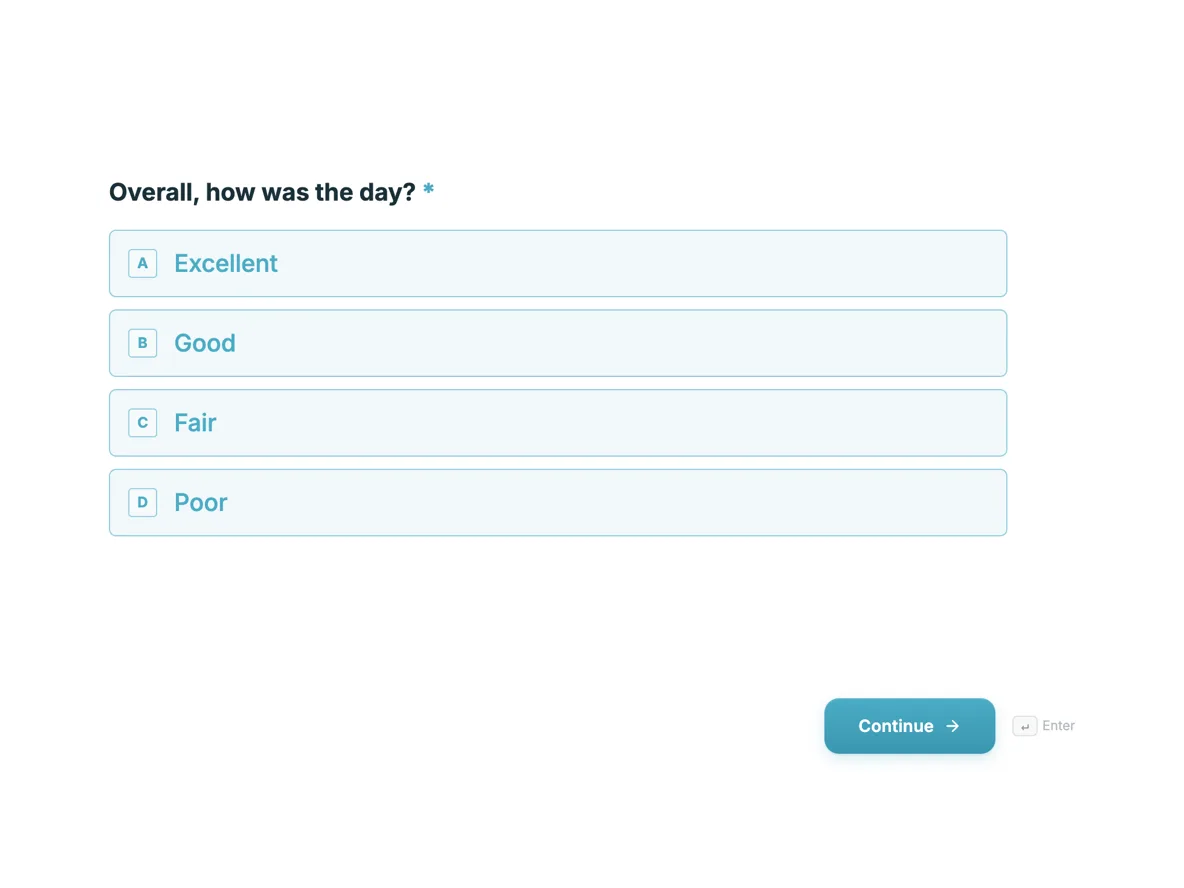 Event feedback form that asks what to changeMade with OneCraft, exactly as the generator and editor left it. Open the page for the full breakdown.
The prices, read on the same day
Typeform on 20 September 2026 starts at Basic, $39 a month or $468 for the year with 100 responses a month and one user, then Plus at $79 with 1,000 responses and three users, Business at $129 with 10,000 responses and five users, and Talent at $169 with 3,000 responses and video questions. Jotform starts free with 5 forms, 100 submissions and 100 MB of storage, then Bronze at $39 a month or $408 yearly with 1,000 submissions, Silver at $49 or $468 with 2,500, and Gold at $129 or $1,188 with 10,000 submissions and HIPAA available. The third column lists $0, $8, $25 and $125 a month for 150, 500, 1,500 and 7,500 AI credits. Read that as three different meters: responses, submissions and generations.
Choosing between the two leaders
The decision is rarely about price. If the form faces customers and the risk is abandonment, Typeform's pacing and branding earn their cost. If the form is internal, transactional or has to take money, Jotform's coverage is hard to beat at any tier, and its free plan is usable in a way Typeform's entry tier is not. Where both are overkill is a small organisation that writes five forms a year, wants them to look consistent, and needs the answers as printable or signable documents rather than as rows in somebody's dashboard.
What the third column cannot do
Its logic stops at jump rules on conversational forms, so a field never disappears for a respondent who does not need it. It takes no payments, runs no approvals and syncs with no CRM. It carries no template library and no reusable signing templates, and its only outbound channel is a single webhook with a ten second timeout and no retry, plus an email alert. Those are checked absences, not omissions from this page, and any one of them is enough to make Typeform or Jotform the correct choice.
How each column was checked
Typeform figures come from its pricing and product pages, Jotform figures from its pricing, features, products, template, PDF editor and Sign pages, all read on 20 September 2026 and quoted as written. Where a page did not mention something, the cell says not published rather than claiming the feature is absent. The third column traces to an internal ledger read out of the product source, including 41 component types, 37 themes, the recording component's two minute default and the 18 event audit trail behind a certified signature.
Who should stay with Typeform or Jotform
Stay with Typeform if completion rate, recorded video and a large integration list are what the form is for. Stay with Jotform if it must take payment, produce PDFs from a template library or route work through approvals. The third column suits neither of those jobs and does not pretend to.
Questions people ask
Which is cheaper, Typeform or Jotform?
Jotform, at the entry point. Its Starter plan is free with 5 forms and 100 submissions a month, while Typeform's cheapest paid plan is $39 a month for 100 responses. At the top of the tiers shown here both reach $129 a month, but Jotform counts 10,000 submissions against Typeform's 10,000 responses with five users.
Is one question at a time worth paying for?
It depends on who is answering. For customer facing surveys where people drop out, the pacing genuinely helps and Typeform is the specialist. For internal forms, applications and anything long and factual, a classic multi step form is faster to complete and easier to print, which is where Jotform and the third column sit.
Do both support conditional logic?
Yes. Typeform lists conditional logic from its Basic plan, and Jotform describes showing or hiding fields, sending emails to certain users and varying thank-you messages based on answers. The third column has only jump rules on conversational forms, which is the clearest functional line between it and the two established products.
Which one handles PDFs and signatures?
Jotform, among those two. Its PDF Editor turns responses into documents with a large template library, and Jotform Sign handles signing with its own templates. Typeform does not publish a PDF or signing product on the pages checked. The third column produces a fillable PDF and a PAdES certified signed file from the same account.
Can any of them take payments?
Jotform lists more than forty payment gateways with subscription features. Typeform names Stripe among its integrations. The third column cannot take payment at all, with no payment component and no gateway, so any form that collects money should be built in one of the other two.
What does AI generation actually replace?
The blank page and the template search. Typeform describes Creator AI building and branding a form from a description. The third column takes up to 10,000 characters, or an attached PDF on a paid plan, and returns fields, sections, a welcome screen and a theme. In both cases the draft still needs checking before it collects real answers.
Try the form side of OneCraft
The button opens the generator with a starting prompt already filled in. Change the wording to match your own work before you run it.
Create a form with OneCraftMore comparisons
- A Typeform alternative, compared honestlyOneCraft as a Typeform alternative for conversational forms: what matches, what does not, where Typeform stays ahead, and both public pricing pages quoted.
- A Jotform alternative for forms, PDFs and signingOneCraft as a Jotform alternative: classic and conversational forms, fillable PDFs, e-signature and AI generation, with Jotform's breadth stated honestly.
- Tally vs Typeform vs OneCraftTally, Typeform and OneCraft compared for conversational forms: price and caps, fields, logic, design, PDFs and signing, with where each one wins.
What the module actually does, feature by feature: the AI form builder page, and the forms maker page.
Step by step in the builder: Classic and conversational forms compared, then Control who can fill in your form.
Written and checked by the OneCraft team. Last checked .